
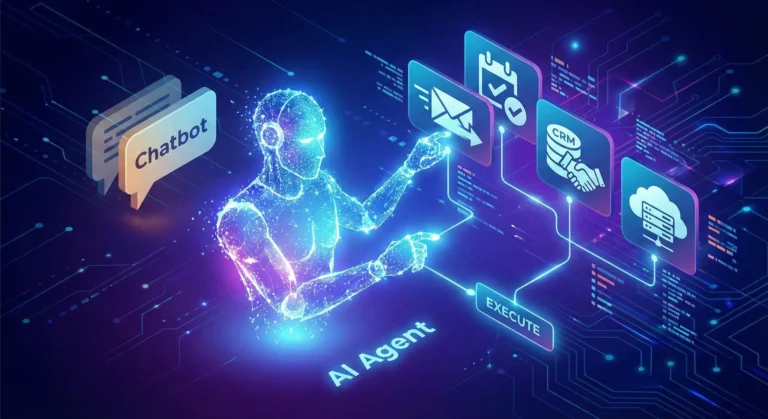
Chatbots Are Dead. Long Live AI Agents: A 2026 Guide

Let’s be honest for a second. We all spent 2023 and 2024 being amazed that ChatGPT could write a haiku or summarize a PDF. It was cool, it was novel, but let’s face it: it was passive. You had to show up, type a prompt, wait for the text, copy it, and then paste it somewhere else to actually do something with it.
In 2026, that workflow is already obsolete.
If your business is still treating AI like a smart encyclopedia, you are leaving money on the table. The shift happening right now—in Silicon Valley, London, and Berlin—is the move from Chatbots to AI Agents.
The Difference: “Talk” vs. “Action”
The distinction is simple but critical.
- A Chatbot is like a library. You ask a question; it gives you an answer. It waits for you.
- An AI Agent is like an intern. You give it a goal (“Plan my travel”), and it goes off, checks flights, compares hotels, books the tickets, and puts them on your calendar. It has agency.
For business automation, this is the holy grail. We are no longer using AI to write the email; we are using AI to send the email, update the CRM, and notify the sales team on Slack—without you touching the keyboard.
The Anatomy of an Agent
You don’t need a computer science degree to build one. You just need to understand the three parts of an “Agentic Workflow”:
- The Brain (The LLM): This is GPT-4o, Claude 3.5, or Gemini. Its job isn’t to generate text, but to make decisions. It decides which tool to use based on your instructions.
- The Hands (The Tools): This is where the magic happens. You give the “Brain” access to your apps—Gmail, Salesforce, Excel, Slack—via APIs.
- The Rails (The Rules): Agents can hallucinate. You need guardrails to ensure it doesn’t accidentally email your entire database.
How to Build Your First “Loop” (Without Code)
You don’t need to hire a Python developer to start. Platforms like Zapier Central, Make.com, or Microsoft Copilot Studio have democratized this.
Here is a simple “Lead Qualification” agent you can build this afternoon:
Step 1: The Trigger Don’t start with “I want AI.” Start with a pain point. Let’s say: “I spend too much time reading contact forms.”
- Trigger: A new entry lands in your Typeform or website contact form.
Step 2: The Agent Analysis Instead of just forwarding that email to you, the AI Agent intercepts it.
- Instruction: “Read the message. If the budget mentioned is under $5,000, label it ‘Low Priority.’ If it’s over $5,000, label it ‘High Priority’ and draft a personalized meeting invite.”
Step 3: The Action This is the part that feels like magic.
- If Low Priority: The Agent adds the row to a Google Sheet for later review.
- If High Priority: The Agent pings you on Slack with a summary (“Hot lead from London, budget $10k”) and drafts the email in your Drafts folder, waiting for one click to send.
The “Human-in-the-Loop” Rule
The biggest mistake I see businesses make is trusting the Agent too much too soon. In 2026, the best workflow is “AI Drafts, Human Approves.”
Let the Agent do the grunt work—the searching, the sorting, the drafting. But keep your finger on the “Approve” button for the final mile. As these agents get smarter, you can slowly remove the training wheels, but for now, trust is good; control is better.
The Bottom Line
The businesses that win in the next decade won’t be the ones with the smartest prompt engineers. They will be the ones who successfully outsource their repetitive, low-value cognitive loops to digital agents.
Stop asking your AI questions. Start giving it a job description.