7 Best AI Agents for Business Automation in 2026

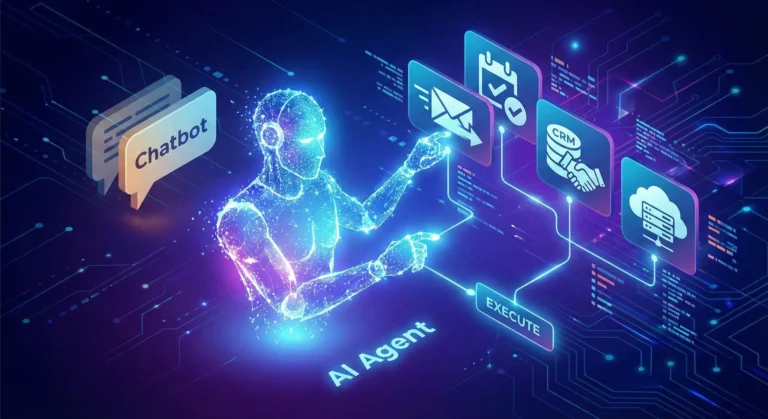
If 2024 was the year of the Chatbot, 2026 is undeniably the year of the Agent.
The difference is profound. A chatbot answers your questions; an agent does your work. For business leaders in London, New York, and San Francisco, the novelty of “chatting” with AI has worn off. The focus has shifted entirely to ROI and autonomous workflows.
We are looking for tools that don’t just generate text but can open a browser, click buttons, query databases, and send Slack messages without human hand-holding.
After testing dozens of platforms, here are the 7 best AI Agents for business automation in 2026.
1. Zapier Central (The “Gateway” Agent)
Best For: Connecting your existing SaaS stack.
If you already use Zapier, this is the easiest entry point. Zapier Central isn’t just a prettier interface for their automation tools; it’s a logic layer that sits on top of them.
- What it does: Instead of building rigid “If This, Then That” workflows, you give Central a goal: “Check my email for invoices, match them to Xero, and slack me if the amount is over $1,000.”
- The Killer Feature: It has access to 6,000+ apps immediately. You don’t need to wait for integrations; they are already there.
2. Microsoft Copilot Studio (The Enterprise Standard)
Best For: Corporations living in the Office 365 ecosystem.
For large enterprises, security is the bottleneck. Microsoft Copilot Studio (formerly Power Virtual Agents) allows you to build agents that live safely inside your corporate tenant.
- What it does: You can build an agent that accesses your internal SharePoint, reads your Outlook calendar, and updates Excel sheets.
- The Killer Feature: It respects your organization’s data governance. It won’t hallucinate confidential data to the wrong employee.
3. Lindy.ai (The “Digital Employee”)
Best For: Specific roles like Medical Scribes, HR Assistants, or Executive Assistants.
Lindy positions itself not as a tool, but as an employee. You don’t “configure” Lindy; you “hire” her for a specific job.
- What it does: Lindy comes pre-trained for specific verticals. An “HR Lindy” already knows how to handle onboarding documents; a “Medical Lindy” knows how to transcribe patient notes into EMR formats.
- The Killer Feature: “Proactive” behavior. Lindy doesn’t always wait for a command; she can monitor your inbox and draft replies for you to approve.
4. Salesforce Agentforce (The CRM Specialist)
Best For: Sales and Customer Support teams.
If your business lives or dies by your CRM data, Agentforce is the heavy hitter. Salesforce realized that generic AI struggles with specific customer data, so they built agents that live inside the data layer.
- What it does: An Agentforce service agent can autonomously resolve customer tickets by looking up order history, processing a refund, and updating the case status—all without a human agent opening the file.
- The Killer Feature: The “Atlas” reasoning engine, which is surprisingly good at handling complex customer queries that usually confuse standard bots.
5. Relevance AI (The No-Code Builder)
Best For: Building custom “AI Workforce” teams without code.
Relevance AI is for the power user who wants to build a custom agent team but doesn’t want to write Python.
- What it does: It allows you to build multi-agent chains. You can have a “Researcher Agent” that scrapes the web, passes the data to a “Writer Agent” that drafts a report, and a “Manager Agent” that critiques it.
- The Killer Feature: The visual builder is intuitive, making it easy to visualize how your “digital team” is passing data back and forth.
6. CrewAI (The Developer’s Choice)
Best For: Technical teams building complex, code-heavy workflows.
If you have a dev team, skip the no-code tools and go straight to CrewAI. It’s an open-source framework that orchestrates role-playing agents.
- What it does: You define specific roles (e.g., “Senior Python Engineer,” “QA Tester”) and assign them goals. The agents collaborate, delegate tasks to each other, and solve problems iteratively.
- The Killer Feature: It handles “delegation” better than almost anything else. If one agent gets stuck, it can ask another agent for help.
7. MultiOn (The Browser Navigator)
Best For: Tasks that require using a web browser like a human.
Most APIs are limited. MultiOn solves this by giving the AI a web browser.
- What it does: It can log into websites, click buttons, fill out forms, and navigate complex UIs just like a human user would.
- The Killer Feature: It can handle “real world” tasks like booking a flight on a site that doesn’t have an API, or ordering lunch from a delivery service.
The Bottom Line
In 2026, the question isn’t “Which AI model is the smartest?”—it’s “Which Agent has the best access to my tools?”
If you want a safe bet, start with Zapier Central. If you want to build a digital workforce, look at Relevance AI or CrewAI. Just stop waiting for the chatbot to do the work for you.