|

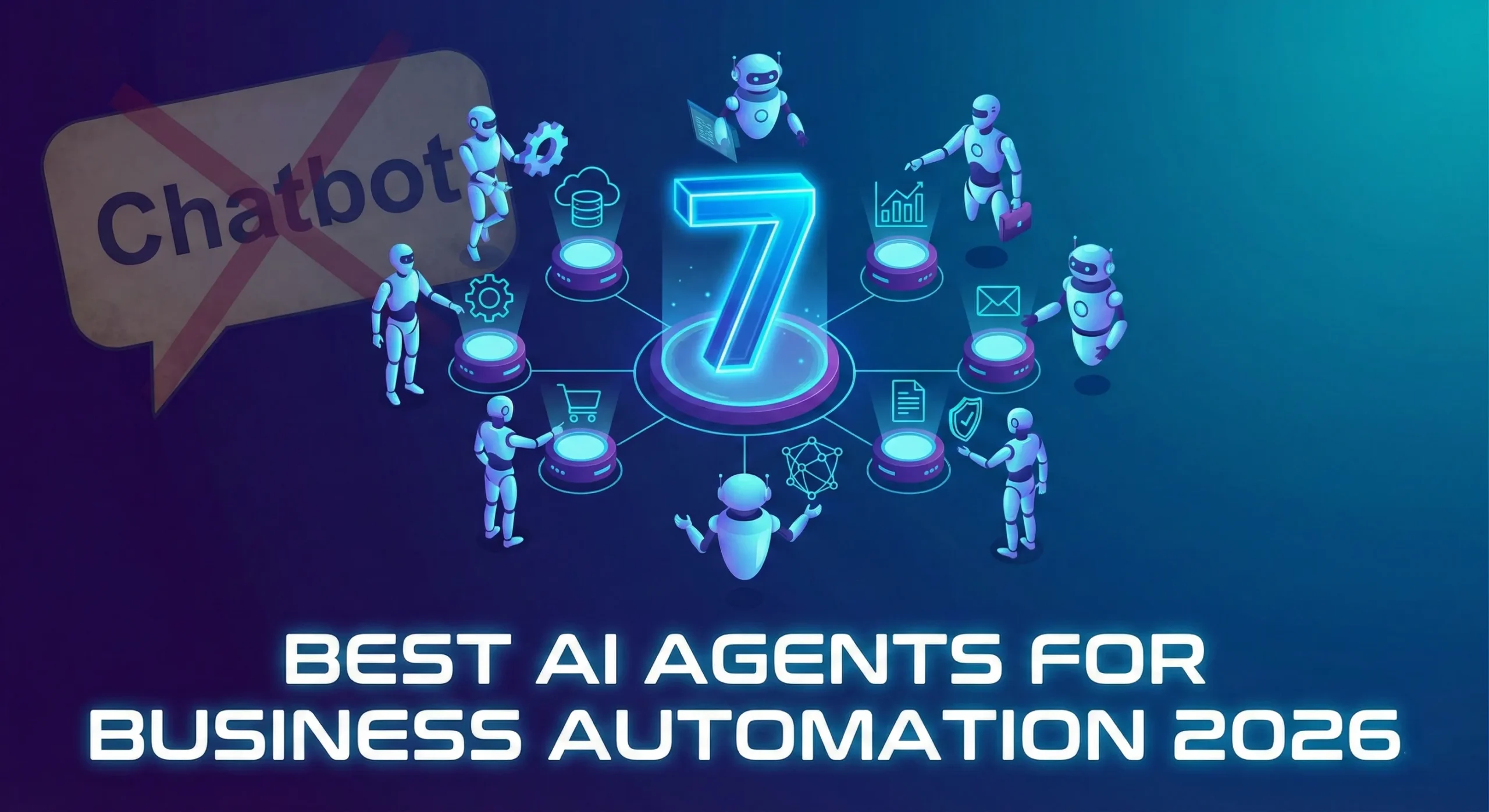
7 Best AI Agents for Business Automation in 2026

7 Best AI Agents for Business Automation in 2026

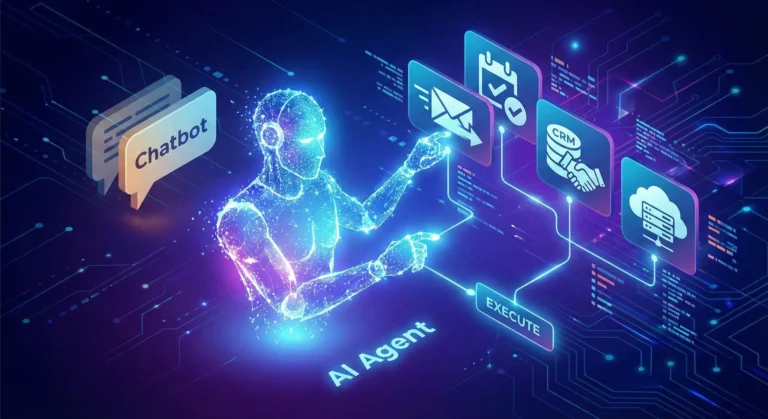
If 2024 was the year of the Chatbot, 2026 is undeniably the year of the Agent.

The difference is profound. A chatbot answers your questions; an agent does your work. For business leaders in London, New York, and San Francisco, the novelty of “chatting” with AI has worn off. The focus has shifted entirely to ROI and autonomous workflows.

We are looking for tools that don’t just generate text but can open a browser, click buttons, query databases, and send Slack messages without human hand-holding.

After testing dozens of platforms, here are the 7 best AI Agents for business automation in 2026.

1. Zapier Central (The “Gateway” Agent)

Best For: Connecting your existing SaaS stack.

If you already use Zapier, this is the easiest entry point. Zapier Central isn’t just a prettier interface for their automation tools; it’s a logic layer that sits on top of them.

  • What it does: Instead of building rigid “If This, Then That” workflows, you give Central a goal: “Check my email for invoices, match them to Xero, and slack me if the amount is over $1,000.”
  • The Killer Feature: It has access to 6,000+ apps immediately. You don’t need to wait for integrations; they are already there.

2. Microsoft Copilot Studio (The Enterprise Standard)

Best For: Corporations living in the Office 365 ecosystem.

For large enterprises, security is the bottleneck. Microsoft Copilot Studio (formerly Power Virtual Agents) allows you to build agents that live safely inside your corporate tenant.

  • What it does: You can build an agent that accesses your internal SharePoint, reads your Outlook calendar, and updates Excel sheets.
  • The Killer Feature: It respects your organization’s data governance. It won’t hallucinate confidential data to the wrong employee.

3. Lindy.ai (The “Digital Employee”)

Best For: Specific roles like Medical Scribes, HR Assistants, or Executive Assistants.

Lindy positions itself not as a tool, but as an employee. You don’t “configure” Lindy; you “hire” her for a specific job.

  • What it does: Lindy comes pre-trained for specific verticals. An “HR Lindy” already knows how to handle onboarding documents; a “Medical Lindy” knows how to transcribe patient notes into EMR formats.
  • The Killer Feature: “Proactive” behavior. Lindy doesn’t always wait for a command; she can monitor your inbox and draft replies for you to approve.

4. Salesforce Agentforce (The CRM Specialist)

Best For: Sales and Customer Support teams.

If your business lives or dies by your CRM data, Agentforce is the heavy hitter. Salesforce realized that generic AI struggles with specific customer data, so they built agents that live inside the data layer.

  • What it does: An Agentforce service agent can autonomously resolve customer tickets by looking up order history, processing a refund, and updating the case status—all without a human agent opening the file.
  • The Killer Feature: The “Atlas” reasoning engine, which is surprisingly good at handling complex customer queries that usually confuse standard bots.

5. Relevance AI (The No-Code Builder)

Best For: Building custom “AI Workforce” teams without code.

Relevance AI is for the power user who wants to build a custom agent team but doesn’t want to write Python.

  • What it does: It allows you to build multi-agent chains. You can have a “Researcher Agent” that scrapes the web, passes the data to a “Writer Agent” that drafts a report, and a “Manager Agent” that critiques it.
  • The Killer Feature: The visual builder is intuitive, making it easy to visualize how your “digital team” is passing data back and forth.

6. CrewAI (The Developer’s Choice)

Best For: Technical teams building complex, code-heavy workflows.

If you have a dev team, skip the no-code tools and go straight to CrewAI. It’s an open-source framework that orchestrates role-playing agents.

  • What it does: You define specific roles (e.g., “Senior Python Engineer,” “QA Tester”) and assign them goals. The agents collaborate, delegate tasks to each other, and solve problems iteratively.
  • The Killer Feature: It handles “delegation” better than almost anything else. If one agent gets stuck, it can ask another agent for help.

7. MultiOn (The Browser Navigator)

Best For: Tasks that require using a web browser like a human.

Most APIs are limited. MultiOn solves this by giving the AI a web browser.

  • What it does: It can log into websites, click buttons, fill out forms, and navigate complex UIs just like a human user would.
  • The Killer Feature: It can handle “real world” tasks like booking a flight on a site that doesn’t have an API, or ordering lunch from a delivery service.

The Bottom Line

In 2026, the question isn’t “Which AI model is the smartest?”—it’s “Which Agent has the best access to my tools?”

If you want a safe bet, start with Zapier Central. If you want to build a digital workforce, look at Relevance AI or CrewAI. Just stop waiting for the chatbot to do the work for you.
Similar Posts

  • ·

    Top Agentic AI Tools for Boutique Agencies

    For boutique agencies and solo entrepreneurs scaling in the US and UK markets, the bottleneck isn’t usually a lack of ideas—it’s headcount. You want enterprise-level marketing output without the enterprise-level payroll. Enter agentic AI.

    Unlike traditional “if-this-then-that” marketing automation, agentic AI tools don’t just follow static, rigid rules. They perceive data, make decisions, and execute multi-step workflows autonomously based on context. They act less like software and more like digital team members.

    Here is a breakdown of the top agentic AI marketing tools that are changing how lean agencies handle B2B lead generation, CRM management, and digital growth in 2026.

    Gumloop: The No-Code Operations Architect

    If you need to build custom AI workflows without writing a single line of code, Gumloop is your sandbox. It’s a drag-and-drop platform designed to automate heavy, logic-based marketing and sales tasks.

    • The Agency Play: Use Gumloop to build an autonomous lead-scraping agent. You can set it up to monitor specific industry triggers (like companies that just raised Series A funding), scrape their executive data, and automatically categorize the leads based on your specific Ideal Customer Profile (ICP). It handles the tedious, top-of-funnel research that normally eats up hours of a junior marketer’s week, passing only the most qualified data into your CRM.

    Artisan AI (Ava): Your Autonomous BDR

    Artisan AI built “Ava,” an AI-driven Business Development Representative (BDR). Instead of buying a fragmented tech stack for data sourcing, email warm-up, and sequence scheduling, Artisan bundles the entire outbound motion into one autonomous platform.

    • The Agency Play: Ava taps into a built-in database of over 300 million B2B contacts. You give her your target parameters, and she handles the rest. She researches the prospects, writes hyper-personalized cold outreach emails based on real-time data (such as a recent LinkedIn post or company news), and dynamically manages the follow-ups based on recipient behavior. For boutique agencies selling high-ticket B2B services, Ava keeps the outbound pipeline full while you focus entirely on closing the deal.

    HubSpot Breeze: The Enterprise CRM Brain

    HubSpot has heavily integrated agentic AI directly into its ecosystem with Breeze. It features specific agents for content, social media, and prospecting, all tied directly to your core CRM data so it never loses context.

    • The Agency Play: Breeze Intelligence automatically enriches your inbound leads with critical B2B data points (industry, headcount, tech stack). Meanwhile, the Prospecting Agent tracks buyer intent. If a prospect from a UK-based enterprise visits your pricing page, Breeze can auto-add them to the CRM, score the lead, and draft a context-aware outreach email for you to approve. It bridges the gap between marketing activity and sales execution seamlessly, ensuring no high-value lead slips through the cracks.

    Make: The Ultimate Workflow Orchestrator

    Make (formerly Integromat) isn’t strictly a standalone AI agent, but it is the visual infrastructure that makes complex agentic workflows possible. It allows you to connect thousands of different apps and inject AI decision-making (via LLMs like OpenAI or Anthropic) at any step of the journey.

    • The Agency Play: You can use Make to tie your entire marketing stack together into one autonomous loop. For example, when a high-value lead fills out a form, Make can route the data to an LLM to analyze the lead’s intent, ping your team’s Slack channel with a summary, and automatically generate a personalized proposal draft in Google Docs. It allows solo operators to build a bespoke, highly automated backend that rivals massive agencies.

    The Bottom Line

    Scaling a boutique agency no longer requires a massive hiring sprint. By integrating these agentic AI platforms into your B2B marketing strategies, you can automate the heavy lifting, keep your CRM spotless, and focus your human capital on high-value digital growth and strategy.

  • ·

    Salesforce Agentforce vs. HubSpot Breeze: Which AI CRM Wins in 2026?

    For the last decade, the choice between Salesforce and HubSpot was simple: Salesforce was for the Enterprise that needed to customize everything; HubSpot was for the scale-up that wanted things to work out of the box.

    In 2026, that line has blurred. Both have launched massive “Agentic” overhauls—Salesforce Agentforce and HubSpot Breeze—promising to turn your CRM from a passive database into an active employee.

    But don’t let the marketing hype fool you. These two platforms have taken radically different approaches to AI. I’ve dug into the pricing, the architecture, and the real-world headaches of both. Here is the no-nonsense comparison.

    1. The Philosophy: “The Brain” vs. “The Co-Pilot”

    Salesforce Agentforce is built on what they call the “Atlas” reasoning engine. It is designed to be autonomous.+1

    • The Vibe: It feels like hiring a very expensive, very smart consultant. You give it a complex goal (“Resolve this customer support ticket by checking shipping data in Oracle and refunding via Stripe”), and it figures out the steps. It doesn’t just suggest text; it takes action.
    • The Reality: It is powerful, but heavy. Setting it up requires a “human in the loop” to define strict guardrails, or you risk it hallucinating a 50% discount to your biggest client.

    HubSpot Breeze is built on the “Copilot” model. It is designed to be assistive.

    • The Vibe: It feels like a really fast intern sitting next to you. It lives in the sidebar. You ask it to “Research this lead” or “Rewrite this email,” and it does it instantly.
    • The Reality: It is less likely to break things because it (mostly) waits for you to click “Send.” It integrates seamlessly into the daily workflow of a rep, but it lacks the deep, multi-step reasoning capabilities of Salesforce.

    2. The Agents: What Can They Actually Do?

    Salesforce’s Star Player: The Service Agent Salesforce is winning the “Customer Service” game. Their Agentforce Service Agent can handle complex, multi-turn conversations without a human ever touching the keyboard. It can query external databases (thanks to Data Cloud) and actually resolve tickets.

    • Verdict: If you run a massive support center, this is the gold standard.

    HubSpot’s Star Player: The Prospecting Agent HubSpot knows its audience: Sales Reps who hate admin. The Breeze Prospecting Agent is brilliant at the “top of funnel” grunt work. It researches a company, finds recent news, drafts a personalized hook, and queues it up.

    • Verdict: If you run an outbound sales team, this creates immediate value. It doesn’t require a 6-month implementation project; you turn it on, and your reps get faster today.

    3. The Pricing: Credits vs. Complexity

    Here is where things get messy.

    Salesforce Agentforce Pricing:

    • The Model: A mix of “Per Conversation” fees ($2/conversation) and “Flex Credits.”
    • The Gotcha: It is notoriously hard to predict. If your AI agent gets into a loop or has a long conversation, your costs spike. You need a dedicated Ops person just to monitor your AI consumption bill.

    HubSpot Breeze Pricing:

    • The Model: Mostly bundled into the “seats.” If you are on Sales Hub Professional or Enterprise, you get a bucket of credits.
    • The Gotcha: You will burn through those credits faster than you think. However, the cost is capped and predictable. You know what your bill will be at the end of the month.

    4. The “Data Mess” Factor

    AI is only as good as the data it eats.

    • Salesforce relies on Data Cloud to harmonize your data. It works, but it’s an engineering project. If your Salesforce instance is a “spaghetti mess” of bad data (which, let’s be honest, it is), Agentforce will struggle.
    • HubSpot has launched Breeze Intelligence (formerly Clearbit). Because HubSpot’s data model is cleaner by default, the AI tends to hallucinate less right out of the gate. It enriches data automatically, giving the agent a better starting point without you needing a data scientist.

    The Verdict

    Choose Salesforce Agentforce If:

    • You are a large Enterprise (500+ employees).
    • You have a dedicated Salesforce Administrator/Developer team.
    • You need complex, cross-department automation (e.g., Sales talks to Logistics talks to Finance).

    Choose HubSpot Breeze If:

    • You are a SMB or Mid-Market company (10–500 employees).
    • You want your sales reps to adopt the tool this week, not next year.
    • You value ease of use over infinite customization.

    The Winner? For pure ROI speed, HubSpot Breeze takes the crown in 2026. It’s accessible, predictable, and actually helps reps sell. Salesforce is more powerful, but for most companies, that power remains locked behind a wall of complexity.

  • ·

    Top No-Code AI Agent Builders for Agencies

    Scaling an agency in the US or UK used to mean one thing: hiring more people. Every new client meant adding more project managers, more data entry clerks, and more administrative bloat. But operations managers are waking up to a new reality. You don’t need a bigger team to handle enterprise-level capacity; you need better internal infrastructure.

    The secret to maximizing agency margins right now is replacing repetitive administrative headcount with custom AI agents. By leveraging no-code enterprise automation, you can build digital employees that handle your backend operations 24/7. Here at AI Growth Gear, we prioritize software that directly impacts the bottom line. If you want to deploy sophisticated business intelligence and workflow software without writing a line of code, these are the platforms you need.

    MindStudio: The AI Employee Factory

    MindStudio is arguably the most robust platform right now for building highly specialized, multi-step AI agents. It allows you to build custom interfaces and connect different foundation models (like Claude 3 or GPT-4) depending on the specific task.

    • The Operations Play: Stop paying junior staff to summarize endless client discovery calls and format them into briefs. With MindStudio, you can build an internal “Strategy Agent.” You upload the raw call transcript, and the agent automatically extracts the core business objectives, cross-references them with your agency’s standard operating procedures (SOPs), and outputs a polished, ready-to-execute project brief. It turns hours of manual administrative work into a three-second automated workflow.

    Zapier Central: The Action-Oriented Assistant

    You likely already use Zapier to connect your apps, but Zapier Central transforms those passive connections into an active, conversational AI workspace. It allows you to build bots that sit directly on top of your live data.

    • The Operations Play: Zapier Central excels at data triage. Imagine a custom agent monitoring your high-value lead inbox. When a new enterprise inquiry comes in, the agent reads the context, automatically queries your CRM to see if they are an existing contact, drafts a personalized response based on their industry, and pings the correct account executive in Slack with a summary. It acts as an autonomous executive assistant that never drops the ball, perfectly optimizing your agency’s lead response times.

    Flowise: Visual LLM Orchestration

    For agencies handling vast amounts of proprietary data or complex technical documentation, Flowise is a game-changer. It provides a drag-and-drop visual interface for LangChain, meaning you can build highly complex AI logic flows without needing a Python developer.

    • The Operations Play: Build a secure, internal “Knowledge Retrieval Agent” for your team. By connecting Flowise to your agency’s internal Google Drive or Notion workspace, your team can simply ask the agent questions like, “What were the exact deliverables we promised in the Q3 contract for Client X?” The agent searches the secure internal database and retrieves the exact clause in seconds. This eliminates the endless back-and-forth messaging between departments and streamlines overall business intelligence.

    Voiceflow: Conversational Process Management

    While typically known for building customer-facing chatbots, smart operations managers are using Voiceflow to build robust internal conversational interfaces.

    • The Operations Play: Employee onboarding is a massive drain on operational resources. With Voiceflow, you can build an interactive “HR & Onboarding Agent.” Instead of handing new hires a static 50-page PDF of company policies, they interact with the Voiceflow agent. It can guide them through setting up their software stack, answer specific questions about payroll schedules, and train them on agency methodologies. It guarantees a consistent, scalable onboarding experience without tying up your senior staff.

    The Bottom Line

    B2B margins are won and lost in the backend. By investing in no-code workflow software like MindStudio, Zapier Central, Flowise, and Voiceflow, you aren’t just buying tools—you are building a scalable, automated workforce. This allows you to take on larger enterprise contracts without proportionately increasing your overhead.

  • ·

    AI Workflow Automation for Small Businesses (2026 Guide)

    Running a small business means handling dozens of repetitive tasks every day—emails, invoices, customer responses, lead management, and social media updates. These tasks consume valuable time that could be spent growing the business.

    This is where AI workflow automation comes in.

    By using automation platforms like Zapier and Make, small businesses can automate repetitive workflows, connect multiple apps, and reduce manual work dramatically.

    In this guide, you will learn:

    • What AI workflow automation is
    • Why small businesses should use it
    • The best automation tools available
    • Real examples of automated workflows
    • How to start automation in your business today

    What is AI Workflow Automation?

    AI workflow automation is the process of using automation tools and artificial intelligence to perform repetitive business tasks automatically.

    Instead of manually transferring data between apps, sending emails, or updating spreadsheets, automation platforms create trigger-based workflows.

    Example workflow:

    Customer fills website form →
    Lead added to CRM →
    Welcome email sent →
    Sales team notified →
    Task created in project management tool.

    All of this happens automatically without human intervention.

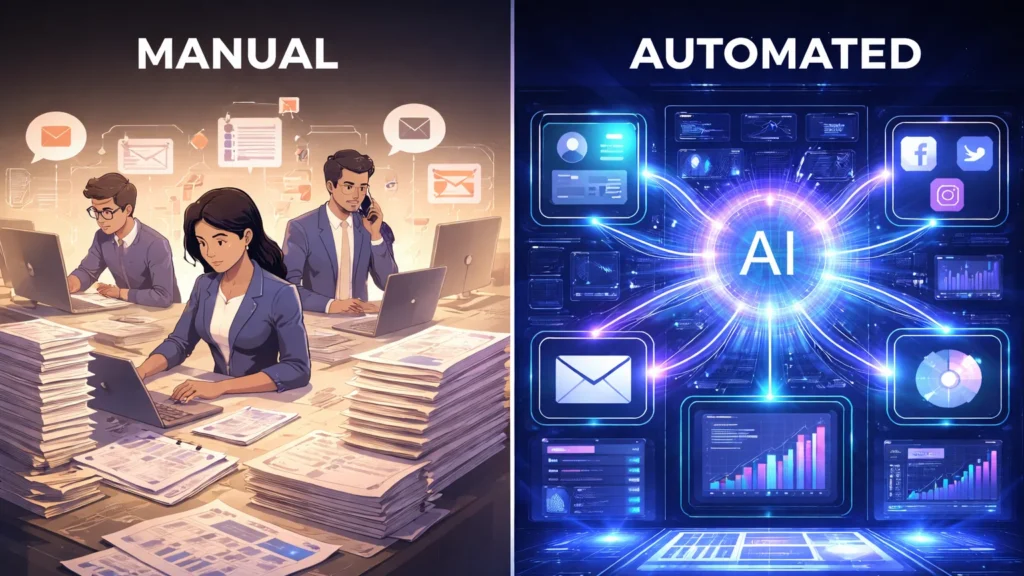
    Manual business workflow compared with AI automated workflow
    Comparison of manual business processes and AI automated workflows that eliminate repetitive tasks.

    Why Small Businesses Need Workflow Automation

    Small businesses usually operate with limited staff and resources. Automation allows teams to do more work with fewer people.

    1. Save Time

    Automation removes repetitive tasks such as:

    • Email responses
    • Data entry
    • Report generation
    • File organization

    2. Reduce Human Errors

    Manual data entry often leads to mistakes. Automation ensures accurate data transfer across systems.

    3. Increase Productivity

    Employees can focus on high-value activities like sales, strategy, and customer relationships.

    4. Scale Operations Faster

    As business grows, automation ensures workflows remain efficient without hiring additional staff.


    Best AI Workflow Automation Tools

    Zapier is one of the most popular automation platforms used by millions of businesses worldwide.

    It allows users to connect 6,000+ apps and automate tasks without coding.

    Key Features

    • No-code workflow builder
    • Thousands of app integrations
    • AI automation suggestions
    • Conditional workflows
    • Multi-step automation

    Example Automation

    When a customer purchases from Shopify →
    Automatically add customer to email marketing list →
    Send onboarding email →
    Create invoice.

    Zapier is ideal for small businesses, freelancers, and startups.

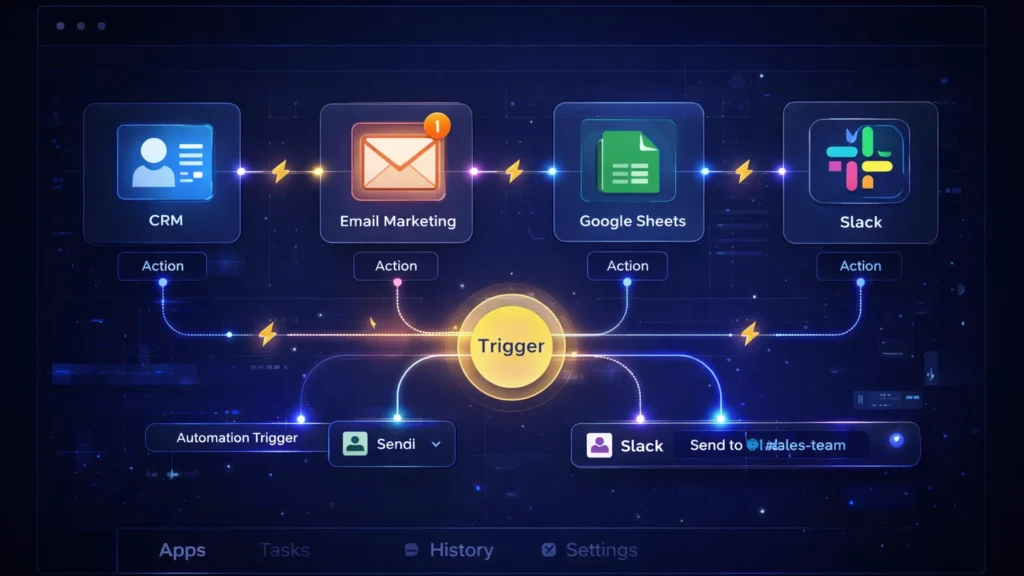
    workflow automation diagram connecting CRM email marketing Google Sheets and Slack
    Workflow automation tools connect apps like CRM, email marketing, Google Sheets, and Slack through automation triggers.

    Make (formerly Integromat) is a powerful visual automation platform designed for complex workflows.

    Unlike Zapier, Make uses a visual scenario builder where users can see how data flows between apps.

    Key Features

    • Visual automation builder
    • Advanced conditional logic
    • Data transformation tools
    • Real-time automation execution
    • Powerful integrations

    Example Automation

    New lead from Facebook Ads →
    Filter high-quality leads →
    Add to CRM →
    Send SMS notification to sales team.

    Make is perfect for businesses that require advanced automation and detailed control.

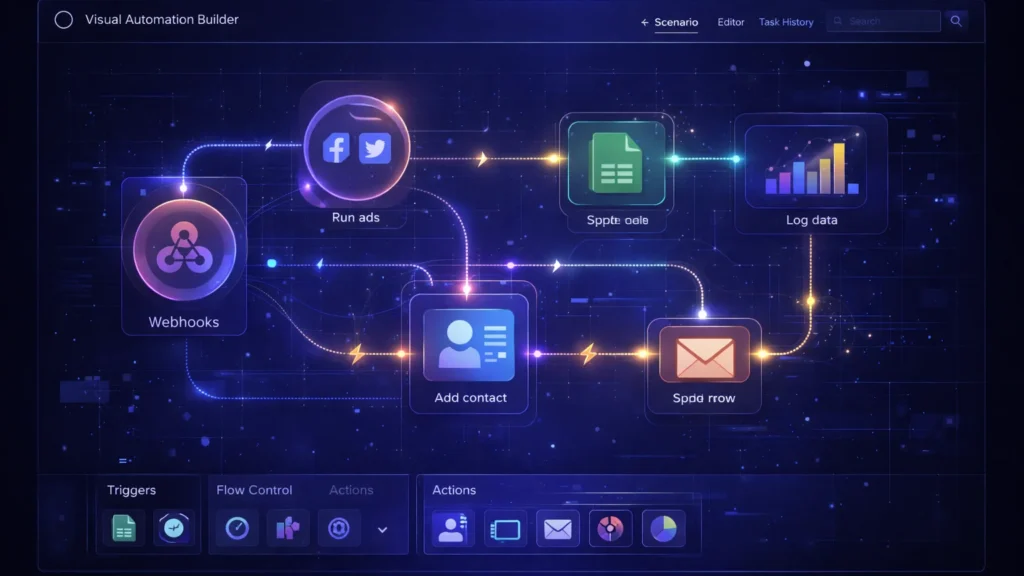
    visual automation builder interface connecting marketing apps CRM and analytics
    Visual workflow builders allow businesses to design complex automation scenarios using connected nodes and triggers.

    Real AI Workflow Automation Examples

    Here are practical automation workflows small businesses can implement immediately.

    Website contact form →
    Add lead to CRM →
    Send welcome email →
    Notify sales team on Slack.

    Customer email received →
    AI categorizes issue →
    Ticket created in helpdesk →
    Auto response sent to customer.

    New blog post published →
    Automatically share on:

    • Facebook
    • LinkedIn
    • Twitter
    • Pinterest

    Customer order placed →
    Inventory updated →
    Invoice generated →
    Shipping notification sent.

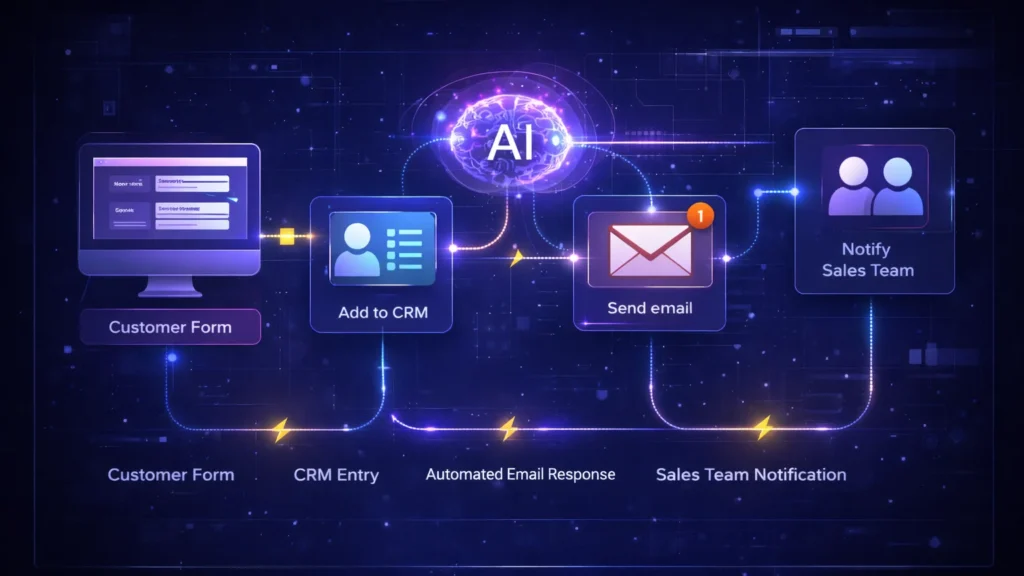
    AI business automation flowchart showing customer form CRM email and sales notification
    Example of an automated business workflow from customer form submission to CRM entry, email response, and sales team notification.

    AI + Workflow Automation: The Future of Business

    AI is rapidly transforming automation.

    Modern tools now include:

    • AI-powered workflow suggestions
    • Smart data extraction
    • Automated decision making
    • AI customer support bots

    This means businesses can automate not just tasks—but entire decision processes.

    For example:

    AI analyzes customer behavior →
    Predicts churn →
    Triggers retention email automatically.

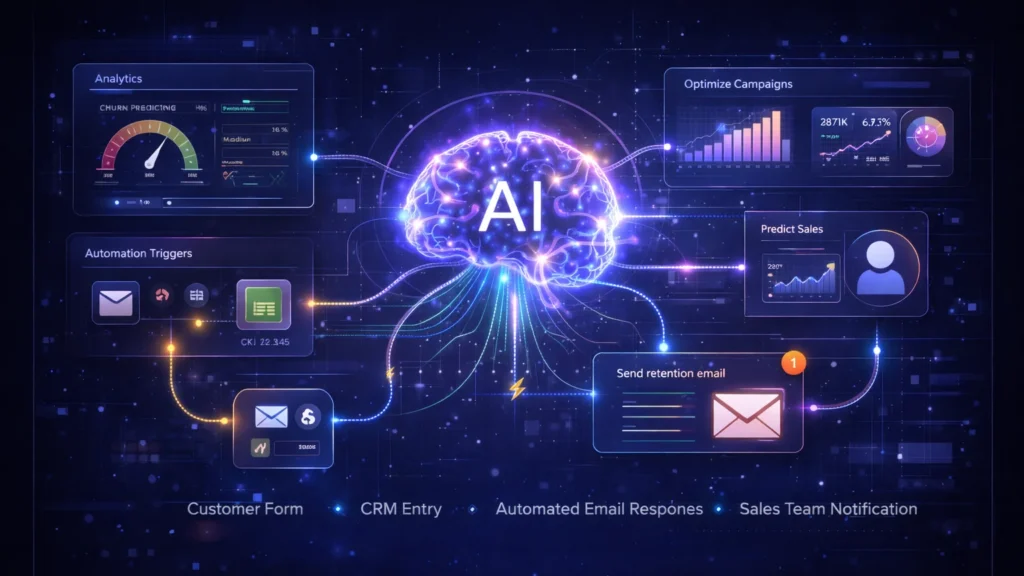
    artificial intelligence analyzing business dashboards and predictive analytics automation
    Advanced AI systems analyze business data and trigger automated decisions using predictive analytics.

    How to Start AI Workflow Automation

    Follow these simple steps:

    Look for tasks that happen frequently such as:

    • Email responses
    • Data entry
    • Lead management
    • Reporting

    Beginners usually start with:

    • Zapier for simplicity
    • Make for advanced workflows

    Most businesses integrate:

    • CRM
    • Email marketing tools
    • Google Sheets
    • Payment gateways
    • Customer support tools

    Create a trigger → action system.

    Example:

    New customer →
    Send welcome email.


    Common Automation Mistakes to Avoid

    Automation should improve workflows—not automate inefficient ones.

    Too many automations can create complexity and confusion.

    Always test and monitor automations regularly to ensure they function correctly.


    small business owner using AI automation dashboard for CRM email and marketing tasks
    Small businesses can automate emails, CRM updates, and marketing tasks using AI workflow automation tools.

    Final Thoughts

    AI workflow automation is no longer just for large companies. Today, even small businesses can automate operations using tools like Zapier and Make.

    By automating repetitive tasks, businesses can:

    • Save time
    • Reduce costs
    • Increase efficiency
    • Scale faster

    If you’re running a small business in 2026, workflow automation is one of the most powerful tools you can adopt to stay competitive.

  • ·

    Chatbots Are Dead. Long Live AI Agents: A 2026 Guide

    Let’s be honest for a second. We all spent 2023 and 2024 being amazed that ChatGPT could write a haiku or summarize a PDF. It was cool, it was novel, but let’s face it: it was passive. You had to show up, type a prompt, wait for the text, copy it, and then paste it somewhere else to actually do something with it.

    In 2026, that workflow is already obsolete.

    If your business is still treating AI like a smart encyclopedia, you are leaving money on the table. The shift happening right now—in Silicon Valley, London, and Berlin—is the move from Chatbots to AI Agents.

    The Difference: “Talk” vs. “Action”

    The distinction is simple but critical.

    • A Chatbot is like a library. You ask a question; it gives you an answer. It waits for you.
    • An AI Agent is like an intern. You give it a goal (“Plan my travel”), and it goes off, checks flights, compares hotels, books the tickets, and puts them on your calendar. It has agency.

    For business automation, this is the holy grail. We are no longer using AI to write the email; we are using AI to send the email, update the CRM, and notify the sales team on Slack—without you touching the keyboard.

    The Anatomy of an Agent

    You don’t need a computer science degree to build one. You just need to understand the three parts of an “Agentic Workflow”:

    1. The Brain (The LLM): This is GPT-4o, Claude 3.5, or Gemini. Its job isn’t to generate text, but to make decisions. It decides which tool to use based on your instructions.
    2. The Hands (The Tools): This is where the magic happens. You give the “Brain” access to your apps—Gmail, Salesforce, Excel, Slack—via APIs.
    3. The Rails (The Rules): Agents can hallucinate. You need guardrails to ensure it doesn’t accidentally email your entire database.

    How to Build Your First “Loop” (Without Code)

    You don’t need to hire a Python developer to start. Platforms like Zapier Central, Make.com, or Microsoft Copilot Studio have democratized this.

    Here is a simple “Lead Qualification” agent you can build this afternoon:

    Step 1: The Trigger Don’t start with “I want AI.” Start with a pain point. Let’s say: “I spend too much time reading contact forms.”

    • Trigger: A new entry lands in your Typeform or website contact form.

    Step 2: The Agent Analysis Instead of just forwarding that email to you, the AI Agent intercepts it.

    • Instruction: “Read the message. If the budget mentioned is under $5,000, label it ‘Low Priority.’ If it’s over $5,000, label it ‘High Priority’ and draft a personalized meeting invite.”

    Step 3: The Action This is the part that feels like magic.

    • If Low Priority: The Agent adds the row to a Google Sheet for later review.
    • If High Priority: The Agent pings you on Slack with a summary (“Hot lead from London, budget $10k”) and drafts the email in your Drafts folder, waiting for one click to send.

    The “Human-in-the-Loop” Rule

    The biggest mistake I see businesses make is trusting the Agent too much too soon. In 2026, the best workflow is “AI Drafts, Human Approves.”

    Let the Agent do the grunt work—the searching, the sorting, the drafting. But keep your finger on the “Approve” button for the final mile. As these agents get smarter, you can slowly remove the training wheels, but for now, trust is good; control is better.

    The Bottom Line

    The businesses that win in the next decade won’t be the ones with the smartest prompt engineers. They will be the ones who successfully outsource their repetitive, low-value cognitive loops to digital agents.

    Stop asking your AI questions. Start giving it a job description.

  • ·

    The Death of the SDR: Building a “Zero-Human” Outbound Team

    Let’s be brutally honest for a moment. The “SDR Sweatshop” model is finally dead.

    We all knew it was broken back in 2023. But here in February 2026, continuing to run it is financial negligence. Taking bright, ambitious 22-year-olds and forcing them to act like spam-bots—sending 150 generic emails a day just to get a 0.5% reply rate—isn’t a strategy anymore. It’s insanity.

    The fundamental shift of the last two years isn’t just that AI got better at writing. It’s that AI got “agency.”

    We have moved past needing humans in the loop for low-value tasks. The future of high-growth B2B sales is the “Zero-Human” Outbound Team.

    The Math Just Doesn’t Work Anymore

    The demise of the Sales Development Representative (SDR) role comes down to cold, hard economics.

    An entry-level SDR in San Francisco, London, or New York costs anywhere from $80,000 to $120,000 fully loaded (salary, commission, tools, benefits). They work roughly 8 hours a day, they burn out in 14 months, and they spend 40% of their time just screwing around in Salesforce.

    In 2026, an autonomous AI agent—like 11x’s Alice, Artisan’s Ava, or a custom-built Agentforce flow—costs a fraction of that. It works 24/7/365. It never gets demoralized by rejection. It never forgets to follow up. It researches 1,000 leads in the time it takes a human to research ten.

    The ROI gap is now too wide for any CFO to ignore. If your competitor is using agents to book meetings at $50 a pop, and you’re using humans to book them at $500 a pop, you have already lost.

    Autonomy vs. Assistance

    The mistake most VPs of Sales are making right now is confusing “AI Co-pilots” with “AI Agents.”

    • A Co-pilot helps a human write an email faster. The human is still the bottleneck.
    • An Agent does the whole job. It finds the lead on LinkedIn, reads their recent posts to find a hook, drafts the email, sends it, reads the reply, handles basic objections, and books time on the Account Executive’s calendar. No human touches the process until the prospect says, “Sure, let’s talk.”

    We are now building outbound engines where the only human input is defining the Ideal Customer Profile (ICP), and the only human output is a booked Zoom call.

    The New Sales Org Chart

    So, do we fire everyone? No. But the pyramid is inverting.

    The bottom layer of the sales stack—the brute-force prospecting layer—is being automated away. The role of the “SDR Manager” is rapidly evolving into an “AI Ops Manager.” This person doesn’t motivate 20-somethings; they manage prompt libraries, monitor agent hallucination rates, and ensure data hygiene.

    This is liberation, not destruction. Humans are terrible at repetitive, robotic tasks. We are fantastic at empathy, complex negotiation, and relationship building.

    By outsourcing the grunt work to agents, your Account Executives (AEs) stop chasing ghosts and start spending their time actually selling to qualified buyers.

    The Final Pivot

    The transition is painful. It requires tearing down playbooks that have worked for a decade. But the companies that win in 2027 won’t be the ones with the biggest army of SDRs making cold calls. They will be the ones with the smartest swarms of autonomous agents.

    Stop hiring people for a job that no longer exists. It’s time to build the machine.