
AI productivity tools

  • ·

    How to Use Grok AI for Research and Productivity

    Most AI assistants are extremely good at structured tasks like writing emails, summarizing documents, or explaining technical concepts. But when professionals want live insights, public sentiment, or emerging trends, traditional AI tools can fall short.

    A marketer researching product feedback, for example, might ask an AI assistant about a trending app only to receive generic background information. What they actually need is current conversation analysis.

    This is where Grok, developed by xAI, offers something slightly different. Because it integrates with X, Grok can interpret ongoing public discussions.

    Used correctly, Grok becomes less of a chatbot and more of a real-time research assistant.

    This guide walks through how professionals can use Grok effectively without relying on guesswork or hype.


    Before diving into the tutorial, it helps to understand Grok’s strengths.

    Unlike many AI systems trained primarily on static datasets, Grok focuses heavily on social conversation analysis. That means it can detect patterns in how people are discussing topics online.

    This capability makes it useful for:

    Trend monitoring
    📊 Public sentiment analysis
    💡 Content ideation
    🔍 Market research

    However, Grok should not be treated as a perfect source of truth. Social media data can contain noise, misinformation, and emotional reactions.

    The key is learning how to ask the right questions.


    Currently, Grok is integrated directly into the X platform interface.

    To access it:

    • Log into your X account
    • Navigate to the Grok interface
    • Open a conversation window

    Once inside the chat environment, you can begin asking questions similar to other AI assistants.


    One mistake beginners make is asking overly generic prompts.

    Instead of:

    “Tell me about electric vehicles.”

    Ask:

    “What are people currently complaining about with electric vehicles?”

    Grok works best when you ask questions related to opinions, reactions, or discussions.

    Examples of effective prompts:

    • “What are users saying about the latest iPhone release?”
    • “What concerns are developers discussing about AI regulation?”
    • “What are common complaints about popular productivity apps?”

    These questions trigger Grok’s strength: conversation pattern analysis.


    Grok is particularly useful for spotting patterns early.

    Example scenario:

    A SaaS founder researching customer needs might ask:

    • “What productivity problems do remote workers complain about most?”

    Grok may highlight recurring frustrations such as:

    • meeting overload
    • task management fragmentation
    • collaboration tool fatigue

    Those insights can help shape product features or marketing messaging.


    Content creators often struggle with topic selection.

    Grok can help surface ideas based on real audience interest.

    Example workflow:

    1️⃣ Ask Grok what people are discussing about a topic
    2️⃣ Identify common frustrations or questions
    3️⃣ Turn those insights into article ideas

    Example output:

    • “Why remote workers dislike traditional productivity apps”
    • “Top complaints about AI writing tools”
    • “What freelancers actually want from automation tools”

    This process grounds content in real conversations rather than assumptions.


    Here are some practical ways professionals can integrate Grok into their workflow.

    📈 Digital Marketing Research

    Marketers can analyze how audiences react to competitors.

    Example prompt:

    “What are people criticizing about popular email marketing tools?”

    The results may reveal usability complaints or pricing concerns.


    🧩 Product Development Feedback

    Startup founders can monitor how users talk about competing products.

    Instead of conducting expensive research studies, Grok can reveal informal but valuable insights.


    📰 News and Trend Monitoring

    Analysts and journalists can track how narratives evolve around major events.

    This helps identify:

    • emerging opinions
    • misinformation patterns
    • shifts in public sentiment


    ✔ Advantages

    • Access to real-time discussion trends
    • Useful for audience research
    • Helps discover unexpected perspectives
    • Faster than manual social monitoring

    ⚠ Limitations

    • Social media data can be noisy
    • Trends may be temporary or exaggerated
    • Not ideal for academic-level research

    The most effective approach is using Grok alongside other AI tools, not replacing them.


    Grok works best for professionals who rely on audience insight and trend awareness.

    Ideal users include:

    • digital marketers
    • startup founders
    • content strategists
    • journalists
    • social media analysts

    Who may not benefit as much

    • developers needing coding support
    • academic researchers requiring verified sources
    • enterprises needing strict data validation


    Grok AI introduces an interesting shift in how AI assistants gather knowledge. Instead of relying solely on training data, it interprets ongoing conversations happening online.

    For professionals in marketing, research, and digital business, that capability offers a valuable advantage: real-time awareness of what people are actually discussing.

    Used thoughtfully, Grok becomes less of a chatbot and more of a social intelligence tool that helps guide better decisions.
  • ·

    Gemini vs Grok vs ChatGPT: Which AI Actually Delivers?

    AI tools are no longer novelty software. They’re embedded in marketing stacks, product teams, customer support desks, and solo founder workflows.

    But here’s the real issue: most comparisons between Gemini, Grok, and ChatGPT focus on feature checklists — not actual business impact.

    If you’re running campaigns, building SaaS products, automating workflows, or scaling digital operations, the question isn’t which AI is smartest.

    The question is:

    Which AI fits your workflow, risk tolerance, and monetization model?

    Let’s break this down from a practical, business-first perspective.


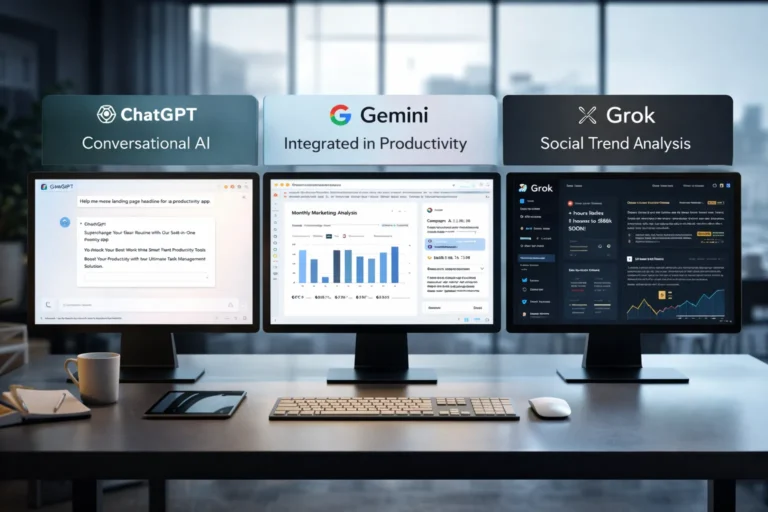
    🧠 Core Positioning: What Each Tool Is Really Built For

    ChatGPT has become the default AI workspace for professionals.

    It excels at:

    • Long-form content
    • Structured reasoning
    • Coding assistance
    • Workflow automation via APIs
    • Document summarization
    • Custom GPT workflows

    For many entrepreneurs, ChatGPT acts as a “digital operations assistant.”

    • Draft landing pages
    • Generate ad variations
    • Build Zapier automation logic
    • Create client reporting templates

    It’s flexible and ecosystem-friendly.


    Gemini integrates deeply into Google’s ecosystem.

    Its strength isn’t just intelligence — it’s context.

    It works well with:

    • Google Docs
    • Gmail
    • Sheets
    • Drive
    • Workspace collaboration
    • Analyze campaign data directly in Sheets
    • Draft email updates inside Gmail
    • Summarize meeting notes automatically

    Gemini is strongest when your business already lives inside Google.


    Grok operates differently. It’s closely integrated with the X (formerly Twitter) ecosystem and emphasizes real-time information access.

    Its positioning is:

    • Social intelligence
    • Real-time trend awareness
    • Edgier conversational style
    • Live internet awareness
    • Monitor sentiment shifts
    • Analyze breaking news
    • Generate rapid-response commentary

    Grok shines in live environments. It’s less structured, more reactive.


    ⚙️ Real-World Productivity Comparison

    Here’s where things matter for professionals.

    For AI Automation Builders 🛠️

    • ChatGPT wins due to API maturity and plugin ecosystem.
    • Gemini is improving but less flexible for external automation.
    • Grok isn’t optimized for backend automation yet.

    For AI Marketing Workflows 📈

    • ChatGPT: Best for structured funnel content, copy frameworks, strategy.
    • Gemini: Strong for ad analysis if you live in Google Ads.
    • Grok: Useful for trend-based content and social hooks.

    For SaaS Founders 💻

    • ChatGPT: Product ideation, UX copy, code scaffolding.
    • Gemini: Useful for internal documentation collaboration.
    • Grok: Less relevant unless your SaaS is social-data-driven.

    ⚖️ Strengths and Limitations

    ChatGPT

    Pros

    • Deep reasoning
    • Advanced coding
    • API integrations
    • Custom GPT creation

    Cons

    • May require prompt skill to maximize output
    • Enterprise pricing can scale

    Gemini

    Pros

    • Native Google ecosystem integration
    • Strong document collaboration
    • Smooth Workspace automation

    Cons

    • Less customizable outside Google
    • Not as developer-centric

    Grok

    Pros

    • Real-time awareness
    • Social sentiment alignment
    • Direct integration with X

    Cons

    • Not workflow-automation focused
    • Limited enterprise tooling

    🚀 Practical Implementation Strategy

    Instead of choosing just one, many professionals layer them.

    Here’s a smart approach:

    Step 1: Define Your Primary Use Case

    Ask:

    • Is this content-heavy?
    • Is this data-heavy?
    • Is this trend-heavy?

    Step 2: Assign Roles

    • ChatGPT → Strategy + structure
    • Gemini → Internal collaboration
    • Grok → Real-time market pulse

    Step 3: Build Repeatable AI Workflows

    For example:

    1. Use Grok to identify trending topics.
    2. Use ChatGPT to turn that into structured authority content.
    3. Use Gemini to distribute internally via Docs and Gmail.

    This layered workflow reduces blind spots.


    👥 Who Should Use What?

    Choose ChatGPT If:

    • You build automation workflows
    • You write long-form content
    • You code or build SaaS tools
    • You need structured output

    Choose Gemini If:

    • Your company runs on Google Workspace
    • You collaborate heavily in Docs/Sheets
    • You need built-in AI inside email

    Choose Grok If:

    • You depend on real-time news
    • You operate in finance, crypto, politics, media
    • You build brand presence on X

    🎯 Final Perspective

    There isn’t a universal “best AI.”

    There’s only:

    • Best for workflow
    • Best for ecosystem
    • Best for execution speed

    ChatGPT is currently the most versatile.
    Gemini is the most integrated.
    Grok is the most reactive.

    For serious professionals, the competitive edge isn’t the tool — it’s how intelligently you deploy it.

    AI doesn’t replace strategic thinking.
    It amplifies it.

  • ·

    Top 10 AI Writers of 2026: The Ultimate List

    Remember 2023? It felt like a new “revolutionary” AI writing tool launched every Tuesday. It was chaotic, noisy, and honestly, most of them were just cheap wrappers around the same basic OpenAI API.

    Welcome to 2026. The dust has settled. The contenders have separated themselves from the pretenders.

    Today, having an AI assistant isn’t a competitive advantage; it’s baseline table stakes. But the game has changed. We are no longer looking for tools that can just generate words. We are looking for tools that fit specific workflows, understand nuance, and most importantly, don’t sound like a robot trying too hard to impress its corporate overlords.

    At AI Growth Gear, we don’t believe in “one tool to rule them all.” A novelist needs different features than an SEO agency.

    I’ve tested the market leaders to bring you the definitive top 10 list for 2026, categorized by what they actually do best.


    The Titans (The Generalists)

    1. Claude (by Anthropic)

    The undisputed king of nuance and flow. If you want writing that feels surprisingly human straight out of the box, Claude is currently unmatched. Its latest models understand tone, context, and rhythm better than anything else. It doesn’t overuse clichéd AI words like “delve” or “unleash.” If you are writing long-form essays, newsletters, or books, this is your muse.

    • Best For: Long-form writers, authors, and anyone who hates heavy editing.
    • Pricing: Free tier available; Pro is ~$20/mo.

    2. ChatGPT (by OpenAI)

    The incredibly versatile Swiss Army Knife. You can’t make a list without the OG. While Claude might beat it purely on prose quality, ChatGPT (with GPT-5/4o) is a productivity powerhouse. Its ability to handle multimodal inputs—analyzing a chart, reading code, browsing the live web, and generating an image all in one chat—makes it indispensable for complex projects. It’s less a writer and more a brilliant, jack-of-all-trades assistant.

    • Best For: Brainstorming, coding help, and multi-step complex tasks.
    • Pricing: Free tier available; Plus is ~$20/mo.

    The Marketers (For Growth & SEO)

    3. Jasper

    The enterprise-grade marketing engine. Jasper stopped trying to be just a “chatbot” years ago. In 2026, it is a robust platform for marketing teams. Its killer features are “Brand Voice” (which it nails perfectly) and its ability to turn a single brief into an entire multi-channel campaign (blog, social, email) with AI agents. It’s pricey, but it replaces a junior marketing coordinator.

    • Best For: Marketing agencies and in-house enterprise teams.
    • Pricing: Premium pricing, starting around ~$49/mo per seat.

    4. Writesonic

    The speed demon for SEO and trending topics. If your business relies on catching trending waves on Google, Writesonic is essential. It integrates tightly with live Google data, allowing you to write factually accurate articles on current events faster than competitors. It’s designed specifically to rank, focusing on structure and keywords.

    • Best For: News sites, affiliate marketers, and high-volume bloggers.
    • Pricing: Competitive tier structure based on usage.

    5. Copy.ai

    The GTM (Go-To-Market) automation specialist. Copy.ai has pivoted brilliantly towards sales and GTM workflows. It’s less about “write me a paragraph” and more about “take this LinkedIn profile, analyze their pain points, and write a personalized 3-email cold outreach sequence.” For sales teams, it’s pure gold.

    • Best For: Sales development reps (SDRs), founders doing outreach, and social media managers.
    • Pricing: Free tier available; Pro plans focus on workflow limits.

    The Specialists (Niche Experts)

    6. Perplexity

    The research-first writer. Perplexity isn’t a traditional “writer,” but it’s the best tool to start the writing process. It’s an answer engine that cites its sources in real-time. When I need to write a fact-heavy piece and cannot afford AI hallucinations, I start here to gather my research before moving to a drafting tool.

    • Best For: Journalists, academics, and creating fact-based content briefs.
    • Pricing: Excellent free version; Pro offers deeper models.

    7. Sudowrite

    The novelist’s best friend. If you are writing fiction, ignore the other tools and start here. Sudowrite understands narrative arcs, character development, and “show, don’t tell.” Features like “Story Engine” help you map out entire novels, and its “Describe” button helps you break through writer’s block with sensory details.

    • Best For: Fiction authors, screenwriters, and creative writers.
    • Pricing: Tiered based on word count.

    8. Surfer AI

    The pure SEO optimization tool. Surfer isn’t about creative flair; it’s about math. It analyzes the top-ranking pages on Google for your keyword and tells you exactly what structure, word count, and semantic terms you need to compete. It writes to satisfy the algorithm first, humans second.

    • Best For: Hardcore SEO professionals focused on SERP rankings.
    • Pricing: Per-article pricing model (expensive but effective).

    The Integrators (Workflow Enhancers)

    9. Notion AI

    The messy workspace organizer. Notion AI isn’t trying to write your next novel. It’s trying to make sense of your messy notes. Its strength is summarizing meetings, expanding bullet points into memos, and editing directly within your existing project management workspace. It removes the friction of copy-pasting between apps.

    • Best For: Project managers and teams already living inside Notion.
    • Pricing: Add-on to existing Notion plans (~$10/member/mo).

    10. Grammarly GO

    The final polish essential. You might not think of Grammarly as a “generative” AI, but their latest features are fantastic for rewriting. It’s the ultimate safety net. No matter which tool I use to draft, everything runs through Grammarly for a final tone check and clarity polish before publishing.

    • Best For: Literally everyone who types on a keyboard.
    • Pricing: Essential free version; Premium is a staple investment.

    Final Thoughts from Surbhi

    The best tool in 2026 isn’t the one with the most features; it’s the one that fits your specific daily grind. Don’t fall for the hype. Define your output—are you selling, storytelling, or ranking?—and choose the specialist for the job.