|

Gemini vs Grok vs ChatGPT: Which AI Actually Delivers?

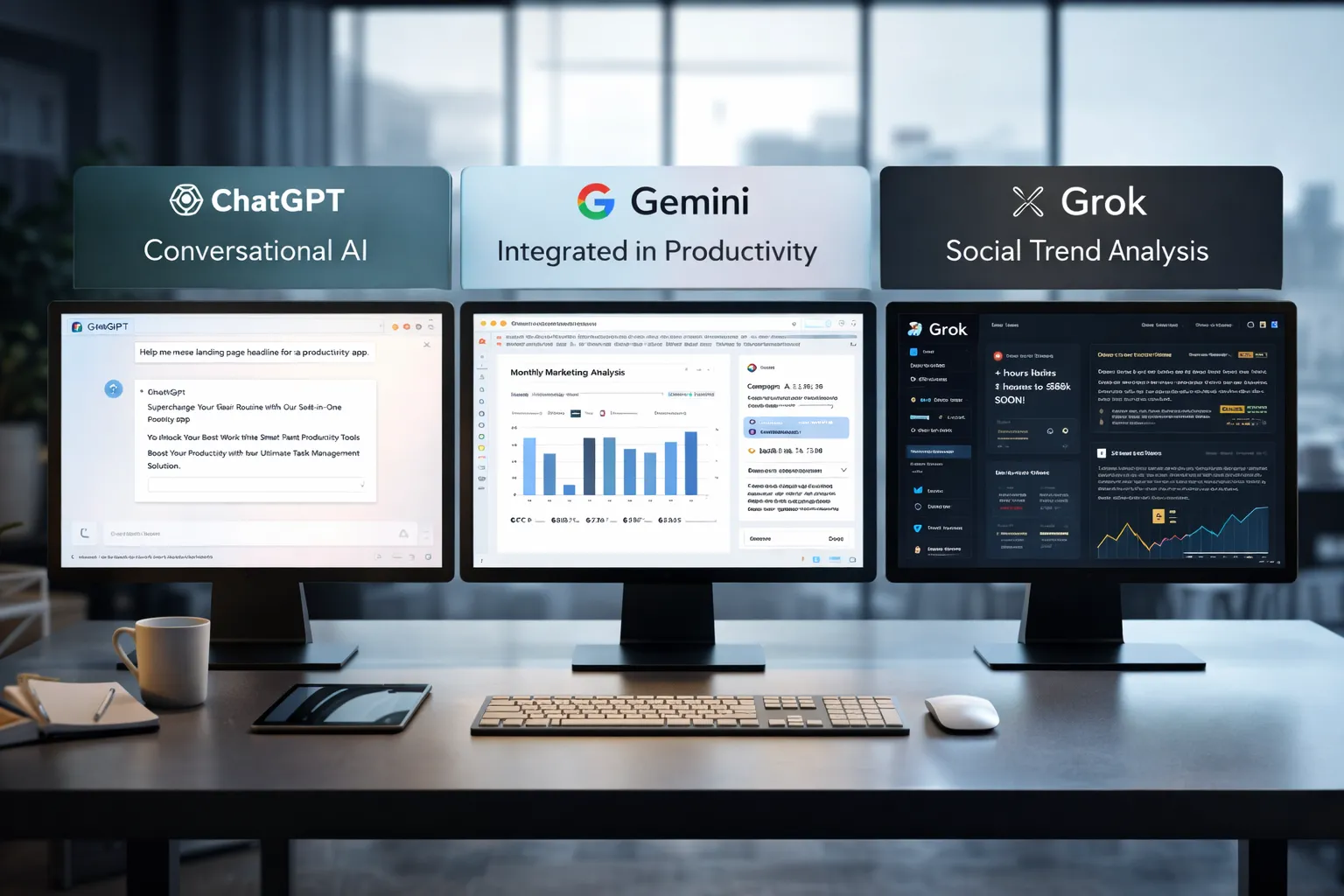
Side-by-side comparison of three AI platforms used for productivity, automation, and marketing workflows

AI tools are no longer novelty software. They’re embedded in marketing stacks, product teams, customer support desks, and solo founder workflows.

But here’s the real issue: most comparisons between Gemini, Grok, and ChatGPT focus on feature checklists — not actual business impact.

If you’re running campaigns, building SaaS products, automating workflows, or scaling digital operations, the question isn’t which AI is smartest.

The question is:

Which AI fits your workflow, risk tolerance, and monetization model?

Let’s break this down from a practical, business-first perspective.


🧠 Core Positioning: What Each Tool Is Really Built For

ChatGPT has become the default AI workspace for professionals.

It excels at:

  • Long-form content
  • Structured reasoning
  • Coding assistance
  • Workflow automation via APIs
  • Document summarization
  • Custom GPT workflows

For many entrepreneurs, ChatGPT acts as a “digital operations assistant.”

  • Draft landing pages
  • Generate ad variations
  • Build Zapier automation logic
  • Create client reporting templates

It’s flexible and ecosystem-friendly.


Gemini integrates deeply into Google’s ecosystem.

Its strength isn’t just intelligence — it’s context.

It works well with:

  • Google Docs
  • Gmail
  • Sheets
  • Drive
  • Workspace collaboration
  • Analyze campaign data directly in Sheets
  • Draft email updates inside Gmail
  • Summarize meeting notes automatically

Gemini is strongest when your business already lives inside Google.


Grok operates differently. It’s closely integrated with the X (formerly Twitter) ecosystem and emphasizes real-time information access.

Its positioning is:

  • Social intelligence
  • Real-time trend awareness
  • Edgier conversational style
  • Live internet awareness
  • Monitor sentiment shifts
  • Analyze breaking news
  • Generate rapid-response commentary

Grok shines in live environments. It’s less structured, more reactive.


⚙️ Real-World Productivity Comparison

Here’s where things matter for professionals.

For AI Automation Builders 🛠️

  • ChatGPT wins due to API maturity and plugin ecosystem.
  • Gemini is improving but less flexible for external automation.
  • Grok isn’t optimized for backend automation yet.

For AI Marketing Workflows 📈

  • ChatGPT: Best for structured funnel content, copy frameworks, strategy.
  • Gemini: Strong for ad analysis if you live in Google Ads.
  • Grok: Useful for trend-based content and social hooks.

For SaaS Founders 💻

  • ChatGPT: Product ideation, UX copy, code scaffolding.
  • Gemini: Useful for internal documentation collaboration.
  • Grok: Less relevant unless your SaaS is social-data-driven.

⚖️ Strengths and Limitations

ChatGPT

Pros

  • Deep reasoning
  • Advanced coding
  • API integrations
  • Custom GPT creation

Cons

  • May require prompt skill to maximize output
  • Enterprise pricing can scale

Gemini

Pros

  • Native Google ecosystem integration
  • Strong document collaboration
  • Smooth Workspace automation

Cons

  • Less customizable outside Google
  • Not as developer-centric

Grok

Pros

  • Real-time awareness
  • Social sentiment alignment
  • Direct integration with X

Cons

  • Not workflow-automation focused
  • Limited enterprise tooling

🚀 Practical Implementation Strategy

Instead of choosing just one, many professionals layer them.

Here’s a smart approach:

Step 1: Define Your Primary Use Case

Ask:

  • Is this content-heavy?
  • Is this data-heavy?
  • Is this trend-heavy?

Step 2: Assign Roles

  • ChatGPT → Strategy + structure
  • Gemini → Internal collaboration
  • Grok → Real-time market pulse

Step 3: Build Repeatable AI Workflows

For example:

  1. Use Grok to identify trending topics.
  2. Use ChatGPT to turn that into structured authority content.
  3. Use Gemini to distribute internally via Docs and Gmail.

This layered workflow reduces blind spots.


👥 Who Should Use What?

Choose ChatGPT If:

  • You build automation workflows
  • You write long-form content
  • You code or build SaaS tools
  • You need structured output

Choose Gemini If:

  • Your company runs on Google Workspace
  • You collaborate heavily in Docs/Sheets
  • You need built-in AI inside email

Choose Grok If:

  • You depend on real-time news
  • You operate in finance, crypto, politics, media
  • You build brand presence on X

🎯 Final Perspective

There isn’t a universal “best AI.”

There’s only:

  • Best for workflow
  • Best for ecosystem
  • Best for execution speed

ChatGPT is currently the most versatile.
Gemini is the most integrated.
Grok is the most reactive.

For serious professionals, the competitive edge isn’t the tool — it’s how intelligently you deploy it.

AI doesn’t replace strategic thinking.
It amplifies it.
Similar Posts

  • ·

    Top Agentic AI Tools for Boutique Agencies

    For boutique agencies and solo entrepreneurs scaling in the US and UK markets, the bottleneck isn’t usually a lack of ideas—it’s headcount. You want enterprise-level marketing output without the enterprise-level payroll. Enter agentic AI.

    Unlike traditional “if-this-then-that” marketing automation, agentic AI tools don’t just follow static, rigid rules. They perceive data, make decisions, and execute multi-step workflows autonomously based on context. They act less like software and more like digital team members.

    Here is a breakdown of the top agentic AI marketing tools that are changing how lean agencies handle B2B lead generation, CRM management, and digital growth in 2026.

    Gumloop: The No-Code Operations Architect

    If you need to build custom AI workflows without writing a single line of code, Gumloop is your sandbox. It’s a drag-and-drop platform designed to automate heavy, logic-based marketing and sales tasks.

    • The Agency Play: Use Gumloop to build an autonomous lead-scraping agent. You can set it up to monitor specific industry triggers (like companies that just raised Series A funding), scrape their executive data, and automatically categorize the leads based on your specific Ideal Customer Profile (ICP). It handles the tedious, top-of-funnel research that normally eats up hours of a junior marketer’s week, passing only the most qualified data into your CRM.

    Artisan AI (Ava): Your Autonomous BDR

    Artisan AI built “Ava,” an AI-driven Business Development Representative (BDR). Instead of buying a fragmented tech stack for data sourcing, email warm-up, and sequence scheduling, Artisan bundles the entire outbound motion into one autonomous platform.

    • The Agency Play: Ava taps into a built-in database of over 300 million B2B contacts. You give her your target parameters, and she handles the rest. She researches the prospects, writes hyper-personalized cold outreach emails based on real-time data (such as a recent LinkedIn post or company news), and dynamically manages the follow-ups based on recipient behavior. For boutique agencies selling high-ticket B2B services, Ava keeps the outbound pipeline full while you focus entirely on closing the deal.

    HubSpot Breeze: The Enterprise CRM Brain

    HubSpot has heavily integrated agentic AI directly into its ecosystem with Breeze. It features specific agents for content, social media, and prospecting, all tied directly to your core CRM data so it never loses context.

    • The Agency Play: Breeze Intelligence automatically enriches your inbound leads with critical B2B data points (industry, headcount, tech stack). Meanwhile, the Prospecting Agent tracks buyer intent. If a prospect from a UK-based enterprise visits your pricing page, Breeze can auto-add them to the CRM, score the lead, and draft a context-aware outreach email for you to approve. It bridges the gap between marketing activity and sales execution seamlessly, ensuring no high-value lead slips through the cracks.

    Make: The Ultimate Workflow Orchestrator

    Make (formerly Integromat) isn’t strictly a standalone AI agent, but it is the visual infrastructure that makes complex agentic workflows possible. It allows you to connect thousands of different apps and inject AI decision-making (via LLMs like OpenAI or Anthropic) at any step of the journey.

    • The Agency Play: You can use Make to tie your entire marketing stack together into one autonomous loop. For example, when a high-value lead fills out a form, Make can route the data to an LLM to analyze the lead’s intent, ping your team’s Slack channel with a summary, and automatically generate a personalized proposal draft in Google Docs. It allows solo operators to build a bespoke, highly automated backend that rivals massive agencies.

    The Bottom Line

    Scaling a boutique agency no longer requires a massive hiring sprint. By integrating these agentic AI platforms into your B2B marketing strategies, you can automate the heavy lifting, keep your CRM spotless, and focus your human capital on high-value digital growth and strategy.

  • ·

    Stop Using Midjourney for Logos: The Vector Revolution

    Look, we have all been there.

    You spend two hours perfecting a prompt in Midjourney. You finally get that perfect, minimalist mascot for a client or a new sticker design for your Etsy shop. It looks crisp on your iPhone. It looks stunning on Discord.

    Then you send it to the printer.

    And the email comes back: “Sorry, this is 72 DPI. Do you have the vector file? When we blow this up for the banner, it looks like a Minecraft screenshot.”

    Panic sets in. You try to use an “AI upscaler,” but it just makes the lines look weird and wobbly. You try to “Image Trace” it in Illustrator, and suddenly your clean lines turn into a jagged mess of a thousand anchor points.

    Here is the hard truth for 2026: Midjourney and DALL-E are for art. They are not for assets.

    If you are a solo entrepreneur, a Print-on-Demand (POD) seller, or a freelancer, you need to stop thinking in pixels and start thinking in math. You need to join the Vector Revolution.

    The “Pixel” Trap

    Tools like Midjourney generate Raster images. They are made of colored dots (pixels). They are painted. If you zoom in, they get fuzzy. You cannot change the color of just the shirt without repainting the whole thing.

    Vectors (SVGs, EPS, AI files) are different. They are math equations. A line is defined by points A and B. Whether you print it on a business card or a billboard, the math stays the same. The line is always sharp.

    For years, AI was bad at vectors because “math” is harder for diffusion models than “painting.” But in 2026, the code has been cracked.

    The New Toolkit: Recraft & Kittl

    If you are still wrestling with raster images for logos, stop. Here are the tools that are actually making money right now.

    1. Recraft (The Heavy Hitter) Recraft isn’t just “Midjourney but different.” It is built from the ground up for designers. When you type “minimalist geometric lion logo,” it doesn’t give you a flat picture. It gives you layers.

    • Why it wins: You can export as SVG. You can open that file in Illustrator or Figma and actually edit the curves. You can change the brand colors in two clicks because the AI understands “color palettes,” not just “pixels.”

    2. Kittl (The POD Powerhouse) If you sell on Redbubble or Merch by Amazon, Kittl is your best friend. Their “AI Vector Generator” is tuned specifically for t-shirt complexity. It avoids those weird, wispy lines that screen printers hate. It creates clean, solid shapes that peel perfectly off a vinyl cutter.

    The “Editable” Advantage

    The biggest reason to switch isn’t just print quality—it’s editability.

    Imagine a client says, “I love the logo, but can you move the star to the left and make the font bold?”

    • With Midjourney: You have to re-roll the prompt and hope the random seed gives you something similar (it won’t).
    • With Vector AI: You just click the star and drag it to the left.

    The Bottom Line

    Stop selling JPEGs. In the freelance world of 2026, a “Logo Package” that includes a scalable SVG file is worth $500+. A JPEG is worth $50.

    The tools have evolved. Your workflow should too. Keep Midjourney for your mood boards and concept art, but when it’s time to build the actual product? Go vector.

  • ·

    Top AI Image Generation Tools for Designers in 2026

    Artificial intelligence has transformed the design industry. What once required hours of manual work in tools like Photoshop or Illustrator can now be achieved in seconds with AI image generation tools.

    Designers, marketers, and content creators are increasingly using AI to generate illustrations, concept art, social media graphics, and marketing visuals. These tools use powerful machine learning models to convert simple text prompts into stunning images.

    Whether you’re a freelance designer, a startup founder, or a content creator, AI-powered design tools can significantly speed up your workflow.

    In this guide, we’ll explore the top AI image generation tools for designers, including Midjourney, Leonardo AI, and Canva, and show how each platform can enhance your creative process.

    Workflow diagram showing prompt input, AI image generation, image editing, and final design creation process.
    A visual workflow showing how AI image generators transform a text prompt into a finished design through generation and editing.

    AI design tools are not just about speed—they unlock entirely new creative possibilities.

    Key advantages include:

    • Generate multiple design concepts instantly
    • Create unique visuals without advanced design skills
    • Speed up creative workflows
    • Produce marketing visuals at scale
    • Reduce design costs for startups and creators

    For designers working with tight deadlines, AI tools can act as creative assistants that generate ideas and draft visuals quickly.

    ■ Best Overall: Midjourney
    ■ Best for Game Designers: Leonardo AI
    ■ Best for Beginners: Canva AI
    ■ Best for Marketing Visuals: Canva
    ■ Best for Concept Art: Midjourney

    Below are some of the most powerful AI image generators available today.

    AI image generator dashboard showing prompt input panel and multiple generated images in a design interface.
    A stylized AI image generator interface where users enter prompts and instantly generate multiple design variations.

    Midjourney is one of the most popular AI art generators used by professional designers and digital artists. It produces highly detailed and cinematic images from simple text prompts.

    Midjourney runs primarily through Discord, making it slightly different from traditional design tools.

    Key Features

    • Extremely high-quality image generation
    • Cinematic and artistic style outputs
    • Advanced prompt customization
    • Active community for prompt sharing

    Pros

    • Exceptional image quality
    • Ideal for concept art and illustration
    • Huge creative flexibility

    Cons

    • Requires Discord interface
    • Learning curve for prompts

    Best For

    Concept artists, creative designers, and illustrators looking for highly detailed artwork.

    Try Midjourney here

    Leonardo AI is becoming a favorite tool among game developers, product designers, and creative professionals who need consistent and customizable AI-generated images.

    It offers more control than many other AI art tools.

    Key Features

    • Custom AI model training
    • Game asset generation
    • Style control and presets
    • Prompt guidance tools

    Pros

    • Strong control over image styles
    • Great for game assets and design assets
    • Fast generation speeds

    Cons

    • Some advanced features require paid plans
    • Interface may feel complex for beginners

    Best For

    Game designers, digital artists, and product designers.

    Try Leonardo AI here

    Canva has integrated powerful AI features into its already popular design platform. With tools like Magic Media and the AI image generator, users can create visuals directly inside Canva.

    This makes it perfect for marketers and beginners.

    Key Features

    • AI text-to-image generator
    • Integrated design templates
    • Drag-and-drop editor
    • AI background removal and editing

    Pros

    • Very beginner-friendly
    • Works within existing design workflows
    • Excellent for marketing graphics

    Cons

    • Image quality may be lower than Midjourney
    • Limited artistic control

    Best For

    Social media creators, bloggers, and marketing teams.

    Try Canva AI here

    ToolBest ForKey FeaturePricing
    MidjourneyConcept artistsHigh-quality AI artPaid
    Leonardo AIGame designersCustom AI modelsFreemium
    Canva AIBeginners & marketersIntegrated design toolsFreemium

    Designers and creators are using AI tools in many creative ways.

    Common applications include:

    • Blog and website illustrations
    • YouTube thumbnails
    • Marketing graphics
    • Game assets
    • Concept art
    • Product mockups
    • Social media visuals

    For freelancers and online businesses, AI image generators can reduce the need for expensive design resources.

    Benefits and Limitations ⚖️

    AI design tools offer incredible advantages but also have some limitations.

    Benefits

    • Massive time savings
    • Endless creative variations
    • Lower design costs
    • Accessibility for beginners

    Limitations

    • Some images may look generic
    • Prompt engineering is required
    • Copyright concerns in some cases

    Designers should use AI tools as creative assistants, not replacements for human creativity.

    If you’re new to AI design tools, follow these steps.

    Step 1: Choose the right tool

    Pick a tool based on your use case.

    • Midjourney → creative artwork
    • Leonardo AI → design assets
    • Canva → marketing visuals

    Step 2: Learn prompt writing

    Your prompts determine the output quality.

    Example prompt:

    “Futuristic cyberpunk city at sunset, ultra-detailed digital art”

    Step 3: Experiment with styles

    Try different prompts, lighting, colors, and art styles to discover unique visuals.

    Comparison chart highlighting features of Midjourney, Leonardo AI, and Canva AI image generation tools.
    Feature comparison of three popular AI image generation tools used by designers: Midjourney, Leonardo AI, and Canva AI.

    Conclusion

    AI image generation tools are transforming how designers create visuals. What once required hours of manual work can now be achieved in seconds using powerful AI platforms.

    Tools like Midjourney, Leonardo AI, and Canva AI give designers the ability to experiment, iterate, and produce high-quality visuals faster than ever.

    For entrepreneurs, bloggers, and digital creators, AI design tools offer a powerful way to scale visual content production while maintaining creativity.

    As AI continues to evolve, these tools will become an essential part of every modern designer’s toolkit.

  • ·

    Digital Doubles: HeyGen vs. Synthesia – Choosing Your AI Presenter for 2026

    In business, communication is everything. Whether it’s training your global sales force, delivering personalized video messages to thousands of leads, or creating consistent brand explainers, the demand for engaging video is immense. The traditional approach—hiring presenters, booking studios, shooting, editing—is a bottleneck for even the most agile teams.

    This is where AI Avatar & Business Presenters step in. These aren’t just text-to-speech tools; they create convincing digital humans who can speak your message in multiple languages, with realistic expressions and lip-sync. For businesses in the US and UK looking to scale their video output without scaling their production budget, these platforms are a game-changer.

    At AI Growth Gear, we’ve evaluated the leading platforms with our “Director’s Lens,” focusing on realism, brand integration, and operational efficiency. Here’s how the top two—HeyGen (Avatar IV) and Synthesia—compare for your business.

    The Contenders at a Glance

    FeatureHeyGen (Avatar IV)Synthesia
    Primary StrengthUltra-Realistic Digital TwinsEnterprise-Grade Library & Compliance
    Best ForPersonalized Sales, UGCCorporate Training, Explainers
    WeaknessCustom avatars require more inputStock avatars can feel less unique

    1. HeyGen (Avatar IV): The Ultra-Realist

    HeyGen’s latest iteration, Avatar IV, is pushing the boundaries of what’s possible in AI avatar realism. Its “Digital Twin” feature allows businesses to create incredibly lifelike avatars of actual employees or spokespersons from minimal video footage. The subtlety of facial expressions and natural-sounding voice clones are truly impressive.

    • The Aesthetic: Aimed squarely at hyper-realism. If you want your AI presenter to be indistinguishable from a real human, HeyGen is currently leading the pack. It masters the minute details, making it ideal for maintaining a personal touch at scale.
    • The Director’s Take: “HeyGen is for when ‘authentic’ means ‘looks like you.’ It’s unparalleled for personalized sales videos, founder messages, or any content where the presenter’s unique identity is key. It allows a boutique agency to maintain its human brand persona without physically being in every video.”

    2. Synthesia: The Enterprise Powerhouse

    Synthesia has been the long-standing leader in the corporate AI video space, and for good reason. It boasts an extensive library of over 160 diverse stock avatars and 120+ languages, coupled with robust SOC 2 compliance for data security. Its platform is built for scalable, professional use cases across large organizations.

    • The Aesthetic: Polished, professional, and consistent. While its stock avatars are highly realistic, they aim for broad appeal rather than individual uniqueness.
    • The Director’s Take: “Synthesia is the workhorse of the enterprise. If you need to produce hundreds of consistent training modules, international onboarding videos, or routine explainers, its sheer volume of customizable options and security features make it the undisputed choice. It ensures your corporate communication is slick and reliable across the board.”

    The Verdict: Which Digital Double is Right for You?

    • Choose HeyGen if your priority is Personalization and Ultra-Realism. If you need your AI presenter to look and sound exactly like a specific person to build trust or enhance a unique brand identity.
    • Choose Synthesia if your priority is Scalability and Corporate Readiness. If you require a vast library of diverse avatars, multi-language support, and enterprise-grade security for consistent, high-volume video production.

    Our Recommendation for 2026

    For many agencies, the ideal setup might involve a blend: HeyGen for high-impact, personalized, and client-facing content, and Synthesia for internal training, broad-reach explainers, or situations requiring a diverse range of stock avatars. Both tools excel at making video production accessible, but they serve different strategic objectives.

  • ·

    AI SEO Software Showdown: Scaling US & UK Content

    When you are building a content pipeline for the highly competitive US and UK markets, volume without strategy is just noise. High-value search queries—especially those driving lucrative B2B AdSense clicks and enterprise affiliate commissions—require deep topical authority and pristine on-page optimization.

    At AI Growth Gear, operating under the Enoxx News Private Limited network, our Editor-in-Chief Ajay K Saklanii often emphasizes that scaling organic growth isn’t about replacing your writers with bots; it is about giving them an AI-powered exoskeleton. To command the highest-paying digital marketing advertisers, your website’s architecture and content must be flawless.

    Here is a breakdown of the highest-tier AI SEO and content strategy tools in 2026, designed to help lean teams and boutique agencies build massive, traffic-generating content engines.

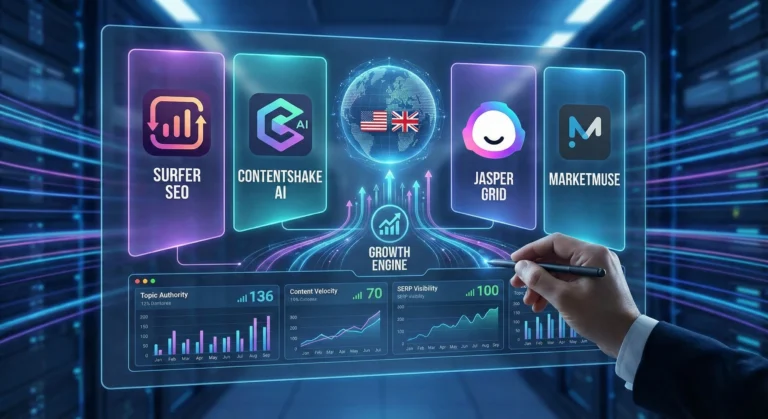
    Surfer SEO: The On-Page & AI Visibility Engine

    Surfer has long been the gold standard for correlating on-page data with search rankings, but in 2026, it has evolved into a full-scale Answer Engine Optimization (AEO) powerhouse.

    • The Strategy Play: While its core Content Editor provides real-time scoring to ensure your articles hit the exact semantic density Google demands, its new AI Tracker is the true game-changer. It monitors exactly how and where your brand is cited in Google AI Overviews, ChatGPT, and Perplexity. For affiliate marketers and agency owners, knowing which AI models recommend your product roundups—and using Surfer’s Auto-Optimize to inject missing entities so you get cited more often—is a massive competitive advantage.+1

    ContentShake AI (Semrush): The All-in-One Traffic Builder

    If you want to eliminate the friction between deep keyword research and a published draft, ContentShake AI bridges the gap by plugging directly into Semrush’s industry-leading data ecosystem.

    • The Strategy Play: Instead of bouncing between a research tool, a Google Doc, and a CMS, ContentShake automates the pipeline. You input your target B2B keywords, and it uses Semrush’s competitive insights to generate comprehensive, SEO-optimized articles. It understands search intent, ensures readability, and integrates seamlessly into WordPress. It is the perfect tool for solo operators who need to spin up high-quality affiliate hubs quickly without hiring a massive editorial team.

    Jasper Grid: Enterprise Content Orchestration

    Jasper has shifted from a simple AI writer to a true enterprise workflow tool with the recent launch of Jasper Grid. It operates like an intelligent, no-code spreadsheet purpose-built for high-volume marketing orchestration.

    • The Strategy Play: Grid allows you to turn a single keyword strategy into hundreds of localized, on-brand assets in minutes. By connecting its Optimization Agent to Grid, you can generate blogs, social posts, and email sequences simultaneously. More importantly, it uses “Jasper IQ” to enforce strict brand governance, ensuring every piece of content matches your specific brand voice and audience personas. For agencies managing multiple high-end UK and US clients, it is the ultimate tool for scaling production without sacrificing quality control.+2

    MarketMuse: The Topical Authority Architect

    MarketMuse doesn’t just look at single keywords; it uses patented topic modeling to analyze your entire website’s inventory and compare it against the broader internet. It is built for long-term, high-ROI content strategy.

    • The Strategy Play: MarketMuse provides a “Personalized Difficulty” score, telling you exactly how hard it will be for your specific domain to rank for a term based on your existing coverage. It identifies content gaps that your competitors have missed and generates incredibly detailed content briefs. If you want to build a digital asset that dominates a highly profitable niche (like financial software or B2B SaaS) and draws in premium AdSense placements, MarketMuse gives you the exact blueprint to build undisputed topical authority.+2

    The Bottom Line

    Dominating search in 2026 requires a blend of traditional SEO and AI-driven discoverability. By utilizing MarketMuse for high-level strategy, Jasper Grid for orchestrated scale, ContentShake for rapid execution, and Surfer for surgical on-page optimization, you can build an elite content pipeline that attracts premium global traffic and maximizes your monetization efforts.

  • ·

    Cinematic Showdown: Google Veo vs. Runway vs. Sora (2026 Comparison)

    In the film world, choosing a camera is a statement of style. An Arri Alexa feels different than a RED. In 2026, choosing an AI Video Generator is no different. You are choosing the “soul” of your footage.

    At AI Growth Gear, we’ve put the top three engines through a rigorous “Director’s Test.” Here is how they stack up for professional agency use.

    The Competitors at a Glance

    FeatureGoogle Veo 3.2Runway Gen-4.5OpenAI Sora 2
    Primary StrengthIntegrated Audio & 4K ClarityGranular Creative ControlNarrative Logic & Physics
    Best ForReady-to-use Social AdsHigh-End Brand FilmsLong-Form Storytelling
    WeaknessCan feel “too perfect”Steep learning curveLimited public API access

    1. Google Veo 3.2: The “All-in-One” Workhorse

    Google has leveraged its vast data to create the most stable engine. The standout feature in 2026 is Native Audio Synchronization. When Veo generates a video of a car splashing through rain, it generates the exact sound of that splash perfectly synced to the frame.

    • The Aesthetic: It leans toward commercial realism. It’s vibrant, sharp, and safe.
    • The Director’s Take: “If you need an ad for a UK real estate firm or a US tech startup that needs to look ‘Apple-clean’ in ten minutes, Veo is your gear.”

    2. Runway Gen-4.5: The Artist’s Precision Tool

    Runway remains the favorite for those of us with a NIFT or film background. Their “Motion Brush 3.0” and “Director Mode” allow you to tell the AI exactly where to move the camera (pan, tilt, zoom) and which specific elements should move within the frame.

    • The Aesthetic: Moody, textured, and artistic. It handles “Cinematic Grain” and lighting better than anyone else.
    • The Director’s Take: “Runway doesn’t just ‘generate’; it ‘collaborates.’ It’s the only tool that lets me maintain a specific brand texture without the AI taking over the creative wheel.”

    3. OpenAI Sora 2: The Physics Master

    Sora 2 is still the king of Spatial Consistency. If a character walks behind a tree and comes out the other side, they look identical. Most other AIs still “glitch” the details. Sora understands that a glass of water should reflect the room, and gravity should pull objects down naturally.

    • The Aesthetic: Hyper-realistic and expansive. It excels at wide, sweeping “Drone” shots.
    • The Director’s Take: “Sora is for the ‘Big Picture.’ It’s perfect for world-building or creating complex scenes where physical logic cannot be compromised.”

    The Verdict: Which Gear Should You Pick?

    • Choose Google Veo if your priority is Speed and Sound. It’s the ultimate tool for high-volume content agencies where “done is better than perfect.”
    • Choose Runway if your priority is Aesthetic Control. If your brand relies on a specific “look” or mood, Runway is the only tool that respects your creative direction.
    • Choose Sora if your priority is Realism and Scale. When the physics of the scene must be flawless, Sora is the undisputed leader.

    Our Recommendation for 2026

    For most boutique agencies, a Runway + Veo hybrid workflow is the winner. Use Runway to create the “Hero” visuals that define your style, and use Veo to quickly scale the supporting content with integrated sound.