|

Beyond the Green Screen: Choosing the Best AI Video Generators for 2026

Beyond the Green Screen: Choosing the Best AI Video Generators for 2026

The statistics are undeniable: video dominates online engagement. But for years, creating high-quality video content has been a monumental task, demanding expensive equipment, skilled crew, and endless hours in the editing suite. This “production bottleneck” has traditionally kept many ambitious brands from fully leveraging video.

Enter AI Video Generators.

In 2026, these tools are no longer just novelties. They are rapidly evolving into powerful platforms that democratize video creation, allowing businesses—from bustling agencies in London to innovative startups in New York—to produce engaging content at unprecedented speed and scale.

But with a new tool emerging every week, how do you choose the right one? At AI Growth Gear, with our foundation in film production and aesthetic communication, we see AI video as more than just pressing a button; it’s about translating vision into compelling motion, with precision and soul.

Why AI Video is No Longer Optional

  • Speed to Market: Generate marketing videos, social clips, and product explainers in minutes, not days.
  • Cost Efficiency: Drastically reduce reliance on traditional production budgets, freeing up resources for strategy.
  • Scalability: Produce personalized video content for diverse audiences without increasing headcount.
  • Consistency: Maintain brand voice and visual style across all video assets through templating and AI assistance.

What to Look For: A Director’s Checklist for AI Video Generators

Not all AI video generators are created equal. Based on our extensive testing and understanding of professional production needs, here’s what to prioritize:

  1. Aesthetic Output (The Surbhi Chauhan Factor): This is paramount. Does the AI produce videos that look genuinely professional, or do they fall into the “uncanny valley” of robotic, overly polished, or bland visuals? Look for tools that allow granular control over style, lighting, and realistic character animation. Can it capture the texture of your brand?
  2. Ease of Use & Workflow Integration: A tool is only useful if it fits seamlessly into your existing operations. Is the interface intuitive? Can you upload scripts easily? Does it integrate with your content calendar or project management tools (like Notion or Zapier)?
  3. Customization & Brand Control: Can you upload your own brand assets (logos, fonts, color palettes)? Does it offer a range of customizable templates? The more control you have over the final output, the better it aligns with your brand identity.
  4. Voice & Lip-Sync Accuracy: If you’re using AI avatars or text-to-speech, pay close attention to the naturalness of the voice and the lip-sync quality. A robotic voice or mismatched lips can instantly break immersion and trust.
  5. Cost vs. Value: Free tools are tempting, but often come with limitations on quality, features, or branding. Evaluate subscription models based on the number of minutes, avatars, or advanced features you truly need. Calculate the ROI: how much time and money will it actually save you compared to traditional methods?
  6. Ethical Considerations & Rights: Understand the tool’s terms of service regarding content ownership and the ethical use of AI-generated faces or voices. Ensure you have the necessary rights for commercial use.

The Future is in Motion

AI video generators are not here to replace human creativity, but to augment it. They free up creatives to focus on strategic storytelling, conceptualization, and the subtle “director’s touch” that elevates content. By carefully selecting the right AI video gear, you can transform your content strategy, capture more attention, and truly scale your brand’s message.

Ready to bring your brand to life in motion? The right AI video partner is waiting.
Similar Posts

  • ·

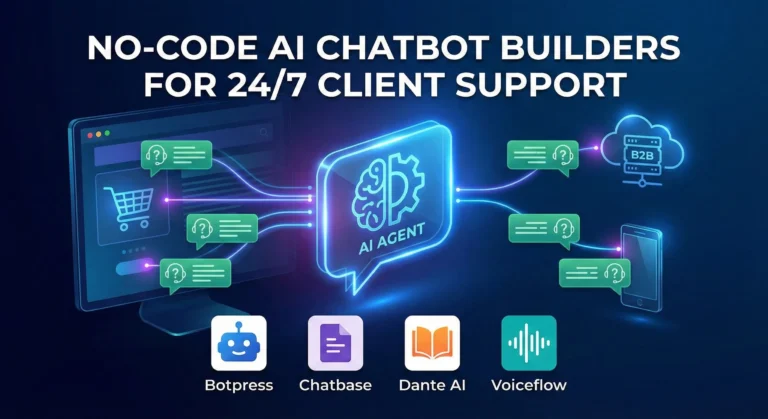
    Top No-Code AI Chatbot Builders for Client Support

    The era of the “sorry, I didn’t catch that” chatbot is thankfully over. If you are running an e-commerce brand or a B2B service company in the US or UK right now, your customers don’t just prefer self-serve support—they demand it. They expect accurate answers at 2 AM on a Saturday, and relying solely on human staff to provide that is a massive scalability bottleneck and financial drain.

    For years, the AdSense market for “customer service software” and “helpdesk automation” has been incredibly competitive because the pain point is so acute. But the solution is no longer just about better ticketing systems; it’s about deflection through intelligence.

    Today’s no-code AI builders allow businesses to train custom GPT models specifically on their own support documents, return policies, and technical manuals. The result is an autonomous agent that doesn’t just provide links, but actually resolves Tier-1 issues without human intervention.

    Here are the best no-code platforms to build your own autonomous support workforce.

    Chatbase: The Fastest Path to “Live”

    If you are drowning in repetitive FAQs and need a solution yesterday, Chatbase is phenomenal. It popularized the “chat with your data” concept.

    • The Support Play: You literally drag and drop your PDF product manuals, HR policy documents, or point it at your existing help center URL. Within minutes, Chatbase digests that information and creates a custom chatbot that answers questions based only on that data. For e-commerce brands constantly answering “what is your return window?”, Chatbase is an instant relief valve that requires virtually zero technical setup.

    Botpress: The Action-Oriented Agent

    Sometimes you need more than just answers; you need actions. Botpress is a powerful, visual platform designed for building agents that can execute tasks.

    • The Support Play: A customer doesn’t just want to know how to check their order status; they want the bot to check it for them. Botpress excels here. Its visual flow builder allows you to connect the chat interface to external systems like Shopify, Salesforce, or your custom database. You can build an agent that authenticates the user, fetches their real-time shipping data, and updates their ticket—all without a human agent ever opening a tab.

    Dante AI: The Multi-Source Specialist

    Businesses rarely have all their knowledge neatly organized in one PDF. Dante AI shines at ingesting messy, varied data sources to train your bot.

    • The Support Play: You can train a Dante bot on a combination of your website, a series of YouTube tutorial videos, Google Docs, and Notion pages simultaneously. It’s incredibly adept at synthesizing information from these different formats into coherent answers. Furthermore, if you are serving a global market, Dante’s robust, out-of-the-box multi-language support is a massive advantage for providing localized support without hiring local teams.

    Voiceflow: The Enterprise CX Design Platform

    Voiceflow approaches chatbots from a design-first perspective. It feels less like a technical builder and more like a collaborative design tool like Figma for conversational experiences.

    • The Support Play: This is the platform for larger teams or agencies building complex, high-stakes customer journeys across multiple channels (webchat, WhatsApp, SMS, etc.). Voiceflow allows for deep collaboration between designers, developers, and stakeholders to prototype, test, and iterate on complex conversation paths before they ever go live. It ensures your automated support feels on-brand and professional at scale.

    The Bottom Line

    Implementing autonomous AI support isn’t just about cutting costs—though it drastically reduces cost-per-ticket. It’s about providing the instant gratification experience modern consumers expect. By automating the repetitive 80% of queries, you free up your human support team to handle complex, emotionally charged issues with empathy, creating a better experience for everyone involved.

  • ·

    Best AI Tools for Content Creation in 2026

    Content creation in 2026 is faster, smarter, and more competitive than ever. Whether you’re a blogger, marketer, or entrepreneur, producing high-quality content consistently is one of the biggest challenges today.

    AI tools are transforming how we write blogs, create ads, and manage content workflows. Instead of spending hours writing manually, creators now use AI to generate ideas, draft content, and optimize for SEO in minutes.

    If you’re looking to scale your content output and grow your online business, choosing the right AI tools can make all the difference.

    AI writing tool dashboard generating blog content with templates and editor interface
    AI writing tool dashboard helping creators generate and edit content efficiently

    • AI tools can reduce content creation time by up to 70%
    • They help generate blog posts, ads, and social media content
    • Great for beginners and professionals alike
    • Can significantly boost income through content scaling
    • Tools like Jasper AI and Copy.ai dominate the market


    Creating content consistently is hard.

    Most creators struggle with:
    • Writer’s block
    • Time constraints
    • Lack of SEO knowledge
    • Scaling content production

    This leads to missed opportunities in traffic, revenue, and audience growth.


    AI tools automate content creation by:
    • Generating blog drafts instantly
    • Creating ad copies and captions
    • Providing SEO optimization
    • Repurposing content

    This allows creators to focus on strategy instead of writing everything manually.


    Description: Premium AI writing assistant for high-quality content

    Key Features:
    • Long-form content generation
    • SEO integration
    • Brand voice customization

    Pros:
    • High-quality output
    • Great for professionals

    Cons:
    • Expensive

    Best For: Agencies, marketers

    Verdict: Best overall tool for scaling content


    Description: Affordable AI writing tool with multiple templates

    Key Features:
    • Blog generator
    • Ad copy tools
    • Chatbot integration

    Pros:
    • Budget-friendly
    • Fast output

    Cons:
    • Quality varies

    Best For: Beginners

    Split screen showing multiple AI writing tools like Jasper, Writesonic and Copy.ai generating content
    Comparison view of popular AI writing tools used for content creation and marketing

    Description: Easy-to-use AI content generator

    Key Features:
    • Social media content
    • Email writing
    • Blog ideas

    Pros:
    • Simple interface
    • Great for quick content

    Cons:
    • Limited advanced features

    Best For: Beginners and freelancers


    Description: Lightweight AI writing tool

    Key Features:
    • Multiple tones
    • Fast generation

    Pros:
    • Very affordable

    Cons:
    • Limited long-form capabilities

    Best For: Small creators

    👉 Start using Rytr


    Description: AI + SEO content optimization tool

    Key Features:
    • SERP analysis
    • Content briefs

    Pros:
    • SEO-focused

    Cons:
    • Learning curve

    Best For: SEO writers


    ToolBest ForKey FeaturePricing
    Jasper AIProfessionalsLong-form writingPremium
    WritesonicBudget usersFast generationAffordable
    Copy.aiBeginnersEase of useModerate
    RytrSmall creatorsLow costCheap
    FraseSEO writersOptimizationModerate

    ToolProsCons
    Jasper AIHigh qualityExpensive
    WritesonicAffordableInconsistent output
    Copy.aiEasy to useLimited depth
    RytrCheapBasic features
    FraseSEO focusedComplex

    A blogger can:

    1. Use Jasper AI to generate blog draft
    2. Use Frase for SEO optimization
    3. Use Copy.ai for social posts

    Total time saved: 3–5 hours per article

    Step-by-step workflow showing how AI writing tools generate, edit, and publish content
    Step-by-step process of creating content using AI writing tools for faster and scalable results

    Blog writing
    Affiliate marketing
    • YouTube scripts
    Social media posts
    • Email marketing


    With AI tools, creators can:
    • Publish more content
    • Rank faster on Google
    • Earn via ads + affiliates

    Many bloggers scale to $1000–$5000/month using AI-assisted workflows.


    Benefits:
    • Speed
    • Scalability
    • Cost-effective

    Limitations:
    • Requires editing
    • May lack originality without guidance


    • Always edit AI content
    • Combine multiple tools
    • Focus on SEO keywords
    • Use AI for ideas, not just writing


    Are AI tools good for SEO?
    Yes, if used correctly with optimization.

    Which AI tool is best?
    Jasper AI is best overall.

    Can beginners use AI tools?
    Yes, tools like Copy.ai are beginner-friendly.


    If you want the best results, go with Jasper AI.

    It offers the best quality, scalability, and SEO integration.


    Start with one tool, create your first AI-generated article, and scale your content strategy from there.


    AI tools are no longer optional—they are essential.

    If you want to grow faster, earn more, and stay competitive, using AI for content creation is the smartest move you can make in 2026.

  • Scaling the Boutique Agency: How AI Multiplies Your Billable Hours

    In the professional services world—whether you are a consultant in London or a creative director in New York—you eventually hit a “ceiling.” This ceiling is defined by the number of hours in a day. Since your revenue is tied to your time, your growth is capped by your own physical limits.

    At AI Growth Gear, we call this the Expert’s Dilemma. You want to grow, but you don’t want to hire a massive team that dilutes your brand’s “soul” or increases your overhead to stressful levels.

    The secret to breaking this ceiling in 2026 isn’t working harder; it’s building a Digital Twin for your operations.

    The Math of Growth

    Most boutique owners spend 60% of their time on “Administrative Friction”—invoicing, lead qualification, meeting prep, and basic research. These are $20/hour tasks being performed by a $200/hour expert.

    By implementing specific AI Gears, we help our clients flip that ratio.

    • The Lead Filter: An AI Agent that qualifies leads before they ever reach your calendar.
    • The Briefing Engine: A system that researches a client and prepares a 1-page strategic brief while you sleep.
    • The Content Multiplier: Taking one 10-minute video of you speaking and turning it into a month’s worth of high-end social posts.

    When you remove the friction, you don’t just save time—यू (you) multiply your billable capacity.

    Quality Over Headcount

    The old way to scale was to hire junior staff. But junior staff require training, management, and a high salary. In 2026, the leanest agencies are the most profitable.

    By using Aesthetic Automation, a founder can maintain a “Boutique” feel—giving every client that high-end, personal touch—while the AI handles the data-heavy lifting in the background. Surbhi’s background at NIFT taught us that luxury is often about what you don’t see. The client sees a seamless, high-end experience; they don’t need to see the gears that made it happen so quickly.

    The 10x Consultant

    Imagine being able to take on three times the number of clients without adding a single minute to your work week. That is the power of a well-oiled AI strategy. It allows you to move from being a “worker” in your business to being the “Architect” of it.

    Is Your Business Gear-Ready?

    Scaling isn’t about doing more; it’s about being more efficient with what you already have. If you are ready to stop trading your life for billable hours, it’s time to look at your operational gears.

  • ·

    Best AI Writing Tools for Bloggers in 2026: Tools That Actually Improve Content

    Creating consistent blog content can be challenging, especially when bloggers are expected to publish regularly while maintaining high quality. Research, outlining, drafting, editing, and optimizing for SEO all take time. As competition grows online, bloggers are increasingly looking for tools that can help streamline their workflow.

    AI writing tools have become powerful assistants for bloggers and content creators. Instead of replacing writers, these tools help generate ideas, draft articles, improve clarity, and speed up the content creation process. Many modern AI tools can also assist with SEO optimization, marketing copy, and productivity workflows.

    In this guide, we explore the best AI writing tools for bloggers in 2026, how they work, and how they can help bloggers create better content faster.

    Diagram showing an AI writing workflow including idea generation, drafting, editing, and publishing stages used by bloggers and content creators.
    A simple AI writing workflow illustrating how bloggers use AI tools to generate ideas, draft articles, edit content, and publish posts efficiently.

    Quick Tool Summary

    Best Overall: Jasper AI
    Best Budget Option: Rytr
    Best for Beginners: ChatGPT
    Best for Marketing Content: Copy.ai
    Best Productivity Tool: Notion AI


    Why Bloggers Are Using AI Writing Tools ✍️

    AI writing tools are becoming essential for bloggers for several reasons.

    Faster content creation

    AI can generate outlines, drafts, and ideas in seconds.

    Overcoming writer’s block

    Many bloggers use AI tools to brainstorm new content topics.

    Content scaling

    AI allows bloggers to produce more articles without sacrificing quality.

    SEO support

    Some tools assist with keyword integration, readability, and structure.

    These advantages make AI writing tools particularly useful for entrepreneurs, marketers, and freelancers managing multiple content projects.


    Best AI Writing Tools for Bloggers

    Below are some of the most widely used AI writing tools available today.

    Screenshot-style illustration of an AI writing assistant dashboard showing blog content suggestions, SEO tips, and tone settings for generating AI-powered blog posts.
    An AI writing assistant dashboard displaying content suggestions, blog ideas, and tone settings used by bloggers to generate and edit articles efficiently.

    1. ChatGPT

    ChatGPT has become one of the most popular AI writing assistants used by bloggers and content creators. It can generate article ideas, outlines, paragraphs, and full drafts with simple prompts.

    Key Features

    • Blog topic generation
    • Article outlines and drafts
    • Content rewriting and editing
    • Brainstorming ideas

    Pros

    • Very flexible writing assistant
    • Supports multiple writing styles

    Cons

    • Requires good prompts
    • Content still needs editing and fact-checking

    Best For

    Bloggers who want a versatile AI assistant for brainstorming and writing drafts.

    You can try ChatGPT for free here: https://chatgpt.com/


    2. Jasper AI

    Jasper AI is one of the most advanced AI writing platforms designed for marketers and professional content creators.

    Key Features

    • Long-form blog writing
    • Marketing copy templates
    • Brand voice customization
    • Content campaign workflows

    Pros

    • High-quality output
    • Powerful marketing features

    Cons

    • Higher pricing compared to other tools
    • Slight learning curve

    Best For

    Professional bloggers and marketing teams producing high volumes of content.

    Try Jasper AI here → https://www.jasper.ai/


    3. Copy.ai

    Copy.ai focuses heavily on marketing copy but is also widely used by bloggers for idea generation and short-form content.

    Key Features

    • Blog idea generator
    • Social media content creation
    • Marketing copy templates
    • Quick draft generation

    Pros

    • Easy to use
    • Excellent for brainstorming

    Cons

    • Limited long-form writing capabilities

    Best For

    Bloggers who want quick inspiration and marketing copy assistance.

    Try Copy.ai here → Copy AI


    4. Writesonic

    Writesonic combines AI writing capabilities with SEO optimization tools, making it popular among bloggers and marketers.

    Key Features

    • Blog article generator
    • SEO-focused writing tools
    • Content rewriting and editing
    • Marketing copy creation

    Pros

    • Good for SEO content
    • Supports multiple writing formats

    Cons

    • Output may require manual editing

    Best For

    Bloggers who want AI assistance with SEO-optimized content.

    Try Writesonic here


    5. Rytr

    Rytr is known as one of the most affordable AI writing tools available today.

    Key Features

    • Blog writing assistant
    • Tone customization
    • Content rewriting
    • Multi-language support

    Pros

    • Budget friendly
    • Simple and easy interface

    Cons

    • Less advanced than premium tools

    Best For

    Beginner bloggers looking for an affordable AI writing solution.

    Try Rytr here →


    6. Notion AI

    Notion AI integrates AI writing capabilities directly into the Notion productivity platform.

    Key Features

    • AI document editing
    • Writing suggestions
    • Content summarization
    • Project organization

    Pros

    • Excellent for productivity workflows
    • Ideal for managing content ideas

    Cons

    • Limited marketing-focused features

    Best For

    Bloggers who manage writing projects and ideas within Notion.

    Try Notion AI here →


    AI Writing Tools Comparison Table

    Infographic comparing popular AI writing tools including ChatGPT, Jasper AI, Copy.ai, Writesonic, Rytr, and Notion AI with their key features for bloggers.
    Visual comparison chart of leading AI writing tools such as ChatGPT, Jasper AI, Copy.ai, Writesonic, Rytr, and Notion AI, highlighting their main capabilities for blogging and content creation.
    ToolBest ForKey FeaturePricing
    ChatGPTBloggersFlexible writing assistantFreemium
    Jasper AIMarketersLong-form AI writingPaid
    Copy.aiMarketing contentIdea generationFreemium
    WritesonicSEO bloggersSEO writing toolsPaid
    RytrBeginnersBudget-friendly AI writingLow cost
    Notion AIProductivityWriting inside workspacePaid

    Best AI Marketing Tools for Small Businesses to Automate Marketing and Grow Faster

    Practical Use Cases for Bloggers

    Bloggers use AI writing tools in several ways to improve productivity and efficiency.

    Content Idea Generation

    AI tools can quickly generate blog topic ideas based on keywords or niche themes.

    Blog Outlines

    Instead of starting from a blank page, bloggers can create structured outlines using AI.

    Draft Writing

    AI tools can produce first drafts that writers can edit and refine.

    Editing and Optimization

    Some AI tools help improve clarity, grammar, and readability.

    These workflows allow bloggers to focus more on creativity and strategy while automation handles repetitive tasks.


    Benefits and Limitations ⚖️

    While AI writing tools offer many advantages, they still require human oversight.

    Benefits

    • Faster content production
    • Improved productivity
    • Easier brainstorming
    • Scalable blogging workflows

    Limitations

    • AI content requires fact checking
    • Tone may need human editing
    • Some tools generate generic text

    The best results come from combining AI assistance with human creativity and expertise.


    How to Get Started with AI Writing Tools 🚀

    If you are new to AI writing tools, start with a simple workflow.

    1. Choose a topic and research keywords.
    2. Use AI to generate an outline.
    3. Draft the article using AI assistance.
    4. Edit the content to improve accuracy and tone.
    5. Optimize the article for SEO before publishing.

    With practice, bloggers can significantly reduce the time required to produce high-quality content.


    Conclusion

    AI writing tools are rapidly transforming how bloggers create content. From generating ideas to drafting full articles, these tools help streamline the blogging process and improve productivity.

    The key is choosing the right tool for your workflow. Beginners may prefer flexible tools like ChatGPT, while professional bloggers and marketing teams often benefit from advanced platforms such as Jasper AI.

    When used correctly, AI writing tools can help bloggers publish more consistently, scale their content strategy, and grow their online audience in an increasingly competitive digital landscape.

  • The Human-in-the-Loop: Why AI Strategy Requires a Director’s Touch

    In film production, there is a reason why a movie doesn’t just consist of actors and a script. It needs a Director. The director ensures that every shot, every line, and every edit serves the larger vision. Without that oversight, even the most expensive production falls apart into a series of disconnected scenes.

    As we consult with businesses across the UK and US, we see a recurring fear: “If I automate my business, will I lose the soul of my brand?” The answer is only “Yes” if you treat AI like a replacement. At AI Growth Gear, we treat AI as a high-performing crew that requires a skilled Director. This is what we call the Human-in-the-Loop (HITL) philosophy.

    The Myth of “Set it and Forget it”

    The biggest mistake a business can make in 2026 is believing that AI is a magic wand. You cannot simply “plug in” an agent and expect it to understand your brand’s nuances, your customers’ emotional needs, or your ethical boundaries.

    True “Gear-driven” growth requires a feedback loop. AI handles the heavy lifting—the data crunching, the first drafts, the scheduling—while the human handles the judgment.

    Why My Film Background Matters to Your ROI

    During my time in film production, I learned that a great story is told in the edits. AI is fantastic at generating volume, but humans are essential for selection.

    When we build an AI workflow for a client, we don’t just hand over a tool. We build “Director Checkpoints.” These are stages in the automation where the system pauses for human approval or refinement. This ensures that:

    • The Tone stays consistent: Your AI shouldn’t sound like a different person every time it sends an email.
    • The Ethics remain sound: AI doesn’t inherently understand the cultural nuances of a London-based client versus a New York-based one.
    • The Strategy evolves: Data tells you what happened; humans tell you why it matters.

    Building Your Digital Crew

    Imagine your business as a production. Your AI agents are your camera operators, your lighting crew, and your editors. They work fast, they don’t get tired, and they follow instructions perfectly. But you are the Director.

    The HITL approach allows you to scale your output by 10x without losing 1% of your quality. It’s about leveraging the machine to give the human more time to be creative, strategic, and—most importantly—present.

    Gearing Up for Authenticity

    In a world that is becoming increasingly automated, authenticity is the new gold standard. By keeping a human in the loop, you aren’t slowing down your growth; you are protecting your brand’s most valuable asset: its identity.

    At AI Growth Gear, we don’t just give you the tech; we give you the script and the direction to ensure your business’s story is told exactly how you intended.

  • ·

    Top AI Suites for Aesthetic Automation

    When we talk about scaling a digital agency, the conversation usually jumps straight to data, spreadsheets, and cold outreach. But for design-centric solo entrepreneurs and boutique brand builders targeting high-end clients in the US and UK, the real challenge is scaling taste.

    How do you multiply your creative output without diluting the visual identity that makes your brand premium?

    Here at AI Growth Gear (a division of the Enoxx News network), our Editor-in-Chief Ajay K Saklanii frequently points out that the future of brand building for solo operators lies in “aesthetic automation.” It is the exact intersection where high-end design principles meet autonomous tech. You aren’t just generating content; you are building a self-sustaining visual engine backed by Enoxx News Private Limited’s growth philosophies.

    If you want to command higher retainer fees while keeping your overhead low, these are the visual marketing and aesthetic automation suites you need to integrate into your workflow in 2026.

    Canva Magic Studio: The All-in-One Design Engine

    Canva has quietly transitioned from a simple template builder into an enterprise-grade AI powerhouse. Magic Studio isn’t just about generating one-off images; it’s about workflow velocity.

    The Agency Play: For boutique agencies, maintaining absolute visual consistency across campaigns is non-negotiable. With Canva’s Magic Switch and Magic Grab, you can take a single hero asset—say, a custom graphic for a client’s Q3 campaign—and autonomously resize, reformat, and translate it across every platform in seconds. Combined with their Brand Hub, which locks in fonts, hex codes, and brand voices, you can hand off bulk content creation to junior team members without worrying about them breaking brand guidelines.

    Adobe Firefly: Commercial-Safe Generative Art

    While other generative AI image models get the viral social media attention, Adobe Firefly is the tool actually built for commercial agency use. The biggest risk with AI-generated visuals for high-end clients is copyright infringement. Firefly is trained entirely on licensed and public domain content, making it commercially safe.

    The Agency Play: Firefly’s “Style Kits” allow agencies to train the AI directly on a client’s proprietary assets. Need fifty variations of a product shot for A/B testing on a high-CPC programmatic ad campaign? You can generate them instantly, ensuring every single variation perfectly matches the client’s established mood board, lighting, and texture preferences. It brings enterprise-level personalization down to the solo operator level.

    Jasper Art: The Copy-to-Visual Bridge

    Jasper started as an AI writing assistant, but Jasper Art has evolved into a crucial tool for marketers who need their copy and visuals to work in perfect tandem.

    The Agency Play: High-converting AdSense and affiliate campaigns rely heavily on visual context. Jasper allows you to generate high-fidelity blog thumbnails, ad creatives, and supporting graphics directly alongside your SEO-optimized copy. It eliminates the friction of bouncing between a copywriter and a graphic designer. For solo entrepreneurs running content-heavy sites, it means you can hit “publish” faster while maintaining a premium look that attracts top-tier advertisers.

    SocialBee: The Visual Publishing Orchestrator

    Creating the assets is only half the battle. Distributing them beautifully is the other. SocialBee has emerged as a top-tier automated publishing suite because of how seamlessly it connects the dots between creation and distribution.

    The Agency Play: SocialBee integrates directly with Canva and Unsplash, allowing you to pull your newly generated AI assets straight into your publishing queue. Its AI Copilot can then generate tailored captions and schedule the content into category-based buckets (e.g., “Promotional,” “Behind the Scenes,” “Educational”). For a lean agency, this means you can build a 90-day, visually stunning, multi-channel social media calendar in an afternoon, put it on autopilot, and get back to closing deals.

    The Bottom Line

    Aesthetic automation isn’t about replacing the artist; it’s about removing the friction from the art. By building a tech stack that respects brand consistency—using Canva, Firefly, Jasper, and SocialBee—you can deliver premium, high-volume visual marketing that justifies premium pricing and attracts the highest-paying digital advertisers.