|

Grok AI vs ChatGPT: Features and Real Use Cases

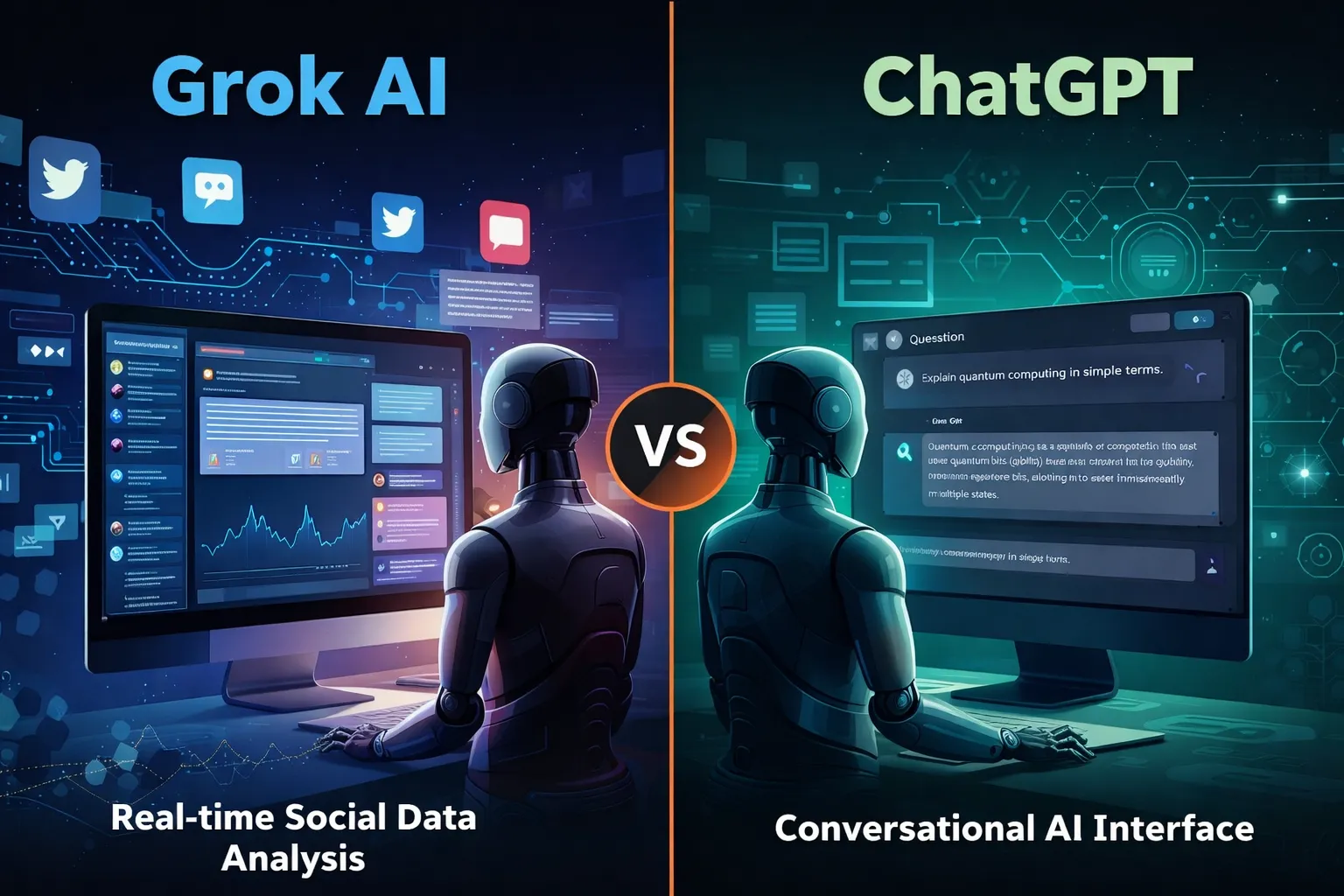
Illustration comparing Grok AI real-time social data analysis with ChatGPT conversational AI interface

Artificial intelligence tools are evolving rapidly, but most of them follow a similar pattern: static training data, controlled outputs, and limited real-time awareness. That model works well for structured tasks like coding assistance or writing help. However, it struggles when users want current insights, cultural context, or social trends.

That gap is where Grok, developed by xAI, enters the picture.

Unlike many AI assistants that rely primarily on training datasets, Grok was designed to connect directly with X (formerly Twitter). This integration allows the model to analyze public conversations, trending topics, and real-time discussions.

For professionals working in marketing, research, or online business, that difference can significantly change how AI is used in daily workflows.


At its core, Grok functions as a conversational AI assistant similar to ChatGPT or Claude. Users can ask questions, generate text, analyze ideas, or explore technical topics.

But Grok was intentionally designed with a different philosophy: context awareness from live data.

Key capabilities include:

Real-time information access
Grok can interpret current discussions happening on X, making it useful for trend monitoring and sentiment analysis.

📊 Social conversation insights
It can summarize how people are reacting to a topic rather than just describing the topic itself.

🧠 Conversational reasoning
Grok aims to produce more informal and context-aware answers compared with some traditional AI assistants.

🔎 Idea exploration and brainstorming
Because it pulls from real discussions, it can surface unexpected perspectives that static datasets might miss.

For example, a digital marketer researching a product launch could ask Grok:

“What are people complaining about in the latest smartphone release?”

Instead of returning a generic answer, the AI can analyze current posts and highlight common concerns.


While both systems function as AI assistants, their strengths are slightly different.

🔹 Data Sources

Grok

  • Strong connection to real-time social data
  • Useful for trend discovery and sentiment analysis

ChatGPT

  • Primarily trained on large datasets and structured knowledge
  • Strong for reasoning, coding, and documentation

🔹 Content Tone

Grok often responds with a more conversational tone, reflecting its connection to social platforms.

ChatGPT generally produces more structured, formal responses, which can be useful for professional documentation.

🔹 Business Applications

ChatGPT remains stronger in areas like:

  • code generation
  • structured writing
  • workflow automation
  • technical problem solving

Grok shows promise in areas such as:

  • social trend monitoring
  • public sentiment analysis
  • cultural context research

For professionals, the tools may complement rather than replace each other.


Here are practical scenarios where Grok can be particularly useful.

📈 Marketing trend research

Marketers can analyze what audiences are discussing about a brand or industry.

Example:
A SaaS founder launching a productivity app could analyze conversations around productivity tools to identify common complaints.

🧩 Product feedback discovery

Companies can quickly identify how users feel about competing products.

This type of insight traditionally required expensive social listening tools.

📰 News and narrative monitoring

Journalists, analysts, and researchers can track how a story evolves across social media conversations.

💡 Content brainstorming

Creators and writers can explore trending topics that resonate with real audiences.

Instead of guessing what people want to read, Grok can surface ideas based on live discussion patterns.


Like any AI system, Grok has strengths and trade-offs.

✔ Benefits

• Access to real-time conversations
• Useful for trend discovery
• Insight into public sentiment
• Unique perspective compared to traditional AI tools

⚠ Limitations

• Social data may contain noise or misinformation
• Real-time data can introduce bias or emotional reactions
• Not always ideal for technical or academic analysis

Professionals should treat Grok as a research assistant rather than a final authority.


If you’re running an online business or digital project, Grok works best when integrated into a broader workflow.

Practical workflow example

1️⃣ Trend discovery using Grok
2️⃣ Content research and structure using ChatGPT
3️⃣ Publishing strategy based on validated audience interests

This layered approach combines real-time insight with structured AI reasoning.


Grok may be especially valuable for:

• digital marketers
• startup founders
• journalists and analysts
• social media strategists
• creators researching audience interests

Who may not benefit as much

• developers needing deep coding assistance
• academic researchers needing highly verified sources
• enterprises requiring strict moderation controls


AI tools are gradually moving from static knowledge systems toward dynamic intelligence connected to real-world conversations. Grok represents an early experiment in that direction.

While it may not replace traditional AI assistants like ChatGPT, its ability to interpret live social discussions creates new possibilities for research, marketing, and trend discovery.

For professionals exploring AI workflows, Grok is less about replacing existing tools and more about adding a new layer of real-time insight to decision making.

Similar Posts

  • ·

    Best AI Tools for Social Media Automation in 2026

    Managing multiple social media accounts manually can quickly become overwhelming. From creating content to posting consistently and analyzing results, it takes time and effort. That’s where AI tools for social media automation come in.

    These tools help you generate content, schedule posts, optimize performance, and even design creatives — all with minimal manual work. Whether you’re a marketer, freelancer, or business owner, using AI can significantly boost your productivity and engagement.

    In this guide, we’ll explore the best AI tools for social media automation, including powerful platforms like AdCreative.ai, Ocoya, and Copy.ai.

    AI system automating social media posts from creation to publishing across multiple platforms
    AI tools streamline content creation and automatically publish posts across social platforms

    Social media success depends on consistency, creativity, and timing.

    AI tools help you:

    • Save hours every week
    • Post consistently
    • Improve engagement rates
    • Scale content production

    For businesses, this means faster growth with fewer resources.


    🏆 Best Overall — Ocoya
    💰 Best Budget — Copy.ai
    🚀 Best for Beginners — Buffer
    ⚡ Best for Ads & Creatives — AdCreative.ai

    Close-up of laptop showing content calendar with scheduled posts and analytics graphs
    Plan and organize your social media strategy using a structured content calendar

    Description:
    Ocoya is an all-in-one AI marketing tool designed specifically for social media automation. It combines content creation, scheduling, and analytics in one platform.

    Key Features:

    • AI caption generator
    • Social media scheduler
    • Hashtag suggestions
    • E-commerce integrations

    Pros:

    • Complete automation solution
    • Easy to use
    • Great for content + scheduling

    Cons:

    • Limited advanced analytics
    • Requires subscription

    Best For:
    Marketers and small businesses

    👉 Try Ocoya →


    Description:
    AdCreative.ai focuses on generating high-converting ad creatives using AI, making it ideal for social media advertising campaigns.

    Key Features:

    • AI-generated ad creatives
    • Conversion-focused designs
    • Performance scoring
    • Multiple ad variations

    Pros:

    • Excellent for paid ads
    • High-quality creatives
    • Data-driven

    Cons:

    • Not a full scheduler
    • Premium pricing

    Best For:
    Advertisers and eCommerce brands


    Description:
    Copy.ai helps you generate captions, posts, and marketing copy for social media in seconds.

    Key Features:

    • AI caption generator
    • Content templates
    • Multi-language support
    • Fast output

    Pros:

    • Affordable
    • Beginner-friendly
    • Saves time

    Cons:

    • No scheduling feature
    • Needs editing

    Best For:
    Freelancers and beginners


    Description:
    Buffer is a simple and reliable social media scheduling tool with AI assistance for content ideas.

    Key Features:

    • Post scheduling
    • Analytics
    • Clean UI

    Pros:

    • Easy to use
    • Affordable
    • Great for beginners

    Cons:

    • Limited automation features

    Best For:
    Small businesses


    Description:
    Hootsuite offers advanced automation, scheduling, and analytics powered by AI.

    Key Features:

    • Multi-platform management
    • AI recommendations
    • Deep analytics

    Pros:

    • Enterprise features
    • Strong reporting

    Cons:

    • Expensive

    Best For:
    Agencies


    📊 Practical Use Cases

    • Schedule a week’s content in minutes
    • Generate captions instantly
    • Create ad creatives with AI
    • Manage multiple accounts
    • Analyze engagement automatically

    ⚖️ Benefits and Limitations

    Benefits:

    • Saves time
    • Boosts productivity
    • Improves consistency
    • Scales content creation

    Limitations:

    • Requires subscriptions
    • Limited human creativity
    • Learning curve

    🛠️ How to Get Started

    1. Choose a tool based on your goal
    2. Connect your social accounts
    3. Generate content using AI
    4. Schedule posts
    5. Track performance

    Content creator working with multiple screens showing analytics dashboards and AI tools
    Boost productivity by managing social media with AI tools and real-time analytics

    📊 Comparison Table

    ToolBest ForKey FeaturePricing
    OcoyaAll-in-oneAI + SchedulingMid-range
    AdCreative.aiAdsAI CreativesPremium
    Copy.aiContent WritingAI CopywritingBudget
    BufferBeginnersSimple SchedulingAffordable
    HootsuiteAgenciesAdvanced AnalyticsExpensive

    ✅ Conclusion

    AI tools for social media automation are transforming how businesses and creators manage their online presence. With tools like Ocoya, AdCreative.ai, and Copy.ai, you can automate content creation, improve engagement, and scale your growth effortlessly.

    If you’re just starting, go with Copy.ai or Buffer. If you want full automation, Ocoya is your best bet. And for ads, AdCreative.ai is unmatched.


  • ·

    Beyond the Green Screen: Choosing the Best AI Video Generators for 2026

    The statistics are undeniable: video dominates online engagement. But for years, creating high-quality video content has been a monumental task, demanding expensive equipment, skilled crew, and endless hours in the editing suite. This “production bottleneck” has traditionally kept many ambitious brands from fully leveraging video.

    Enter AI Video Generators.

    In 2026, these tools are no longer just novelties. They are rapidly evolving into powerful platforms that democratize video creation, allowing businesses—from bustling agencies in London to innovative startups in New York—to produce engaging content at unprecedented speed and scale.

    But with a new tool emerging every week, how do you choose the right one? At AI Growth Gear, with our foundation in film production and aesthetic communication, we see AI video as more than just pressing a button; it’s about translating vision into compelling motion, with precision and soul.

    Why AI Video is No Longer Optional

    • Speed to Market: Generate marketing videos, social clips, and product explainers in minutes, not days.
    • Cost Efficiency: Drastically reduce reliance on traditional production budgets, freeing up resources for strategy.
    • Scalability: Produce personalized video content for diverse audiences without increasing headcount.
    • Consistency: Maintain brand voice and visual style across all video assets through templating and AI assistance.

    What to Look For: A Director’s Checklist for AI Video Generators

    Not all AI video generators are created equal. Based on our extensive testing and understanding of professional production needs, here’s what to prioritize:

    1. Aesthetic Output (The Surbhi Chauhan Factor): This is paramount. Does the AI produce videos that look genuinely professional, or do they fall into the “uncanny valley” of robotic, overly polished, or bland visuals? Look for tools that allow granular control over style, lighting, and realistic character animation. Can it capture the texture of your brand?
    2. Ease of Use & Workflow Integration: A tool is only useful if it fits seamlessly into your existing operations. Is the interface intuitive? Can you upload scripts easily? Does it integrate with your content calendar or project management tools (like Notion or Zapier)?
    3. Customization & Brand Control: Can you upload your own brand assets (logos, fonts, color palettes)? Does it offer a range of customizable templates? The more control you have over the final output, the better it aligns with your brand identity.
    4. Voice & Lip-Sync Accuracy: If you’re using AI avatars or text-to-speech, pay close attention to the naturalness of the voice and the lip-sync quality. A robotic voice or mismatched lips can instantly break immersion and trust.
    5. Cost vs. Value: Free tools are tempting, but often come with limitations on quality, features, or branding. Evaluate subscription models based on the number of minutes, avatars, or advanced features you truly need. Calculate the ROI: how much time and money will it actually save you compared to traditional methods?
    6. Ethical Considerations & Rights: Understand the tool’s terms of service regarding content ownership and the ethical use of AI-generated faces or voices. Ensure you have the necessary rights for commercial use.

    The Future is in Motion

    AI video generators are not here to replace human creativity, but to augment it. They free up creatives to focus on strategic storytelling, conceptualization, and the subtle “director’s touch” that elevates content. By carefully selecting the right AI video gear, you can transform your content strategy, capture more attention, and truly scale your brand’s message.

    Ready to bring your brand to life in motion? The right AI video partner is waiting.

  • ·

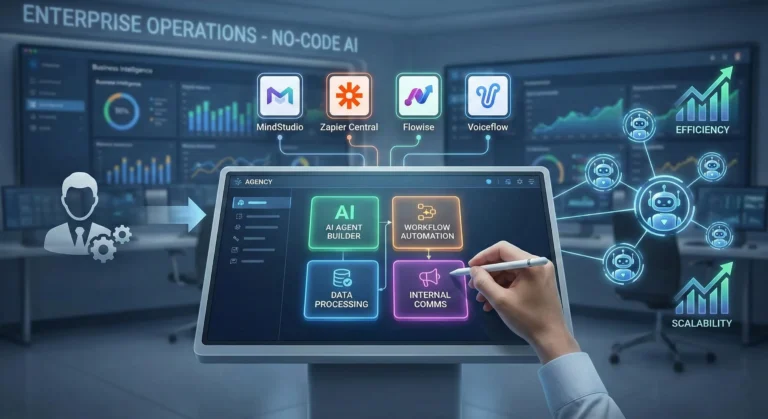
    Top No-Code AI Agent Builders for Agencies

    Scaling an agency in the US or UK used to mean one thing: hiring more people. Every new client meant adding more project managers, more data entry clerks, and more administrative bloat. But operations managers are waking up to a new reality. You don’t need a bigger team to handle enterprise-level capacity; you need better internal infrastructure.

    The secret to maximizing agency margins right now is replacing repetitive administrative headcount with custom AI agents. By leveraging no-code enterprise automation, you can build digital employees that handle your backend operations 24/7. Here at AI Growth Gear, we prioritize software that directly impacts the bottom line. If you want to deploy sophisticated business intelligence and workflow software without writing a line of code, these are the platforms you need.

    MindStudio: The AI Employee Factory

    MindStudio is arguably the most robust platform right now for building highly specialized, multi-step AI agents. It allows you to build custom interfaces and connect different foundation models (like Claude 3 or GPT-4) depending on the specific task.

    • The Operations Play: Stop paying junior staff to summarize endless client discovery calls and format them into briefs. With MindStudio, you can build an internal “Strategy Agent.” You upload the raw call transcript, and the agent automatically extracts the core business objectives, cross-references them with your agency’s standard operating procedures (SOPs), and outputs a polished, ready-to-execute project brief. It turns hours of manual administrative work into a three-second automated workflow.

    Zapier Central: The Action-Oriented Assistant

    You likely already use Zapier to connect your apps, but Zapier Central transforms those passive connections into an active, conversational AI workspace. It allows you to build bots that sit directly on top of your live data.

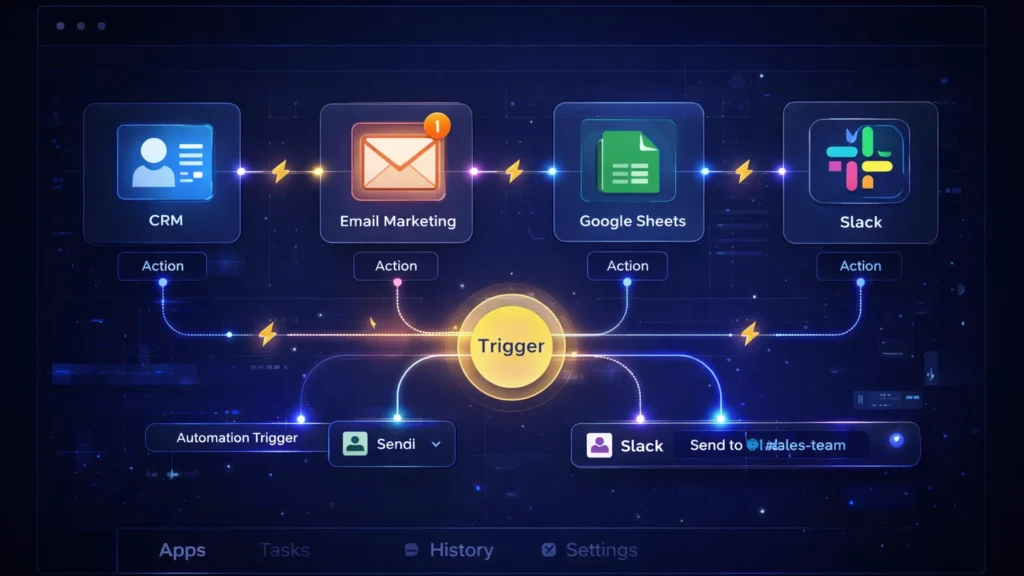
    • The Operations Play: Zapier Central excels at data triage. Imagine a custom agent monitoring your high-value lead inbox. When a new enterprise inquiry comes in, the agent reads the context, automatically queries your CRM to see if they are an existing contact, drafts a personalized response based on their industry, and pings the correct account executive in Slack with a summary. It acts as an autonomous executive assistant that never drops the ball, perfectly optimizing your agency’s lead response times.

    Flowise: Visual LLM Orchestration

    For agencies handling vast amounts of proprietary data or complex technical documentation, Flowise is a game-changer. It provides a drag-and-drop visual interface for LangChain, meaning you can build highly complex AI logic flows without needing a Python developer.

    • The Operations Play: Build a secure, internal “Knowledge Retrieval Agent” for your team. By connecting Flowise to your agency’s internal Google Drive or Notion workspace, your team can simply ask the agent questions like, “What were the exact deliverables we promised in the Q3 contract for Client X?” The agent searches the secure internal database and retrieves the exact clause in seconds. This eliminates the endless back-and-forth messaging between departments and streamlines overall business intelligence.

    Voiceflow: Conversational Process Management

    While typically known for building customer-facing chatbots, smart operations managers are using Voiceflow to build robust internal conversational interfaces.

    • The Operations Play: Employee onboarding is a massive drain on operational resources. With Voiceflow, you can build an interactive “HR & Onboarding Agent.” Instead of handing new hires a static 50-page PDF of company policies, they interact with the Voiceflow agent. It can guide them through setting up their software stack, answer specific questions about payroll schedules, and train them on agency methodologies. It guarantees a consistent, scalable onboarding experience without tying up your senior staff.

    The Bottom Line

    B2B margins are won and lost in the backend. By investing in no-code workflow software like MindStudio, Zapier Central, Flowise, and Voiceflow, you aren’t just buying tools—you are building a scalable, automated workforce. This allows you to take on larger enterprise contracts without proportionately increasing your overhead.

  • ·

    Best AI Marketing Tools for Small Businesses to Automate Marketing and Grow Faster

    Marketing is one of the biggest challenges for small businesses. Entrepreneurs often need to manage content creation, advertising, social media, email campaigns, and analytics — often with limited time and resources.

    This is where AI marketing tools for small businesses are changing the game.

    Artificial intelligence can now automate many marketing tasks that previously required a full marketing team. AI tools can generate ad creatives, write marketing copy, schedule social media posts, analyze campaign performance, and optimize marketing strategies.

    For entrepreneurs, bloggers, freelancers, and online business owners, AI marketing tools provide a powerful advantage: better results with less effort.

    In this guide, we’ll explore the best AI marketing tools for small businesses that can help automate marketing workflows, improve campaign performance, and accelerate growth.


    A young entrepreneur working on a laptop while AI marketing dashboards display ad performance, social media scheduling, and analytics tools used by small businesses for marketing automation.
    A small business owner using AI marketing tools to manage ads, social media scheduling, and analytics from a single dashboard.

    Why AI Marketing Tools Matter for Small Businesses 🚀

    Small businesses often struggle with limited time, budget, and resources. AI tools help solve these challenges by automating key marketing activities.

    ⏳ Save Time

    AI tools automate repetitive tasks such as:

    • Writing marketing copy
    • Designing ad creatives
    • Scheduling social media posts
    • Generating blog content
    • Analyzing marketing data

    This allows entrepreneurs to focus on strategy and growth instead of repetitive work.


    💰 Reduce Marketing Costs

    Hiring a full marketing team can be expensive.

    AI tools allow small businesses to perform tasks that normally require:

    • Copywriters
    • Designers
    • Social media managers
    • Marketing analysts

    This significantly lowers marketing expenses.


    📊 Improve Marketing Performance

    AI tools analyze data quickly and suggest improvements like:

    • Better ad creatives
    • High-performing content ideas
    • Optimal posting schedules
    • Improved audience targeting

    These insights can help businesses achieve higher ROI from marketing campaigns.


    Quick Tool Summary ⚡

    Best Overall: AdCreative.ai
    Best Budget Option: Copy.ai
    Best for Social Media Marketing: Ocoya
    Best for Content Marketing: Jasper AI
    Best for Marketing Automation: HubSpot AI
    Best for SEO Content: Surfer SEO


    Best AI Marketing Tools for Small Businesses 🧠


    Comparison infographic of AI marketing tools for small businesses highlighting features such as ad creation, AI copywriting, social media automation, content generation, and SEO optimization.
    Comparison infographic showing popular AI marketing tools like AdCreative.ai, Copy.ai, Ocoya, Jasper AI, and Surfer SEO for small business marketing.

    1. AdCreative.ai 🎯

    AdCreative.ai is one of the most powerful AI advertising tools designed to generate high-converting ad creatives automatically.

    Instead of manually designing ads, businesses can use AI to generate optimized ad visuals based on proven marketing data.

    Key Features

    • AI-generated ad creatives
    • Conversion-focused design suggestions
    • Ad copy generation
    • Creative scoring for performance
    • Integration with major ad platforms

    Pros

    ✔ Generates ads in seconds
    ✔ Optimized for advertising campaigns

    Cons

    ✖ Most useful for businesses running regular ads
    ✖ Requires some experimentation

    Best For

    Businesses running Facebook Ads, Google Ads, and display campaigns.

    Try AdCreative.ai here


    2. Copy.ai ✍️

    Copy.ai is a popular AI writing tool designed to generate marketing content quickly.

    The platform helps businesses create blog posts, product descriptions, ad copy, and email marketing content.

    Key Features

    • AI marketing copy generator
    • Blog writing tools
    • Email marketing templates
    • Social media caption generator
    • Content idea generation

    Pros

    ✔ Easy to use
    ✔ Fast content creation

    Cons

    ✖ AI output may require editing
    ✖ Limited customization

    Best For

    Entrepreneurs who need quick marketing copy and content ideas.

    Affiliate Call-To-Action

    Try Copy.ai here


    3. Ocoya 📱

    Ocoya is an AI-powered social media marketing platform that combines content creation, scheduling, and analytics.

    It helps businesses generate posts and automatically publish them across multiple social media platforms.

    Key Features

    • AI social media captions
    • Automated post scheduling
    • Graphic design tools
    • Social media analytics

    Pros

    ✔ Excellent for social media automation
    ✔ Multi-platform integrations

    Cons

    ✖ Analytics features are limited
    ✖ Advanced features require paid plans

    Best For

    Small businesses managing multiple social media platforms.

    Try Ocoya here


    4. Jasper AI 📝

    Jasper AI is one of the most advanced AI writing tools for marketing and content creation.

    It helps marketers generate blog posts, landing pages, and marketing campaigns.

    Key Features

    • Long-form AI writing
    • Marketing copy templates
    • AI brand voice customization
    • SEO-friendly content creation

    Pros

    ✔ High-quality AI writing
    ✔ Ideal for content marketing

    Cons

    ✖ Higher pricing
    ✖ Content may require editing

    Best For

    Bloggers and marketers focused on content-driven growth.

    Try Jasper AI here


    5. HubSpot AI 🤖

    HubSpot integrates AI into its marketing automation platform.

    The tool provides advanced features for email marketing, lead generation, CRM automation, and analytics.

    Key Features

    • AI email generation
    • Marketing automation workflows
    • CRM integration
    • Campaign analytics

    Pros

    ✔ Complete marketing ecosystem
    ✔ Powerful automation tools

    Cons

    ✖ Expensive for small startups
    ✖ Advanced features require premium plans

    Best For

    Businesses managing large marketing campaigns and sales funnels.


    6. Surfer SEO 🔎

    Surfer SEO helps businesses create SEO-optimized content that ranks on Google.

    The platform analyzes top-ranking pages and provides real-time optimization suggestions.

    Key Features

    • Content optimization
    • Keyword suggestions
    • SEO score tracking
    • SERP analysis

    Pros

    ✔ Excellent for SEO-driven content
    ✔ Data-backed recommendations

    Cons

    ✖ Requires some SEO knowledge
    ✖ Paid plans can be expensive

    Best For

    Bloggers and marketers focused on organic traffic growth.


    AI Marketing Tools Comparison Table 📊

    ToolBest ForKey FeaturePricing
    AdCreative.aiAdvertisingAI ad creativesPaid
    Copy.aiCopywritingAI marketing copyFreemium
    OcoyaSocial mediaAI schedulingPaid
    Jasper AIContent marketingLong-form writingPaid
    HubSpot AIAutomationCRM marketingPaid
    Surfer SEOSEO marketingContent optimizationPaid

    Practical Use Cases for AI Marketing Tools 💡

    AI marketing tools can transform how small businesses operate.

    Social Media Automation

    AI tools can:

    • Generate social media posts
    • Schedule content automatically
    • Analyze engagement performance

    Ad Campaign Creation

    AI can quickly generate:

    • Ad visuals
    • Ad headlines
    • Targeting suggestions

    Content Marketing

    AI tools can produce:

    • Blog posts
    • Email newsletters
    • Product descriptions
    • Website content

    Benefits and Limitations ⚖️

    Benefits

    ✔ Faster marketing execution
    ✔ Lower marketing costs
    ✔ Improved campaign performance
    ✔ Better marketing insights


    Limitations

    ✖ AI-generated content may need editing
    ✖ Over-automation can reduce brand personality
    ✖ Some tools require learning time


    Best AI Writing Tools for Bloggers in 2026: Tools That Actually Improve Content

    How to Get Started with AI Marketing Tools 🛠️

    If you’re new to AI marketing, follow this simple process.

    Step 1

    Choose one or two tools based on your marketing needs.

    Step 2

    Use AI to automate repetitive tasks such as content creation and social media scheduling.

    Step 3

    Monitor campaign performance using analytics.

    Step 4

    Expand your AI marketing stack as your business grows.


    AI-powered marketing funnel showing content creation, advertising campaigns, analytics tracking, and business growth automation.
    Illustration of an AI-powered marketing funnel showing how content, ads, analytics, and automation work together to drive business growth.

    Conclusion 🎯

    Artificial intelligence is transforming digital marketing, allowing small businesses to compete with larger brands.

    The best AI marketing tools for small businesses help automate content creation, advertising, and social media management while improving efficiency.

    Tools like AdCreative.ai, Copy.ai, and Ocoya allow entrepreneurs and marketers to scale their marketing efforts without large teams or huge budgets.

    By adopting AI marketing tools today, businesses can build smarter marketing strategies and unlock new growth opportunities.

  • ·

    Top No-Code AI Chatbot Builders for Client Support

    The era of the “sorry, I didn’t catch that” chatbot is thankfully over. If you are running an e-commerce brand or a B2B service company in the US or UK right now, your customers don’t just prefer self-serve support—they demand it. They expect accurate answers at 2 AM on a Saturday, and relying solely on human staff to provide that is a massive scalability bottleneck and financial drain.

    For years, the AdSense market for “customer service software” and “helpdesk automation” has been incredibly competitive because the pain point is so acute. But the solution is no longer just about better ticketing systems; it’s about deflection through intelligence.

    Today’s no-code AI builders allow businesses to train custom GPT models specifically on their own support documents, return policies, and technical manuals. The result is an autonomous agent that doesn’t just provide links, but actually resolves Tier-1 issues without human intervention.

    Here are the best no-code platforms to build your own autonomous support workforce.

    Chatbase: The Fastest Path to “Live”

    If you are drowning in repetitive FAQs and need a solution yesterday, Chatbase is phenomenal. It popularized the “chat with your data” concept.

    • The Support Play: You literally drag and drop your PDF product manuals, HR policy documents, or point it at your existing help center URL. Within minutes, Chatbase digests that information and creates a custom chatbot that answers questions based only on that data. For e-commerce brands constantly answering “what is your return window?”, Chatbase is an instant relief valve that requires virtually zero technical setup.

    Botpress: The Action-Oriented Agent

    Sometimes you need more than just answers; you need actions. Botpress is a powerful, visual platform designed for building agents that can execute tasks.

    • The Support Play: A customer doesn’t just want to know how to check their order status; they want the bot to check it for them. Botpress excels here. Its visual flow builder allows you to connect the chat interface to external systems like Shopify, Salesforce, or your custom database. You can build an agent that authenticates the user, fetches their real-time shipping data, and updates their ticket—all without a human agent ever opening a tab.

    Dante AI: The Multi-Source Specialist

    Businesses rarely have all their knowledge neatly organized in one PDF. Dante AI shines at ingesting messy, varied data sources to train your bot.

    • The Support Play: You can train a Dante bot on a combination of your website, a series of YouTube tutorial videos, Google Docs, and Notion pages simultaneously. It’s incredibly adept at synthesizing information from these different formats into coherent answers. Furthermore, if you are serving a global market, Dante’s robust, out-of-the-box multi-language support is a massive advantage for providing localized support without hiring local teams.

    Voiceflow: The Enterprise CX Design Platform

    Voiceflow approaches chatbots from a design-first perspective. It feels less like a technical builder and more like a collaborative design tool like Figma for conversational experiences.

    • The Support Play: This is the platform for larger teams or agencies building complex, high-stakes customer journeys across multiple channels (webchat, WhatsApp, SMS, etc.). Voiceflow allows for deep collaboration between designers, developers, and stakeholders to prototype, test, and iterate on complex conversation paths before they ever go live. It ensures your automated support feels on-brand and professional at scale.

    The Bottom Line

    Implementing autonomous AI support isn’t just about cutting costs—though it drastically reduces cost-per-ticket. It’s about providing the instant gratification experience modern consumers expect. By automating the repetitive 80% of queries, you free up your human support team to handle complex, emotionally charged issues with empathy, creating a better experience for everyone involved.

  • ·

    Digital Doubles: HeyGen vs. Synthesia – Choosing Your AI Presenter for 2026

    In business, communication is everything. Whether it’s training your global sales force, delivering personalized video messages to thousands of leads, or creating consistent brand explainers, the demand for engaging video is immense. The traditional approach—hiring presenters, booking studios, shooting, editing—is a bottleneck for even the most agile teams.

    This is where AI Avatar & Business Presenters step in. These aren’t just text-to-speech tools; they create convincing digital humans who can speak your message in multiple languages, with realistic expressions and lip-sync. For businesses in the US and UK looking to scale their video output without scaling their production budget, these platforms are a game-changer.

    At AI Growth Gear, we’ve evaluated the leading platforms with our “Director’s Lens,” focusing on realism, brand integration, and operational efficiency. Here’s how the top two—HeyGen (Avatar IV) and Synthesia—compare for your business.

    The Contenders at a Glance

    FeatureHeyGen (Avatar IV)Synthesia
    Primary StrengthUltra-Realistic Digital TwinsEnterprise-Grade Library & Compliance
    Best ForPersonalized Sales, UGCCorporate Training, Explainers
    WeaknessCustom avatars require more inputStock avatars can feel less unique

    1. HeyGen (Avatar IV): The Ultra-Realist

    HeyGen’s latest iteration, Avatar IV, is pushing the boundaries of what’s possible in AI avatar realism. Its “Digital Twin” feature allows businesses to create incredibly lifelike avatars of actual employees or spokespersons from minimal video footage. The subtlety of facial expressions and natural-sounding voice clones are truly impressive.

    • The Aesthetic: Aimed squarely at hyper-realism. If you want your AI presenter to be indistinguishable from a real human, HeyGen is currently leading the pack. It masters the minute details, making it ideal for maintaining a personal touch at scale.
    • The Director’s Take: “HeyGen is for when ‘authentic’ means ‘looks like you.’ It’s unparalleled for personalized sales videos, founder messages, or any content where the presenter’s unique identity is key. It allows a boutique agency to maintain its human brand persona without physically being in every video.”

    2. Synthesia: The Enterprise Powerhouse

    Synthesia has been the long-standing leader in the corporate AI video space, and for good reason. It boasts an extensive library of over 160 diverse stock avatars and 120+ languages, coupled with robust SOC 2 compliance for data security. Its platform is built for scalable, professional use cases across large organizations.

    • The Aesthetic: Polished, professional, and consistent. While its stock avatars are highly realistic, they aim for broad appeal rather than individual uniqueness.
    • The Director’s Take: “Synthesia is the workhorse of the enterprise. If you need to produce hundreds of consistent training modules, international onboarding videos, or routine explainers, its sheer volume of customizable options and security features make it the undisputed choice. It ensures your corporate communication is slick and reliable across the board.”

    The Verdict: Which Digital Double is Right for You?

    • Choose HeyGen if your priority is Personalization and Ultra-Realism. If you need your AI presenter to look and sound exactly like a specific person to build trust or enhance a unique brand identity.
    • Choose Synthesia if your priority is Scalability and Corporate Readiness. If you require a vast library of diverse avatars, multi-language support, and enterprise-grade security for consistent, high-volume video production.

    Our Recommendation for 2026

    For many agencies, the ideal setup might involve a blend: HeyGen for high-impact, personalized, and client-facing content, and Synthesia for internal training, broad-reach explainers, or situations requiring a diverse range of stock avatars. Both tools excel at making video production accessible, but they serve different strategic objectives.