If you are a content manager or niche site builder, you know the current reality: the SERPs are hungrier than ever. The old playbook of manually researching keywords, crafting individual briefs, and managing a dozen freelance writers on Trello is becoming unsustainable. It’s too slow and too expensive to compete with competitors who have figured out velocity.
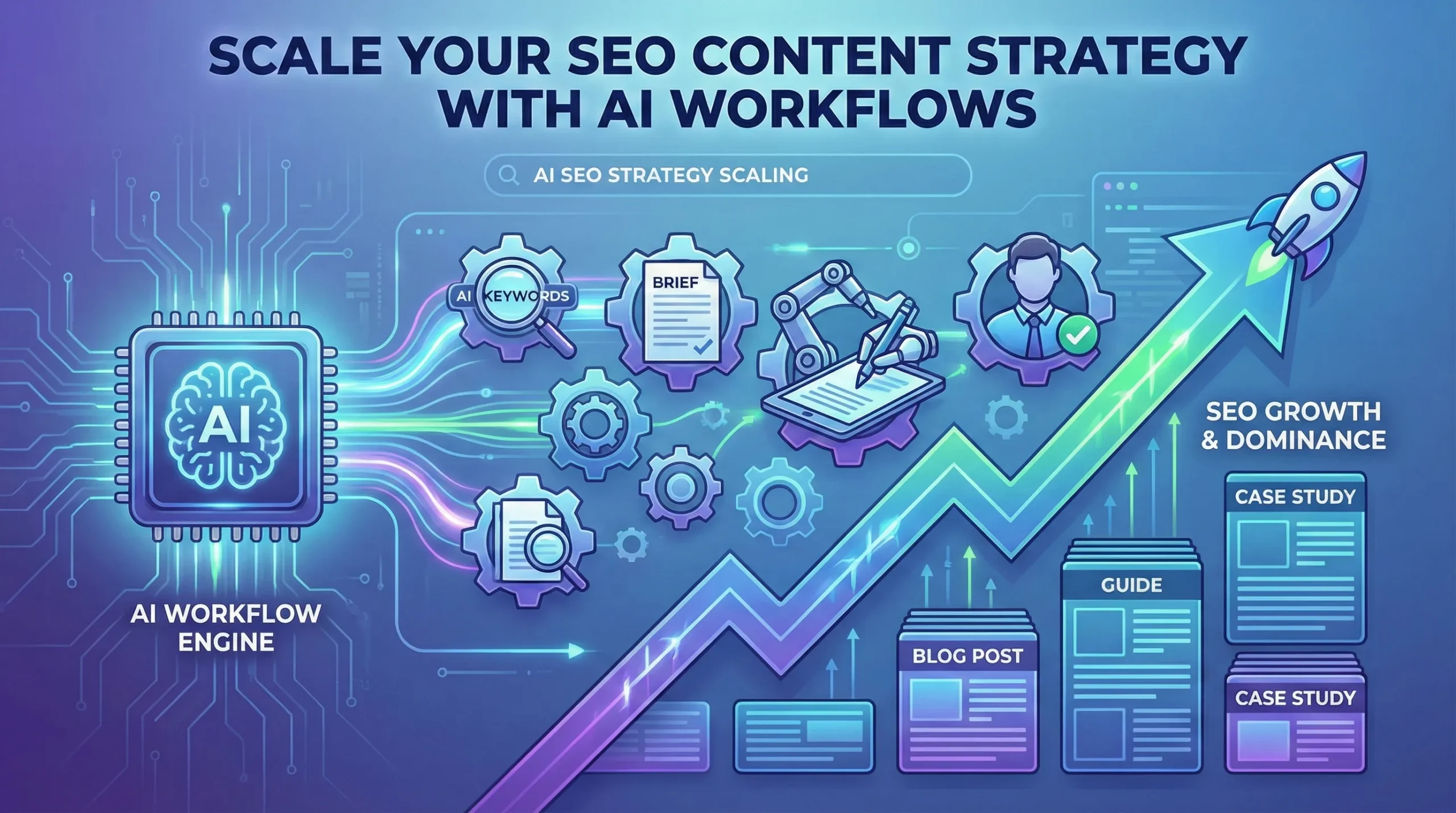
To win at search today, you cannot just “use AI to write.” You need to build an AI SEO strategy that turns manual bottlenecks into automated workflows.
Scaling isn’t about asking ChatGPT to write 50 articles in one giant prompt—that’s a recipe for generic, low-ranking “slop.” True scale comes from deconstructing the SEO process and using AI to handle the repetitive heavy lifting, leaving the high-value strategic thinking to humans.
Here is how to graduate from basic prompting to building an enterprise-grade programmatic SEO engine.
Phase 1: Intelligent Keyword Clustering at Scale
The biggest mistake SEOs make with AI is starting with the writing phase. Scale starts with structure. You cannot dominate a niche by picking keywords one by one.
Instead of manually grouping keywords in spreadsheets, dump thousands of raw keyword ideas from tools like Ahrefs or Semrush into a CSV. Then, use ChatGPT’s Advanced Data Analysis feature to perform semantic clustering.
The Goal: Ask ChatGPT to group keywords not just by similar words, but by identical search intent. This turns a messy list of 5,000 keywords into a clean map of 300 distinct article topics, ensuring you don’t cannibalize your own rankings.
Phase 2: The Automated Content Brief Factory
Before you generate a single paragraph of draft copy, you must generate the instructions. The quality of your ChatGPT for SEO content output is directly tied to the quality of the input brief.
Don’t ask ChatGPT to “write an article about X.” Instead, create a workflow (perhaps using a tool like Make.com or Zapier chained to OpenAI’s API) that takes a target keyword and generates a comprehensive brief based on live SERP data.
Your automated brief should include:
The primary search intent (informational vs. commercial).
A suggested H2/H3 structure based on top-ranking competitors.
A list of semantic entities and NLP terms that must be included.
The specific questions the article needs to answer to win Featured Snippets.
Phase 3: The “Chain-of-Thought” Drafting Engine
Once you have a rock-solid brief, you can begin drafting. But don’t try to generate a 2,000-word guide in one shot. AI loses the thread on long outputs.
Build a workflow that chains prompts together. Step one generates the introduction based on the brief’s hook. Step two takes the introduction and the brief’s first H2 to write the next section, and so on. By breaking the task into modular chunks, you maintain context and improve factual accuracy.
Phase 4: The Human-in-the-Loop (E-E-A-T Layer)
This is where the elite SEOs separate themselves from the spammers. You cannot auto-publish raw AI output and expect long-term gains.
Your workflow must end in a human review queue. The AI is the architect and the bricklayer, but you are the site inspector. The human job is no longer drafting; it’s injecting Experience, Expertise, Authoritativeness, and Trustworthiness (E-E-A-T). Add unique data, personal anecdotes, expert quotes, and ensure the tone matches your brand.
By automating the research, briefing, and drafting phases, your team spends 80% of their time improving content quality, rather than staring at a blank page.
Marketing is one of the biggest challenges for small businesses. Entrepreneurs often need to manage content creation, advertising, social media, email campaigns, and analytics — often with limited time and resources.
This is where AI marketing tools for small businesses are changing the game.
Artificial intelligence can now automate many marketing tasks that previously required a full marketing team. AI tools can generate ad creatives, write marketing copy, schedule social media posts, analyze campaign performance, and optimize marketing strategies.
For entrepreneurs, bloggers, freelancers, and online business owners, AI marketing tools provide a powerful advantage: better results with less effort.
In this guide, we’ll explore the best AI marketing tools for small businesses that can help automate marketing workflows, improve campaign performance, and accelerate growth.
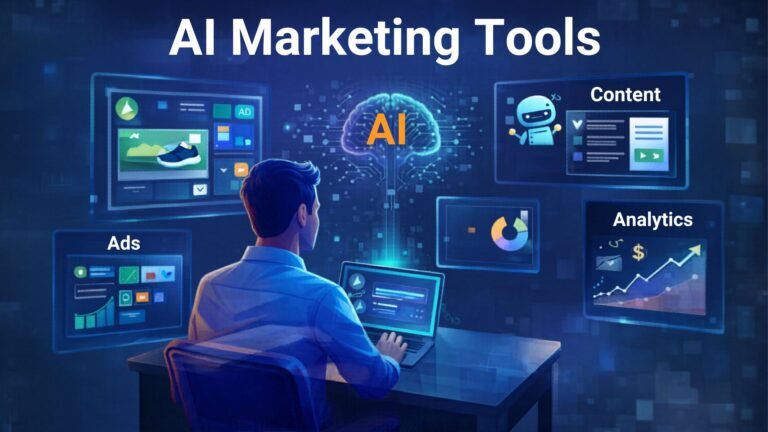
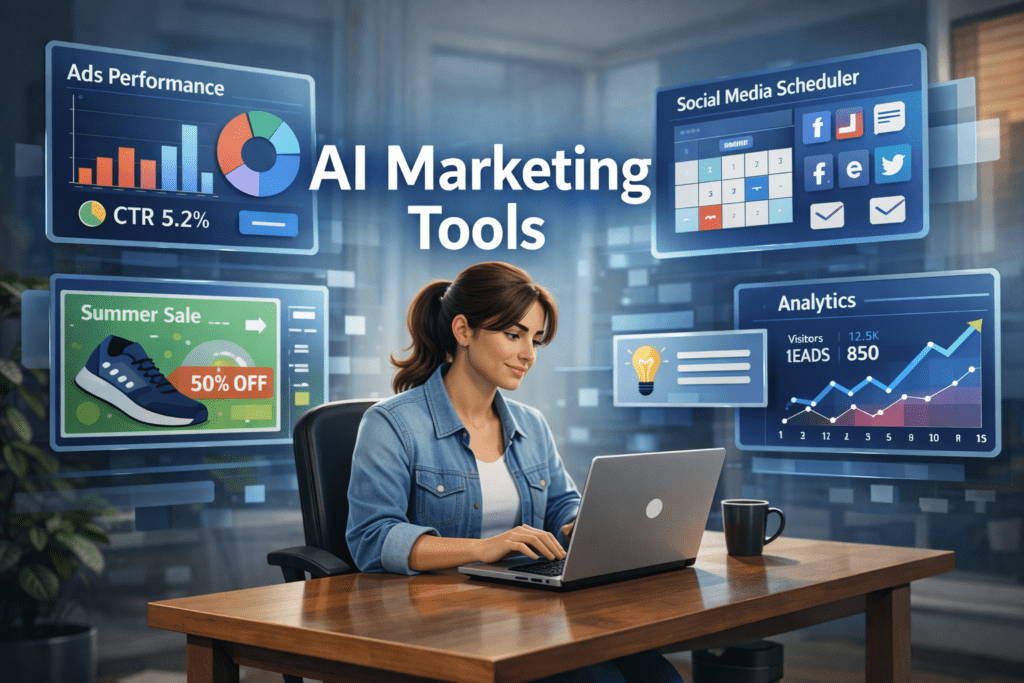
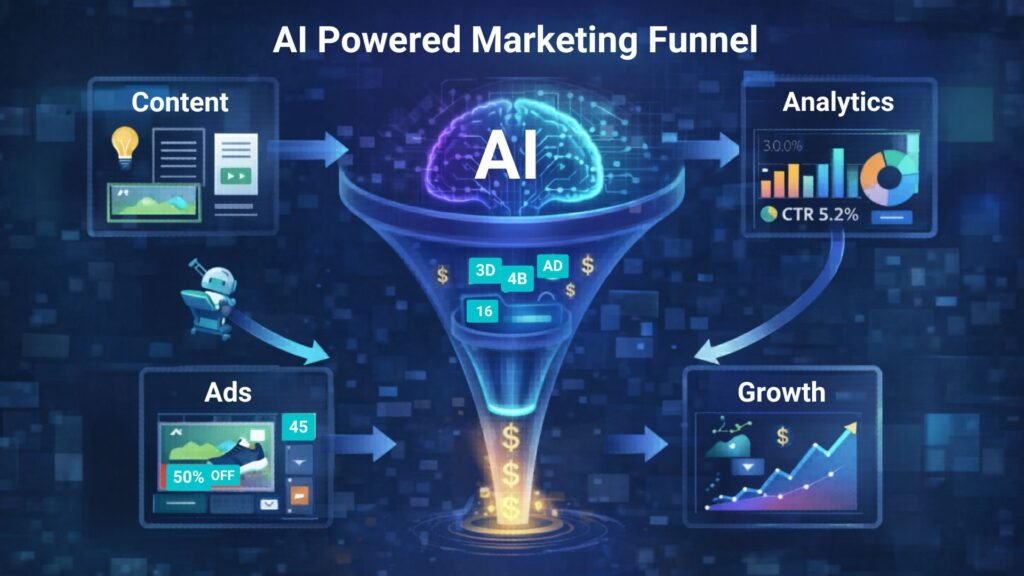
A small business owner using AI marketing tools to manage ads, social media scheduling, and analytics from a single dashboard.
Why AI Marketing Tools Matter for Small Businesses 🚀
Small businesses often struggle with limited time, budget, and resources. AI tools help solve these challenges by automating key marketing activities.
⏳ Save Time
AI tools automate repetitive tasks such as:
Writing marketing copy
Designing ad creatives
Scheduling social media posts
Generating blog content
Analyzing marketing data
This allows entrepreneurs to focus on strategy and growth instead of repetitive work.
💰 Reduce Marketing Costs
Hiring a full marketing team can be expensive.
AI tools allow small businesses to perform tasks that normally require:
Copywriters
Designers
Social media managers
Marketing analysts
This significantly lowers marketing expenses.
📊 Improve Marketing Performance
AI tools analyze data quickly and suggest improvements like:
Better ad creatives
High-performing content ideas
Optimal posting schedules
Improved audience targeting
These insights can help businesses achieve higher ROI from marketing campaigns.
Quick Tool Summary ⚡
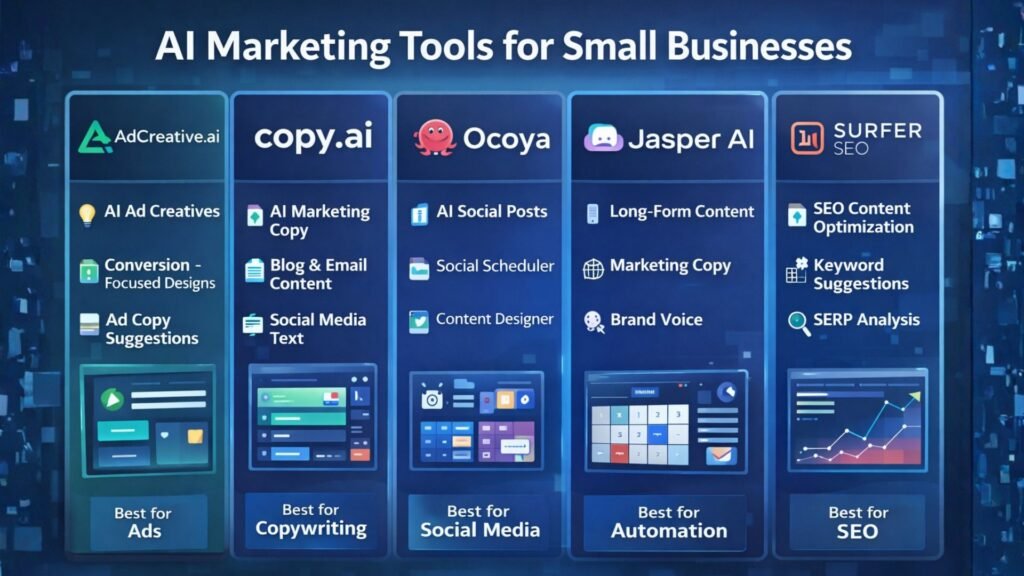
Best Overall: AdCreative.ai Best Budget Option: Copy.ai Best for Social Media Marketing: Ocoya Best for Content Marketing: Jasper AI Best for Marketing Automation: HubSpot AI Best for SEO Content: Surfer SEO
Best AI Marketing Tools for Small Businesses 🧠
Comparison infographic showing popular AI marketing tools like AdCreative.ai, Copy.ai, Ocoya, Jasper AI, and Surfer SEO for small business marketing.
1. AdCreative.ai 🎯
AdCreative.ai is one of the most powerful AI advertising tools designed to generate high-converting ad creatives automatically.
Instead of manually designing ads, businesses can use AI to generate optimized ad visuals based on proven marketing data.
Key Features
AI-generated ad creatives
Conversion-focused design suggestions
Ad copy generation
Creative scoring for performance
Integration with major ad platforms
Pros
✔ Generates ads in seconds ✔ Optimized for advertising campaigns
Cons
✖ Most useful for businesses running regular ads ✖ Requires some experimentation
Best For
Businesses running Facebook Ads, Google Ads, and display campaigns.
If you are a real estate investor or realtor, your most valuable asset isn’t capital—it’s time. The traditional method of property analysis involves mind-numbing hours spent exporting MLS data, building complex spreadsheet models, and reading through hundred-page HOA disclosures just to see if a deal pencils out.
But what if you could outsource the heavy lifting to an AI?
Using ChatGPT for data analysis is no longer a futuristic concept; it is a baseline requirement for staying competitive in today’s fast-moving housing market. By combining ChatGPT’s advanced capabilities with purpose-built real estate AI tools, you can automate your property analysis, spot off-market trends, and calculate your ROI in seconds.
Here is your complete tutorial on how to automate real estate market analysis using AI.
Step 1: Export Your Raw Market Data
ChatGPT cannot analyze what it cannot see. To get started, you need raw data. Go to your local MLS, Redfin, or Zillow, and run a search for your target criteria (e.g., multi-family homes in a specific ZIP code sold in the last 6 months). Export this data as a .csv or .xlsx file.
Pro Tip: Make sure your spreadsheet has clear column headers like “List Price,” “Days on Market,” “Square Footage,” and “HOA Fees.” Clean data leads to accurate AI insights.
Step 2: Upload and Prompt ChatGPT
You will need a ChatGPT Plus, Team, or Enterprise account to use the Advanced Data Analysis feature. Open a new chat, click the paperclip icon to upload your CSV file, and use a highly specific command.
Do not ask vague questions like, “Is this a good market?” Instead, use a strict analytical prompt:
The Prompt:“Act as an expert real estate investment analyst. I have uploaded recent sales data for [ZIP Code/Neighborhood]. Please analyze this dataset and provide a comprehensive market report. Include: 1) The median price per square foot. 2) The average Days on Market (DOM) for properties over $500k versus under $500k. 3) Identify any pricing outliers or anomalies. Present your findings in a clean, bulleted format and generate a bar chart showing the sales price trends over the last six months.”
Within seconds, ChatGPT will write and execute the Python code necessary to parse your spreadsheet, giving you a digestible report and visual charts you can instantly drop into a client presentation or investor memo.
Step 3: Automate Cash Flow and Cap Rate Modeling
Analyzing the broader market is only half the battle; you also need to underwrite the specific property. You can use ChatGPT to instantly build custom cash flow models.
Upload a property’s financials (taxes, insurance quotes, estimated rent) and use this prompt:
The Prompt:“Calculate the projected cap rate and cash-on-cash return for this property. Assume a 20% down payment, a 6.5% interest rate on a 30-year fixed mortgage, and a 5% vacancy rate. Factor in the provided property taxes and maintenance estimates. Output the results in a month-by-month financial table.”
Step 4: Rapid Due Diligence on Long Documents
One of the most tedious parts of real estate investing is the due diligence phase. Reading through thick HOA packets, seller disclosures, zoning laws, and inspection reports can take days.
Instead of reading line-by-line, upload the PDF directly into ChatGPT and command it to find the red flags:
The Prompt:“Read this HOA disclosure packet. Extract any buyer-impacting details and summarize them in clear, plain language. Specifically highlight: rental restrictions (like short-term/Airbnb bans), special assessments, pet limitations, and any unusual fees. Format this for easy scanning.”
This turns a two-hour reading session into a two-minute review.
Step 5: Level Up with Dedicated Real Estate AI Tools
While ChatGPT is an incredible general-purpose assistant, scaling a massive portfolio sometimes requires specialized firepower. If you want to automate property analysis at an enterprise level, consider integrating dedicated AI in real estate platforms:
HouseCanary: Excellent for automated valuation models (AVMs) and predictive forecasting for residential properties. It uses thousands of data points to predict price movements with institutional-grade accuracy.
Reonomy: The go-to platform for commercial real estate. It uses AI to discover off-market deals and analyze debt maturity profiles, helping you find motivated sellers months before they list.
Explo & Domo: Great for brokerages that want to build custom, AI-driven analytics dashboards that plug directly into their existing CRM systems.
Final Thoughts
Integrating AI in real estate doesn’t mean replacing your local market expertise or your gut instinct for a good deal. It means eliminating the friction between finding a property and making a data-driven offer. By mastering ChatGPT data analysis, you buy back your time—allowing you to focus on negotiating deals, building relationships, and scaling your portfolio.
In business, communication is everything. Whether it’s training your global sales force, delivering personalized video messages to thousands of leads, or creating consistent brand explainers, the demand for engaging video is immense. The traditional approach—hiring presenters, booking studios, shooting, editing—is a bottleneck for even the most agile teams.
This is where AI Avatar & Business Presenters step in. These aren’t just text-to-speech tools; they create convincing digital humans who can speak your message in multiple languages, with realistic expressions and lip-sync. For businesses in the US and UK looking to scale their video output without scaling their production budget, these platforms are a game-changer.
At AI Growth Gear, we’ve evaluated the leading platforms with our “Director’s Lens,” focusing on realism, brand integration, and operational efficiency. Here’s how the top two—HeyGen (Avatar IV) and Synthesia—compare for your business.
The Contenders at a Glance
Feature
HeyGen (Avatar IV)
Synthesia
Primary Strength
Ultra-Realistic Digital Twins
Enterprise-Grade Library & Compliance
Best For
Personalized Sales, UGC
Corporate Training, Explainers
Weakness
Custom avatars require more input
Stock avatars can feel less unique
1. HeyGen (Avatar IV): The Ultra-Realist
HeyGen’s latest iteration, Avatar IV, is pushing the boundaries of what’s possible in AI avatar realism. Its “Digital Twin” feature allows businesses to create incredibly lifelike avatars of actual employees or spokespersons from minimal video footage. The subtlety of facial expressions and natural-sounding voice clones are truly impressive.
The Aesthetic: Aimed squarely at hyper-realism. If you want your AI presenter to be indistinguishable from a real human, HeyGen is currently leading the pack. It masters the minute details, making it ideal for maintaining a personal touch at scale.
The Director’s Take: “HeyGen is for when ‘authentic’ means ‘looks like you.’ It’s unparalleled for personalized sales videos, founder messages, or any content where the presenter’s unique identity is key. It allows a boutique agency to maintain its human brand persona without physically being in every video.”
2. Synthesia: The Enterprise Powerhouse
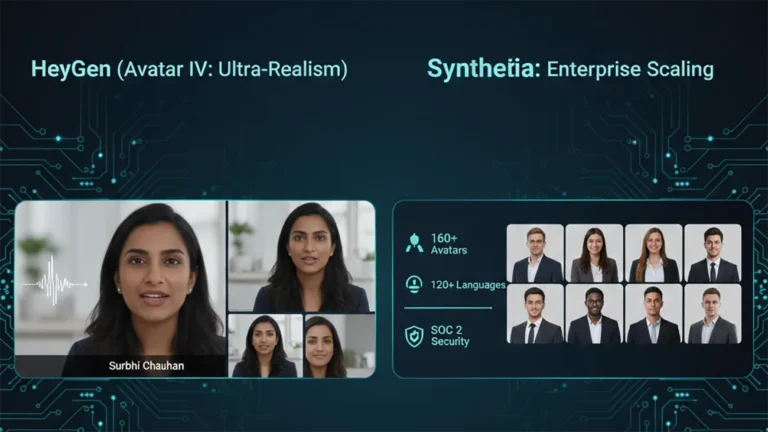
Synthesia has been the long-standing leader in the corporate AI video space, and for good reason. It boasts an extensive library of over 160 diverse stock avatars and 120+ languages, coupled with robust SOC 2 compliance for data security. Its platform is built for scalable, professional use cases across large organizations.
The Aesthetic: Polished, professional, and consistent. While its stock avatars are highly realistic, they aim for broad appeal rather than individual uniqueness.
The Director’s Take: “Synthesia is the workhorse of the enterprise. If you need to produce hundreds of consistent training modules, international onboarding videos, or routine explainers, its sheer volume of customizable options and security features make it the undisputed choice. It ensures your corporate communication is slick and reliable across the board.”
The Verdict: Which Digital Double is Right for You?
Choose HeyGen if your priority is Personalization and Ultra-Realism. If you need your AI presenter to look and sound exactly like a specific person to build trust or enhance a unique brand identity.
Choose Synthesia if your priority is Scalability and Corporate Readiness. If you require a vast library of diverse avatars, multi-language support, and enterprise-grade security for consistent, high-volume video production.
Our Recommendation for 2026
For many agencies, the ideal setup might involve a blend: HeyGen for high-impact, personalized, and client-facing content, and Synthesia for internal training, broad-reach explainers, or situations requiring a diverse range of stock avatars. Both tools excel at making video production accessible, but they serve different strategic objectives.
Artificial intelligence tools are evolving rapidly, but most of them follow a similar pattern: static training data, controlled outputs, and limited real-time awareness. That model works well for structured tasks like coding assistance or writing help. However, it struggles when users want current insights, cultural context, or social trends.
That gap is where Grok, developed by xAI, enters the picture.
Unlike many AI assistants that rely primarily on training datasets, Grok was designed to connect directly with X (formerly Twitter). This integration allows the model to analyze public conversations, trending topics, and real-time discussions.
For professionals working in marketing, research, or online business, that difference can significantly change how AI is used in daily workflows.
What Grok AI Actually Does
At its core, Grok functions as a conversational AI assistant similar to ChatGPT or Claude. Users can ask questions, generate text, analyze ideas, or explore technical topics.
But Grok was intentionally designed with a different philosophy: context awareness from live data.
Key capabilities include:
⚡ Real-time information access Grok can interpret current discussions happening on X, making it useful for trend monitoring and sentiment analysis.
📊 Social conversation insights It can summarize how people are reacting to a topic rather than just describing the topic itself.
🧠 Conversational reasoning Grok aims to produce more informal and context-aware answers compared with some traditional AI assistants.
🔎 Idea exploration and brainstorming Because it pulls from real discussions, it can surface unexpected perspectives that static datasets might miss.
For example, a digital marketer researching a product launch could ask Grok:
“What are people complaining about in the latest smartphone release?”
Instead of returning a generic answer, the AI can analyze current posts and highlight common concerns.
Grok AI vs ChatGPT: Where They Differ
While both systems function as AI assistants, their strengths are slightly different.
🔹 Data Sources
Grok
Strong connection to real-time social data
Useful for trend discovery and sentiment analysis
ChatGPT
Primarily trained on large datasets and structured knowledge
Strong for reasoning, coding, and documentation
🔹 Content Tone
Grok often responds with a more conversational tone, reflecting its connection to social platforms.
ChatGPT generally produces more structured, formal responses, which can be useful for professional documentation.
🔹 Business Applications
ChatGPT remains stronger in areas like:
code generation
structured writing
workflow automation
technical problem solving
Grok shows promise in areas such as:
social trend monitoring
public sentiment analysis
cultural context research
For professionals, the tools may complement rather than replace each other.
Real-World Use Cases for Grok AI
Here are practical scenarios where Grok can be particularly useful.
📈 Marketing trend research
Marketers can analyze what audiences are discussing about a brand or industry.
Example: A SaaS founder launching a productivity app could analyze conversations around productivity tools to identify common complaints.
🧩 Product feedback discovery
Companies can quickly identify how users feel about competing products.
This type of insight traditionally required expensive social listening tools.
📰 News and narrative monitoring
Journalists, analysts, and researchers can track how a story evolves across social media conversations.
💡 Content brainstorming
Creators and writers can explore trending topics that resonate with real audiences.
Instead of guessing what people want to read, Grok can surface ideas based on live discussion patterns.
Benefits and Limitations
Like any AI system, Grok has strengths and trade-offs.
✔ Benefits
• Access to real-time conversations • Useful for trend discovery • Insight into public sentiment • Unique perspective compared to traditional AI tools
⚠ Limitations
• Social data may contain noise or misinformation • Real-time data can introduce bias or emotional reactions • Not always ideal for technical or academic analysis
Professionals should treat Grok as a research assistant rather than a final authority.
How Professionals Can Use Grok Strategically
If you’re running an online business or digital project, Grok works best when integrated into a broader workflow.
Practical workflow example
1️⃣ Trend discovery using Grok 2️⃣ Content research and structure using ChatGPT 3️⃣ Publishing strategy based on validated audience interests
This layered approach combines real-time insight with structured AI reasoning.
Who Should Use Grok AI
Grok may be especially valuable for:
• digital marketers • startup founders • journalists and analysts • social media strategists • creators researching audience interests
AI tools are gradually moving from static knowledge systems toward dynamic intelligence connected to real-world conversations. Grok represents an early experiment in that direction.
While it may not replace traditional AI assistants like ChatGPT, its ability to interpret live social discussions creates new possibilities for research, marketing, and trend discovery.
For professionals exploring AI workflows, Grok is less about replacing existing tools and more about adding a new layer of real-time insight to decision making.
Video content is dominating the internet. Platforms like YouTube, TikTok, Instagram Reels, and LinkedIn video have made video one of the most powerful ways to reach audiences online.
However, producing high-quality videos traditionally requires editing skills, expensive software, and significant time investment.
Artificial intelligence is now transforming this process.
AI video tools allow creators to generate videos from scripts, automatically edit clips, add voiceovers, and even create AI presenters. For entrepreneurs, bloggers, and marketers, this means producing professional video content without needing a full production team.
In this guide, we explore the best AI video tools for content creators and how they can help you scale content production faster and more efficiently.
An infographic illustrating the AI video creation workflow, where content creators transform an idea into a script, generate AI-powered videos, and publish them across digital platforms.
Why AI Video Tools Matter 🎥
Video production used to be complicated and time-consuming. AI technology now allows creators to automate many parts of the process.
With the right AI video tools, creators can:
• Produce videos much faster • Reduce editing time dramatically • Convert blog posts into videos • Create faceless YouTube channels • Scale social media marketing campaigns
For freelancers, content creators, and online businesses, these tools help produce more content with fewer resources.
Quick Tool Summary
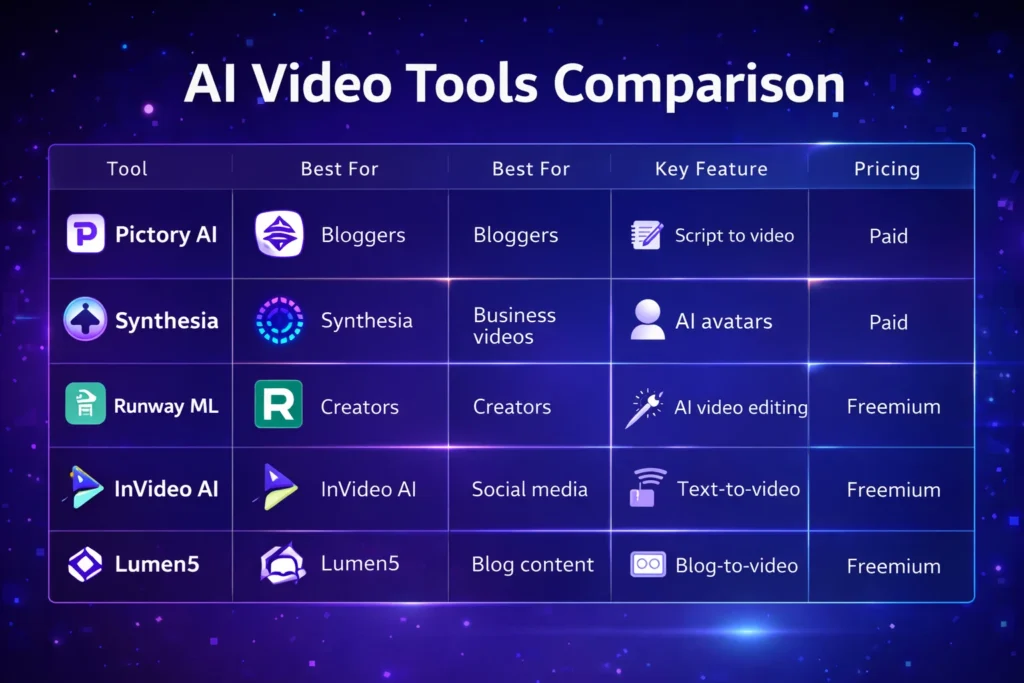
■ Best Overall:Pictory AI ■ Best Budget Option:InVideo AI ■ Best for Beginners: Lumen5 ■ Best for AI Avatars:Synthesia ■ Best for Advanced Creators: Runway ML
Top AI Video Tools for Content Creators
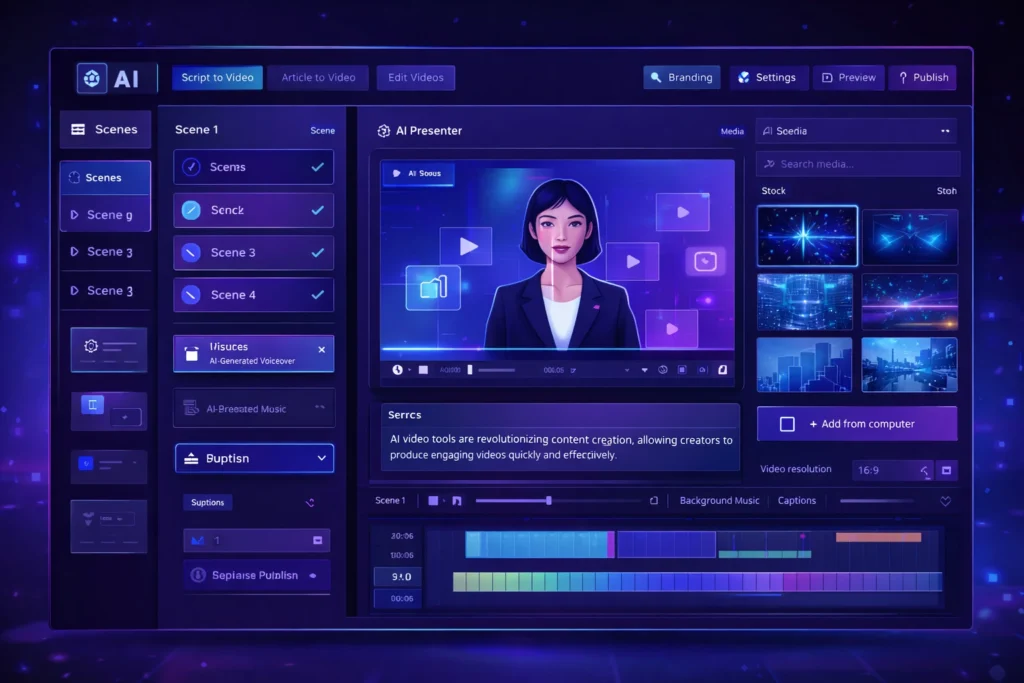
A modern AI video generator dashboard interface displaying an AI presenter, video editing timeline, and automation tools used by content creators to generate videos quickly.
Pictory AI is widely used by bloggers and YouTubers to convert scripts or articles into engaging videos. It automatically matches your script with visuals, adds captions, and generates voiceovers.
This makes it ideal for creating faceless YouTube content or repurposing blog posts.
Key Features
• Script-to-video automation • AI voiceovers • Automatic captions • Large stock footage library
Pros
• Very beginner friendly • Fast video creation
Cons
• Limited customization • Paid plans required for longer videos
Best For
Bloggers, YouTubers, and marketers creating educational or faceless video content.
Synthesia allows creators to generate videos using realistic AI avatars. Instead of recording yourself, you can simply write a script and the AI presenter delivers the message.
This is especially useful for business videos, training materials, and product explainers.
Key Features
• AI avatar presenters • Support for 120+ languages • Text-to-video generation • Professional video templates
Pros
• Professional looking presenters • Great for corporate and educational videos
Cons
• Premium pricing • Limited emotional expressions in avatars
Best For
Businesses, educators, and creators producing professional presentations.
Runway ML is one of the most advanced AI video platforms currently available. It includes powerful AI editing tools, video generation models, and creative features used by filmmakers and digital creators.
This platform is perfect for creators who want more advanced control over video production.
Key Features
• AI video generation tools • Automatic background removal • AI-powered video editing • Creative effects powered by AI models
Pros
• Advanced creative capabilities • Used by professional creators
Cons
• Learning curve for beginners • Higher cost for heavy usage
Best For
Professional creators, filmmakers, and advanced video editors.
InVideo AI focuses on creating videos directly from text prompts. Users simply describe the video they want, and the platform automatically generates visuals, voiceovers, and music.
It’s especially popular among marketers and social media creators.
Key Features
• AI text-to-video generator • Automated script creation • Huge media library • Social media optimized templates
Pros
• Affordable pricing • Simple user interface
Cons
• AI voice quality varies • Limited advanced editing features
Best For
Social media marketers and beginners creating short-form video content.
AI video tools are used for many different purposes.
Common use cases include:
• Creating faceless YouTube channels • Producing Instagram Reels or TikTok content • Repurposing blog articles into videos • Creating product marketing videos • Producing online course materials
Entrepreneurs and digital marketers are increasingly using AI tools to scale content creation across multiple platforms.
Benefits and Limitations
Benefits
• Faster content production • Lower production costs • No advanced editing skills required • Scalable content marketing strategy
Limitations
• Limited creative control in some tools • Subscription costs for premium features • AI-generated content may require manual editing
Despite these limitations, AI video technology continues to improve rapidly.
How to Get Started 🚀
If you are new to AI video tools, follow these steps:
Choose a beginner-friendly platform such as Pictory or InVideo.
Start with short video projects.
Experiment with AI voiceovers and templates.
Optimize videos for platforms like YouTube or TikTok.
Most platforms offer free trials, allowing creators to test the tools before upgrading.
A visual comparison chart highlighting key features, best use cases, and pricing models of leading AI video tools used by content creators.
Conclusion
AI video tools are transforming the way content creators produce video content.
Instead of spending hours editing footage, creators can now generate professional videos using artificial intelligence. Platforms like Pictory, Synthesia, Runway ML, InVideo AI, and Lumen5 make it easier than ever to create high-quality video content.
For entrepreneurs, bloggers, and digital marketers, adopting AI video tools can significantly improve productivity and help scale content marketing efforts.
As AI technology continues evolving, these tools will become an essential part of the modern creator’s workflow.
If you are a Shopify store owner or an Amazon FBA seller, you know that scaling your catalog comes with a massive administrative hangover. Every new SKU you add requires SEO-optimized copy, feature extraction, and competitive pricing strategies. Doing this manually for ten products is annoying; doing it for ten thousand is impossible.
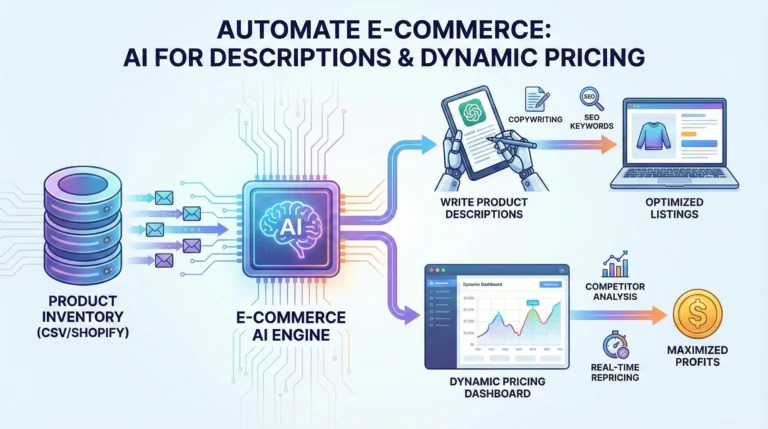
The smartest e-commerce managers are no longer throwing human hours at these repetitive tasks. Instead, they are leveraging artificial intelligence to build automated systems that write high-converting copy and adjust prices in real-time.
Here is your tutorial on how to use AI for ecommerce to automate your product descriptions and supercharge your pricing strategy.
Part 1: Automating Product Descriptions at Scale
Writing generic product descriptions is a surefire way to kill your conversion rate. Shoppers want to know the benefits, but search engines need the features and keywords. Trying to balance both across thousands of products is where AI shines.
Moving Beyond the “One-by-One” Prompt If you are opening ChatGPT, pasting in a manufacturer’s spec sheet, and asking it to write a description one by one, you aren’t really automating. True automation requires bulk generation.
To build an automated content factory, you need to connect your product database (like a Google Sheet or CSV export of your Shopify inventory) directly to an AI language model using tools like Zapier, Make.com, or specialized apps like Copy.ai and Hypotenuse AI.
The Workflow:
The Trigger: A new product is added to your store database with basic attributes (Name, Color, Material, Dimensions).
The Prompt Template: Your automation tool sends these attributes to OpenAI with a strict prompt: “Act as an expert e-commerce copywriter. Using the provided specs, write a 100-word product description. Start with an emotional hook, follow with three bulleted benefits, and naturally weave in these SEO keywords. Tone: Premium and minimalist.”
The Output: The AI generates the description and instantly updates your Shopify or WooCommerce listing via API.
What used to take a copywriter a full week can now be executed across 5,000 SKUs while you grab a coffee.
Part 2: Winning the Buy Box with Dynamic Pricing AI
Having great product copy gets customers to your page, but pricing gets them to click “Add to Cart.” In the past, repricing meant setting basic rules (e.g., “always price my product $1 cheaper than Competitor X”). Today, rule-based pricing is obsolete.
Enter dynamic pricing AI.
Major players like Amazon make millions of repricing decisions every single day, evaluating relative market value without relying on manual input. Now, thanks to tools like Prisync, Intelis, and DynamicPricing AI, independent store owners have access to that exact same enterprise-level technology.
How AI Pricing Works: Instead of just scraping a competitor’s website, modern AI pricing tools ingest dozens of variables simultaneously. They analyze:
Real-time competitor stock levels (If your competitor sells out, the AI automatically raises your price to capture a higher margin).
Historical sales velocity and seasonal demand trends.
Your specific procurement costs and target profit margins.
Customer price elasticity (how sensitive your specific audience is to a $2 price hike).
Setting the Guardrails: The beauty of an ecommerce automation tutorial focused on pricing is that you remain in control. You never have to worry about the AI accidentally pricing a $100 jacket for $5. You set the absolute minimum margin floor (the “guardrails”), and the AI constantly tests price points above that floor to find the exact dollar amount that maximizes your total profit, not just your revenue.
Final Thoughts
The divide in e-commerce is no longer about who has the best product; it is about who has the best operational velocity. By automating your ChatGPT product descriptions and integrating dynamic pricing AI, you remove the human bottleneck from your catalog management. This frees you up to focus on what actually grows a business: sourcing better products, building a brand identity, and acquiring new customers.