|

Visual Backend Builders for Custom AI Apps

Visual Backend Builders for Custom AI Apps

The no-code movement started with simple frontend drag-and-drop website builders. Today, the real revolution is happening entirely behind the scenes. For technical founders, fractional CTOs, and lean dev teams building custom AI applications, the bottleneck isn’t the user interface; it’s the backend logic.

How do you securely connect your proprietary database to an enterprise LLM, build custom API endpoints, and orchestrate complex routing without spending months writing backend code? The answer lies in visual backend builders.

At AI Growth Gear (part of the Enoxx News network), we focus heavily on the infrastructure that makes AI scalable. These tools are designed for the “low-code” or highly technical no-code developer who understands logic, databases, and APIs but wants to skip the syntax errors and deployment headaches.

If you are building an AI app that requires serious backend power, these are the visual API builders you need to master.

BuildShip: The Visual AI Workflow Engine

BuildShip has rapidly become a favorite for developers who need to build complex AI features and deploy them as scalable APIs. It is essentially a visual interface for writing backend code, specifically optimized for AI tasks.

  • The Technical Play: Let’s say you are building an app that takes a user’s audio file, transcribes it, runs sentiment analysis via Claude 3, and then saves the result to your database. BuildShip allows you to visually connect these nodes—Stripe for billing, Whisper for transcription, Anthropic for analysis, and Supabase for storage. If you hit a wall with the visual nodes, BuildShip allows you to use its AI assistant to write a custom JavaScript or TypeScript function block right in the middle of the workflow. You get the speed of visual building with the absolute flexibility of custom code.

Xano: The No-Code Database & API Backend

If your AI application is highly data-intensive, you need a backend that can handle millions of records without lagging. Xano is widely considered the most powerful no-code backend available, offering a scalable PostgreSQL database and a robust API builder.

  • The Technical Play: Xano is perfect for building the backend of a custom RAG (Retrieval-Augmented Generation) application. You can store your company’s massive internal documents in Xano, use its built-in functions to convert those documents into vector embeddings (often via OpenAI’s API), and then build custom API endpoints that allow your frontend app to query that vector data securely. It handles complex data transformations and logic that would crash lighter platforms, making it ideal for enterprise-grade internal tools.

Make (Advanced AI Routing): The Logic Orchestrator

While often thought of as a simple Zapier alternative, Make (formerly Integromat) is actually a visual programming language capable of handling incredibly complex, multi-path routing and error handling.

  • The Technical Play: Make shines when your AI application requires complex “if/then” logic and needs to talk to dozens of different external services. For example, you can build an AI routing system where an incoming user query is first analyzed by a fast, cheap LLM to determine intent. If the query is simple, Make routes it to a pre-written response. If it’s complex, Make routes it to a slower, more expensive model (like GPT-4), formats the response, and sends it back to the user via Slack, Email, or your custom frontend. It allows you to build highly resilient, cost-optimized AI systems visually.

The Bottom Line

Building a sophisticated AI application no longer requires a massive backend engineering team. By leveraging visual backend builders like BuildShip, Xano, and Make, technical founders can architect scalable databases, build custom API endpoints, and orchestrate complex LLM logic in a fraction of the time.
Similar Posts

  • ·

    Best AI Tools for Social Media Automation in 2026

    Managing multiple social media accounts manually can quickly become overwhelming. From creating content to posting consistently and analyzing results, it takes time and effort. That’s where AI tools for social media automation come in.

    These tools help you generate content, schedule posts, optimize performance, and even design creatives — all with minimal manual work. Whether you’re a marketer, freelancer, or business owner, using AI can significantly boost your productivity and engagement.

    In this guide, we’ll explore the best AI tools for social media automation, including powerful platforms like AdCreative.ai, Ocoya, and Copy.ai.

    AI system automating social media posts from creation to publishing across multiple platforms
    AI tools streamline content creation and automatically publish posts across social platforms

    Social media success depends on consistency, creativity, and timing.

    AI tools help you:

    • Save hours every week
    • Post consistently
    • Improve engagement rates
    • Scale content production

    For businesses, this means faster growth with fewer resources.


    🏆 Best Overall — Ocoya
    💰 Best Budget — Copy.ai
    🚀 Best for Beginners — Buffer
    ⚡ Best for Ads & Creatives — AdCreative.ai

    Close-up of laptop showing content calendar with scheduled posts and analytics graphs
    Plan and organize your social media strategy using a structured content calendar

    Description:
    Ocoya is an all-in-one AI marketing tool designed specifically for social media automation. It combines content creation, scheduling, and analytics in one platform.

    Key Features:

    • AI caption generator
    • Social media scheduler
    • Hashtag suggestions
    • E-commerce integrations

    Pros:

    • Complete automation solution
    • Easy to use
    • Great for content + scheduling

    Cons:

    • Limited advanced analytics
    • Requires subscription

    Best For:
    Marketers and small businesses

    👉 Try Ocoya →


    Description:
    AdCreative.ai focuses on generating high-converting ad creatives using AI, making it ideal for social media advertising campaigns.

    Key Features:

    • AI-generated ad creatives
    • Conversion-focused designs
    • Performance scoring
    • Multiple ad variations

    Pros:

    • Excellent for paid ads
    • High-quality creatives
    • Data-driven

    Cons:

    • Not a full scheduler
    • Premium pricing

    Best For:
    Advertisers and eCommerce brands


    Description:
    Copy.ai helps you generate captions, posts, and marketing copy for social media in seconds.

    Key Features:

    • AI caption generator
    • Content templates
    • Multi-language support
    • Fast output

    Pros:

    • Affordable
    • Beginner-friendly
    • Saves time

    Cons:

    • No scheduling feature
    • Needs editing

    Best For:
    Freelancers and beginners


    Description:
    Buffer is a simple and reliable social media scheduling tool with AI assistance for content ideas.

    Key Features:

    • Post scheduling
    • Analytics
    • Clean UI

    Pros:

    • Easy to use
    • Affordable
    • Great for beginners

    Cons:

    • Limited automation features

    Best For:
    Small businesses


    Description:
    Hootsuite offers advanced automation, scheduling, and analytics powered by AI.

    Key Features:

    • Multi-platform management
    • AI recommendations
    • Deep analytics

    Pros:

    • Enterprise features
    • Strong reporting

    Cons:

    • Expensive

    Best For:
    Agencies


    📊 Practical Use Cases

    • Schedule a week’s content in minutes
    • Generate captions instantly
    • Create ad creatives with AI
    • Manage multiple accounts
    • Analyze engagement automatically

    ⚖️ Benefits and Limitations

    Benefits:

    • Saves time
    • Boosts productivity
    • Improves consistency
    • Scales content creation

    Limitations:

    • Requires subscriptions
    • Limited human creativity
    • Learning curve

    🛠️ How to Get Started

    1. Choose a tool based on your goal
    2. Connect your social accounts
    3. Generate content using AI
    4. Schedule posts
    5. Track performance

    Content creator working with multiple screens showing analytics dashboards and AI tools
    Boost productivity by managing social media with AI tools and real-time analytics

    📊 Comparison Table

    ToolBest ForKey FeaturePricing
    OcoyaAll-in-oneAI + SchedulingMid-range
    AdCreative.aiAdsAI CreativesPremium
    Copy.aiContent WritingAI CopywritingBudget
    BufferBeginnersSimple SchedulingAffordable
    HootsuiteAgenciesAdvanced AnalyticsExpensive

    ✅ Conclusion

    AI tools for social media automation are transforming how businesses and creators manage their online presence. With tools like Ocoya, AdCreative.ai, and Copy.ai, you can automate content creation, improve engagement, and scale your growth effortlessly.

    If you’re just starting, go with Copy.ai or Buffer. If you want full automation, Ocoya is your best bet. And for ads, AdCreative.ai is unmatched.


  • ·

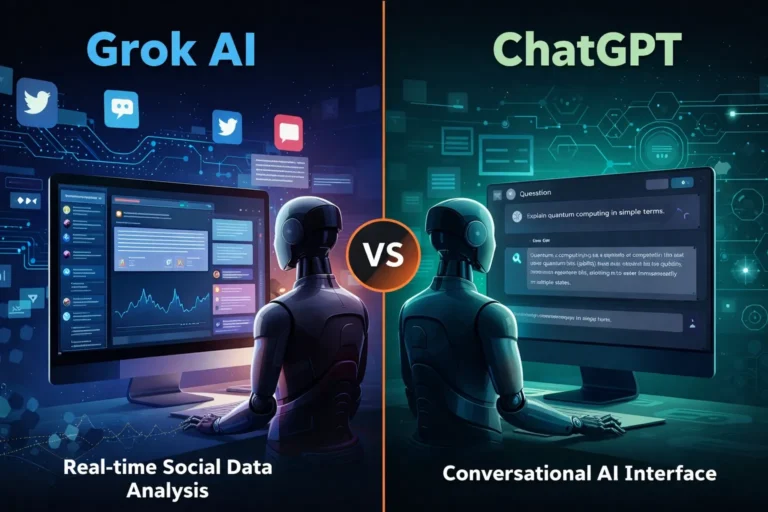
    Gemini vs Grok vs ChatGPT: Which AI Actually Delivers?

    AI tools are no longer novelty software. They’re embedded in marketing stacks, product teams, customer support desks, and solo founder workflows.

    But here’s the real issue: most comparisons between Gemini, Grok, and ChatGPT focus on feature checklists — not actual business impact.

    If you’re running campaigns, building SaaS products, automating workflows, or scaling digital operations, the question isn’t which AI is smartest.

    The question is:

    Which AI fits your workflow, risk tolerance, and monetization model?

    Let’s break this down from a practical, business-first perspective.


    🧠 Core Positioning: What Each Tool Is Really Built For

    ChatGPT has become the default AI workspace for professionals.

    It excels at:

    • Long-form content
    • Structured reasoning
    • Coding assistance
    • Workflow automation via APIs
    • Document summarization
    • Custom GPT workflows

    For many entrepreneurs, ChatGPT acts as a “digital operations assistant.”

    • Draft landing pages
    • Generate ad variations
    • Build Zapier automation logic
    • Create client reporting templates

    It’s flexible and ecosystem-friendly.


    Gemini integrates deeply into Google’s ecosystem.

    Its strength isn’t just intelligence — it’s context.

    It works well with:

    • Google Docs
    • Gmail
    • Sheets
    • Drive
    • Workspace collaboration
    • Analyze campaign data directly in Sheets
    • Draft email updates inside Gmail
    • Summarize meeting notes automatically

    Gemini is strongest when your business already lives inside Google.


    Grok operates differently. It’s closely integrated with the X (formerly Twitter) ecosystem and emphasizes real-time information access.

    Its positioning is:

    • Social intelligence
    • Real-time trend awareness
    • Edgier conversational style
    • Live internet awareness
    • Monitor sentiment shifts
    • Analyze breaking news
    • Generate rapid-response commentary

    Grok shines in live environments. It’s less structured, more reactive.


    ⚙️ Real-World Productivity Comparison

    Here’s where things matter for professionals.

    For AI Automation Builders 🛠️

    • ChatGPT wins due to API maturity and plugin ecosystem.
    • Gemini is improving but less flexible for external automation.
    • Grok isn’t optimized for backend automation yet.

    For AI Marketing Workflows 📈

    • ChatGPT: Best for structured funnel content, copy frameworks, strategy.
    • Gemini: Strong for ad analysis if you live in Google Ads.
    • Grok: Useful for trend-based content and social hooks.

    For SaaS Founders 💻

    • ChatGPT: Product ideation, UX copy, code scaffolding.
    • Gemini: Useful for internal documentation collaboration.
    • Grok: Less relevant unless your SaaS is social-data-driven.

    ⚖️ Strengths and Limitations

    ChatGPT

    Pros

    • Deep reasoning
    • Advanced coding
    • API integrations
    • Custom GPT creation

    Cons

    • May require prompt skill to maximize output
    • Enterprise pricing can scale

    Gemini

    Pros

    • Native Google ecosystem integration
    • Strong document collaboration
    • Smooth Workspace automation

    Cons

    • Less customizable outside Google
    • Not as developer-centric

    Grok

    Pros

    • Real-time awareness
    • Social sentiment alignment
    • Direct integration with X

    Cons

    • Not workflow-automation focused
    • Limited enterprise tooling

    🚀 Practical Implementation Strategy

    Instead of choosing just one, many professionals layer them.

    Here’s a smart approach:

    Step 1: Define Your Primary Use Case

    Ask:

    • Is this content-heavy?
    • Is this data-heavy?
    • Is this trend-heavy?

    Step 2: Assign Roles

    • ChatGPT → Strategy + structure
    • Gemini → Internal collaboration
    • Grok → Real-time market pulse

    Step 3: Build Repeatable AI Workflows

    For example:

    1. Use Grok to identify trending topics.
    2. Use ChatGPT to turn that into structured authority content.
    3. Use Gemini to distribute internally via Docs and Gmail.

    This layered workflow reduces blind spots.


    👥 Who Should Use What?

    Choose ChatGPT If:

    • You build automation workflows
    • You write long-form content
    • You code or build SaaS tools
    • You need structured output

    Choose Gemini If:

    • Your company runs on Google Workspace
    • You collaborate heavily in Docs/Sheets
    • You need built-in AI inside email

    Choose Grok If:

    • You depend on real-time news
    • You operate in finance, crypto, politics, media
    • You build brand presence on X

    🎯 Final Perspective

    There isn’t a universal “best AI.”

    There’s only:

    • Best for workflow
    • Best for ecosystem
    • Best for execution speed

    ChatGPT is currently the most versatile.
    Gemini is the most integrated.
    Grok is the most reactive.

    For serious professionals, the competitive edge isn’t the tool — it’s how intelligently you deploy it.

    AI doesn’t replace strategic thinking.
    It amplifies it.

  • ·

    Top AI Suites for Aesthetic Automation

    When we talk about scaling a digital agency, the conversation usually jumps straight to data, spreadsheets, and cold outreach. But for design-centric solo entrepreneurs and boutique brand builders targeting high-end clients in the US and UK, the real challenge is scaling taste.

    How do you multiply your creative output without diluting the visual identity that makes your brand premium?

    Here at AI Growth Gear (a division of the Enoxx News network), our Editor-in-Chief Ajay K Saklanii frequently points out that the future of brand building for solo operators lies in “aesthetic automation.” It is the exact intersection where high-end design principles meet autonomous tech. You aren’t just generating content; you are building a self-sustaining visual engine backed by Enoxx News Private Limited’s growth philosophies.

    If you want to command higher retainer fees while keeping your overhead low, these are the visual marketing and aesthetic automation suites you need to integrate into your workflow in 2026.

    Canva Magic Studio: The All-in-One Design Engine

    Canva has quietly transitioned from a simple template builder into an enterprise-grade AI powerhouse. Magic Studio isn’t just about generating one-off images; it’s about workflow velocity.

    The Agency Play: For boutique agencies, maintaining absolute visual consistency across campaigns is non-negotiable. With Canva’s Magic Switch and Magic Grab, you can take a single hero asset—say, a custom graphic for a client’s Q3 campaign—and autonomously resize, reformat, and translate it across every platform in seconds. Combined with their Brand Hub, which locks in fonts, hex codes, and brand voices, you can hand off bulk content creation to junior team members without worrying about them breaking brand guidelines.

    Adobe Firefly: Commercial-Safe Generative Art

    While other generative AI image models get the viral social media attention, Adobe Firefly is the tool actually built for commercial agency use. The biggest risk with AI-generated visuals for high-end clients is copyright infringement. Firefly is trained entirely on licensed and public domain content, making it commercially safe.

    The Agency Play: Firefly’s “Style Kits” allow agencies to train the AI directly on a client’s proprietary assets. Need fifty variations of a product shot for A/B testing on a high-CPC programmatic ad campaign? You can generate them instantly, ensuring every single variation perfectly matches the client’s established mood board, lighting, and texture preferences. It brings enterprise-level personalization down to the solo operator level.

    Jasper Art: The Copy-to-Visual Bridge

    Jasper started as an AI writing assistant, but Jasper Art has evolved into a crucial tool for marketers who need their copy and visuals to work in perfect tandem.

    The Agency Play: High-converting AdSense and affiliate campaigns rely heavily on visual context. Jasper allows you to generate high-fidelity blog thumbnails, ad creatives, and supporting graphics directly alongside your SEO-optimized copy. It eliminates the friction of bouncing between a copywriter and a graphic designer. For solo entrepreneurs running content-heavy sites, it means you can hit “publish” faster while maintaining a premium look that attracts top-tier advertisers.

    SocialBee: The Visual Publishing Orchestrator

    Creating the assets is only half the battle. Distributing them beautifully is the other. SocialBee has emerged as a top-tier automated publishing suite because of how seamlessly it connects the dots between creation and distribution.

    The Agency Play: SocialBee integrates directly with Canva and Unsplash, allowing you to pull your newly generated AI assets straight into your publishing queue. Its AI Copilot can then generate tailored captions and schedule the content into category-based buckets (e.g., “Promotional,” “Behind the Scenes,” “Educational”). For a lean agency, this means you can build a 90-day, visually stunning, multi-channel social media calendar in an afternoon, put it on autopilot, and get back to closing deals.

    The Bottom Line

    Aesthetic automation isn’t about replacing the artist; it’s about removing the friction from the art. By building a tech stack that respects brand consistency—using Canva, Firefly, Jasper, and SocialBee—you can deliver premium, high-volume visual marketing that justifies premium pricing and attracts the highest-paying digital advertisers.

  • ·

    Predictive AI Marketing Software: Stop Churn Before It Happens

    For solo entrepreneurs and boutique agency owners, there’s a silent killer that’s far more damaging than a bad month of sales: churn. You spend countless hours and thousands of dollars acquiring a new high-value client in the US or UK, only to have them quietly slip away through the back door six months later. It’s the classic leaky bucket problem.

    Historically, fixing churn was a reactive game. You’d conduct an exit interview after the client had already left to find out what went wrong. At AI Growth Gear, a division of Enoxx News Private Limited, we believe true digital growth comes from securing your backend financial stability first. That means moving from reactive firefighting to proactive prediction.

    Thanks to a new wave of accessible AI tools, you no longer need a team of data scientists to predict the future. You can now use the data you already have to flag at-risk clients before they cancel. Here are the top predictive AI marketing software platforms that are helping lean businesses turn retention into a science in 2026.

    Pecan AI: The Democratization of Predictive Modeling

    Until recently, building a predictive churn model required a PhD in data science. Pecan AI has changed that by building a low-code platform designed for business users, not just data engineers.

    • The Retention Play: As a solo operator, you are sitting on a goldmine of historical data in your CRM and billing systems. Pecan connects directly to these sources and uses automated machine learning to build custom models specifically for your business. Within days, it can generate a list of your current clients with a “churn probability score.” This allows you to focus your limited time and energy on the 10% of clients who are actually at risk, rather than spray-and-praying generic retention emails to everyone.

    Mixpanel: Behavioral Analytics as a Crystal Ball

    While many tools tell you what happened, Mixpanel specializes in telling you why. It’s a powerful product analytics platform that helps you understand user behavior at a granular, event-based level.

    • The Retention Play: Churn rarely happens overnight; there are almost always leading indicators. Perhaps a client stopped logging into your project management portal, or their usage of a key feature dropped by 30% last month. Mixpanel’s deep behavioral cohort analysis helps you identify these specific patterns of “pre-churn” behavior. By setting up alerts for these leading indicators, you can intervene with a personalized check-in call or a targeted helpful resource at the exact moment a client’s engagement begins to wobble.

    Optimove: The AI Orchestrator for Retention Actions

    Knowing who is going to churn is only half the battle. You also need to know what action will prevent it. Optimove sits at the intersection of predictive data and marketing execution. It’s a Customer-Led Marketing Hub that uses AI to determine the next best action for every individual client.

    • The Retention Play: Optimove’s AI builds dynamic micro-segments of your client base based on their predicted future value and churn risk. Instead of sending a generic monthly newsletter, you can set up autonomous workflows. For a high-value client showing moderate churn risk, Optimove might automatically trigger an exclusive offer for a free strategy session via email. For a lower-tier client, it might trigger a series of educational in-app messages. It ensures that every retention effort is hyper-personalized and delivered at the optimal time to change the outcome.

    The Bottom Line

    In the high-stakes world of B2B services, client retention is your most sustainable growth strategy. By integrating predictive AI tools like Pecan AI, Mixpanel, and Optimove into your backend operations, you can stop guessing about who might leave and start proactively securing your business’s future revenue.

  • ·

    Top No-Code AI Chatbot Builders for Client Support

    The era of the “sorry, I didn’t catch that” chatbot is thankfully over. If you are running an e-commerce brand or a B2B service company in the US or UK right now, your customers don’t just prefer self-serve support—they demand it. They expect accurate answers at 2 AM on a Saturday, and relying solely on human staff to provide that is a massive scalability bottleneck and financial drain.

    For years, the AdSense market for “customer service software” and “helpdesk automation” has been incredibly competitive because the pain point is so acute. But the solution is no longer just about better ticketing systems; it’s about deflection through intelligence.

    Today’s no-code AI builders allow businesses to train custom GPT models specifically on their own support documents, return policies, and technical manuals. The result is an autonomous agent that doesn’t just provide links, but actually resolves Tier-1 issues without human intervention.

    Here are the best no-code platforms to build your own autonomous support workforce.

    Chatbase: The Fastest Path to “Live”

    If you are drowning in repetitive FAQs and need a solution yesterday, Chatbase is phenomenal. It popularized the “chat with your data” concept.

    • The Support Play: You literally drag and drop your PDF product manuals, HR policy documents, or point it at your existing help center URL. Within minutes, Chatbase digests that information and creates a custom chatbot that answers questions based only on that data. For e-commerce brands constantly answering “what is your return window?”, Chatbase is an instant relief valve that requires virtually zero technical setup.

    Botpress: The Action-Oriented Agent

    Sometimes you need more than just answers; you need actions. Botpress is a powerful, visual platform designed for building agents that can execute tasks.

    • The Support Play: A customer doesn’t just want to know how to check their order status; they want the bot to check it for them. Botpress excels here. Its visual flow builder allows you to connect the chat interface to external systems like Shopify, Salesforce, or your custom database. You can build an agent that authenticates the user, fetches their real-time shipping data, and updates their ticket—all without a human agent ever opening a tab.

    Dante AI: The Multi-Source Specialist

    Businesses rarely have all their knowledge neatly organized in one PDF. Dante AI shines at ingesting messy, varied data sources to train your bot.

    • The Support Play: You can train a Dante bot on a combination of your website, a series of YouTube tutorial videos, Google Docs, and Notion pages simultaneously. It’s incredibly adept at synthesizing information from these different formats into coherent answers. Furthermore, if you are serving a global market, Dante’s robust, out-of-the-box multi-language support is a massive advantage for providing localized support without hiring local teams.

    Voiceflow: The Enterprise CX Design Platform

    Voiceflow approaches chatbots from a design-first perspective. It feels less like a technical builder and more like a collaborative design tool like Figma for conversational experiences.

    • The Support Play: This is the platform for larger teams or agencies building complex, high-stakes customer journeys across multiple channels (webchat, WhatsApp, SMS, etc.). Voiceflow allows for deep collaboration between designers, developers, and stakeholders to prototype, test, and iterate on complex conversation paths before they ever go live. It ensures your automated support feels on-brand and professional at scale.

    The Bottom Line

    Implementing autonomous AI support isn’t just about cutting costs—though it drastically reduces cost-per-ticket. It’s about providing the instant gratification experience modern consumers expect. By automating the repetitive 80% of queries, you free up your human support team to handle complex, emotionally charged issues with empathy, creating a better experience for everyone involved.

  • ·

    Google Gemini Review 2026: Can It Really Beat ChatGPT?

    If you follow AI even a little bit, you’ve probably heard that Google Gemini is supposed to be the company’s big answer to ChatGPT. In this Google Gemini review, I’m focusing on how Gemini AI actually feels in day‑to‑day use in 2026, and whether it genuinely beats ChatGPT or just offers a different flavour of the same thing. This Gemini vs ChatGPT review is based on typical tasks: writing, research, coding, and general productivity for users in the US and UK.

    Setup and Interface: Gemini Feels Naturally Built Into Google

    The first obvious advantage Gemini has is integration. While ChatGPT mostly lives in its own web app (unless you use plugins or third‑party tools), Gemini is woven directly into Google products that people in the US and UK already use daily.

    In Gmail and Google Docs, Gemini can suggest replies, rewrite emails, draft blog posts, and summarise long text without leaving the page. On Android phones and Chromebooks, Gemini is increasingly replacing the old Google Assistant, so it feels like part of the operating system rather than an extra app.

    ChatGPT, on the other hand, still works best as something you open in a separate tab or app and copy‑paste from. For some people that’s fine, but if you live inside Google’s ecosystem, Gemini’s integration is a big practical win.

    Writing and Content Generation: ChatGPT Still Has the Edge for “Voice”

    For writing tasks, the gap between Gemini AI and ChatGPT is smaller than it used to be, but it hasn’t disappeared.

    Gemini is very good at structured writing: outlines, lists, how‑to guides, meeting notes and summaries. It tends to stay organised, on‑topic and fairly concise. If you need a clean first draft of a blog post, a product description, or a set of bullet points for a presentation, Gemini does the job without much drama.

    ChatGPT, especially in its latest versions, still feels a bit more “human” in tone. It’s better at storytelling, humour, and capturing a particular style of writing. When you ask for a conversational article or a creative angle, ChatGPT often sounds more natural and less like a corporate manual.

    So in this part of the Gemini vs ChatGPT review, the result is mixed: Gemini wins on structure and tight integration with Docs, while ChatGPT remains slightly stronger for voice and personality.

    Search, Facts and Live Information: Gemini Plays on Home Ground

    When it comes to live information, Gemini finally looks like the AI that Google promised. Because it sits directly on top of Google Search, it can pull in fresh results, link to sources, and show you where it found the information.

    For example, if you ask for “best AI tools for small businesses in the UK in 2026” or “latest changes in US student loan rules”, Gemini is usually quicker to ground its answer in current web pages. You can see links, visit the original sites, and dig deeper.

    ChatGPT has browsing modes and integrations, but they still feel like an extra layer bolted on top. Sometimes it browses, sometimes it doesn’t, and occasionally it hallucinates details more confidently than Gemini does.

    That doesn’t mean Gemini is perfect: it can still misread pages or over‑simplify complex topics. But for search‑style questions, especially those relevant to US and UK news, Gemini now feels more reliable more often.

    Coding and Technical Tasks: Close Competition, Slight Preference

    Both Gemini AI and ChatGPT are strong coding assistants in 2026, and for most everyday developers there is less difference than marketing suggests.

    Gemini is excellent when used with Google’s developer tools and cloud services. It can help generate code snippets, explain error messages, and suggest improvements in a fairly straightforward way. If you’re already in the Google Cloud world, that tight connection is useful.

    ChatGPT still has a slight edge in explaining code step‑by‑step and offering multiple versions of a solution. Many developers in the US and UK have already built their personal workflow around ChatGPT, and that familiarity matters.

    If you’re starting from scratch, you can comfortably pick either. If you’re deep into Google’s stack, Gemini will feel more natural. If you’ve been using ChatGPT for a year or more, there isn’t a strong reason to abandon it purely for coding.

    Privacy, Pricing and Value for Money

    On pricing, Gemini and ChatGPT both use a mix of free and paid tiers. Google’s free Gemini is competitive for casual users, and the paid versions are mainly attractive for heavy usage or business integrations.

    For many US and UK users, the real question is not just price but trust. Google has a long history of collecting user data, and some people are cautious about giving Gemini access to their documents and emails, even if it is technically necessary for the features to work. OpenAI has had its own controversies, but it still feels slightly more “separate” from your daily accounts.

    If you already rely heavily on Google Workspace, paying for Gemini’s advanced features can make sense: you are getting an AI layer across tools you’re already paying for. If you prefer to keep AI separate from your inbox and personal files, a standalone ChatGPT subscription may feel safer.

    In 2026, Google Gemini has finally become a serious rival instead of just a late response. It doesn’t completely replace ChatGPT, but for many US and UK users, especially those deep in Google’s ecosystem, it might quietly become the AI they reach for first.

    Final Verdict – Is Gemini Better Than ChatGPT in 2026?

    So, the big question of this Gemini vs ChatGPT review: is Google Gemini actually better?

    The honest answer is: it depends how you work.

    Gemini is best for:

    • People who live inside Google Search, Gmail, Docs and Android
    • Structured work: summaries, outlines, emails, reports and quick research
    • Users who want AI blended directly into their existing tools

    ChatGPT is still better for:

    • More creative writing, storytelling and conversational content
    • Users who like a single, central AI workspace separate from their other accounts
    • Developers and power users who already built habits and prompts around ChatGPT

    In 2026, Google Gemini has finally become a serious rival instead of just a late response. It doesn’t completely replace ChatGPT, but for many US and UK users, especially those deep in Google’s ecosystem, it might quietly become the AI they reach for first.