
|

Build Premium AI Client Portals Without Code

Build Premium AI Client Portals Without Code

If you are running a high-end consulting firm or a boutique agency targeting clients in the US and UK, your deliverables are top-tier. But how are you delivering them?

If you are still relying on scattered email chains, password-protected zip files, and messy shared spreadsheets to manage a five-figure retainer client, you have a perception problem. In the premium B2B space, the experience of working with you is just as important as the results.

The modern solution is a dedicated, white-labeled client portal. It’s the difference between looking like a freelancer and looking like an enterprise infrastructure.

Traditionally, building a secure, custom portal required expensive CRM development and dedicated engineering. Today, no-code AI builders have democratized this process. You can now build sophisticated client management software that not only displays data but uses AI to make that data actionable for your clients.

Here are the top no-code tools to build high-value client portals in 2026.

Softr: The Fastest Path from Database to Dashboard

Softr has cornered the market on speed and ease of use, especially if your agency already operates out of Airtable or Google Sheets. It turns those static databases into secure, beautiful web apps in minutes.

  • The Agency Play: Use Softr to build a transparent project tracker. Instead of weekly status calls, give clients a login where they can see real-time progress. Where Softr shines now is its native AI integration. You can use it to automatically generate executive summaries of project status reports within the portal, saving your project managers hours of writing while giving the C-suite client a quick, digestible update.

Stacker: Deep Permissions for Sensitive Data

When dealing with larger corporate clients, security and granular permissions are paramount. Stacker excels at taking complex, messy datasets (from sources like Salesforce or complex Airtable bases) and turning them into clean, restricted client views.

  • The Agency Play: If you are a financial consultant or handling sensitive marketing data, you can’t show every client the whole database. Stacker allows you to build one master app where Client A only sees Client A’s data, and Client B only sees Client B’s. You can build a sophisticated, secure B2B portal that looks like a million-dollar custom build, ensuring absolute data privacy while providing high-level visibility.

Noloco: The Premium White-Label Experience

For boutique agencies where branding is everything, Noloco offers perhaps the most polished, high-end feel right out of the box. It is designed specifically for building client-facing apps and internal tools that look completely bespoke.

  • The Agency Play: Noloco is ideal for high-ticket creative or strategic agencies. You can fully remove any trace of the builder’s branding, use your own domain, and deeply customize the UI to match your firm’s aesthetic. You can build portals where clients approve creative assets, view AI-generated performance forecasts, and access contract documents in an environment that feels intensely premium and professional.

Glide: The Mobile-First Action Portal

Sometimes your clients aren’t at a desk; they are in the field. Glide (which we also love for micro-SaaS) is phenomenal for building mobile-optimized portals that turn data into action.

  • The Agency Play: Imagine you run a property management consulting firm. You can build a Glide portal for your investors that sits on their phone home screen. They can view property performance data and, crucially, use Glide’s AI columns to instantly interact with that data—for example, snapping a photo of a maintenance issue and having Glide’s AI instantly categorize it and draft a work order for approval. It turns a passive report into an active tool.

The Bottom Line

A client portal is no longer just a nice-to-have utility; it is a core piece of agency infrastructure. By using platforms like Softr, Stacker, Noloco, and Glide, you are not just organizing files—you are providing a sophisticated software experience that cements client retention and justifies premium retainer fees.

Similar Posts

  • ·

    Top No-Code AI Builders for Micro-SaaS

    The traditional software development model is broken for solo entrepreneurs. If you are targeting high-value B2B markets in the US and UK, spending months and hundreds of thousands of dollars on a dev team to build an MVP is a massive, unnecessary risk.

    The alternative driving today’s startup ecosystem is the AI micro-SaaS. By combining powerful Large Language Model (LLM) APIs with sophisticated no-code builders, a single founder can launch, monetize, and scale a custom AI product in a matter of weeks. Here at AI Growth Gear—part of the Enoxx News network led by Surbhi Chauhan—Editor-in-Chief Ajay K Saklanii frequently highlights how lean tech stacks and smart automation are leveling the playing field for solo operators.

    Whether you are building a specialized AI copywriting tool for real estate agents or an automated data extraction portal for financial firms, these are the premier no-code platforms to build your B2B micro-SaaS in 2026.

    Bubble: The Full-Stack Powerhouse

    When you need to build complex web applications with heavy backend logic, Bubble remains the undisputed heavyweight champion of the no-code world.

    • The Micro-SaaS Play: Bubble isn’t just a basic site builder; it handles user authentication, secure payment processing (via Stripe integrations), and complex database management. For an AI product, its API Connector is the critical feature. You can seamlessly hook your Bubble frontend into OpenAI, Anthropic, or specialized enterprise models. If you are building a B2B SaaS that requires dynamic prompts, user-specific data storage, and multi-tier subscription plans, Bubble gives you the visual infrastructure to build an enterprise-grade software wrapper without writing a single line of backend code.

    Softr: The High-Speed Client Portal Builder

    If your micro-SaaS relies heavily on organizing, displaying, and interacting with data, Softr is built for absolute speed. It turns Airtable databases or Google Sheets into fully functional, beautifully designed web apps in hours, not weeks.

    • The Micro-SaaS Play: Softr is perfect for building AI-curated directories, gated content portals, or internal agency tools that you plan to white-label and sell to other businesses. Recently, they have integrated native AI features that allow you to generate text and images directly within the app. For a lean startup looking to test a concept in the UK or US markets quickly, you can spin up a functional Softr app, connect it to your database, and start collecting subscription revenue before your competitors have even finished wireframing.

    FlutterFlow AI: The Code-Exportable Native App Builder

    The biggest historical criticism of no-code is vendor lock-in—the fear that you don’t actually own your source code. FlutterFlow solves this entirely. Built on top of Google’s robust Flutter framework, it allows you to build highly responsive web and native mobile apps visually.

    • The Micro-SaaS Play: FlutterFlow has heavily integrated AI directly into its building process. You can generate entire page layouts, database schemas, and even custom UI components using text prompts. More importantly, you can export the clean, readable Flutter code at any time. For founders building high-ticket AI mobile applications (like predictive analytics dashboards for field sales teams), FlutterFlow provides the speed of no-code with the security and scalability of a traditional startup tech stack.

    Glide: The Mobile-First Data Interface

    Glide operates on a simple premise: your business data should be easily accessible and highly actionable. It excels at turning complex spreadsheets into sleek, app-like interfaces designed primarily for mobile use.

    • The Micro-SaaS Play: While not meant for heavy, complex desktop software, Glide is phenomenal for B2B utility apps. If you are building an AI-driven inventory management tool for boutique retailers or a smart CRM overlay for traveling sales reps, Glide’s native AI columns can process text, extract data, and generate summaries directly from the connected data source. It is the fastest route to putting a functional, AI-powered tool directly into your clients’ pockets.

    The Bottom Line

    The term “SaaS development” no longer exclusively means hiring a massive team of engineers. By mastering platforms like Bubble, Softr, FlutterFlow, and Glide, you can build custom AI solutions that solve expensive B2B problems, secure recurring revenue, and command high valuations in the global tech market.

  • ·

    Top 10 AI Writers of 2026: The Ultimate List

    Remember 2023? It felt like a new “revolutionary” AI writing tool launched every Tuesday. It was chaotic, noisy, and honestly, most of them were just cheap wrappers around the same basic OpenAI API.

    Welcome to 2026. The dust has settled. The contenders have separated themselves from the pretenders.

    Today, having an AI assistant isn’t a competitive advantage; it’s baseline table stakes. But the game has changed. We are no longer looking for tools that can just generate words. We are looking for tools that fit specific workflows, understand nuance, and most importantly, don’t sound like a robot trying too hard to impress its corporate overlords.

    At AI Growth Gear, we don’t believe in “one tool to rule them all.” A novelist needs different features than an SEO agency.

    I’ve tested the market leaders to bring you the definitive top 10 list for 2026, categorized by what they actually do best.


    The Titans (The Generalists)

    1. Claude (by Anthropic)

    The undisputed king of nuance and flow. If you want writing that feels surprisingly human straight out of the box, Claude is currently unmatched. Its latest models understand tone, context, and rhythm better than anything else. It doesn’t overuse clichéd AI words like “delve” or “unleash.” If you are writing long-form essays, newsletters, or books, this is your muse.

    • Best For: Long-form writers, authors, and anyone who hates heavy editing.
    • Pricing: Free tier available; Pro is ~$20/mo.

    2. ChatGPT (by OpenAI)

    The incredibly versatile Swiss Army Knife. You can’t make a list without the OG. While Claude might beat it purely on prose quality, ChatGPT (with GPT-5/4o) is a productivity powerhouse. Its ability to handle multimodal inputs—analyzing a chart, reading code, browsing the live web, and generating an image all in one chat—makes it indispensable for complex projects. It’s less a writer and more a brilliant, jack-of-all-trades assistant.

    • Best For: Brainstorming, coding help, and multi-step complex tasks.
    • Pricing: Free tier available; Plus is ~$20/mo.

    The Marketers (For Growth & SEO)

    3. Jasper

    The enterprise-grade marketing engine. Jasper stopped trying to be just a “chatbot” years ago. In 2026, it is a robust platform for marketing teams. Its killer features are “Brand Voice” (which it nails perfectly) and its ability to turn a single brief into an entire multi-channel campaign (blog, social, email) with AI agents. It’s pricey, but it replaces a junior marketing coordinator.

    • Best For: Marketing agencies and in-house enterprise teams.
    • Pricing: Premium pricing, starting around ~$49/mo per seat.

    4. Writesonic

    The speed demon for SEO and trending topics. If your business relies on catching trending waves on Google, Writesonic is essential. It integrates tightly with live Google data, allowing you to write factually accurate articles on current events faster than competitors. It’s designed specifically to rank, focusing on structure and keywords.

    • Best For: News sites, affiliate marketers, and high-volume bloggers.
    • Pricing: Competitive tier structure based on usage.

    5. Copy.ai

    The GTM (Go-To-Market) automation specialist. Copy.ai has pivoted brilliantly towards sales and GTM workflows. It’s less about “write me a paragraph” and more about “take this LinkedIn profile, analyze their pain points, and write a personalized 3-email cold outreach sequence.” For sales teams, it’s pure gold.

    • Best For: Sales development reps (SDRs), founders doing outreach, and social media managers.
    • Pricing: Free tier available; Pro plans focus on workflow limits.

    The Specialists (Niche Experts)

    6. Perplexity

    The research-first writer. Perplexity isn’t a traditional “writer,” but it’s the best tool to start the writing process. It’s an answer engine that cites its sources in real-time. When I need to write a fact-heavy piece and cannot afford AI hallucinations, I start here to gather my research before moving to a drafting tool.

    • Best For: Journalists, academics, and creating fact-based content briefs.
    • Pricing: Excellent free version; Pro offers deeper models.

    7. Sudowrite

    The novelist’s best friend. If you are writing fiction, ignore the other tools and start here. Sudowrite understands narrative arcs, character development, and “show, don’t tell.” Features like “Story Engine” help you map out entire novels, and its “Describe” button helps you break through writer’s block with sensory details.

    • Best For: Fiction authors, screenwriters, and creative writers.
    • Pricing: Tiered based on word count.

    8. Surfer AI

    The pure SEO optimization tool. Surfer isn’t about creative flair; it’s about math. It analyzes the top-ranking pages on Google for your keyword and tells you exactly what structure, word count, and semantic terms you need to compete. It writes to satisfy the algorithm first, humans second.

    • Best For: Hardcore SEO professionals focused on SERP rankings.
    • Pricing: Per-article pricing model (expensive but effective).

    The Integrators (Workflow Enhancers)

    9. Notion AI

    The messy workspace organizer. Notion AI isn’t trying to write your next novel. It’s trying to make sense of your messy notes. Its strength is summarizing meetings, expanding bullet points into memos, and editing directly within your existing project management workspace. It removes the friction of copy-pasting between apps.

    • Best For: Project managers and teams already living inside Notion.
    • Pricing: Add-on to existing Notion plans (~$10/member/mo).

    10. Grammarly GO

    The final polish essential. You might not think of Grammarly as a “generative” AI, but their latest features are fantastic for rewriting. It’s the ultimate safety net. No matter which tool I use to draft, everything runs through Grammarly for a final tone check and clarity polish before publishing.

    • Best For: Literally everyone who types on a keyboard.
    • Pricing: Essential free version; Premium is a staple investment.

    Final Thoughts from Surbhi

    The best tool in 2026 isn’t the one with the most features; it’s the one that fits your specific daily grind. Don’t fall for the hype. Define your output—are you selling, storytelling, or ranking?—and choose the specialist for the job.

  • ·

    Gemini vs Grok vs ChatGPT: Which AI Actually Delivers?

    AI tools are no longer novelty software. They’re embedded in marketing stacks, product teams, customer support desks, and solo founder workflows.

    But here’s the real issue: most comparisons between Gemini, Grok, and ChatGPT focus on feature checklists — not actual business impact.

    If you’re running campaigns, building SaaS products, automating workflows, or scaling digital operations, the question isn’t which AI is smartest.

    The question is:

    Which AI fits your workflow, risk tolerance, and monetization model?

    Let’s break this down from a practical, business-first perspective.


    🧠 Core Positioning: What Each Tool Is Really Built For

    ChatGPT has become the default AI workspace for professionals.

    It excels at:

    • Long-form content
    • Structured reasoning
    • Coding assistance
    • Workflow automation via APIs
    • Document summarization
    • Custom GPT workflows

    For many entrepreneurs, ChatGPT acts as a “digital operations assistant.”

    • Draft landing pages
    • Generate ad variations
    • Build Zapier automation logic
    • Create client reporting templates

    It’s flexible and ecosystem-friendly.


    Gemini integrates deeply into Google’s ecosystem.

    Its strength isn’t just intelligence — it’s context.

    It works well with:

    • Google Docs
    • Gmail
    • Sheets
    • Drive
    • Workspace collaboration
    • Analyze campaign data directly in Sheets
    • Draft email updates inside Gmail
    • Summarize meeting notes automatically

    Gemini is strongest when your business already lives inside Google.


    Grok operates differently. It’s closely integrated with the X (formerly Twitter) ecosystem and emphasizes real-time information access.

    Its positioning is:

    • Social intelligence
    • Real-time trend awareness
    • Edgier conversational style
    • Live internet awareness
    • Monitor sentiment shifts
    • Analyze breaking news
    • Generate rapid-response commentary

    Grok shines in live environments. It’s less structured, more reactive.


    ⚙️ Real-World Productivity Comparison

    Here’s where things matter for professionals.

    For AI Automation Builders 🛠️

    • ChatGPT wins due to API maturity and plugin ecosystem.
    • Gemini is improving but less flexible for external automation.
    • Grok isn’t optimized for backend automation yet.

    For AI Marketing Workflows 📈

    • ChatGPT: Best for structured funnel content, copy frameworks, strategy.
    • Gemini: Strong for ad analysis if you live in Google Ads.
    • Grok: Useful for trend-based content and social hooks.

    For SaaS Founders 💻

    • ChatGPT: Product ideation, UX copy, code scaffolding.
    • Gemini: Useful for internal documentation collaboration.
    • Grok: Less relevant unless your SaaS is social-data-driven.

    ⚖️ Strengths and Limitations

    ChatGPT

    Pros

    • Deep reasoning
    • Advanced coding
    • API integrations
    • Custom GPT creation

    Cons

    • May require prompt skill to maximize output
    • Enterprise pricing can scale

    Gemini

    Pros

    • Native Google ecosystem integration
    • Strong document collaboration
    • Smooth Workspace automation

    Cons

    • Less customizable outside Google
    • Not as developer-centric

    Grok

    Pros

    • Real-time awareness
    • Social sentiment alignment
    • Direct integration with X

    Cons

    • Not workflow-automation focused
    • Limited enterprise tooling

    🚀 Practical Implementation Strategy

    Instead of choosing just one, many professionals layer them.

    Here’s a smart approach:

    Step 1: Define Your Primary Use Case

    Ask:

    • Is this content-heavy?
    • Is this data-heavy?
    • Is this trend-heavy?

    Step 2: Assign Roles

    • ChatGPT → Strategy + structure
    • Gemini → Internal collaboration
    • Grok → Real-time market pulse

    Step 3: Build Repeatable AI Workflows

    For example:

    1. Use Grok to identify trending topics.
    2. Use ChatGPT to turn that into structured authority content.
    3. Use Gemini to distribute internally via Docs and Gmail.

    This layered workflow reduces blind spots.


    👥 Who Should Use What?

    Choose ChatGPT If:

    • You build automation workflows
    • You write long-form content
    • You code or build SaaS tools
    • You need structured output

    Choose Gemini If:

    • Your company runs on Google Workspace
    • You collaborate heavily in Docs/Sheets
    • You need built-in AI inside email

    Choose Grok If:

    • You depend on real-time news
    • You operate in finance, crypto, politics, media
    • You build brand presence on X

    🎯 Final Perspective

    There isn’t a universal “best AI.”

    There’s only:

    • Best for workflow
    • Best for ecosystem
    • Best for execution speed

    ChatGPT is currently the most versatile.
    Gemini is the most integrated.
    Grok is the most reactive.

    For serious professionals, the competitive edge isn’t the tool — it’s how intelligently you deploy it.

    AI doesn’t replace strategic thinking.
    It amplifies it.

  • ·

    ChatGPT vs. Claude vs. Jasper: Which AI Writing Assistant Actually Rules in 2026?

    Let’s be honest. Back in 2023, we were all just happy the magic trick worked. You typed a prompt, and a robot wrote a poem. Mind blown.

    But we are in 2026 now. The novelty has worn off. Now, we just need the work done.

    My team and I have spent the last month putting the internet’s three heavyweights into the ring: ChatGPT (OpenAI), Claude (Anthropic), and Jasper.

    If you are confused about where to spend your monthly subscription budget this year, this battle post is for you. We tested them on marketing copy, creative nuance, and the ultimate test: Does it sound like a human?

    The Contenders

    1. ChatGPT (The Swiss Army Knife): With the GPT-5 / 4o updates, this isn’t just a chatbot anymore. It’s an ecosystem. It sees, it hears, it codes. But can it write a blog post without sounding like a corporate press release?
    2. Claude (The Writer’s Muse): Anthropic’s model (specifically Claude 3.5 Sonnet & Opus) has quietly become the cult favorite among professional writers in New York and London. The claim? It understands “nuance” better than anyone.
    3. Jasper (The Marketing Machine): Jasper stopped trying to be a “chatbot” years ago. In 2026, it’s a full-blown enterprise marketing platform. It doesn’t just write; it manages brands.

    Round 1: The “Human” Test (Writing Quality)

    The Challenge: Who writes text that doesn’t make readers roll their eyes and say, “AI wrote this”?

    ChatGPT: Look, GPT-4o is incredibly smart. It’s a genius. But it writes like a genius who is trying too hard to impress his boss. It loves words like “unleash,” “digital landscape,” and “delve.” It plays it safe. If you ask it for a LinkedIn post, you get a generic, emoji-filled wall of text that screams “AI.” It’s unbeatable for brainstorming, but for a final draft? It usually needs a heavy human edit.

    Claude: This is where Claude steals the show. The ‘Sonnet’ model understands rhythm. It varies sentence length. It uses metaphors that actually make sense. Most importantly, it doesn’t sound like it swallowed a thesaurus. If you are writing long-form blogs, newsletters, or even fiction, Claude’s flow is significantly more natural than ChatGPT. It feels like a creative partner, not a text generator.

    Jasper: Jasper isn’t trying to be Shakespeare; it’s trying to be your Brand Manager. It might not have the soulful prose of Claude, but its “Brand Voice” feature is elite. If your brand tone is “witty and punchy,” Jasper locks onto that and never lets go. ChatGPT often drifts back into “robot mode” after a few paragraphs; Jasper stays in character.

    🏆 Winner: Claude (For pure writing quality)


    Round 2: The “Workflow” Test (Features & Utility)

    ChatGPT: Its superpower is Multimodality. You’re writing an article and need a custom image? DALL-E generates it instantly. Need to analyze a CSV file for data to put in that article? It does that too. With ‘Custom GPTs’, you can build mini-tools for specific tasks. It is the ultimate “Generalist.”

    Claude: Two words: Artifacts and Projects. Claude’s ‘Projects’ feature is a game-changer for writers. You can upload your entire library of previous work, style guides, and research papers into a “Project.” Claude then writes from that knowledge base without you needing to re-upload files every chat. It remembers context better than any other tool right now.

    Jasper: If you run a team, Jasper is the winner. In 2026, their “AI Agents” are impressive. You don’t just ask it to write a blog; you tell it to “Create a Campaign.” It writes the blog, turns that blog into five social posts, writes the email newsletter to promote it, and creates the Google Ad copy—all in one workflow. It’s not just an editor; it’s a Project Manager.

    🏆 Winner: Jasper (For Teams/Agencies) / ChatGPT (For Multitasking)


    Round 3: The “Value” Test (Bang for Your Buck)

    • ChatGPT Plus ($20/mo): You get image generation, web browsing, data analysis, and voice mode. It’s the best value if you want one tool that does a little bit of everything.
    • Claude Pro ($20/mo): If you are strictly a writer or coder, this is the best money you can spend. But remember, no image generation.
    • Jasper (Starts ~$39-49/mo): It’s pricey. For a solo freelancer, it might be overkill unless you are churning out massive amounts of client work. But for a marketing agency? It pays for itself in one day.

    The Verdict: What Should You Buy in 2026?

    Here is my no-nonsense take:

    1. You are a Solopreneur / Blogger / Novelist: 👉 Get Claude. The writing is simply better. You will spend less time editing and more time creating.
    2. You are a “Jack of All Trades” (You code, design, and write): 👉 Stick with ChatGPT. It is the Swiss Army Knife you need in your pocket.
    3. You run a Marketing Agency or Business Team: 👉 Invest in Jasper. The Brand Voice control and collaborative workflows will save your team hundreds of hours. It’s not a tool; it’s a teammate.

    So, which corner of the ring are you in? Are you Team Human (Claude) or Team Powerhouse (ChatGPT)? Let me know in the comments below.

  • ·

    Best AI Tools for Content Creation in 2026

    Content creation in 2026 is faster, smarter, and more competitive than ever. Whether you’re a blogger, marketer, or entrepreneur, producing high-quality content consistently is one of the biggest challenges today.

    AI tools are transforming how we write blogs, create ads, and manage content workflows. Instead of spending hours writing manually, creators now use AI to generate ideas, draft content, and optimize for SEO in minutes.

    If you’re looking to scale your content output and grow your online business, choosing the right AI tools can make all the difference.

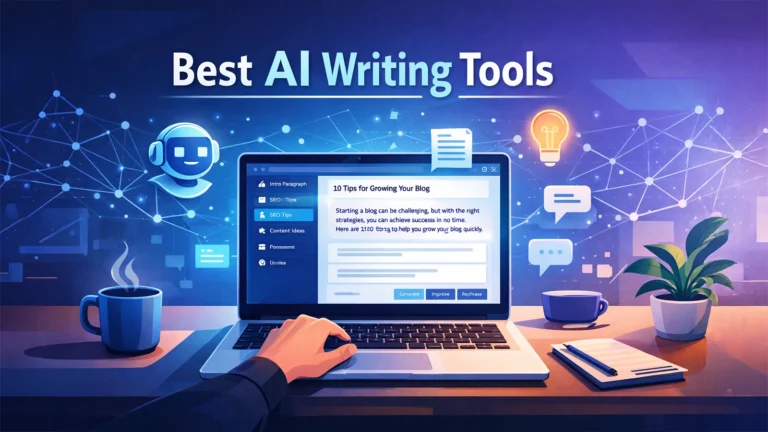
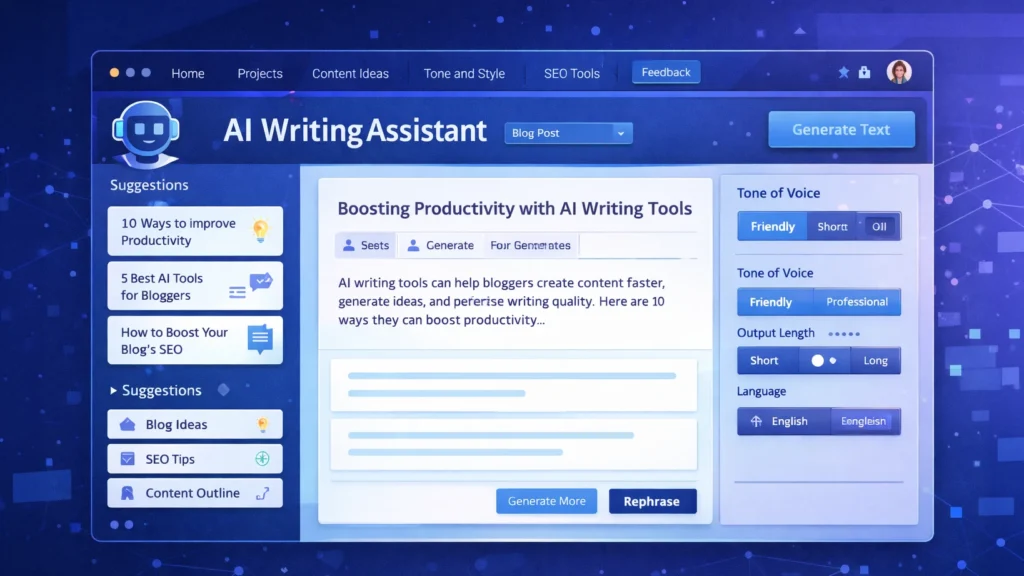
    AI writing tool dashboard generating blog content with templates and editor interface
    AI writing tool dashboard helping creators generate and edit content efficiently

    • AI tools can reduce content creation time by up to 70%
    • They help generate blog posts, ads, and social media content
    • Great for beginners and professionals alike
    • Can significantly boost income through content scaling
    • Tools like Jasper AI and Copy.ai dominate the market


    Creating content consistently is hard.

    Most creators struggle with:
    • Writer’s block
    • Time constraints
    • Lack of SEO knowledge
    • Scaling content production

    This leads to missed opportunities in traffic, revenue, and audience growth.


    AI tools automate content creation by:
    • Generating blog drafts instantly
    • Creating ad copies and captions
    • Providing SEO optimization
    • Repurposing content

    This allows creators to focus on strategy instead of writing everything manually.


    Description: Premium AI writing assistant for high-quality content

    Key Features:
    • Long-form content generation
    • SEO integration
    • Brand voice customization

    Pros:
    • High-quality output
    • Great for professionals

    Cons:
    • Expensive

    Best For: Agencies, marketers

    Verdict: Best overall tool for scaling content


    Description: Affordable AI writing tool with multiple templates

    Key Features:
    • Blog generator
    • Ad copy tools
    • Chatbot integration

    Pros:
    • Budget-friendly
    • Fast output

    Cons:
    • Quality varies

    Best For: Beginners

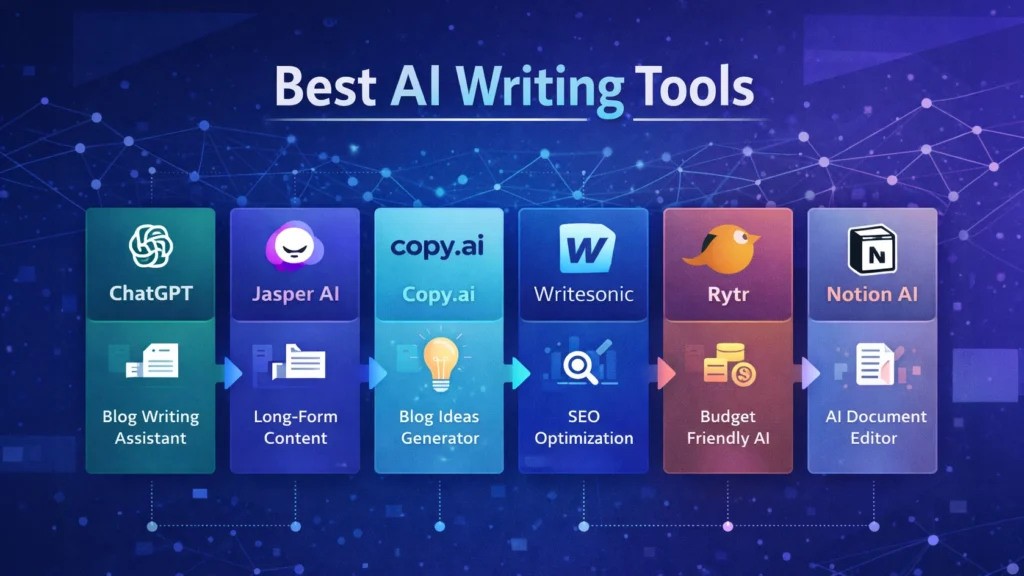
    Split screen showing multiple AI writing tools like Jasper, Writesonic and Copy.ai generating content
    Comparison view of popular AI writing tools used for content creation and marketing

    Description: Easy-to-use AI content generator

    Key Features:
    • Social media content
    • Email writing
    • Blog ideas

    Pros:
    • Simple interface
    • Great for quick content

    Cons:
    • Limited advanced features

    Best For: Beginners and freelancers


    Description: Lightweight AI writing tool

    Key Features:
    • Multiple tones
    • Fast generation

    Pros:
    • Very affordable

    Cons:
    • Limited long-form capabilities

    Best For: Small creators

    👉 Start using Rytr


    Description: AI + SEO content optimization tool

    Key Features:
    • SERP analysis
    • Content briefs

    Pros:
    • SEO-focused

    Cons:
    • Learning curve

    Best For: SEO writers


    ToolBest ForKey FeaturePricing
    Jasper AIProfessionalsLong-form writingPremium
    WritesonicBudget usersFast generationAffordable
    Copy.aiBeginnersEase of useModerate
    RytrSmall creatorsLow costCheap
    FraseSEO writersOptimizationModerate

    ToolProsCons
    Jasper AIHigh qualityExpensive
    WritesonicAffordableInconsistent output
    Copy.aiEasy to useLimited depth
    RytrCheapBasic features
    FraseSEO focusedComplex

    A blogger can:

    1. Use Jasper AI to generate blog draft
    2. Use Frase for SEO optimization
    3. Use Copy.ai for social posts

    Total time saved: 3–5 hours per article

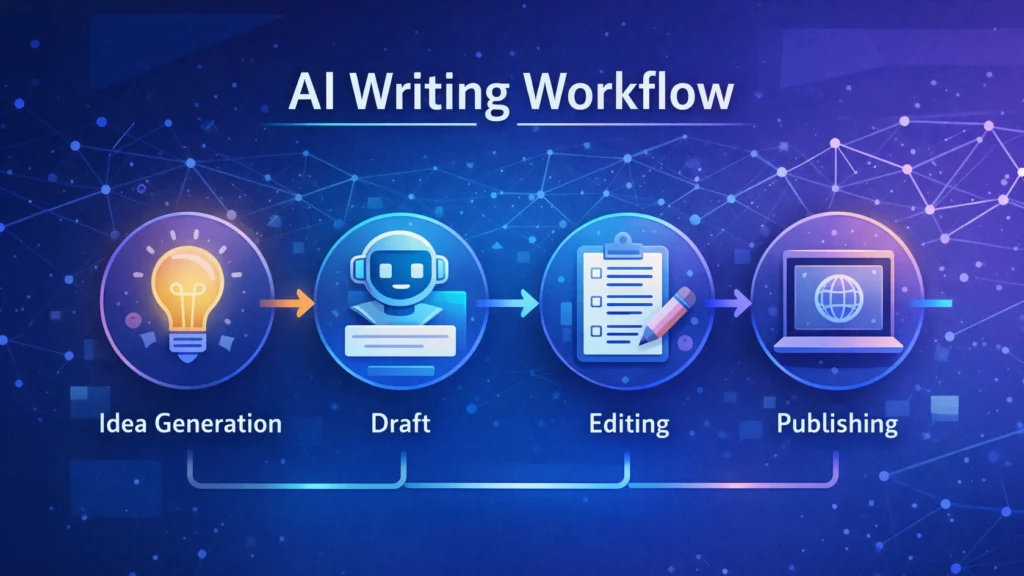
    Step-by-step workflow showing how AI writing tools generate, edit, and publish content
    Step-by-step process of creating content using AI writing tools for faster and scalable results

    Blog writing
    Affiliate marketing
    • YouTube scripts
    Social media posts
    • Email marketing


    With AI tools, creators can:
    • Publish more content
    • Rank faster on Google
    • Earn via ads + affiliates

    Many bloggers scale to $1000–$5000/month using AI-assisted workflows.


    Benefits:
    • Speed
    • Scalability
    • Cost-effective

    Limitations:
    • Requires editing
    • May lack originality without guidance


    • Always edit AI content
    • Combine multiple tools
    • Focus on SEO keywords
    • Use AI for ideas, not just writing


    Are AI tools good for SEO?
    Yes, if used correctly with optimization.

    Which AI tool is best?
    Jasper AI is best overall.

    Can beginners use AI tools?
    Yes, tools like Copy.ai are beginner-friendly.


    If you want the best results, go with Jasper AI.

    It offers the best quality, scalability, and SEO integration.


    Start with one tool, create your first AI-generated article, and scale your content strategy from there.


    AI tools are no longer optional—they are essential.

    If you want to grow faster, earn more, and stay competitive, using AI for content creation is the smartest move you can make in 2026.

  • ·

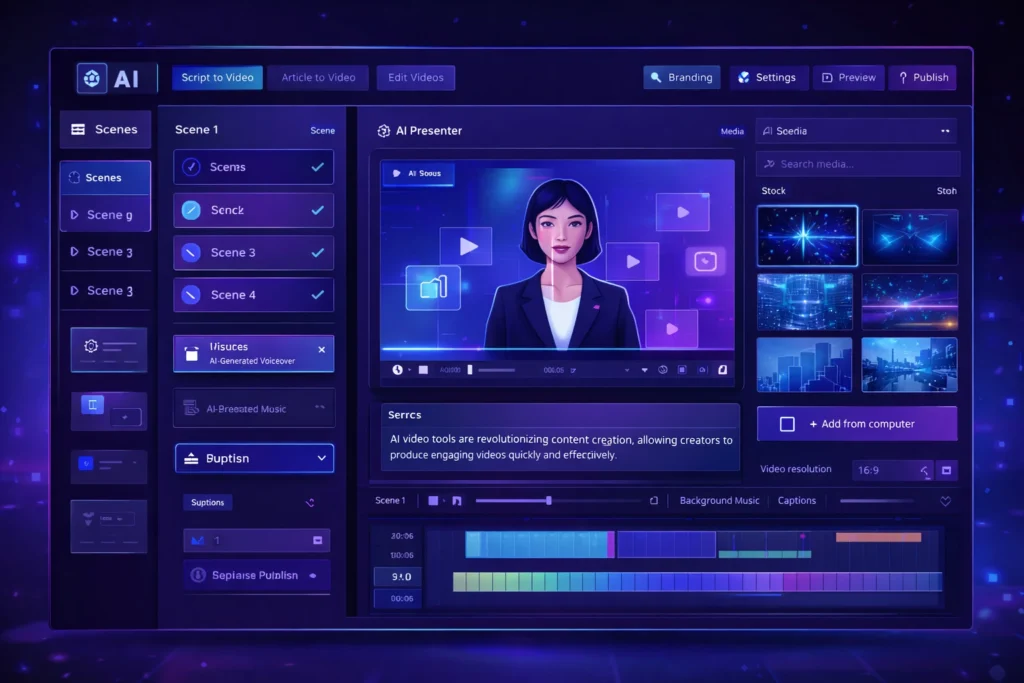
    Beyond the Green Screen: Choosing the Best AI Video Generators for 2026

    The statistics are undeniable: video dominates online engagement. But for years, creating high-quality video content has been a monumental task, demanding expensive equipment, skilled crew, and endless hours in the editing suite. This “production bottleneck” has traditionally kept many ambitious brands from fully leveraging video.

    Enter AI Video Generators.

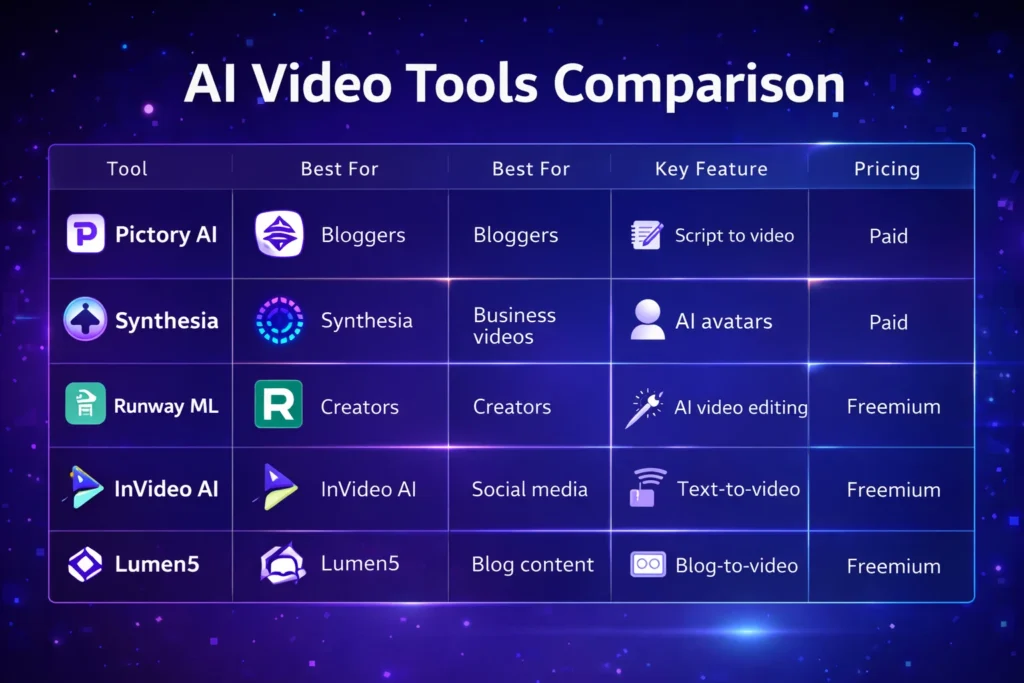
    In 2026, these tools are no longer just novelties. They are rapidly evolving into powerful platforms that democratize video creation, allowing businesses—from bustling agencies in London to innovative startups in New York—to produce engaging content at unprecedented speed and scale.

    But with a new tool emerging every week, how do you choose the right one? At AI Growth Gear, with our foundation in film production and aesthetic communication, we see AI video as more than just pressing a button; it’s about translating vision into compelling motion, with precision and soul.

    Why AI Video is No Longer Optional

    • Speed to Market: Generate marketing videos, social clips, and product explainers in minutes, not days.
    • Cost Efficiency: Drastically reduce reliance on traditional production budgets, freeing up resources for strategy.
    • Scalability: Produce personalized video content for diverse audiences without increasing headcount.
    • Consistency: Maintain brand voice and visual style across all video assets through templating and AI assistance.

    What to Look For: A Director’s Checklist for AI Video Generators

    Not all AI video generators are created equal. Based on our extensive testing and understanding of professional production needs, here’s what to prioritize:

    1. Aesthetic Output (The Surbhi Chauhan Factor): This is paramount. Does the AI produce videos that look genuinely professional, or do they fall into the “uncanny valley” of robotic, overly polished, or bland visuals? Look for tools that allow granular control over style, lighting, and realistic character animation. Can it capture the texture of your brand?
    2. Ease of Use & Workflow Integration: A tool is only useful if it fits seamlessly into your existing operations. Is the interface intuitive? Can you upload scripts easily? Does it integrate with your content calendar or project management tools (like Notion or Zapier)?
    3. Customization & Brand Control: Can you upload your own brand assets (logos, fonts, color palettes)? Does it offer a range of customizable templates? The more control you have over the final output, the better it aligns with your brand identity.
    4. Voice & Lip-Sync Accuracy: If you’re using AI avatars or text-to-speech, pay close attention to the naturalness of the voice and the lip-sync quality. A robotic voice or mismatched lips can instantly break immersion and trust.
    5. Cost vs. Value: Free tools are tempting, but often come with limitations on quality, features, or branding. Evaluate subscription models based on the number of minutes, avatars, or advanced features you truly need. Calculate the ROI: how much time and money will it actually save you compared to traditional methods?
    6. Ethical Considerations & Rights: Understand the tool’s terms of service regarding content ownership and the ethical use of AI-generated faces or voices. Ensure you have the necessary rights for commercial use.

    The Future is in Motion

    AI video generators are not here to replace human creativity, but to augment it. They free up creatives to focus on strategic storytelling, conceptualization, and the subtle “director’s touch” that elevates content. By carefully selecting the right AI video gear, you can transform your content strategy, capture more attention, and truly scale your brand’s message.

    Ready to bring your brand to life in motion? The right AI video partner is waiting.