|

Best AI Writing Tools for Bloggers in 2026: Tools That Actually Improve Content

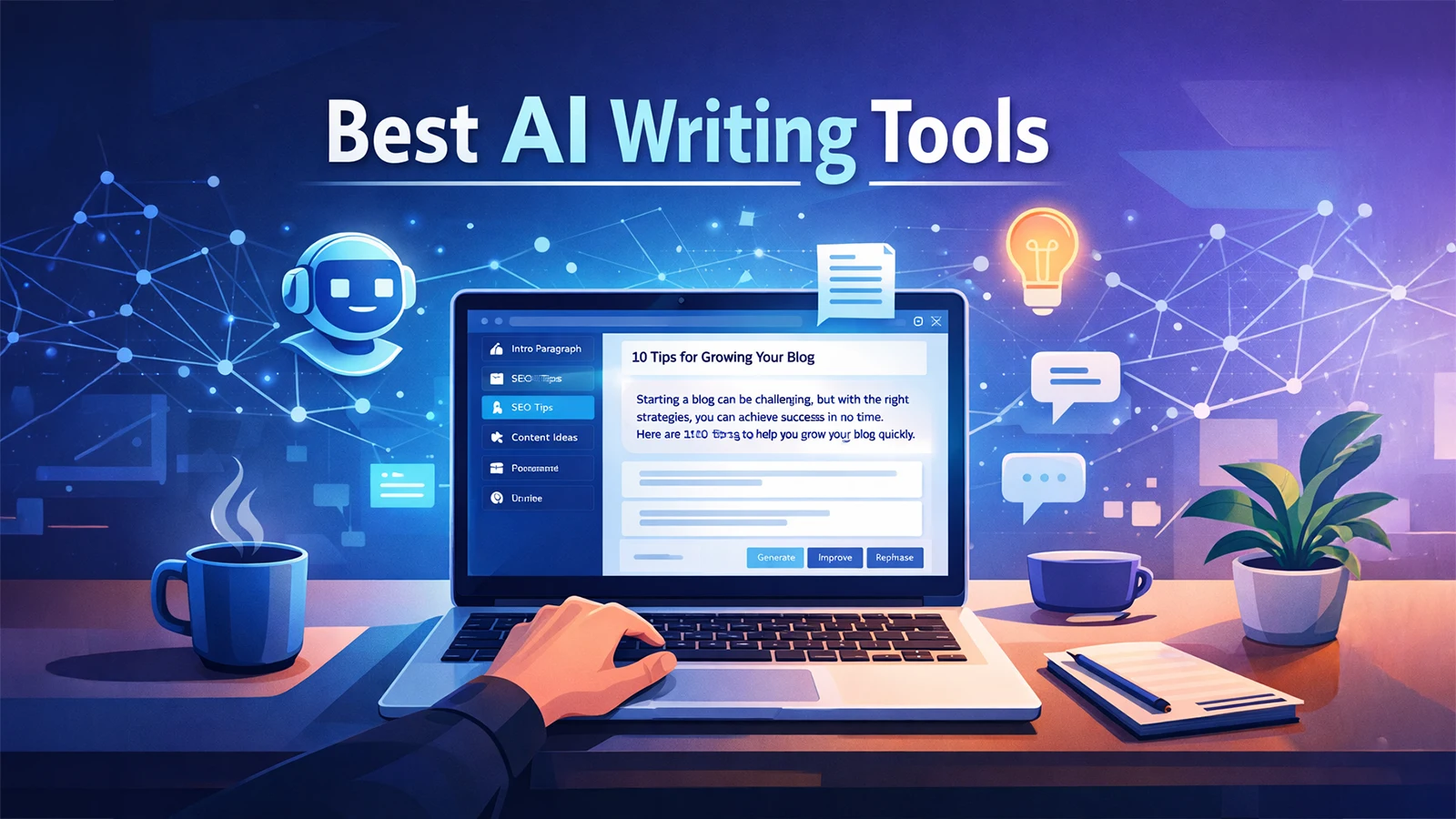
Illustration showing a laptop with an AI writing assistant generating blog content, representing the best AI writing tools for bloggers in 2026.

Creating consistent blog content can be challenging, especially when bloggers are expected to publish regularly while maintaining high quality. Research, outlining, drafting, editing, and optimizing for SEO all take time. As competition grows online, bloggers are increasingly looking for tools that can help streamline their workflow.

AI writing tools have become powerful assistants for bloggers and content creators. Instead of replacing writers, these tools help generate ideas, draft articles, improve clarity, and speed up the content creation process. Many modern AI tools can also assist with SEO optimization, marketing copy, and productivity workflows.

In this guide, we explore the best AI writing tools for bloggers in 2026, how they work, and how they can help bloggers create better content faster.
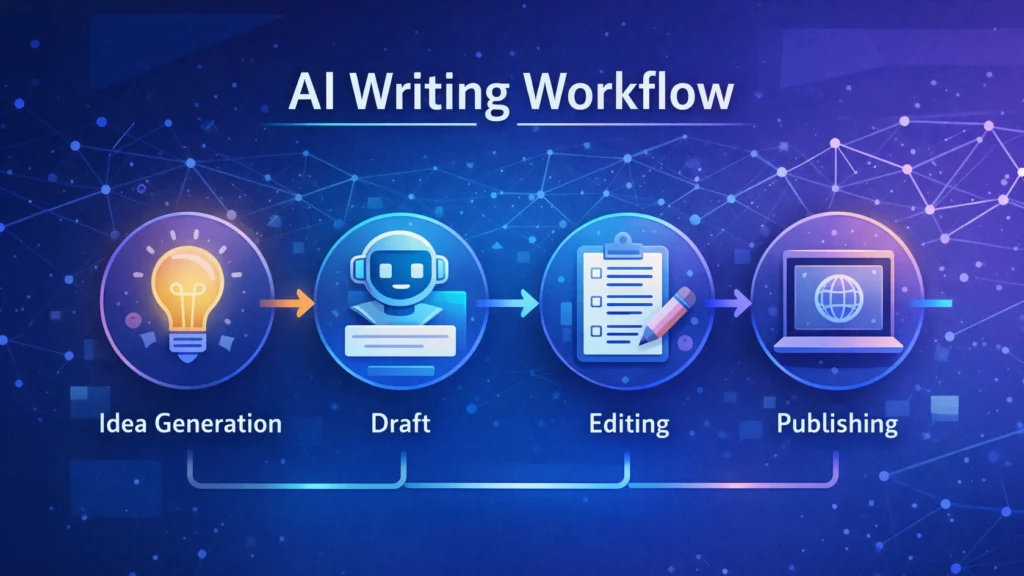
Diagram showing an AI writing workflow including idea generation, drafting, editing, and publishing stages used by bloggers and content creators.
A simple AI writing workflow illustrating how bloggers use AI tools to generate ideas, draft articles, edit content, and publish posts efficiently.

Quick Tool Summary

Best Overall: Jasper AI
Best Budget Option: Rytr
Best for Beginners: ChatGPT
Best for Marketing Content: Copy.ai
Best Productivity Tool: Notion AI


Why Bloggers Are Using AI Writing Tools ✍️

AI writing tools are becoming essential for bloggers for several reasons.

Faster content creation

AI can generate outlines, drafts, and ideas in seconds.

Overcoming writer’s block

Many bloggers use AI tools to brainstorm new content topics.

Content scaling

AI allows bloggers to produce more articles without sacrificing quality.

SEO support

Some tools assist with keyword integration, readability, and structure.

These advantages make AI writing tools particularly useful for entrepreneurs, marketers, and freelancers managing multiple content projects.


Best AI Writing Tools for Bloggers

Below are some of the most widely used AI writing tools available today.
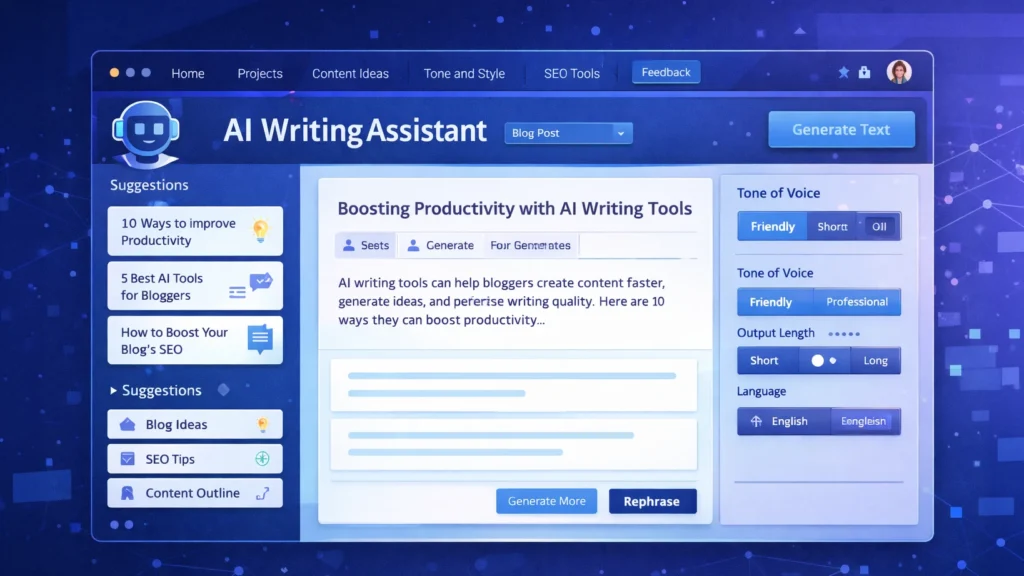
Screenshot-style illustration of an AI writing assistant dashboard showing blog content suggestions, SEO tips, and tone settings for generating AI-powered blog posts.
An AI writing assistant dashboard displaying content suggestions, blog ideas, and tone settings used by bloggers to generate and edit articles efficiently.

1. ChatGPT

ChatGPT has become one of the most popular AI writing assistants used by bloggers and content creators. It can generate article ideas, outlines, paragraphs, and full drafts with simple prompts.

Key Features

• Blog topic generation
• Article outlines and drafts
• Content rewriting and editing
• Brainstorming ideas

Pros

• Very flexible writing assistant
• Supports multiple writing styles

Cons

• Requires good prompts
• Content still needs editing and fact-checking

Best For

Bloggers who want a versatile AI assistant for brainstorming and writing drafts.

You can try ChatGPT for free here: https://chatgpt.com/


2. Jasper AI

Jasper AI is one of the most advanced AI writing platforms designed for marketers and professional content creators.

Key Features

• Long-form blog writing
• Marketing copy templates
• Brand voice customization
• Content campaign workflows

Pros

• High-quality output
• Powerful marketing features

Cons

• Higher pricing compared to other tools
• Slight learning curve

Best For

Professional bloggers and marketing teams producing high volumes of content.

Try Jasper AI here → https://www.jasper.ai/


3. Copy.ai

Copy.ai focuses heavily on marketing copy but is also widely used by bloggers for idea generation and short-form content.

Key Features

• Blog idea generator
• Social media content creation
• Marketing copy templates
• Quick draft generation

Pros

• Easy to use
• Excellent for brainstorming

Cons

• Limited long-form writing capabilities

Best For

Bloggers who want quick inspiration and marketing copy assistance.

Try Copy.ai here → Copy AI


4. Writesonic

Writesonic combines AI writing capabilities with SEO optimization tools, making it popular among bloggers and marketers.

Key Features

• Blog article generator
• SEO-focused writing tools
• Content rewriting and editing
• Marketing copy creation

Pros

• Good for SEO content
• Supports multiple writing formats

Cons

• Output may require manual editing

Best For

Bloggers who want AI assistance with SEO-optimized content.

Try Writesonic here


5. Rytr

Rytr is known as one of the most affordable AI writing tools available today.

Key Features

• Blog writing assistant
• Tone customization
• Content rewriting
• Multi-language support

Pros

• Budget friendly
• Simple and easy interface

Cons

• Less advanced than premium tools

Best For

Beginner bloggers looking for an affordable AI writing solution.

Try Rytr here →


6. Notion AI

Notion AI integrates AI writing capabilities directly into the Notion productivity platform.

Key Features

• AI document editing
• Writing suggestions
• Content summarization
• Project organization

Pros

• Excellent for productivity workflows
• Ideal for managing content ideas

Cons

• Limited marketing-focused features

Best For

Bloggers who manage writing projects and ideas within Notion.

Try Notion AI here →


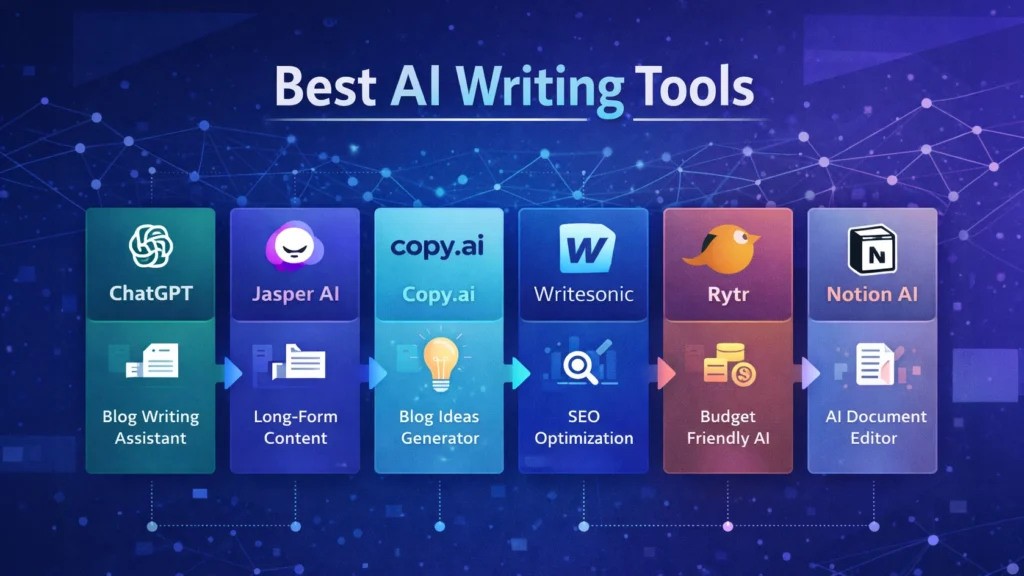
AI Writing Tools Comparison Table

Infographic comparing popular AI writing tools including ChatGPT, Jasper AI, Copy.ai, Writesonic, Rytr, and Notion AI with their key features for bloggers.
Visual comparison chart of leading AI writing tools such as ChatGPT, Jasper AI, Copy.ai, Writesonic, Rytr, and Notion AI, highlighting their main capabilities for blogging and content creation.
ToolBest ForKey FeaturePricing
ChatGPTBloggersFlexible writing assistantFreemium
Jasper AIMarketersLong-form AI writingPaid
Copy.aiMarketing contentIdea generationFreemium
WritesonicSEO bloggersSEO writing toolsPaid
RytrBeginnersBudget-friendly AI writingLow cost
Notion AIProductivityWriting inside workspacePaid

Best AI Marketing Tools for Small Businesses to Automate Marketing and Grow Faster

Practical Use Cases for Bloggers

Bloggers use AI writing tools in several ways to improve productivity and efficiency.

Content Idea Generation

AI tools can quickly generate blog topic ideas based on keywords or niche themes.

Blog Outlines

Instead of starting from a blank page, bloggers can create structured outlines using AI.

Draft Writing

AI tools can produce first drafts that writers can edit and refine.

Editing and Optimization

Some AI tools help improve clarity, grammar, and readability.

These workflows allow bloggers to focus more on creativity and strategy while automation handles repetitive tasks.


Benefits and Limitations ⚖️

While AI writing tools offer many advantages, they still require human oversight.

Benefits

• Faster content production
• Improved productivity
• Easier brainstorming
• Scalable blogging workflows

Limitations

• AI content requires fact checking
• Tone may need human editing
• Some tools generate generic text

The best results come from combining AI assistance with human creativity and expertise.


How to Get Started with AI Writing Tools 🚀

If you are new to AI writing tools, start with a simple workflow.

  1. Choose a topic and research keywords.
  2. Use AI to generate an outline.
  3. Draft the article using AI assistance.
  4. Edit the content to improve accuracy and tone.
  5. Optimize the article for SEO before publishing.

With practice, bloggers can significantly reduce the time required to produce high-quality content.


Conclusion

AI writing tools are rapidly transforming how bloggers create content. From generating ideas to drafting full articles, these tools help streamline the blogging process and improve productivity.

The key is choosing the right tool for your workflow. Beginners may prefer flexible tools like ChatGPT, while professional bloggers and marketing teams often benefit from advanced platforms such as Jasper AI.

When used correctly, AI writing tools can help bloggers publish more consistently, scale their content strategy, and grow their online audience in an increasingly competitive digital landscape.

Similar Posts

  • ·

    How to Make Money with AI Tools

    Artificial intelligence is transforming the way people build online businesses. Entrepreneurs, freelancers, and content creators are increasingly using AI tools to automate tasks, produce content faster, and create new revenue streams.

    The biggest advantage of AI technology is accessibility. You no longer need advanced technical skills or expensive software to start an online business. Modern AI platforms allow users to create blog content, marketing graphics, and professional videos in just minutes.

    Many successful online entrepreneurs are already building profitable AI-powered side hustles. With tools like Jasper AI, Canva, and Pictory, it is possible to produce high-quality digital content quickly and scale online income opportunities.

    In this guide, you will learn practical strategies to make money with AI tools, the best tools available today, and how beginners can start an AI side hustle step by step.

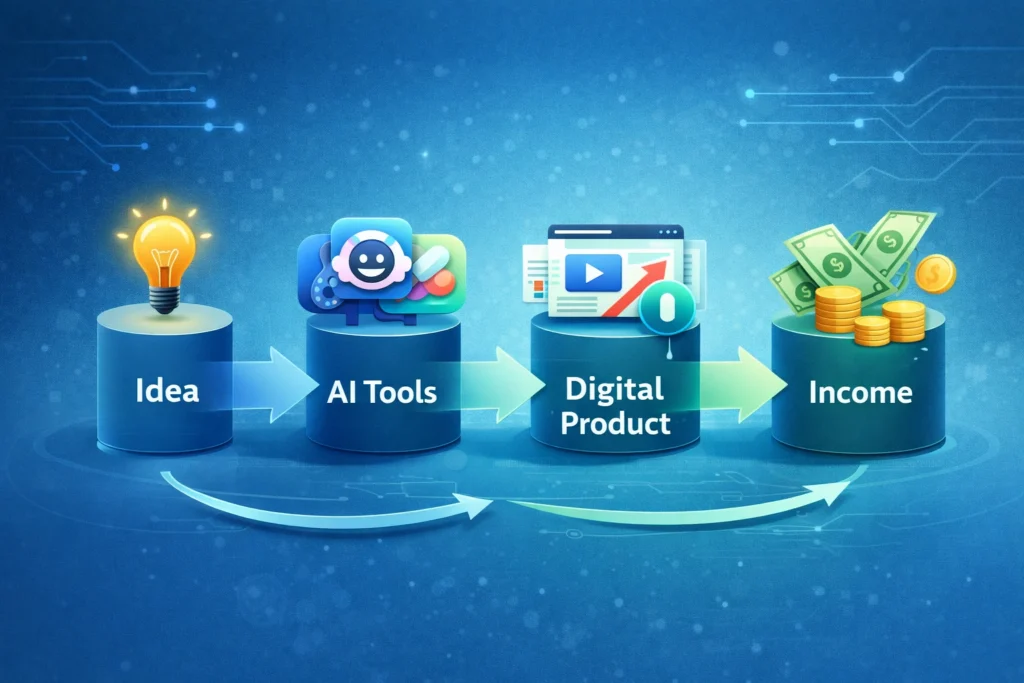
    AI workflow diagram showing idea, AI tools, digital product creation, and income generation process.
    A simple AI workflow showing how an idea can be turned into a digital product and income using AI tools.

    Why AI Side Hustles Matter in 2026

    Artificial intelligence is becoming one of the most important drivers of the digital economy. Businesses across industries are using AI to automate marketing, create content, and improve productivity.

    This growing adoption of AI has opened new opportunities for individuals who want to start online businesses.

    Some key reasons AI side hustles are growing rapidly include:

    • Businesses need more content than ever before
    • AI tools dramatically reduce production time
    • Startup costs for online businesses are lower
    • Digital marketing demand continues to increase
    • AI tools are becoming beginner-friendly

    Because of these factors, AI-powered side hustles are becoming one of the most accessible ways to start making money online.


    Best Ways to Make Money with AI Tools

    There are several profitable opportunities where AI tools can help generate income.


    AI writing tools such as Jasper AI allow freelancers and entrepreneurs to create blog posts, marketing copy, and product descriptions much faster than traditional writing.

    Common services include:

    • SEO blog writing
    • Website copywriting
    • Email marketing content
    • Product descriptions for eCommerce

    Many freelance writers charge between $50 and $300 per article depending on the niche and content quality.


    Design platforms like Canva make it easy to create professional graphics even without design experience.

    Using Canva’s AI features, users can create:

    • Social media graphics
    • YouTube thumbnails
    • Marketing banners
    • Presentation designs
    • Digital product templates

    These designs can be sold on marketplaces like Etsy, Fiverr, or Gumroad.


    Video content is one of the fastest growing forms of digital media. AI tools like Pictory make it possible to create videos without advanced editing skills.

    You can use AI video tools for:

    • YouTube automation channels
    • TikTok and Instagram videos
    • Video marketing for businesses
    • Affiliate marketing content

    AI tools convert text or blog posts into engaging videos automatically.


    Blogging remains one of the most powerful online business models, and AI tools make it easier to scale content production.

    AI tools can assist with:

    • Generating article outlines
    • Writing first drafts
    • Creating social media posts
    • Generating blog graphics

    Blog monetization options include:

    • Google AdSense
    • Affiliate marketing
    • Sponsored content
    • Digital products

    Many bloggers now use AI tools to accelerate content publishing.


    Best AI Tools for Making Money

    Below are some of the most useful AI tools for building an AI-powered side hustle.

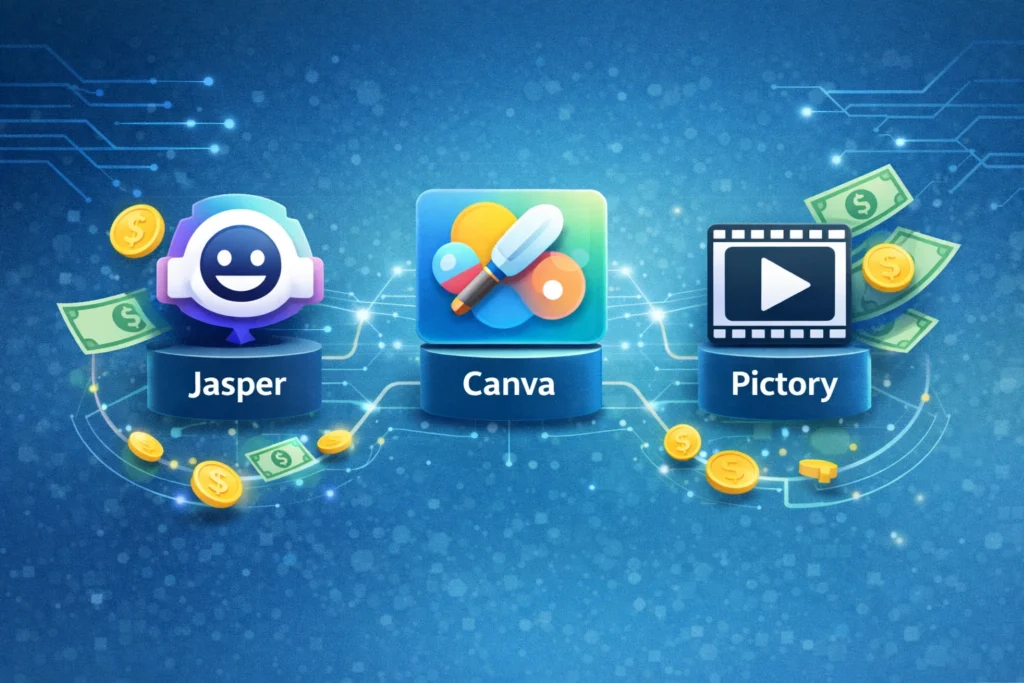
    Illustration showing AI tools used for making money online including AI writing, design, and video creation tools that help generate side income.
    Popular AI tools like writing, design, and video creation platforms help entrepreneurs create content, digital products, and videos to generate online income.

    Jasper AI is one of the most powerful AI writing assistants designed for marketers, bloggers, and businesses.

    It helps generate blog posts, marketing content, and long-form articles quickly.

    Key Features

    • AI blog post generator
    • SEO optimized content creation
    • Marketing templates
    • Brand voice customization

    Pros

    • Produces high-quality long-form content
    • Saves significant writing time

    Cons

    • Paid subscription required
    • Content may require editing

    Best For

    Bloggers, affiliate marketers, and freelance writers who want to scale content production.

    Try Jasper AI here


    Canva is a popular design platform that now includes powerful AI features for image creation and graphic design.

    It allows beginners to create professional graphics with simple drag-and-drop tools.

    Key Features

    • AI image generator
    • Magic Write AI assistant
    • Thousands of templates
    • Social media design tools

    Pros

    • Extremely beginner friendly
    • Large template library

    Cons

    • Advanced features require Canva Pro
    • Some AI features have usage limits

    Best For

    Freelancers, marketers, and entrepreneurs creating digital graphics or design products.

    Try Canva here


    Pictory is an AI video creation platform that converts text content into professional videos.

    It is widely used by YouTube creators and marketers.

    Key Features

    • Text-to-video generation
    • AI voice narration
    • Automatic video summarization
    • Built-in stock footage library

    Pros

    • Fast video production
    • No editing experience required

    Cons

    • Limited customization compared to professional editors
    • Subscription required

    Best For

    YouTube creators, social media marketers, and businesses producing video content.

    Try Pictory here


    AI Tool Comparison

    ToolBest ForKey FeaturePricing
    Jasper AIBloggers and marketersLong-form AI writingPaid
    CanvaDesigners and beginnersAI graphic designFreemium
    PictoryVideo creatorsText-to-video automationPaid

    Practical Use Cases for AI Tools

    Here are some real ways individuals and businesses use AI tools to generate income:

    • Freelance content writing services
    • Selling digital design templates
    • Running YouTube automation channels
    • Building affiliate marketing blogs
    • Managing social media for businesses

    AI technology does not replace creativity. Instead, it helps creators produce content faster and scale their work.


    Benefits and Limitations of AI Tools

    Benefits

    • Faster content production
    • Lower startup costs
    • Beginner-friendly platforms
    • Ability to scale online businesses

    Limitations

    • AI content still requires editing
    • Competitive markets in some niches
    • Many advanced tools require subscriptions

    Understanding these factors helps you build a sustainable AI-powered business.


    How to Get Started with an AI Side Hustle

    Starting an AI side hustle does not require major investments.

    Follow these simple steps:

    1. Choose a niche that interests you
    2. Select AI tools that fit your goals
    3. Start creating valuable content or services
    4. Promote your work through social media or websites
    5. Monetize through ads, affiliate programs, or client services

    Consistency and quality will play the biggest role in long-term success.


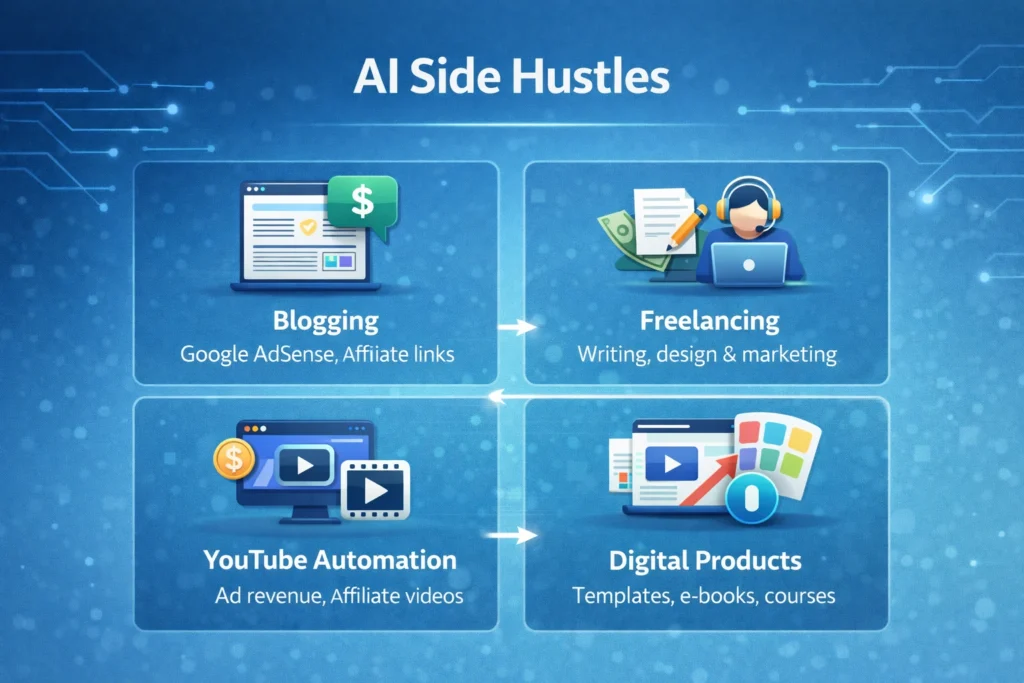
    Infographic comparing AI side hustles including blogging, freelancing, YouTube automation, and digital products for making money online.
    A visual comparison of popular AI side hustles such as blogging, freelancing, YouTube automation, and digital products that can generate income online.

    Conclusion

    Artificial intelligence is creating new opportunities for entrepreneurs, freelancers, and creators around the world. With the right strategy, AI tools can help build scalable online businesses and generate multiple income streams.

    Platforms like Jasper AI, Canva, and Pictory allow individuals to produce content, graphics, and videos more efficiently than ever before.

    If you are interested in starting an online business, learning how to use AI tools effectively could become one of the most valuable skills in the modern digital economy.

  • ·

    Gemini vs Grok vs ChatGPT: Which AI Actually Delivers?

    AI tools are no longer novelty software. They’re embedded in marketing stacks, product teams, customer support desks, and solo founder workflows.

    But here’s the real issue: most comparisons between Gemini, Grok, and ChatGPT focus on feature checklists — not actual business impact.

    If you’re running campaigns, building SaaS products, automating workflows, or scaling digital operations, the question isn’t which AI is smartest.

    The question is:

    Which AI fits your workflow, risk tolerance, and monetization model?

    Let’s break this down from a practical, business-first perspective.


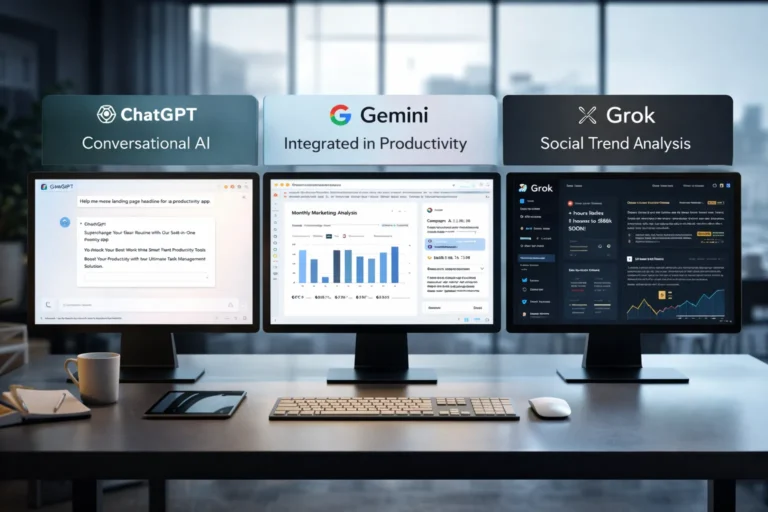
    🧠 Core Positioning: What Each Tool Is Really Built For

    ChatGPT has become the default AI workspace for professionals.

    It excels at:

    • Long-form content
    • Structured reasoning
    • Coding assistance
    • Workflow automation via APIs
    • Document summarization
    • Custom GPT workflows

    For many entrepreneurs, ChatGPT acts as a “digital operations assistant.”

    • Draft landing pages
    • Generate ad variations
    • Build Zapier automation logic
    • Create client reporting templates

    It’s flexible and ecosystem-friendly.


    Gemini integrates deeply into Google’s ecosystem.

    Its strength isn’t just intelligence — it’s context.

    It works well with:

    • Google Docs
    • Gmail
    • Sheets
    • Drive
    • Workspace collaboration
    • Analyze campaign data directly in Sheets
    • Draft email updates inside Gmail
    • Summarize meeting notes automatically

    Gemini is strongest when your business already lives inside Google.


    Grok operates differently. It’s closely integrated with the X (formerly Twitter) ecosystem and emphasizes real-time information access.

    Its positioning is:

    • Social intelligence
    • Real-time trend awareness
    • Edgier conversational style
    • Live internet awareness
    • Monitor sentiment shifts
    • Analyze breaking news
    • Generate rapid-response commentary

    Grok shines in live environments. It’s less structured, more reactive.


    ⚙️ Real-World Productivity Comparison

    Here’s where things matter for professionals.

    For AI Automation Builders 🛠️

    • ChatGPT wins due to API maturity and plugin ecosystem.
    • Gemini is improving but less flexible for external automation.
    • Grok isn’t optimized for backend automation yet.

    For AI Marketing Workflows 📈

    • ChatGPT: Best for structured funnel content, copy frameworks, strategy.
    • Gemini: Strong for ad analysis if you live in Google Ads.
    • Grok: Useful for trend-based content and social hooks.

    For SaaS Founders 💻

    • ChatGPT: Product ideation, UX copy, code scaffolding.
    • Gemini: Useful for internal documentation collaboration.
    • Grok: Less relevant unless your SaaS is social-data-driven.

    ⚖️ Strengths and Limitations

    ChatGPT

    Pros

    • Deep reasoning
    • Advanced coding
    • API integrations
    • Custom GPT creation

    Cons

    • May require prompt skill to maximize output
    • Enterprise pricing can scale

    Gemini

    Pros

    • Native Google ecosystem integration
    • Strong document collaboration
    • Smooth Workspace automation

    Cons

    • Less customizable outside Google
    • Not as developer-centric

    Grok

    Pros

    • Real-time awareness
    • Social sentiment alignment
    • Direct integration with X

    Cons

    • Not workflow-automation focused
    • Limited enterprise tooling

    🚀 Practical Implementation Strategy

    Instead of choosing just one, many professionals layer them.

    Here’s a smart approach:

    Step 1: Define Your Primary Use Case

    Ask:

    • Is this content-heavy?
    • Is this data-heavy?
    • Is this trend-heavy?

    Step 2: Assign Roles

    • ChatGPT → Strategy + structure
    • Gemini → Internal collaboration
    • Grok → Real-time market pulse

    Step 3: Build Repeatable AI Workflows

    For example:

    1. Use Grok to identify trending topics.
    2. Use ChatGPT to turn that into structured authority content.
    3. Use Gemini to distribute internally via Docs and Gmail.

    This layered workflow reduces blind spots.


    👥 Who Should Use What?

    Choose ChatGPT If:

    • You build automation workflows
    • You write long-form content
    • You code or build SaaS tools
    • You need structured output

    Choose Gemini If:

    • Your company runs on Google Workspace
    • You collaborate heavily in Docs/Sheets
    • You need built-in AI inside email

    Choose Grok If:

    • You depend on real-time news
    • You operate in finance, crypto, politics, media
    • You build brand presence on X

    🎯 Final Perspective

    There isn’t a universal “best AI.”

    There’s only:

    • Best for workflow
    • Best for ecosystem
    • Best for execution speed

    ChatGPT is currently the most versatile.
    Gemini is the most integrated.
    Grok is the most reactive.

    For serious professionals, the competitive edge isn’t the tool — it’s how intelligently you deploy it.

    AI doesn’t replace strategic thinking.
    It amplifies it.

  • ·

    Digital Doubles: HeyGen vs. Synthesia – Choosing Your AI Presenter for 2026

    In business, communication is everything. Whether it’s training your global sales force, delivering personalized video messages to thousands of leads, or creating consistent brand explainers, the demand for engaging video is immense. The traditional approach—hiring presenters, booking studios, shooting, editing—is a bottleneck for even the most agile teams.

    This is where AI Avatar & Business Presenters step in. These aren’t just text-to-speech tools; they create convincing digital humans who can speak your message in multiple languages, with realistic expressions and lip-sync. For businesses in the US and UK looking to scale their video output without scaling their production budget, these platforms are a game-changer.

    At AI Growth Gear, we’ve evaluated the leading platforms with our “Director’s Lens,” focusing on realism, brand integration, and operational efficiency. Here’s how the top two—HeyGen (Avatar IV) and Synthesia—compare for your business.

    The Contenders at a Glance

    FeatureHeyGen (Avatar IV)Synthesia
    Primary StrengthUltra-Realistic Digital TwinsEnterprise-Grade Library & Compliance
    Best ForPersonalized Sales, UGCCorporate Training, Explainers
    WeaknessCustom avatars require more inputStock avatars can feel less unique

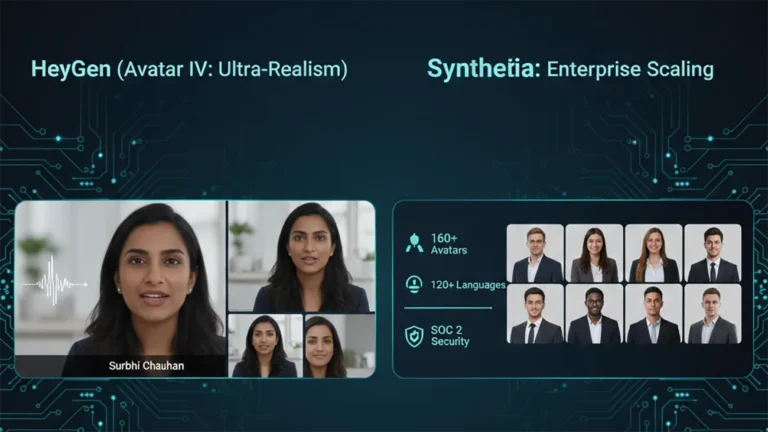
    1. HeyGen (Avatar IV): The Ultra-Realist

    HeyGen’s latest iteration, Avatar IV, is pushing the boundaries of what’s possible in AI avatar realism. Its “Digital Twin” feature allows businesses to create incredibly lifelike avatars of actual employees or spokespersons from minimal video footage. The subtlety of facial expressions and natural-sounding voice clones are truly impressive.

    • The Aesthetic: Aimed squarely at hyper-realism. If you want your AI presenter to be indistinguishable from a real human, HeyGen is currently leading the pack. It masters the minute details, making it ideal for maintaining a personal touch at scale.
    • The Director’s Take: “HeyGen is for when ‘authentic’ means ‘looks like you.’ It’s unparalleled for personalized sales videos, founder messages, or any content where the presenter’s unique identity is key. It allows a boutique agency to maintain its human brand persona without physically being in every video.”

    2. Synthesia: The Enterprise Powerhouse

    Synthesia has been the long-standing leader in the corporate AI video space, and for good reason. It boasts an extensive library of over 160 diverse stock avatars and 120+ languages, coupled with robust SOC 2 compliance for data security. Its platform is built for scalable, professional use cases across large organizations.

    • The Aesthetic: Polished, professional, and consistent. While its stock avatars are highly realistic, they aim for broad appeal rather than individual uniqueness.
    • The Director’s Take: “Synthesia is the workhorse of the enterprise. If you need to produce hundreds of consistent training modules, international onboarding videos, or routine explainers, its sheer volume of customizable options and security features make it the undisputed choice. It ensures your corporate communication is slick and reliable across the board.”

    The Verdict: Which Digital Double is Right for You?

    • Choose HeyGen if your priority is Personalization and Ultra-Realism. If you need your AI presenter to look and sound exactly like a specific person to build trust or enhance a unique brand identity.
    • Choose Synthesia if your priority is Scalability and Corporate Readiness. If you require a vast library of diverse avatars, multi-language support, and enterprise-grade security for consistent, high-volume video production.

    Our Recommendation for 2026

    For many agencies, the ideal setup might involve a blend: HeyGen for high-impact, personalized, and client-facing content, and Synthesia for internal training, broad-reach explainers, or situations requiring a diverse range of stock avatars. Both tools excel at making video production accessible, but they serve different strategic objectives.

  • ·

    Stop Using Midjourney for Logos: The Vector Revolution

    Look, we have all been there.

    You spend two hours perfecting a prompt in Midjourney. You finally get that perfect, minimalist mascot for a client or a new sticker design for your Etsy shop. It looks crisp on your iPhone. It looks stunning on Discord.

    Then you send it to the printer.

    And the email comes back: “Sorry, this is 72 DPI. Do you have the vector file? When we blow this up for the banner, it looks like a Minecraft screenshot.”

    Panic sets in. You try to use an “AI upscaler,” but it just makes the lines look weird and wobbly. You try to “Image Trace” it in Illustrator, and suddenly your clean lines turn into a jagged mess of a thousand anchor points.

    Here is the hard truth for 2026: Midjourney and DALL-E are for art. They are not for assets.

    If you are a solo entrepreneur, a Print-on-Demand (POD) seller, or a freelancer, you need to stop thinking in pixels and start thinking in math. You need to join the Vector Revolution.

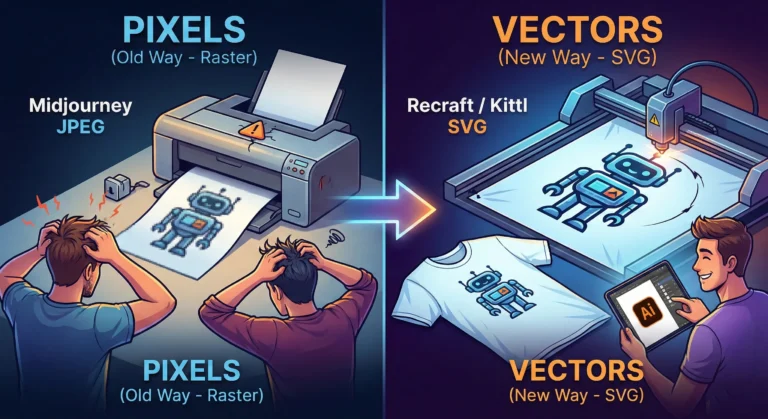
    The “Pixel” Trap

    Tools like Midjourney generate Raster images. They are made of colored dots (pixels). They are painted. If you zoom in, they get fuzzy. You cannot change the color of just the shirt without repainting the whole thing.

    Vectors (SVGs, EPS, AI files) are different. They are math equations. A line is defined by points A and B. Whether you print it on a business card or a billboard, the math stays the same. The line is always sharp.

    For years, AI was bad at vectors because “math” is harder for diffusion models than “painting.” But in 2026, the code has been cracked.

    The New Toolkit: Recraft & Kittl

    If you are still wrestling with raster images for logos, stop. Here are the tools that are actually making money right now.

    1. Recraft (The Heavy Hitter) Recraft isn’t just “Midjourney but different.” It is built from the ground up for designers. When you type “minimalist geometric lion logo,” it doesn’t give you a flat picture. It gives you layers.

    • Why it wins: You can export as SVG. You can open that file in Illustrator or Figma and actually edit the curves. You can change the brand colors in two clicks because the AI understands “color palettes,” not just “pixels.”

    2. Kittl (The POD Powerhouse) If you sell on Redbubble or Merch by Amazon, Kittl is your best friend. Their “AI Vector Generator” is tuned specifically for t-shirt complexity. It avoids those weird, wispy lines that screen printers hate. It creates clean, solid shapes that peel perfectly off a vinyl cutter.

    The “Editable” Advantage

    The biggest reason to switch isn’t just print quality—it’s editability.

    Imagine a client says, “I love the logo, but can you move the star to the left and make the font bold?”

    • With Midjourney: You have to re-roll the prompt and hope the random seed gives you something similar (it won’t).
    • With Vector AI: You just click the star and drag it to the left.

    The Bottom Line

    Stop selling JPEGs. In the freelance world of 2026, a “Logo Package” that includes a scalable SVG file is worth $500+. A JPEG is worth $50.

    The tools have evolved. Your workflow should too. Keep Midjourney for your mood boards and concept art, but when it’s time to build the actual product? Go vector.

  • ·

    Best AI Marketing Tools for Small Businesses to Automate Marketing and Grow Faster

    Marketing is one of the biggest challenges for small businesses. Entrepreneurs often need to manage content creation, advertising, social media, email campaigns, and analytics — often with limited time and resources.

    This is where AI marketing tools for small businesses are changing the game.

    Artificial intelligence can now automate many marketing tasks that previously required a full marketing team. AI tools can generate ad creatives, write marketing copy, schedule social media posts, analyze campaign performance, and optimize marketing strategies.

    For entrepreneurs, bloggers, freelancers, and online business owners, AI marketing tools provide a powerful advantage: better results with less effort.

    In this guide, we’ll explore the best AI marketing tools for small businesses that can help automate marketing workflows, improve campaign performance, and accelerate growth.


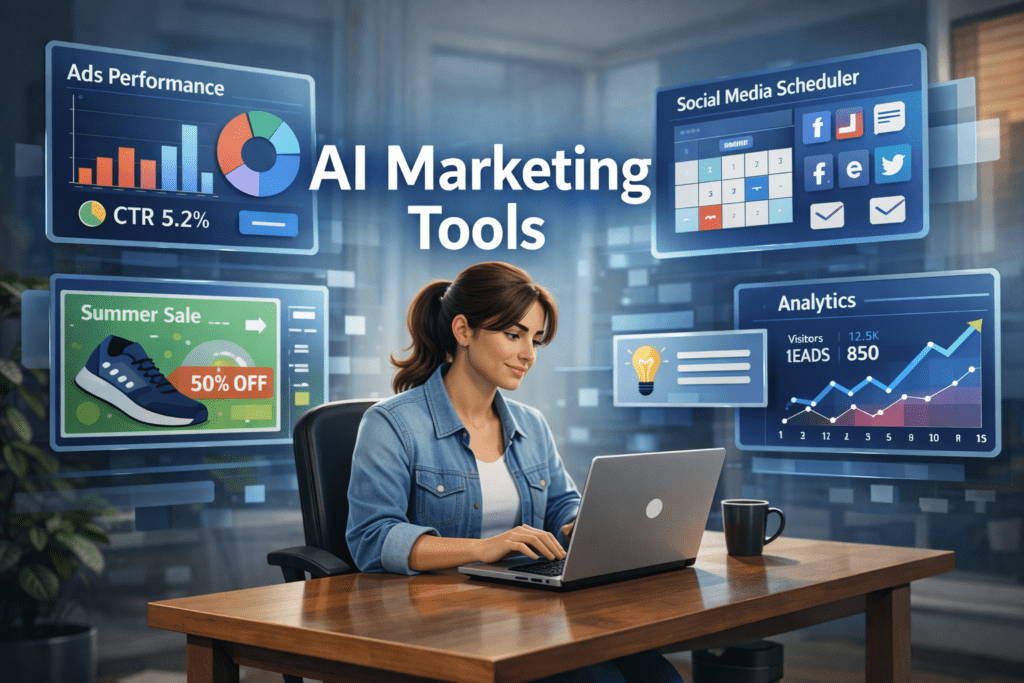
    A young entrepreneur working on a laptop while AI marketing dashboards display ad performance, social media scheduling, and analytics tools used by small businesses for marketing automation.
    A small business owner using AI marketing tools to manage ads, social media scheduling, and analytics from a single dashboard.

    Why AI Marketing Tools Matter for Small Businesses 🚀

    Small businesses often struggle with limited time, budget, and resources. AI tools help solve these challenges by automating key marketing activities.

    ⏳ Save Time

    AI tools automate repetitive tasks such as:

    • Writing marketing copy
    • Designing ad creatives
    • Scheduling social media posts
    • Generating blog content
    • Analyzing marketing data

    This allows entrepreneurs to focus on strategy and growth instead of repetitive work.


    💰 Reduce Marketing Costs

    Hiring a full marketing team can be expensive.

    AI tools allow small businesses to perform tasks that normally require:

    • Copywriters
    • Designers
    • Social media managers
    • Marketing analysts

    This significantly lowers marketing expenses.


    📊 Improve Marketing Performance

    AI tools analyze data quickly and suggest improvements like:

    • Better ad creatives
    • High-performing content ideas
    • Optimal posting schedules
    • Improved audience targeting

    These insights can help businesses achieve higher ROI from marketing campaigns.


    Quick Tool Summary ⚡

    Best Overall: AdCreative.ai
    Best Budget Option: Copy.ai
    Best for Social Media Marketing: Ocoya
    Best for Content Marketing: Jasper AI
    Best for Marketing Automation: HubSpot AI
    Best for SEO Content: Surfer SEO


    Best AI Marketing Tools for Small Businesses 🧠


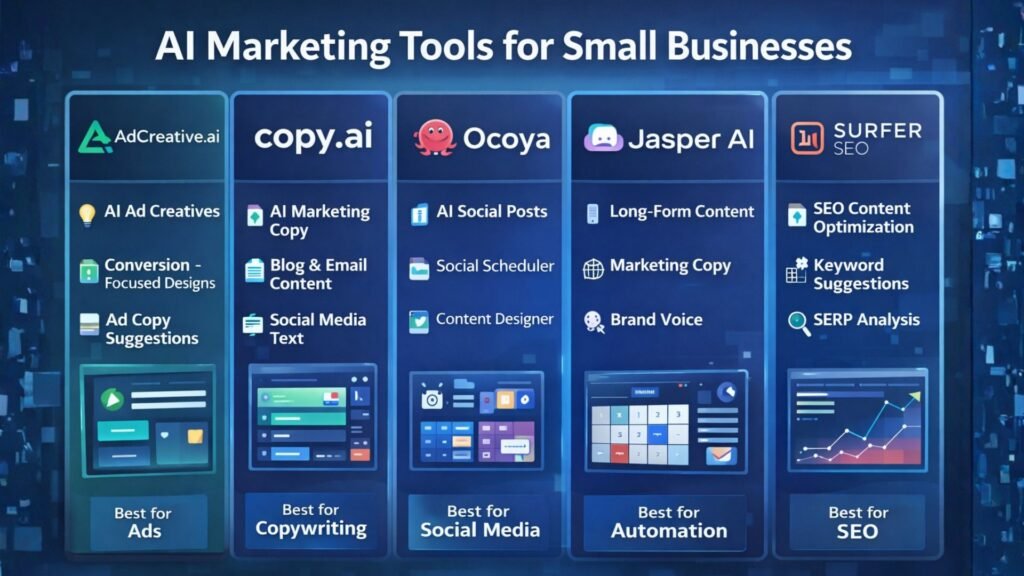
    Comparison infographic of AI marketing tools for small businesses highlighting features such as ad creation, AI copywriting, social media automation, content generation, and SEO optimization.
    Comparison infographic showing popular AI marketing tools like AdCreative.ai, Copy.ai, Ocoya, Jasper AI, and Surfer SEO for small business marketing.

    1. AdCreative.ai 🎯

    AdCreative.ai is one of the most powerful AI advertising tools designed to generate high-converting ad creatives automatically.

    Instead of manually designing ads, businesses can use AI to generate optimized ad visuals based on proven marketing data.

    Key Features

    • AI-generated ad creatives
    • Conversion-focused design suggestions
    • Ad copy generation
    • Creative scoring for performance
    • Integration with major ad platforms

    Pros

    ✔ Generates ads in seconds
    ✔ Optimized for advertising campaigns

    Cons

    ✖ Most useful for businesses running regular ads
    ✖ Requires some experimentation

    Best For

    Businesses running Facebook Ads, Google Ads, and display campaigns.

    Try AdCreative.ai here


    2. Copy.ai ✍️

    Copy.ai is a popular AI writing tool designed to generate marketing content quickly.

    The platform helps businesses create blog posts, product descriptions, ad copy, and email marketing content.

    Key Features

    • AI marketing copy generator
    • Blog writing tools
    • Email marketing templates
    • Social media caption generator
    • Content idea generation

    Pros

    ✔ Easy to use
    ✔ Fast content creation

    Cons

    ✖ AI output may require editing
    ✖ Limited customization

    Best For

    Entrepreneurs who need quick marketing copy and content ideas.

    Affiliate Call-To-Action

    Try Copy.ai here


    3. Ocoya 📱

    Ocoya is an AI-powered social media marketing platform that combines content creation, scheduling, and analytics.

    It helps businesses generate posts and automatically publish them across multiple social media platforms.

    Key Features

    • AI social media captions
    • Automated post scheduling
    • Graphic design tools
    • Social media analytics

    Pros

    ✔ Excellent for social media automation
    ✔ Multi-platform integrations

    Cons

    ✖ Analytics features are limited
    ✖ Advanced features require paid plans

    Best For

    Small businesses managing multiple social media platforms.

    Try Ocoya here


    4. Jasper AI 📝

    Jasper AI is one of the most advanced AI writing tools for marketing and content creation.

    It helps marketers generate blog posts, landing pages, and marketing campaigns.

    Key Features

    • Long-form AI writing
    • Marketing copy templates
    • AI brand voice customization
    • SEO-friendly content creation

    Pros

    ✔ High-quality AI writing
    ✔ Ideal for content marketing

    Cons

    ✖ Higher pricing
    ✖ Content may require editing

    Best For

    Bloggers and marketers focused on content-driven growth.

    Try Jasper AI here


    5. HubSpot AI 🤖

    HubSpot integrates AI into its marketing automation platform.

    The tool provides advanced features for email marketing, lead generation, CRM automation, and analytics.

    Key Features

    • AI email generation
    • Marketing automation workflows
    • CRM integration
    • Campaign analytics

    Pros

    ✔ Complete marketing ecosystem
    ✔ Powerful automation tools

    Cons

    ✖ Expensive for small startups
    ✖ Advanced features require premium plans

    Best For

    Businesses managing large marketing campaigns and sales funnels.


    6. Surfer SEO 🔎

    Surfer SEO helps businesses create SEO-optimized content that ranks on Google.

    The platform analyzes top-ranking pages and provides real-time optimization suggestions.

    Key Features

    • Content optimization
    • Keyword suggestions
    • SEO score tracking
    • SERP analysis

    Pros

    ✔ Excellent for SEO-driven content
    ✔ Data-backed recommendations

    Cons

    ✖ Requires some SEO knowledge
    ✖ Paid plans can be expensive

    Best For

    Bloggers and marketers focused on organic traffic growth.


    AI Marketing Tools Comparison Table 📊

    ToolBest ForKey FeaturePricing
    AdCreative.aiAdvertisingAI ad creativesPaid
    Copy.aiCopywritingAI marketing copyFreemium
    OcoyaSocial mediaAI schedulingPaid
    Jasper AIContent marketingLong-form writingPaid
    HubSpot AIAutomationCRM marketingPaid
    Surfer SEOSEO marketingContent optimizationPaid

    Practical Use Cases for AI Marketing Tools 💡

    AI marketing tools can transform how small businesses operate.

    Social Media Automation

    AI tools can:

    • Generate social media posts
    • Schedule content automatically
    • Analyze engagement performance

    Ad Campaign Creation

    AI can quickly generate:

    • Ad visuals
    • Ad headlines
    • Targeting suggestions

    Content Marketing

    AI tools can produce:

    • Blog posts
    • Email newsletters
    • Product descriptions
    • Website content

    Benefits and Limitations ⚖️

    Benefits

    ✔ Faster marketing execution
    ✔ Lower marketing costs
    ✔ Improved campaign performance
    ✔ Better marketing insights


    Limitations

    ✖ AI-generated content may need editing
    ✖ Over-automation can reduce brand personality
    ✖ Some tools require learning time


    Best AI Writing Tools for Bloggers in 2026: Tools That Actually Improve Content

    How to Get Started with AI Marketing Tools 🛠️

    If you’re new to AI marketing, follow this simple process.

    Step 1

    Choose one or two tools based on your marketing needs.

    Step 2

    Use AI to automate repetitive tasks such as content creation and social media scheduling.

    Step 3

    Monitor campaign performance using analytics.

    Step 4

    Expand your AI marketing stack as your business grows.


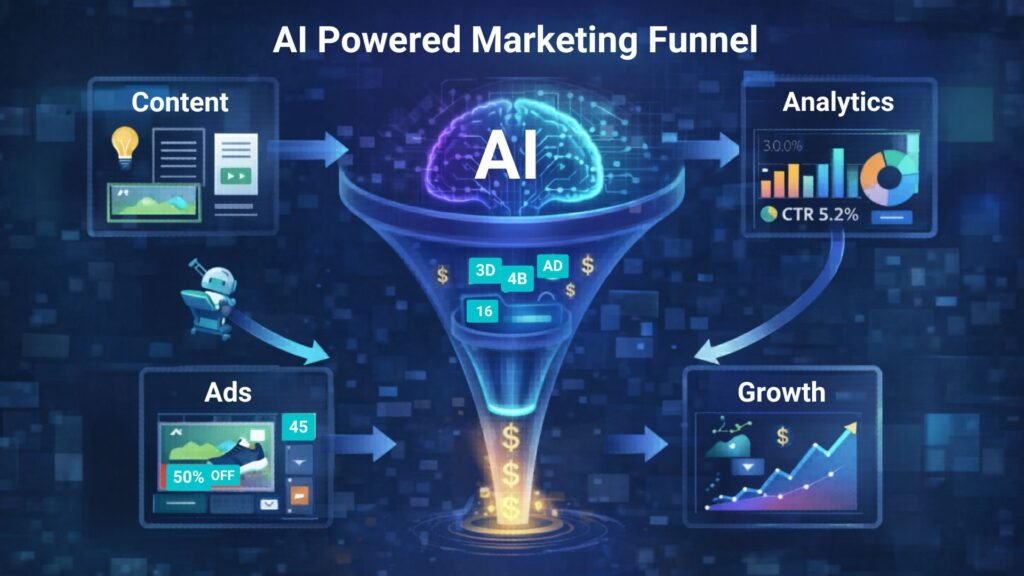
    AI-powered marketing funnel showing content creation, advertising campaigns, analytics tracking, and business growth automation.
    Illustration of an AI-powered marketing funnel showing how content, ads, analytics, and automation work together to drive business growth.

    Conclusion 🎯

    Artificial intelligence is transforming digital marketing, allowing small businesses to compete with larger brands.

    The best AI marketing tools for small businesses help automate content creation, advertising, and social media management while improving efficiency.

    Tools like AdCreative.ai, Copy.ai, and Ocoya allow entrepreneurs and marketers to scale their marketing efforts without large teams or huge budgets.

    By adopting AI marketing tools today, businesses can build smarter marketing strategies and unlock new growth opportunities.

  • ·

    Google Gemini Review 2026: Can It Really Beat ChatGPT?

    If you follow AI even a little bit, you’ve probably heard that Google Gemini is supposed to be the company’s big answer to ChatGPT. In this Google Gemini review, I’m focusing on how Gemini AI actually feels in day‑to‑day use in 2026, and whether it genuinely beats ChatGPT or just offers a different flavour of the same thing. This Gemini vs ChatGPT review is based on typical tasks: writing, research, coding, and general productivity for users in the US and UK.

    Setup and Interface: Gemini Feels Naturally Built Into Google

    The first obvious advantage Gemini has is integration. While ChatGPT mostly lives in its own web app (unless you use plugins or third‑party tools), Gemini is woven directly into Google products that people in the US and UK already use daily.

    In Gmail and Google Docs, Gemini can suggest replies, rewrite emails, draft blog posts, and summarise long text without leaving the page. On Android phones and Chromebooks, Gemini is increasingly replacing the old Google Assistant, so it feels like part of the operating system rather than an extra app.

    ChatGPT, on the other hand, still works best as something you open in a separate tab or app and copy‑paste from. For some people that’s fine, but if you live inside Google’s ecosystem, Gemini’s integration is a big practical win.

    Writing and Content Generation: ChatGPT Still Has the Edge for “Voice”

    For writing tasks, the gap between Gemini AI and ChatGPT is smaller than it used to be, but it hasn’t disappeared.

    Gemini is very good at structured writing: outlines, lists, how‑to guides, meeting notes and summaries. It tends to stay organised, on‑topic and fairly concise. If you need a clean first draft of a blog post, a product description, or a set of bullet points for a presentation, Gemini does the job without much drama.

    ChatGPT, especially in its latest versions, still feels a bit more “human” in tone. It’s better at storytelling, humour, and capturing a particular style of writing. When you ask for a conversational article or a creative angle, ChatGPT often sounds more natural and less like a corporate manual.

    So in this part of the Gemini vs ChatGPT review, the result is mixed: Gemini wins on structure and tight integration with Docs, while ChatGPT remains slightly stronger for voice and personality.

    Search, Facts and Live Information: Gemini Plays on Home Ground

    When it comes to live information, Gemini finally looks like the AI that Google promised. Because it sits directly on top of Google Search, it can pull in fresh results, link to sources, and show you where it found the information.

    For example, if you ask for “best AI tools for small businesses in the UK in 2026” or “latest changes in US student loan rules”, Gemini is usually quicker to ground its answer in current web pages. You can see links, visit the original sites, and dig deeper.

    ChatGPT has browsing modes and integrations, but they still feel like an extra layer bolted on top. Sometimes it browses, sometimes it doesn’t, and occasionally it hallucinates details more confidently than Gemini does.

    That doesn’t mean Gemini is perfect: it can still misread pages or over‑simplify complex topics. But for search‑style questions, especially those relevant to US and UK news, Gemini now feels more reliable more often.

    Coding and Technical Tasks: Close Competition, Slight Preference

    Both Gemini AI and ChatGPT are strong coding assistants in 2026, and for most everyday developers there is less difference than marketing suggests.

    Gemini is excellent when used with Google’s developer tools and cloud services. It can help generate code snippets, explain error messages, and suggest improvements in a fairly straightforward way. If you’re already in the Google Cloud world, that tight connection is useful.

    ChatGPT still has a slight edge in explaining code step‑by‑step and offering multiple versions of a solution. Many developers in the US and UK have already built their personal workflow around ChatGPT, and that familiarity matters.

    If you’re starting from scratch, you can comfortably pick either. If you’re deep into Google’s stack, Gemini will feel more natural. If you’ve been using ChatGPT for a year or more, there isn’t a strong reason to abandon it purely for coding.

    Privacy, Pricing and Value for Money

    On pricing, Gemini and ChatGPT both use a mix of free and paid tiers. Google’s free Gemini is competitive for casual users, and the paid versions are mainly attractive for heavy usage or business integrations.

    For many US and UK users, the real question is not just price but trust. Google has a long history of collecting user data, and some people are cautious about giving Gemini access to their documents and emails, even if it is technically necessary for the features to work. OpenAI has had its own controversies, but it still feels slightly more “separate” from your daily accounts.

    If you already rely heavily on Google Workspace, paying for Gemini’s advanced features can make sense: you are getting an AI layer across tools you’re already paying for. If you prefer to keep AI separate from your inbox and personal files, a standalone ChatGPT subscription may feel safer.

    In 2026, Google Gemini has finally become a serious rival instead of just a late response. It doesn’t completely replace ChatGPT, but for many US and UK users, especially those deep in Google’s ecosystem, it might quietly become the AI they reach for first.

    Final Verdict – Is Gemini Better Than ChatGPT in 2026?

    So, the big question of this Gemini vs ChatGPT review: is Google Gemini actually better?

    The honest answer is: it depends how you work.

    Gemini is best for:

    • People who live inside Google Search, Gmail, Docs and Android
    • Structured work: summaries, outlines, emails, reports and quick research
    • Users who want AI blended directly into their existing tools

    ChatGPT is still better for:

    • More creative writing, storytelling and conversational content
    • Users who like a single, central AI workspace separate from their other accounts
    • Developers and power users who already built habits and prompts around ChatGPT

    In 2026, Google Gemini has finally become a serious rival instead of just a late response. It doesn’t completely replace ChatGPT, but for many US and UK users, especially those deep in Google’s ecosystem, it might quietly become the AI they reach for first.