|

Beyond the Green Screen: Choosing the Best AI Video Generators for 2026

Beyond the Green Screen: Choosing the Best AI Video Generators for 2026

The statistics are undeniable: video dominates online engagement. But for years, creating high-quality video content has been a monumental task, demanding expensive equipment, skilled crew, and endless hours in the editing suite. This “production bottleneck” has traditionally kept many ambitious brands from fully leveraging video.

Enter AI Video Generators.

In 2026, these tools are no longer just novelties. They are rapidly evolving into powerful platforms that democratize video creation, allowing businesses—from bustling agencies in London to innovative startups in New York—to produce engaging content at unprecedented speed and scale.

But with a new tool emerging every week, how do you choose the right one? At AI Growth Gear, with our foundation in film production and aesthetic communication, we see AI video as more than just pressing a button; it’s about translating vision into compelling motion, with precision and soul.

Why AI Video is No Longer Optional

  • Speed to Market: Generate marketing videos, social clips, and product explainers in minutes, not days.
  • Cost Efficiency: Drastically reduce reliance on traditional production budgets, freeing up resources for strategy.
  • Scalability: Produce personalized video content for diverse audiences without increasing headcount.
  • Consistency: Maintain brand voice and visual style across all video assets through templating and AI assistance.

What to Look For: A Director’s Checklist for AI Video Generators

Not all AI video generators are created equal. Based on our extensive testing and understanding of professional production needs, here’s what to prioritize:

  1. Aesthetic Output (The Surbhi Chauhan Factor): This is paramount. Does the AI produce videos that look genuinely professional, or do they fall into the “uncanny valley” of robotic, overly polished, or bland visuals? Look for tools that allow granular control over style, lighting, and realistic character animation. Can it capture the texture of your brand?
  2. Ease of Use & Workflow Integration: A tool is only useful if it fits seamlessly into your existing operations. Is the interface intuitive? Can you upload scripts easily? Does it integrate with your content calendar or project management tools (like Notion or Zapier)?
  3. Customization & Brand Control: Can you upload your own brand assets (logos, fonts, color palettes)? Does it offer a range of customizable templates? The more control you have over the final output, the better it aligns with your brand identity.
  4. Voice & Lip-Sync Accuracy: If you’re using AI avatars or text-to-speech, pay close attention to the naturalness of the voice and the lip-sync quality. A robotic voice or mismatched lips can instantly break immersion and trust.
  5. Cost vs. Value: Free tools are tempting, but often come with limitations on quality, features, or branding. Evaluate subscription models based on the number of minutes, avatars, or advanced features you truly need. Calculate the ROI: how much time and money will it actually save you compared to traditional methods?
  6. Ethical Considerations & Rights: Understand the tool’s terms of service regarding content ownership and the ethical use of AI-generated faces or voices. Ensure you have the necessary rights for commercial use.

The Future is in Motion

AI video generators are not here to replace human creativity, but to augment it. They free up creatives to focus on strategic storytelling, conceptualization, and the subtle “director’s touch” that elevates content. By carefully selecting the right AI video gear, you can transform your content strategy, capture more attention, and truly scale your brand’s message.

Ready to bring your brand to life in motion? The right AI video partner is waiting.
Similar Posts

  • ·

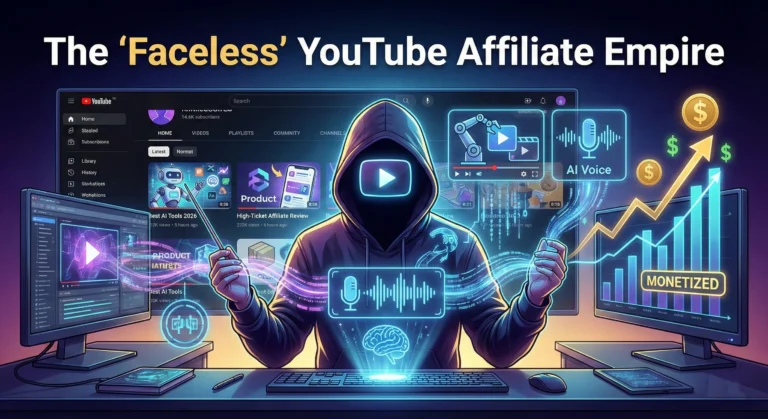
    The “Faceless” YouTube Affiliate Empire

    Let’s be honest. The thought of setting up a ring light, staring down a camera lens, and trying to act excessively energetic for ten minutes sounds exhausting to most of us.

    For years, the advice was: “If you want YouTube affiliate money, you have to be a personality.” You had to be the brand.

    In 2026, that advice is obsolete.

    We have entered the golden age of the “Faceless Channel.” These aren’t the janky, slideshow videos with robotic voices from five years ago. Today’s faceless channels use AI tools so sophisticated that viewers often don’t realize they are watching synthetic media. They are slick, professional, and incredibly profitable assets that run almost on autopilot.

    If you are an introverted solo-preneur looking for a high-leverage side hustle, this is your playbook.

    1. Stop Picking “Penny Niches”

    The biggest mistake beginners make is choosing niches with low payouts. Forget “Top 10 Amazon Kitchen Gadgets Under $20.” The margins are too thin to sustain a real business.

    In 2026, the faceless goldmine is in high-ticket digital products and services. You want niches where a single affiliate commission lands you $50 to $500.

    • B2B SaaS Reviews: Deep dives into CRM software, AI marketing tools, or project management platforms. Businesses spend big money here.
    • Financial Tech: Comparing premium credit cards, investment platforms, or crypto security devices.
    • High-End Education: Reviewing expensive certification courses or bootcamps.

    You need fewer views to make real money in these spaces. A channel with 5,000 targeted views on “Best Enterprise AI Sales Tools” will out-earn a channel with 100,000 views on “Funny Cat Toys.”

    2. The 2026 “Invisible Stack”

    The technology has matured. You no longer need to hire an editor or a voice actor to compete with the big channels. You just need to be a good director of AI agents.

    • The Brain (Scripting): Don’t just ask ChatGPT to “write a script.” Use models like Claude or Gemini Pro to analyze top-performing competitor videos and analyze their structure. Then, prompt the AI to write a script that focuses on information density—giving the viewer pure value without the fluff.
    • The Voice (Audio): The robotic monotone is dead. Tools like ElevenLabs or OpenAI’s Voice Engine now offer hyper-realistic voices with breath, inflection, and emotion. You can even clone your own voice once and never speak into a mic again.
    • The Visuals (Video): This is the game-changer of 2026. We have moved beyond simple stock footage mixing. New text-to-video models allow you to generate specific B-roll scenes, animate diagrams, or create slick motion graphics just by describing them.

    3. Bridging the “Trust Gap”

    Here is the catch: audiences in the US and UK are savvy. If your video feels too synthetic—like it was purely churned out by a machine with no human oversight—they will click away.

    The secret to a successful faceless empire is being a “Cyborg.” You use AI for the heavy lifting, but you inject undeniable human proof.

    If you are reviewing software, don’t just show generic stock footage of people typing. Use screen recording software to show the actual dashboard of the tool you are reviewing. Show the mouse moving. Show the actual results.

    The AI provides the polish; you provide the evidence.

    The Bottom Line

    The barrier to entry for YouTube has never been lower, but the bar for quality has never been higher. The winners won’t be the loudest personalities; they will be the smartest operators who know how to leverage AI to build digital real estate that earns money while they sleep.

  • Beyond the Hype: Our Top 5 AI Gear for Driving Growth in 2026

    Every week, it feels like a hundred new AI tools launch. The promises are grand, the demos are dazzling, but for the busy business owner, it’s just another layer of confusion. Which ones actually work? Which ones are built for growth, not just novelty?

    At AI Growth Gear, our philosophy is simple: Don’t chase every shiny object; invest in the right gears. With my background managing the fast-paced operations at Enoxx News, and Surbhi’s eye for seamless integration from NIFT and film, we don’t recommend a tool unless it truly elevates an existing workflow. We’ve put countless hours into testing, integrating, and often, breaking these tools so you don’t have to.

    So, as we navigate 2026, here are our top 5 battle-tested AI “Gears” that are truly driving growth for businesses in the US and UK.

    1. The Orchestrator: Zapier AI Agents (for Seamless Workflow Automation)

    Think of Zapier as the central nervous system of your digital operations. Now, imagine giving it a brain. Zapier AI Agents aren’t just about connecting apps; they’re about giving an AI an objective and letting it execute multi-step tasks across your entire tech stack.

    • Why it’s essential: Instead of manually moving data from your CRM to your email marketing, or updating your project management tool based on a customer query, an Agent handles it. It’s perfect for streamlining lead nurturing, customer onboarding, and even internal reporting. It truly embodies the “Agentic AI” we champion.

    2. The Visual Storyteller: RunwayML (for Dynamic Video & Visuals)

    The demand for video content is relentless. Traditional video production is slow and expensive. Enter RunwayML. While still evolving, its capabilities in generating short video clips from text, transforming existing footage, and even isolating elements are game-changing.

    • Why it’s essential: For brands needing to create quick, high-quality social media clips, product explainers, or animated graphics, RunwayML democratizes video creation. It allows you to maintain aesthetic quality without a full production team, resonating deeply with Surbhi’s visual-first approach.

    3. The Intelligent Copywriter: Claude 3 Opus (for High-Quality Content Creation)

    While ChatGPT got all the headlines, Claude 3 Opus (and its siblings Haiku and Sonnet) has quietly become our go-to for sophisticated long-form content and nuanced brand voice. Its ability to handle complex prompts and produce less “AI-sounding” text is remarkable.

    • Why it’s essential: From drafting compelling blog posts and email sequences to generating detailed market analyses, Claude 3 Opus consistently delivers. It helps maintain the “Aesthetic Automation” principle by producing copy that feels genuinely human and on-brand, freeing up your team for strategic refinement.

    4. The Knowledge Manager: Notion AI (for Organized Operations & Idea Generation)

    If your business lives in Notion (and many successful ones do), then Notion AI is a non-negotiable. It’s an integrated AI assistant that lives directly within your workspaces, databases, and documents.

    • Why it’s essential: Instantly summarize lengthy meeting notes, draft marketing copy based on project briefs, automate task generation, and even brainstorm content ideas directly within your existing knowledge base. It transforms Notion from a powerful workspace into an intelligent operational hub, drastically improving team productivity.

    5. The Data Whisperer: Google Gemini for Workspace (for Smart Insights & Efficiency)

    We live in our inboxes and spreadsheets. Google Gemini for Workspace integrates AI directly into Gmail, Docs, Sheets, and Slides. This means AI can draft emails, summarize lengthy document threads, analyze data in Sheets, and even create presentations with simple prompts.

    • Why it’s essential: It’s about leveraging the tools you already use daily. Gemini streamlines communication, automates data analysis, and assists with content creation right where you work. It’s subtle, powerful, and an absolute game-changer for internal efficiency and external communication, ensuring every interaction is precise and purposeful.

    Equip Your Growth

    Choosing the right AI “gear” isn’t about having the most tools; it’s about having the most effective ones. These five solutions, when integrated strategically, can transform your business from being trapped in the “Efficiency Trap” to being a nimble, growth-driven machine.

    Don’t just automate; orchestrate. Let’s equip your business with the intelligence it needs to thrive in 2026.

  • ·

    Best AI Marketing Tools for Small Businesses to Automate Marketing and Grow Faster

    Marketing is one of the biggest challenges for small businesses. Entrepreneurs often need to manage content creation, advertising, social media, email campaigns, and analytics — often with limited time and resources.

    This is where AI marketing tools for small businesses are changing the game.

    Artificial intelligence can now automate many marketing tasks that previously required a full marketing team. AI tools can generate ad creatives, write marketing copy, schedule social media posts, analyze campaign performance, and optimize marketing strategies.

    For entrepreneurs, bloggers, freelancers, and online business owners, AI marketing tools provide a powerful advantage: better results with less effort.

    In this guide, we’ll explore the best AI marketing tools for small businesses that can help automate marketing workflows, improve campaign performance, and accelerate growth.


    A young entrepreneur working on a laptop while AI marketing dashboards display ad performance, social media scheduling, and analytics tools used by small businesses for marketing automation.
    A small business owner using AI marketing tools to manage ads, social media scheduling, and analytics from a single dashboard.

    Why AI Marketing Tools Matter for Small Businesses 🚀

    Small businesses often struggle with limited time, budget, and resources. AI tools help solve these challenges by automating key marketing activities.

    ⏳ Save Time

    AI tools automate repetitive tasks such as:

    • Writing marketing copy
    • Designing ad creatives
    • Scheduling social media posts
    • Generating blog content
    • Analyzing marketing data

    This allows entrepreneurs to focus on strategy and growth instead of repetitive work.


    💰 Reduce Marketing Costs

    Hiring a full marketing team can be expensive.

    AI tools allow small businesses to perform tasks that normally require:

    • Copywriters
    • Designers
    • Social media managers
    • Marketing analysts

    This significantly lowers marketing expenses.


    📊 Improve Marketing Performance

    AI tools analyze data quickly and suggest improvements like:

    • Better ad creatives
    • High-performing content ideas
    • Optimal posting schedules
    • Improved audience targeting

    These insights can help businesses achieve higher ROI from marketing campaigns.


    Quick Tool Summary ⚡

    Best Overall: AdCreative.ai
    Best Budget Option: Copy.ai
    Best for Social Media Marketing: Ocoya
    Best for Content Marketing: Jasper AI
    Best for Marketing Automation: HubSpot AI
    Best for SEO Content: Surfer SEO


    Best AI Marketing Tools for Small Businesses 🧠


    Comparison infographic of AI marketing tools for small businesses highlighting features such as ad creation, AI copywriting, social media automation, content generation, and SEO optimization.
    Comparison infographic showing popular AI marketing tools like AdCreative.ai, Copy.ai, Ocoya, Jasper AI, and Surfer SEO for small business marketing.

    1. AdCreative.ai 🎯

    AdCreative.ai is one of the most powerful AI advertising tools designed to generate high-converting ad creatives automatically.

    Instead of manually designing ads, businesses can use AI to generate optimized ad visuals based on proven marketing data.

    Key Features

    • AI-generated ad creatives
    • Conversion-focused design suggestions
    • Ad copy generation
    • Creative scoring for performance
    • Integration with major ad platforms

    Pros

    ✔ Generates ads in seconds
    ✔ Optimized for advertising campaigns

    Cons

    ✖ Most useful for businesses running regular ads
    ✖ Requires some experimentation

    Best For

    Businesses running Facebook Ads, Google Ads, and display campaigns.

    Try AdCreative.ai here


    2. Copy.ai ✍️

    Copy.ai is a popular AI writing tool designed to generate marketing content quickly.

    The platform helps businesses create blog posts, product descriptions, ad copy, and email marketing content.

    Key Features

    • AI marketing copy generator
    • Blog writing tools
    • Email marketing templates
    • Social media caption generator
    • Content idea generation

    Pros

    ✔ Easy to use
    ✔ Fast content creation

    Cons

    ✖ AI output may require editing
    ✖ Limited customization

    Best For

    Entrepreneurs who need quick marketing copy and content ideas.

    Affiliate Call-To-Action

    Try Copy.ai here


    3. Ocoya 📱

    Ocoya is an AI-powered social media marketing platform that combines content creation, scheduling, and analytics.

    It helps businesses generate posts and automatically publish them across multiple social media platforms.

    Key Features

    • AI social media captions
    • Automated post scheduling
    • Graphic design tools
    • Social media analytics

    Pros

    ✔ Excellent for social media automation
    ✔ Multi-platform integrations

    Cons

    ✖ Analytics features are limited
    ✖ Advanced features require paid plans

    Best For

    Small businesses managing multiple social media platforms.

    Try Ocoya here


    4. Jasper AI 📝

    Jasper AI is one of the most advanced AI writing tools for marketing and content creation.

    It helps marketers generate blog posts, landing pages, and marketing campaigns.

    Key Features

    • Long-form AI writing
    • Marketing copy templates
    • AI brand voice customization
    • SEO-friendly content creation

    Pros

    ✔ High-quality AI writing
    ✔ Ideal for content marketing

    Cons

    ✖ Higher pricing
    ✖ Content may require editing

    Best For

    Bloggers and marketers focused on content-driven growth.

    Try Jasper AI here


    5. HubSpot AI 🤖

    HubSpot integrates AI into its marketing automation platform.

    The tool provides advanced features for email marketing, lead generation, CRM automation, and analytics.

    Key Features

    • AI email generation
    • Marketing automation workflows
    • CRM integration
    • Campaign analytics

    Pros

    ✔ Complete marketing ecosystem
    ✔ Powerful automation tools

    Cons

    ✖ Expensive for small startups
    ✖ Advanced features require premium plans

    Best For

    Businesses managing large marketing campaigns and sales funnels.


    6. Surfer SEO 🔎

    Surfer SEO helps businesses create SEO-optimized content that ranks on Google.

    The platform analyzes top-ranking pages and provides real-time optimization suggestions.

    Key Features

    • Content optimization
    • Keyword suggestions
    • SEO score tracking
    • SERP analysis

    Pros

    ✔ Excellent for SEO-driven content
    ✔ Data-backed recommendations

    Cons

    ✖ Requires some SEO knowledge
    ✖ Paid plans can be expensive

    Best For

    Bloggers and marketers focused on organic traffic growth.


    AI Marketing Tools Comparison Table 📊

    ToolBest ForKey FeaturePricing
    AdCreative.aiAdvertisingAI ad creativesPaid
    Copy.aiCopywritingAI marketing copyFreemium
    OcoyaSocial mediaAI schedulingPaid
    Jasper AIContent marketingLong-form writingPaid
    HubSpot AIAutomationCRM marketingPaid
    Surfer SEOSEO marketingContent optimizationPaid

    Practical Use Cases for AI Marketing Tools 💡

    AI marketing tools can transform how small businesses operate.

    Social Media Automation

    AI tools can:

    • Generate social media posts
    • Schedule content automatically
    • Analyze engagement performance

    Ad Campaign Creation

    AI can quickly generate:

    • Ad visuals
    • Ad headlines
    • Targeting suggestions

    Content Marketing

    AI tools can produce:

    • Blog posts
    • Email newsletters
    • Product descriptions
    • Website content

    Benefits and Limitations ⚖️

    Benefits

    ✔ Faster marketing execution
    ✔ Lower marketing costs
    ✔ Improved campaign performance
    ✔ Better marketing insights


    Limitations

    ✖ AI-generated content may need editing
    ✖ Over-automation can reduce brand personality
    ✖ Some tools require learning time


    Best AI Writing Tools for Bloggers in 2026: Tools That Actually Improve Content

    How to Get Started with AI Marketing Tools 🛠️

    If you’re new to AI marketing, follow this simple process.

    Step 1

    Choose one or two tools based on your marketing needs.

    Step 2

    Use AI to automate repetitive tasks such as content creation and social media scheduling.

    Step 3

    Monitor campaign performance using analytics.

    Step 4

    Expand your AI marketing stack as your business grows.


    AI-powered marketing funnel showing content creation, advertising campaigns, analytics tracking, and business growth automation.
    Illustration of an AI-powered marketing funnel showing how content, ads, analytics, and automation work together to drive business growth.

    Conclusion 🎯

    Artificial intelligence is transforming digital marketing, allowing small businesses to compete with larger brands.

    The best AI marketing tools for small businesses help automate content creation, advertising, and social media management while improving efficiency.

    Tools like AdCreative.ai, Copy.ai, and Ocoya allow entrepreneurs and marketers to scale their marketing efforts without large teams or huge budgets.

    By adopting AI marketing tools today, businesses can build smarter marketing strategies and unlock new growth opportunities.

  • ·

    ChatGPT vs. Claude vs. Jasper: Which AI Writing Assistant Actually Rules in 2026?

    Let’s be honest. Back in 2023, we were all just happy the magic trick worked. You typed a prompt, and a robot wrote a poem. Mind blown.

    But we are in 2026 now. The novelty has worn off. Now, we just need the work done.

    My team and I have spent the last month putting the internet’s three heavyweights into the ring: ChatGPT (OpenAI), Claude (Anthropic), and Jasper.

    If you are confused about where to spend your monthly subscription budget this year, this battle post is for you. We tested them on marketing copy, creative nuance, and the ultimate test: Does it sound like a human?

    The Contenders

    1. ChatGPT (The Swiss Army Knife): With the GPT-5 / 4o updates, this isn’t just a chatbot anymore. It’s an ecosystem. It sees, it hears, it codes. But can it write a blog post without sounding like a corporate press release?
    2. Claude (The Writer’s Muse): Anthropic’s model (specifically Claude 3.5 Sonnet & Opus) has quietly become the cult favorite among professional writers in New York and London. The claim? It understands “nuance” better than anyone.
    3. Jasper (The Marketing Machine): Jasper stopped trying to be a “chatbot” years ago. In 2026, it’s a full-blown enterprise marketing platform. It doesn’t just write; it manages brands.

    Round 1: The “Human” Test (Writing Quality)

    The Challenge: Who writes text that doesn’t make readers roll their eyes and say, “AI wrote this”?

    ChatGPT: Look, GPT-4o is incredibly smart. It’s a genius. But it writes like a genius who is trying too hard to impress his boss. It loves words like “unleash,” “digital landscape,” and “delve.” It plays it safe. If you ask it for a LinkedIn post, you get a generic, emoji-filled wall of text that screams “AI.” It’s unbeatable for brainstorming, but for a final draft? It usually needs a heavy human edit.

    Claude: This is where Claude steals the show. The ‘Sonnet’ model understands rhythm. It varies sentence length. It uses metaphors that actually make sense. Most importantly, it doesn’t sound like it swallowed a thesaurus. If you are writing long-form blogs, newsletters, or even fiction, Claude’s flow is significantly more natural than ChatGPT. It feels like a creative partner, not a text generator.

    Jasper: Jasper isn’t trying to be Shakespeare; it’s trying to be your Brand Manager. It might not have the soulful prose of Claude, but its “Brand Voice” feature is elite. If your brand tone is “witty and punchy,” Jasper locks onto that and never lets go. ChatGPT often drifts back into “robot mode” after a few paragraphs; Jasper stays in character.

    🏆 Winner: Claude (For pure writing quality)


    Round 2: The “Workflow” Test (Features & Utility)

    ChatGPT: Its superpower is Multimodality. You’re writing an article and need a custom image? DALL-E generates it instantly. Need to analyze a CSV file for data to put in that article? It does that too. With ‘Custom GPTs’, you can build mini-tools for specific tasks. It is the ultimate “Generalist.”

    Claude: Two words: Artifacts and Projects. Claude’s ‘Projects’ feature is a game-changer for writers. You can upload your entire library of previous work, style guides, and research papers into a “Project.” Claude then writes from that knowledge base without you needing to re-upload files every chat. It remembers context better than any other tool right now.

    Jasper: If you run a team, Jasper is the winner. In 2026, their “AI Agents” are impressive. You don’t just ask it to write a blog; you tell it to “Create a Campaign.” It writes the blog, turns that blog into five social posts, writes the email newsletter to promote it, and creates the Google Ad copy—all in one workflow. It’s not just an editor; it’s a Project Manager.

    🏆 Winner: Jasper (For Teams/Agencies) / ChatGPT (For Multitasking)


    Round 3: The “Value” Test (Bang for Your Buck)

    • ChatGPT Plus ($20/mo): You get image generation, web browsing, data analysis, and voice mode. It’s the best value if you want one tool that does a little bit of everything.
    • Claude Pro ($20/mo): If you are strictly a writer or coder, this is the best money you can spend. But remember, no image generation.
    • Jasper (Starts ~$39-49/mo): It’s pricey. For a solo freelancer, it might be overkill unless you are churning out massive amounts of client work. But for a marketing agency? It pays for itself in one day.

    The Verdict: What Should You Buy in 2026?

    Here is my no-nonsense take:

    1. You are a Solopreneur / Blogger / Novelist: 👉 Get Claude. The writing is simply better. You will spend less time editing and more time creating.
    2. You are a “Jack of All Trades” (You code, design, and write): 👉 Stick with ChatGPT. It is the Swiss Army Knife you need in your pocket.
    3. You run a Marketing Agency or Business Team: 👉 Invest in Jasper. The Brand Voice control and collaborative workflows will save your team hundreds of hours. It’s not a tool; it’s a teammate.

    So, which corner of the ring are you in? Are you Team Human (Claude) or Team Powerhouse (ChatGPT)? Let me know in the comments below.

  • ·

    Build Premium AI Client Portals Without Code

    If you are running a high-end consulting firm or a boutique agency targeting clients in the US and UK, your deliverables are top-tier. But how are you delivering them?

    If you are still relying on scattered email chains, password-protected zip files, and messy shared spreadsheets to manage a five-figure retainer client, you have a perception problem. In the premium B2B space, the experience of working with you is just as important as the results.

    The modern solution is a dedicated, white-labeled client portal. It’s the difference between looking like a freelancer and looking like an enterprise infrastructure.

    Traditionally, building a secure, custom portal required expensive CRM development and dedicated engineering. Today, no-code AI builders have democratized this process. You can now build sophisticated client management software that not only displays data but uses AI to make that data actionable for your clients.

    Here are the top no-code tools to build high-value client portals in 2026.

    Softr: The Fastest Path from Database to Dashboard

    Softr has cornered the market on speed and ease of use, especially if your agency already operates out of Airtable or Google Sheets. It turns those static databases into secure, beautiful web apps in minutes.

    • The Agency Play: Use Softr to build a transparent project tracker. Instead of weekly status calls, give clients a login where they can see real-time progress. Where Softr shines now is its native AI integration. You can use it to automatically generate executive summaries of project status reports within the portal, saving your project managers hours of writing while giving the C-suite client a quick, digestible update.

    Stacker: Deep Permissions for Sensitive Data

    When dealing with larger corporate clients, security and granular permissions are paramount. Stacker excels at taking complex, messy datasets (from sources like Salesforce or complex Airtable bases) and turning them into clean, restricted client views.

    • The Agency Play: If you are a financial consultant or handling sensitive marketing data, you can’t show every client the whole database. Stacker allows you to build one master app where Client A only sees Client A’s data, and Client B only sees Client B’s. You can build a sophisticated, secure B2B portal that looks like a million-dollar custom build, ensuring absolute data privacy while providing high-level visibility.

    Noloco: The Premium White-Label Experience

    For boutique agencies where branding is everything, Noloco offers perhaps the most polished, high-end feel right out of the box. It is designed specifically for building client-facing apps and internal tools that look completely bespoke.

    • The Agency Play: Noloco is ideal for high-ticket creative or strategic agencies. You can fully remove any trace of the builder’s branding, use your own domain, and deeply customize the UI to match your firm’s aesthetic. You can build portals where clients approve creative assets, view AI-generated performance forecasts, and access contract documents in an environment that feels intensely premium and professional.

    Glide: The Mobile-First Action Portal

    Sometimes your clients aren’t at a desk; they are in the field. Glide (which we also love for micro-SaaS) is phenomenal for building mobile-optimized portals that turn data into action.

    • The Agency Play: Imagine you run a property management consulting firm. You can build a Glide portal for your investors that sits on their phone home screen. They can view property performance data and, crucially, use Glide’s AI columns to instantly interact with that data—for example, snapping a photo of a maintenance issue and having Glide’s AI instantly categorize it and draft a work order for approval. It turns a passive report into an active tool.

    The Bottom Line

    A client portal is no longer just a nice-to-have utility; it is a core piece of agency infrastructure. By using platforms like Softr, Stacker, Noloco, and Glide, you are not just organizing files—you are providing a sophisticated software experience that cements client retention and justifies premium retainer fees.

  • ·

    Stop Using Midjourney for Logos: The Vector Revolution

    Look, we have all been there.

    You spend two hours perfecting a prompt in Midjourney. You finally get that perfect, minimalist mascot for a client or a new sticker design for your Etsy shop. It looks crisp on your iPhone. It looks stunning on Discord.

    Then you send it to the printer.

    And the email comes back: “Sorry, this is 72 DPI. Do you have the vector file? When we blow this up for the banner, it looks like a Minecraft screenshot.”

    Panic sets in. You try to use an “AI upscaler,” but it just makes the lines look weird and wobbly. You try to “Image Trace” it in Illustrator, and suddenly your clean lines turn into a jagged mess of a thousand anchor points.

    Here is the hard truth for 2026: Midjourney and DALL-E are for art. They are not for assets.

    If you are a solo entrepreneur, a Print-on-Demand (POD) seller, or a freelancer, you need to stop thinking in pixels and start thinking in math. You need to join the Vector Revolution.

    The “Pixel” Trap

    Tools like Midjourney generate Raster images. They are made of colored dots (pixels). They are painted. If you zoom in, they get fuzzy. You cannot change the color of just the shirt without repainting the whole thing.

    Vectors (SVGs, EPS, AI files) are different. They are math equations. A line is defined by points A and B. Whether you print it on a business card or a billboard, the math stays the same. The line is always sharp.

    For years, AI was bad at vectors because “math” is harder for diffusion models than “painting.” But in 2026, the code has been cracked.

    The New Toolkit: Recraft & Kittl

    If you are still wrestling with raster images for logos, stop. Here are the tools that are actually making money right now.

    1. Recraft (The Heavy Hitter) Recraft isn’t just “Midjourney but different.” It is built from the ground up for designers. When you type “minimalist geometric lion logo,” it doesn’t give you a flat picture. It gives you layers.

    • Why it wins: You can export as SVG. You can open that file in Illustrator or Figma and actually edit the curves. You can change the brand colors in two clicks because the AI understands “color palettes,” not just “pixels.”

    2. Kittl (The POD Powerhouse) If you sell on Redbubble or Merch by Amazon, Kittl is your best friend. Their “AI Vector Generator” is tuned specifically for t-shirt complexity. It avoids those weird, wispy lines that screen printers hate. It creates clean, solid shapes that peel perfectly off a vinyl cutter.

    The “Editable” Advantage

    The biggest reason to switch isn’t just print quality—it’s editability.

    Imagine a client says, “I love the logo, but can you move the star to the left and make the font bold?”

    • With Midjourney: You have to re-roll the prompt and hope the random seed gives you something similar (it won’t).
    • With Vector AI: You just click the star and drag it to the left.

    The Bottom Line

    Stop selling JPEGs. In the freelance world of 2026, a “Logo Package” that includes a scalable SVG file is worth $500+. A JPEG is worth $50.

    The tools have evolved. Your workflow should too. Keep Midjourney for your mood boards and concept art, but when it’s time to build the actual product? Go vector.