Author: Surbhi Chauhan

Surbhi Chauhan is a media entrepreneur and operations strategist specializing in AI tools, automation, and digital publishing systems. She is the founder of AI Growth Gear and the Co-founder and Operations Head of Enoxx News. With a background in Fashion Communication from the National Institute of Fashion Technology (NIFT) and experience in film production as an Assistant Director and Writer, she brings a multidisciplinary perspective to emerging technologies and digital media workflows. Full Details : https://aigrowthgear.com/about-surbhi-chauhan/
  • ·

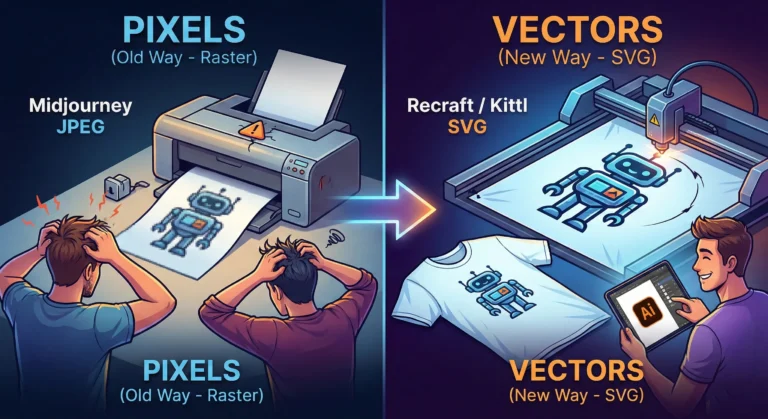
    Stop Using Midjourney for Logos: The Vector Revolution

    Look, we have all been there.

    You spend two hours perfecting a prompt in Midjourney. You finally get that perfect, minimalist mascot for a client or a new sticker design for your Etsy shop. It looks crisp on your iPhone. It looks stunning on Discord.

    Then you send it to the printer.

    And the email comes back: “Sorry, this is 72 DPI. Do you have the vector file? When we blow this up for the banner, it looks like a Minecraft screenshot.”

    Panic sets in. You try to use an “AI upscaler,” but it just makes the lines look weird and wobbly. You try to “Image Trace” it in Illustrator, and suddenly your clean lines turn into a jagged mess of a thousand anchor points.

    Here is the hard truth for 2026: Midjourney and DALL-E are for art. They are not for assets.

    If you are a solo entrepreneur, a Print-on-Demand (POD) seller, or a freelancer, you need to stop thinking in pixels and start thinking in math. You need to join the Vector Revolution.

    The “Pixel” Trap

    Tools like Midjourney generate Raster images. They are made of colored dots (pixels). They are painted. If you zoom in, they get fuzzy. You cannot change the color of just the shirt without repainting the whole thing.

    Vectors (SVGs, EPS, AI files) are different. They are math equations. A line is defined by points A and B. Whether you print it on a business card or a billboard, the math stays the same. The line is always sharp.

    For years, AI was bad at vectors because “math” is harder for diffusion models than “painting.” But in 2026, the code has been cracked.

    The New Toolkit: Recraft & Kittl

    If you are still wrestling with raster images for logos, stop. Here are the tools that are actually making money right now.

    1. Recraft (The Heavy Hitter) Recraft isn’t just “Midjourney but different.” It is built from the ground up for designers. When you type “minimalist geometric lion logo,” it doesn’t give you a flat picture. It gives you layers.

    • Why it wins: You can export as SVG. You can open that file in Illustrator or Figma and actually edit the curves. You can change the brand colors in two clicks because the AI understands “color palettes,” not just “pixels.”

    2. Kittl (The POD Powerhouse) If you sell on Redbubble or Merch by Amazon, Kittl is your best friend. Their “AI Vector Generator” is tuned specifically for t-shirt complexity. It avoids those weird, wispy lines that screen printers hate. It creates clean, solid shapes that peel perfectly off a vinyl cutter.

    The “Editable” Advantage

    The biggest reason to switch isn’t just print quality—it’s editability.

    Imagine a client says, “I love the logo, but can you move the star to the left and make the font bold?”

    • With Midjourney: You have to re-roll the prompt and hope the random seed gives you something similar (it won’t).
    • With Vector AI: You just click the star and drag it to the left.

    The Bottom Line

    Stop selling JPEGs. In the freelance world of 2026, a “Logo Package” that includes a scalable SVG file is worth $500+. A JPEG is worth $50.

    The tools have evolved. Your workflow should too. Keep Midjourney for your mood boards and concept art, but when it’s time to build the actual product? Go vector.

  • ·

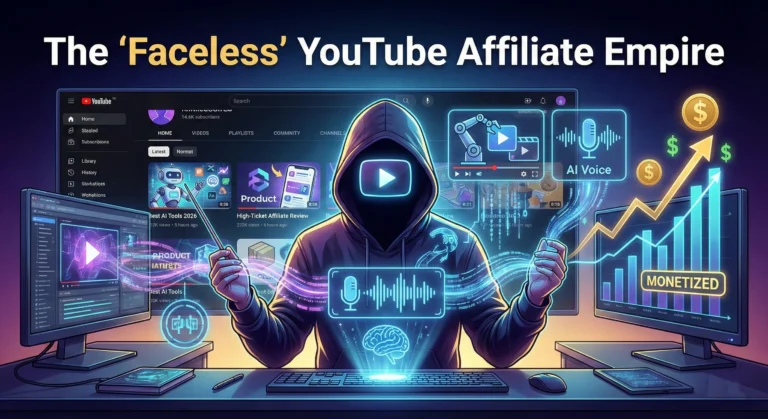
    The “Faceless” YouTube Affiliate Empire

    Let’s be honest. The thought of setting up a ring light, staring down a camera lens, and trying to act excessively energetic for ten minutes sounds exhausting to most of us.

    For years, the advice was: “If you want YouTube affiliate money, you have to be a personality.” You had to be the brand.

    In 2026, that advice is obsolete.

    We have entered the golden age of the “Faceless Channel.” These aren’t the janky, slideshow videos with robotic voices from five years ago. Today’s faceless channels use AI tools so sophisticated that viewers often don’t realize they are watching synthetic media. They are slick, professional, and incredibly profitable assets that run almost on autopilot.

    If you are an introverted solo-preneur looking for a high-leverage side hustle, this is your playbook.

    1. Stop Picking “Penny Niches”

    The biggest mistake beginners make is choosing niches with low payouts. Forget “Top 10 Amazon Kitchen Gadgets Under $20.” The margins are too thin to sustain a real business.

    In 2026, the faceless goldmine is in high-ticket digital products and services. You want niches where a single affiliate commission lands you $50 to $500.

    • B2B SaaS Reviews: Deep dives into CRM software, AI marketing tools, or project management platforms. Businesses spend big money here.
    • Financial Tech: Comparing premium credit cards, investment platforms, or crypto security devices.
    • High-End Education: Reviewing expensive certification courses or bootcamps.

    You need fewer views to make real money in these spaces. A channel with 5,000 targeted views on “Best Enterprise AI Sales Tools” will out-earn a channel with 100,000 views on “Funny Cat Toys.”

    2. The 2026 “Invisible Stack”

    The technology has matured. You no longer need to hire an editor or a voice actor to compete with the big channels. You just need to be a good director of AI agents.

    • The Brain (Scripting): Don’t just ask ChatGPT to “write a script.” Use models like Claude or Gemini Pro to analyze top-performing competitor videos and analyze their structure. Then, prompt the AI to write a script that focuses on information density—giving the viewer pure value without the fluff.
    • The Voice (Audio): The robotic monotone is dead. Tools like ElevenLabs or OpenAI’s Voice Engine now offer hyper-realistic voices with breath, inflection, and emotion. You can even clone your own voice once and never speak into a mic again.
    • The Visuals (Video): This is the game-changer of 2026. We have moved beyond simple stock footage mixing. New text-to-video models allow you to generate specific B-roll scenes, animate diagrams, or create slick motion graphics just by describing them.

    3. Bridging the “Trust Gap”

    Here is the catch: audiences in the US and UK are savvy. If your video feels too synthetic—like it was purely churned out by a machine with no human oversight—they will click away.

    The secret to a successful faceless empire is being a “Cyborg.” You use AI for the heavy lifting, but you inject undeniable human proof.

    If you are reviewing software, don’t just show generic stock footage of people typing. Use screen recording software to show the actual dashboard of the tool you are reviewing. Show the mouse moving. Show the actual results.

    The AI provides the polish; you provide the evidence.

    The Bottom Line

    The barrier to entry for YouTube has never been lower, but the bar for quality has never been higher. The winners won’t be the loudest personalities; they will be the smartest operators who know how to leverage AI to build digital real estate that earns money while they sleep.

  • ·

    Agentic SEO: How to Get AI to Recommend Your Affiliate Links

    Let’s be real for a second: when was the last time you scrolled past the AI summary to click on a random blog link?

    If you’re like most users in 2026, the answer is “rarely.”

    For solo entrepreneurs and affiliate marketers, this is terrifying. We spent years worshiping the Google algorithm, learning to structure our H1s and stuff keywords into alt tags. But the game has changed. We aren’t just optimizing for a search engine anymore; we are optimizing for agents—AI models like Gemini, ChatGPT, and Claude that don’t just give users a list of options, but give them an answer.

    This is Agentic SEO (sometimes called GEO or AEO). And if you want your affiliate links to survive, you need to stop writing for clicks and start writing for citations.

    Here is the straightforward, no-fluff guide on how to get AI agents to recommend your products.

    1. The “Answer Capsule” Strategy

    AI models are impatient readers. When they scan your content, they are looking for a direct, factual answer to a specific question. If you bury your affiliate recommendation in paragraph four after a long-winded intro about “the history of running shoes,” the AI will ignore you.

    You need to use Answer Capsules.

    This is a specific formatting trick where you place a direct, 40-60 word answer immediately after an H2 question.

    • Bad: There are many factors to consider when buying a microphone…
    • Good: The best budget microphone for podcasting in 2026 is the Rode PodMic. It offers broadcast-quality sound for under $100 and rejects background noise better than the Blue Yeti.

    By front-loading the facts, you make it easy for the AI to “grab” that snippet and serve it to the user—usually with a citation link back to your site.

    2. Data is the New Keyword

    In the old days, we competed on keyword density. Today, we compete on Information Gain.

    LLMs (Large Language Models) are trained to prioritize unique data. If your review of a software tool just rewrites the features list from the company’s homepage, the AI has no reason to cite you. It already knows that info.

    To win, you need to create new data points that the AI doesn’t have.

    • Don’t just say “The battery lasts a long time.”
    • Say: “In our stress test, the battery lasted 14 hours and 12 minutes.”

    When you provide specific, hard numbers, AI agents flag your content as a primary source. This dramatically increases the chance that when a user asks, “Which laptop has the best validated battery life?”, the AI will pull your stat and your link.

    3. The “Reddit” Factor

    Here is a weird twist: to rank your website, you might need to spend more time off of it.

    AI models like Perplexity and Google’s Gemini rely heavily on “human consensus” to verify facts. They look at platforms like Reddit, Quora, and G2 to see what actual humans are saying.

    If you are a solo affiliate, you can’t just be a ghost. You need to build a brand “entity.” If people on Reddit are discussing your blog post as a good resource, or if you are mentioned in forum discussions as a trustworthy reviewer, the AI picks up on that signal. It treats your site as a verified authority.

    The Action Step: Don’t just spam links. Engage in communities. Be the expert who answers questions. When the AI sees your brand name associated with “helpful answers” across the web, it starts trusting your site’s content too.

    4. Structure for Machines (Schema is King)

    Finally, you have to speak the robot’s language. In 2026, “Schema Markup” isn’t optional technical mumbo-jumbo; it’s mandatory.

    You need to use JSON-LD schema to explicitly tell the AI what your page is about. Are you reviewing a product? Use Product schema. Are you writing a tutorial? Use HowTo schema.

    This gives the AI a structured map of your content, making it effortless for it to extract your price comparisons, pros/cons, and ratings. The easier you make it for the AI to understand your data, the more likely it is to use it.

    The Bottom Line

    The “generic” affiliate site is dead. The “AI-Recommended” expert is the new king. Stop writing generic fluff and start building a library of hard data, direct answers, and structured facts. That is how you win the trust of the machines—and the clicks of the humans.

  • ·

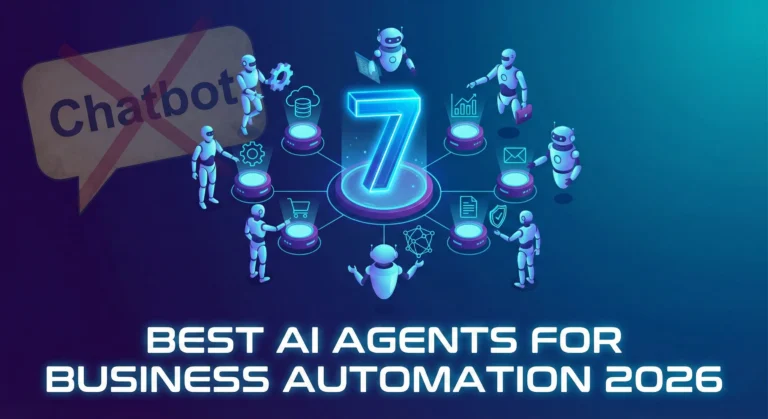
    7 Best AI Agents for Business Automation in 2026

    If 2024 was the year of the Chatbot, 2026 is undeniably the year of the Agent.

    The difference is profound. A chatbot answers your questions; an agent does your work. For business leaders in London, New York, and San Francisco, the novelty of “chatting” with AI has worn off. The focus has shifted entirely to ROI and autonomous workflows.

    We are looking for tools that don’t just generate text but can open a browser, click buttons, query databases, and send Slack messages without human hand-holding.

    After testing dozens of platforms, here are the 7 best AI Agents for business automation in 2026.

    1. Zapier Central (The “Gateway” Agent)

    Best For: Connecting your existing SaaS stack.

    If you already use Zapier, this is the easiest entry point. Zapier Central isn’t just a prettier interface for their automation tools; it’s a logic layer that sits on top of them.

    • What it does: Instead of building rigid “If This, Then That” workflows, you give Central a goal: “Check my email for invoices, match them to Xero, and slack me if the amount is over $1,000.”
    • The Killer Feature: It has access to 6,000+ apps immediately. You don’t need to wait for integrations; they are already there.

    2. Microsoft Copilot Studio (The Enterprise Standard)

    Best For: Corporations living in the Office 365 ecosystem.

    For large enterprises, security is the bottleneck. Microsoft Copilot Studio (formerly Power Virtual Agents) allows you to build agents that live safely inside your corporate tenant.

    • What it does: You can build an agent that accesses your internal SharePoint, reads your Outlook calendar, and updates Excel sheets.
    • The Killer Feature: It respects your organization’s data governance. It won’t hallucinate confidential data to the wrong employee.

    3. Lindy.ai (The “Digital Employee”)

    Best For: Specific roles like Medical Scribes, HR Assistants, or Executive Assistants.

    Lindy positions itself not as a tool, but as an employee. You don’t “configure” Lindy; you “hire” her for a specific job.

    • What it does: Lindy comes pre-trained for specific verticals. An “HR Lindy” already knows how to handle onboarding documents; a “Medical Lindy” knows how to transcribe patient notes into EMR formats.
    • The Killer Feature: “Proactive” behavior. Lindy doesn’t always wait for a command; she can monitor your inbox and draft replies for you to approve.

    4. Salesforce Agentforce (The CRM Specialist)

    Best For: Sales and Customer Support teams.

    If your business lives or dies by your CRM data, Agentforce is the heavy hitter. Salesforce realized that generic AI struggles with specific customer data, so they built agents that live inside the data layer.

    • What it does: An Agentforce service agent can autonomously resolve customer tickets by looking up order history, processing a refund, and updating the case status—all without a human agent opening the file.
    • The Killer Feature: The “Atlas” reasoning engine, which is surprisingly good at handling complex customer queries that usually confuse standard bots.

    5. Relevance AI (The No-Code Builder)

    Best For: Building custom “AI Workforce” teams without code.

    Relevance AI is for the power user who wants to build a custom agent team but doesn’t want to write Python.

    • What it does: It allows you to build multi-agent chains. You can have a “Researcher Agent” that scrapes the web, passes the data to a “Writer Agent” that drafts a report, and a “Manager Agent” that critiques it.
    • The Killer Feature: The visual builder is intuitive, making it easy to visualize how your “digital team” is passing data back and forth.

    6. CrewAI (The Developer’s Choice)

    Best For: Technical teams building complex, code-heavy workflows.

    If you have a dev team, skip the no-code tools and go straight to CrewAI. It’s an open-source framework that orchestrates role-playing agents.

    • What it does: You define specific roles (e.g., “Senior Python Engineer,” “QA Tester”) and assign them goals. The agents collaborate, delegate tasks to each other, and solve problems iteratively.
    • The Killer Feature: It handles “delegation” better than almost anything else. If one agent gets stuck, it can ask another agent for help.

    7. MultiOn (The Browser Navigator)

    Best For: Tasks that require using a web browser like a human.

    Most APIs are limited. MultiOn solves this by giving the AI a web browser.

    • What it does: It can log into websites, click buttons, fill out forms, and navigate complex UIs just like a human user would.
    • The Killer Feature: It can handle “real world” tasks like booking a flight on a site that doesn’t have an API, or ordering lunch from a delivery service.

    The Bottom Line

    In 2026, the question isn’t “Which AI model is the smartest?”—it’s “Which Agent has the best access to my tools?”

    If you want a safe bet, start with Zapier Central. If you want to build a digital workforce, look at Relevance AI or CrewAI. Just stop waiting for the chatbot to do the work for you.

  • ·

    Chatbots Are Dead. Long Live AI Agents: A 2026 Guide

    Let’s be honest for a second. We all spent 2023 and 2024 being amazed that ChatGPT could write a haiku or summarize a PDF. It was cool, it was novel, but let’s face it: it was passive. You had to show up, type a prompt, wait for the text, copy it, and then paste it somewhere else to actually do something with it.

    In 2026, that workflow is already obsolete.

    If your business is still treating AI like a smart encyclopedia, you are leaving money on the table. The shift happening right now—in Silicon Valley, London, and Berlin—is the move from Chatbots to AI Agents.

    The Difference: “Talk” vs. “Action”

    The distinction is simple but critical.

    • A Chatbot is like a library. You ask a question; it gives you an answer. It waits for you.
    • An AI Agent is like an intern. You give it a goal (“Plan my travel”), and it goes off, checks flights, compares hotels, books the tickets, and puts them on your calendar. It has agency.

    For business automation, this is the holy grail. We are no longer using AI to write the email; we are using AI to send the email, update the CRM, and notify the sales team on Slack—without you touching the keyboard.

    The Anatomy of an Agent

    You don’t need a computer science degree to build one. You just need to understand the three parts of an “Agentic Workflow”:

    1. The Brain (The LLM): This is GPT-4o, Claude 3.5, or Gemini. Its job isn’t to generate text, but to make decisions. It decides which tool to use based on your instructions.
    2. The Hands (The Tools): This is where the magic happens. You give the “Brain” access to your apps—Gmail, Salesforce, Excel, Slack—via APIs.
    3. The Rails (The Rules): Agents can hallucinate. You need guardrails to ensure it doesn’t accidentally email your entire database.

    How to Build Your First “Loop” (Without Code)

    You don’t need to hire a Python developer to start. Platforms like Zapier Central, Make.com, or Microsoft Copilot Studio have democratized this.

    Here is a simple “Lead Qualification” agent you can build this afternoon:

    Step 1: The Trigger Don’t start with “I want AI.” Start with a pain point. Let’s say: “I spend too much time reading contact forms.”

    • Trigger: A new entry lands in your Typeform or website contact form.

    Step 2: The Agent Analysis Instead of just forwarding that email to you, the AI Agent intercepts it.

    • Instruction: “Read the message. If the budget mentioned is under $5,000, label it ‘Low Priority.’ If it’s over $5,000, label it ‘High Priority’ and draft a personalized meeting invite.”

    Step 3: The Action This is the part that feels like magic.

    • If Low Priority: The Agent adds the row to a Google Sheet for later review.
    • If High Priority: The Agent pings you on Slack with a summary (“Hot lead from London, budget $10k”) and drafts the email in your Drafts folder, waiting for one click to send.

    The “Human-in-the-Loop” Rule

    The biggest mistake I see businesses make is trusting the Agent too much too soon. In 2026, the best workflow is “AI Drafts, Human Approves.”

    Let the Agent do the grunt work—the searching, the sorting, the drafting. But keep your finger on the “Approve” button for the final mile. As these agents get smarter, you can slowly remove the training wheels, but for now, trust is good; control is better.

    The Bottom Line

    The businesses that win in the next decade won’t be the ones with the smartest prompt engineers. They will be the ones who successfully outsource their repetitive, low-value cognitive loops to digital agents.

    Stop asking your AI questions. Start giving it a job description.

  • ·

    Top 10 AI Writers of 2026: The Ultimate List

    Remember 2023? It felt like a new “revolutionary” AI writing tool launched every Tuesday. It was chaotic, noisy, and honestly, most of them were just cheap wrappers around the same basic OpenAI API.

    Welcome to 2026. The dust has settled. The contenders have separated themselves from the pretenders.

    Today, having an AI assistant isn’t a competitive advantage; it’s baseline table stakes. But the game has changed. We are no longer looking for tools that can just generate words. We are looking for tools that fit specific workflows, understand nuance, and most importantly, don’t sound like a robot trying too hard to impress its corporate overlords.

    At AI Growth Gear, we don’t believe in “one tool to rule them all.” A novelist needs different features than an SEO agency.

    I’ve tested the market leaders to bring you the definitive top 10 list for 2026, categorized by what they actually do best.


    The Titans (The Generalists)

    1. Claude (by Anthropic)

    The undisputed king of nuance and flow. If you want writing that feels surprisingly human straight out of the box, Claude is currently unmatched. Its latest models understand tone, context, and rhythm better than anything else. It doesn’t overuse clichéd AI words like “delve” or “unleash.” If you are writing long-form essays, newsletters, or books, this is your muse.

    • Best For: Long-form writers, authors, and anyone who hates heavy editing.
    • Pricing: Free tier available; Pro is ~$20/mo.

    2. ChatGPT (by OpenAI)

    The incredibly versatile Swiss Army Knife. You can’t make a list without the OG. While Claude might beat it purely on prose quality, ChatGPT (with GPT-5/4o) is a productivity powerhouse. Its ability to handle multimodal inputs—analyzing a chart, reading code, browsing the live web, and generating an image all in one chat—makes it indispensable for complex projects. It’s less a writer and more a brilliant, jack-of-all-trades assistant.

    • Best For: Brainstorming, coding help, and multi-step complex tasks.
    • Pricing: Free tier available; Plus is ~$20/mo.

    The Marketers (For Growth & SEO)

    3. Jasper

    The enterprise-grade marketing engine. Jasper stopped trying to be just a “chatbot” years ago. In 2026, it is a robust platform for marketing teams. Its killer features are “Brand Voice” (which it nails perfectly) and its ability to turn a single brief into an entire multi-channel campaign (blog, social, email) with AI agents. It’s pricey, but it replaces a junior marketing coordinator.

    • Best For: Marketing agencies and in-house enterprise teams.
    • Pricing: Premium pricing, starting around ~$49/mo per seat.

    4. Writesonic

    The speed demon for SEO and trending topics. If your business relies on catching trending waves on Google, Writesonic is essential. It integrates tightly with live Google data, allowing you to write factually accurate articles on current events faster than competitors. It’s designed specifically to rank, focusing on structure and keywords.

    • Best For: News sites, affiliate marketers, and high-volume bloggers.
    • Pricing: Competitive tier structure based on usage.

    5. Copy.ai

    The GTM (Go-To-Market) automation specialist. Copy.ai has pivoted brilliantly towards sales and GTM workflows. It’s less about “write me a paragraph” and more about “take this LinkedIn profile, analyze their pain points, and write a personalized 3-email cold outreach sequence.” For sales teams, it’s pure gold.

    • Best For: Sales development reps (SDRs), founders doing outreach, and social media managers.
    • Pricing: Free tier available; Pro plans focus on workflow limits.

    The Specialists (Niche Experts)

    6. Perplexity

    The research-first writer. Perplexity isn’t a traditional “writer,” but it’s the best tool to start the writing process. It’s an answer engine that cites its sources in real-time. When I need to write a fact-heavy piece and cannot afford AI hallucinations, I start here to gather my research before moving to a drafting tool.

    • Best For: Journalists, academics, and creating fact-based content briefs.
    • Pricing: Excellent free version; Pro offers deeper models.

    7. Sudowrite

    The novelist’s best friend. If you are writing fiction, ignore the other tools and start here. Sudowrite understands narrative arcs, character development, and “show, don’t tell.” Features like “Story Engine” help you map out entire novels, and its “Describe” button helps you break through writer’s block with sensory details.

    • Best For: Fiction authors, screenwriters, and creative writers.
    • Pricing: Tiered based on word count.

    8. Surfer AI

    The pure SEO optimization tool. Surfer isn’t about creative flair; it’s about math. It analyzes the top-ranking pages on Google for your keyword and tells you exactly what structure, word count, and semantic terms you need to compete. It writes to satisfy the algorithm first, humans second.

    • Best For: Hardcore SEO professionals focused on SERP rankings.
    • Pricing: Per-article pricing model (expensive but effective).

    The Integrators (Workflow Enhancers)

    9. Notion AI

    The messy workspace organizer. Notion AI isn’t trying to write your next novel. It’s trying to make sense of your messy notes. Its strength is summarizing meetings, expanding bullet points into memos, and editing directly within your existing project management workspace. It removes the friction of copy-pasting between apps.

    • Best For: Project managers and teams already living inside Notion.
    • Pricing: Add-on to existing Notion plans (~$10/member/mo).

    10. Grammarly GO

    The final polish essential. You might not think of Grammarly as a “generative” AI, but their latest features are fantastic for rewriting. It’s the ultimate safety net. No matter which tool I use to draft, everything runs through Grammarly for a final tone check and clarity polish before publishing.

    • Best For: Literally everyone who types on a keyboard.
    • Pricing: Essential free version; Premium is a staple investment.

    Final Thoughts from Surbhi

    The best tool in 2026 isn’t the one with the most features; it’s the one that fits your specific daily grind. Don’t fall for the hype. Define your output—are you selling, storytelling, or ranking?—and choose the specialist for the job.

  • ·

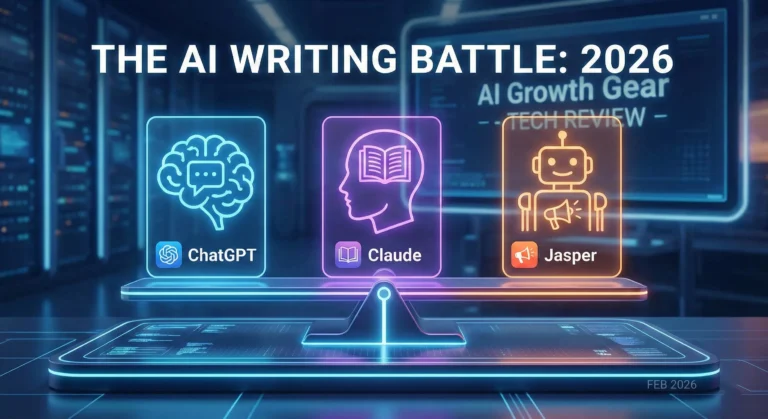
    ChatGPT vs. Claude vs. Jasper: Which AI Writing Assistant Actually Rules in 2026?

    Let’s be honest. Back in 2023, we were all just happy the magic trick worked. You typed a prompt, and a robot wrote a poem. Mind blown.

    But we are in 2026 now. The novelty has worn off. Now, we just need the work done.

    My team and I have spent the last month putting the internet’s three heavyweights into the ring: ChatGPT (OpenAI), Claude (Anthropic), and Jasper.

    If you are confused about where to spend your monthly subscription budget this year, this battle post is for you. We tested them on marketing copy, creative nuance, and the ultimate test: Does it sound like a human?

    The Contenders

    1. ChatGPT (The Swiss Army Knife): With the GPT-5 / 4o updates, this isn’t just a chatbot anymore. It’s an ecosystem. It sees, it hears, it codes. But can it write a blog post without sounding like a corporate press release?
    2. Claude (The Writer’s Muse): Anthropic’s model (specifically Claude 3.5 Sonnet & Opus) has quietly become the cult favorite among professional writers in New York and London. The claim? It understands “nuance” better than anyone.
    3. Jasper (The Marketing Machine): Jasper stopped trying to be a “chatbot” years ago. In 2026, it’s a full-blown enterprise marketing platform. It doesn’t just write; it manages brands.

    Round 1: The “Human” Test (Writing Quality)

    The Challenge: Who writes text that doesn’t make readers roll their eyes and say, “AI wrote this”?

    ChatGPT: Look, GPT-4o is incredibly smart. It’s a genius. But it writes like a genius who is trying too hard to impress his boss. It loves words like “unleash,” “digital landscape,” and “delve.” It plays it safe. If you ask it for a LinkedIn post, you get a generic, emoji-filled wall of text that screams “AI.” It’s unbeatable for brainstorming, but for a final draft? It usually needs a heavy human edit.

    Claude: This is where Claude steals the show. The ‘Sonnet’ model understands rhythm. It varies sentence length. It uses metaphors that actually make sense. Most importantly, it doesn’t sound like it swallowed a thesaurus. If you are writing long-form blogs, newsletters, or even fiction, Claude’s flow is significantly more natural than ChatGPT. It feels like a creative partner, not a text generator.

    Jasper: Jasper isn’t trying to be Shakespeare; it’s trying to be your Brand Manager. It might not have the soulful prose of Claude, but its “Brand Voice” feature is elite. If your brand tone is “witty and punchy,” Jasper locks onto that and never lets go. ChatGPT often drifts back into “robot mode” after a few paragraphs; Jasper stays in character.

    🏆 Winner: Claude (For pure writing quality)


    Round 2: The “Workflow” Test (Features & Utility)

    ChatGPT: Its superpower is Multimodality. You’re writing an article and need a custom image? DALL-E generates it instantly. Need to analyze a CSV file for data to put in that article? It does that too. With ‘Custom GPTs’, you can build mini-tools for specific tasks. It is the ultimate “Generalist.”

    Claude: Two words: Artifacts and Projects. Claude’s ‘Projects’ feature is a game-changer for writers. You can upload your entire library of previous work, style guides, and research papers into a “Project.” Claude then writes from that knowledge base without you needing to re-upload files every chat. It remembers context better than any other tool right now.

    Jasper: If you run a team, Jasper is the winner. In 2026, their “AI Agents” are impressive. You don’t just ask it to write a blog; you tell it to “Create a Campaign.” It writes the blog, turns that blog into five social posts, writes the email newsletter to promote it, and creates the Google Ad copy—all in one workflow. It’s not just an editor; it’s a Project Manager.

    🏆 Winner: Jasper (For Teams/Agencies) / ChatGPT (For Multitasking)


    Round 3: The “Value” Test (Bang for Your Buck)

    • ChatGPT Plus ($20/mo): You get image generation, web browsing, data analysis, and voice mode. It’s the best value if you want one tool that does a little bit of everything.
    • Claude Pro ($20/mo): If you are strictly a writer or coder, this is the best money you can spend. But remember, no image generation.
    • Jasper (Starts ~$39-49/mo): It’s pricey. For a solo freelancer, it might be overkill unless you are churning out massive amounts of client work. But for a marketing agency? It pays for itself in one day.

    The Verdict: What Should You Buy in 2026?

    Here is my no-nonsense take:

    1. You are a Solopreneur / Blogger / Novelist: 👉 Get Claude. The writing is simply better. You will spend less time editing and more time creating.
    2. You are a “Jack of All Trades” (You code, design, and write): 👉 Stick with ChatGPT. It is the Swiss Army Knife you need in your pocket.
    3. You run a Marketing Agency or Business Team: 👉 Invest in Jasper. The Brand Voice control and collaborative workflows will save your team hundreds of hours. It’s not a tool; it’s a teammate.

    So, which corner of the ring are you in? Are you Team Human (Claude) or Team Powerhouse (ChatGPT)? Let me know in the comments below.

  • ·

    Digital Doubles: HeyGen vs. Synthesia – Choosing Your AI Presenter for 2026

    In business, communication is everything. Whether it’s training your global sales force, delivering personalized video messages to thousands of leads, or creating consistent brand explainers, the demand for engaging video is immense. The traditional approach—hiring presenters, booking studios, shooting, editing—is a bottleneck for even the most agile teams.

    This is where AI Avatar & Business Presenters step in. These aren’t just text-to-speech tools; they create convincing digital humans who can speak your message in multiple languages, with realistic expressions and lip-sync. For businesses in the US and UK looking to scale their video output without scaling their production budget, these platforms are a game-changer.

    At AI Growth Gear, we’ve evaluated the leading platforms with our “Director’s Lens,” focusing on realism, brand integration, and operational efficiency. Here’s how the top two—HeyGen (Avatar IV) and Synthesia—compare for your business.

    The Contenders at a Glance

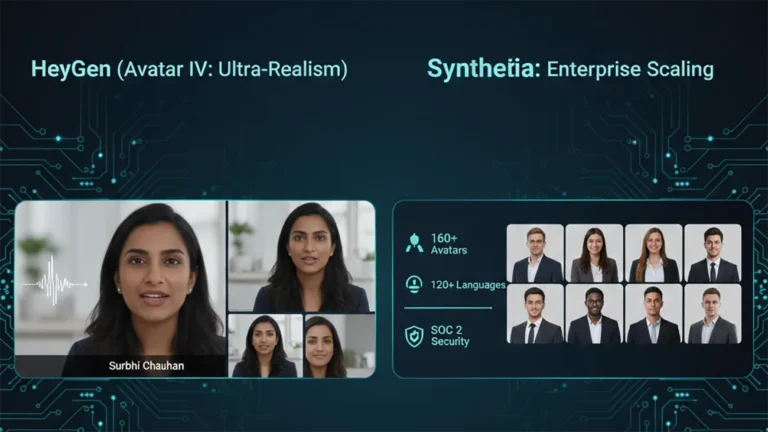
    FeatureHeyGen (Avatar IV)Synthesia
    Primary StrengthUltra-Realistic Digital TwinsEnterprise-Grade Library & Compliance
    Best ForPersonalized Sales, UGCCorporate Training, Explainers
    WeaknessCustom avatars require more inputStock avatars can feel less unique

    1. HeyGen (Avatar IV): The Ultra-Realist

    HeyGen’s latest iteration, Avatar IV, is pushing the boundaries of what’s possible in AI avatar realism. Its “Digital Twin” feature allows businesses to create incredibly lifelike avatars of actual employees or spokespersons from minimal video footage. The subtlety of facial expressions and natural-sounding voice clones are truly impressive.

    • The Aesthetic: Aimed squarely at hyper-realism. If you want your AI presenter to be indistinguishable from a real human, HeyGen is currently leading the pack. It masters the minute details, making it ideal for maintaining a personal touch at scale.
    • The Director’s Take: “HeyGen is for when ‘authentic’ means ‘looks like you.’ It’s unparalleled for personalized sales videos, founder messages, or any content where the presenter’s unique identity is key. It allows a boutique agency to maintain its human brand persona without physically being in every video.”

    2. Synthesia: The Enterprise Powerhouse

    Synthesia has been the long-standing leader in the corporate AI video space, and for good reason. It boasts an extensive library of over 160 diverse stock avatars and 120+ languages, coupled with robust SOC 2 compliance for data security. Its platform is built for scalable, professional use cases across large organizations.

    • The Aesthetic: Polished, professional, and consistent. While its stock avatars are highly realistic, they aim for broad appeal rather than individual uniqueness.
    • The Director’s Take: “Synthesia is the workhorse of the enterprise. If you need to produce hundreds of consistent training modules, international onboarding videos, or routine explainers, its sheer volume of customizable options and security features make it the undisputed choice. It ensures your corporate communication is slick and reliable across the board.”

    The Verdict: Which Digital Double is Right for You?

    • Choose HeyGen if your priority is Personalization and Ultra-Realism. If you need your AI presenter to look and sound exactly like a specific person to build trust or enhance a unique brand identity.
    • Choose Synthesia if your priority is Scalability and Corporate Readiness. If you require a vast library of diverse avatars, multi-language support, and enterprise-grade security for consistent, high-volume video production.

    Our Recommendation for 2026

    For many agencies, the ideal setup might involve a blend: HeyGen for high-impact, personalized, and client-facing content, and Synthesia for internal training, broad-reach explainers, or situations requiring a diverse range of stock avatars. Both tools excel at making video production accessible, but they serve different strategic objectives.

  • ·

    Cinematic Showdown: Google Veo vs. Runway vs. Sora (2026 Comparison)

    In the film world, choosing a camera is a statement of style. An Arri Alexa feels different than a RED. In 2026, choosing an AI Video Generator is no different. You are choosing the “soul” of your footage.

    At AI Growth Gear, we’ve put the top three engines through a rigorous “Director’s Test.” Here is how they stack up for professional agency use.

    The Competitors at a Glance

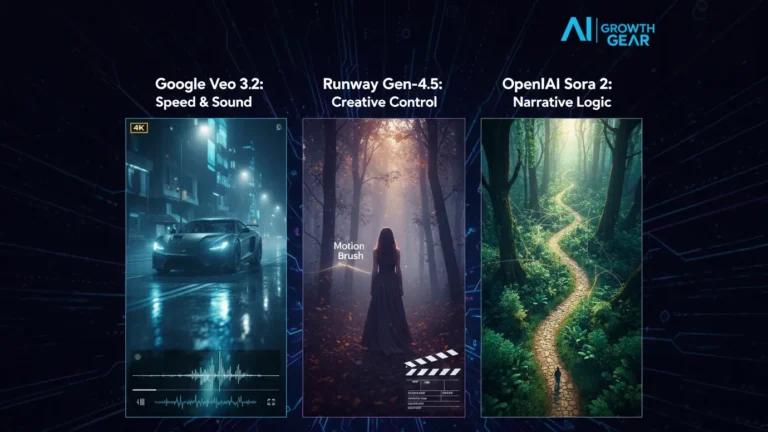
    FeatureGoogle Veo 3.2Runway Gen-4.5OpenAI Sora 2
    Primary StrengthIntegrated Audio & 4K ClarityGranular Creative ControlNarrative Logic & Physics
    Best ForReady-to-use Social AdsHigh-End Brand FilmsLong-Form Storytelling
    WeaknessCan feel “too perfect”Steep learning curveLimited public API access

    1. Google Veo 3.2: The “All-in-One” Workhorse

    Google has leveraged its vast data to create the most stable engine. The standout feature in 2026 is Native Audio Synchronization. When Veo generates a video of a car splashing through rain, it generates the exact sound of that splash perfectly synced to the frame.

    • The Aesthetic: It leans toward commercial realism. It’s vibrant, sharp, and safe.
    • The Director’s Take: “If you need an ad for a UK real estate firm or a US tech startup that needs to look ‘Apple-clean’ in ten minutes, Veo is your gear.”

    2. Runway Gen-4.5: The Artist’s Precision Tool

    Runway remains the favorite for those of us with a NIFT or film background. Their “Motion Brush 3.0” and “Director Mode” allow you to tell the AI exactly where to move the camera (pan, tilt, zoom) and which specific elements should move within the frame.

    • The Aesthetic: Moody, textured, and artistic. It handles “Cinematic Grain” and lighting better than anyone else.
    • The Director’s Take: “Runway doesn’t just ‘generate’; it ‘collaborates.’ It’s the only tool that lets me maintain a specific brand texture without the AI taking over the creative wheel.”

    3. OpenAI Sora 2: The Physics Master

    Sora 2 is still the king of Spatial Consistency. If a character walks behind a tree and comes out the other side, they look identical. Most other AIs still “glitch” the details. Sora understands that a glass of water should reflect the room, and gravity should pull objects down naturally.

    • The Aesthetic: Hyper-realistic and expansive. It excels at wide, sweeping “Drone” shots.
    • The Director’s Take: “Sora is for the ‘Big Picture.’ It’s perfect for world-building or creating complex scenes where physical logic cannot be compromised.”

    The Verdict: Which Gear Should You Pick?

    • Choose Google Veo if your priority is Speed and Sound. It’s the ultimate tool for high-volume content agencies where “done is better than perfect.”
    • Choose Runway if your priority is Aesthetic Control. If your brand relies on a specific “look” or mood, Runway is the only tool that respects your creative direction.
    • Choose Sora if your priority is Realism and Scale. When the physics of the scene must be flawless, Sora is the undisputed leader.

    Our Recommendation for 2026

    For most boutique agencies, a Runway + Veo hybrid workflow is the winner. Use Runway to create the “Hero” visuals that define your style, and use Veo to quickly scale the supporting content with integrated sound.

  • ·

    Beyond the Green Screen: Choosing the Best AI Video Generators for 2026

    The statistics are undeniable: video dominates online engagement. But for years, creating high-quality video content has been a monumental task, demanding expensive equipment, skilled crew, and endless hours in the editing suite. This “production bottleneck” has traditionally kept many ambitious brands from fully leveraging video.

    Enter AI Video Generators.

    In 2026, these tools are no longer just novelties. They are rapidly evolving into powerful platforms that democratize video creation, allowing businesses—from bustling agencies in London to innovative startups in New York—to produce engaging content at unprecedented speed and scale.

    But with a new tool emerging every week, how do you choose the right one? At AI Growth Gear, with our foundation in film production and aesthetic communication, we see AI video as more than just pressing a button; it’s about translating vision into compelling motion, with precision and soul.

    Why AI Video is No Longer Optional

    • Speed to Market: Generate marketing videos, social clips, and product explainers in minutes, not days.
    • Cost Efficiency: Drastically reduce reliance on traditional production budgets, freeing up resources for strategy.
    • Scalability: Produce personalized video content for diverse audiences without increasing headcount.
    • Consistency: Maintain brand voice and visual style across all video assets through templating and AI assistance.

    What to Look For: A Director’s Checklist for AI Video Generators

    Not all AI video generators are created equal. Based on our extensive testing and understanding of professional production needs, here’s what to prioritize:

    1. Aesthetic Output (The Surbhi Chauhan Factor): This is paramount. Does the AI produce videos that look genuinely professional, or do they fall into the “uncanny valley” of robotic, overly polished, or bland visuals? Look for tools that allow granular control over style, lighting, and realistic character animation. Can it capture the texture of your brand?
    2. Ease of Use & Workflow Integration: A tool is only useful if it fits seamlessly into your existing operations. Is the interface intuitive? Can you upload scripts easily? Does it integrate with your content calendar or project management tools (like Notion or Zapier)?
    3. Customization & Brand Control: Can you upload your own brand assets (logos, fonts, color palettes)? Does it offer a range of customizable templates? The more control you have over the final output, the better it aligns with your brand identity.
    4. Voice & Lip-Sync Accuracy: If you’re using AI avatars or text-to-speech, pay close attention to the naturalness of the voice and the lip-sync quality. A robotic voice or mismatched lips can instantly break immersion and trust.
    5. Cost vs. Value: Free tools are tempting, but often come with limitations on quality, features, or branding. Evaluate subscription models based on the number of minutes, avatars, or advanced features you truly need. Calculate the ROI: how much time and money will it actually save you compared to traditional methods?
    6. Ethical Considerations & Rights: Understand the tool’s terms of service regarding content ownership and the ethical use of AI-generated faces or voices. Ensure you have the necessary rights for commercial use.

    The Future is in Motion

    AI video generators are not here to replace human creativity, but to augment it. They free up creatives to focus on strategic storytelling, conceptualization, and the subtle “director’s touch” that elevates content. By carefully selecting the right AI video gear, you can transform your content strategy, capture more attention, and truly scale your brand’s message.

    Ready to bring your brand to life in motion? The right AI video partner is waiting.