Blog

  • ·

    Top Agentic AI Tools for Boutique Agencies

    For boutique agencies and solo entrepreneurs scaling in the US and UK markets, the bottleneck isn’t usually a lack of ideas—it’s headcount. You want enterprise-level marketing output without the enterprise-level payroll. Enter agentic AI.

    Unlike traditional “if-this-then-that” marketing automation, agentic AI tools don’t just follow static, rigid rules. They perceive data, make decisions, and execute multi-step workflows autonomously based on context. They act less like software and more like digital team members.

    Here is a breakdown of the top agentic AI marketing tools that are changing how lean agencies handle B2B lead generation, CRM management, and digital growth in 2026.

    Gumloop: The No-Code Operations Architect

    If you need to build custom AI workflows without writing a single line of code, Gumloop is your sandbox. It’s a drag-and-drop platform designed to automate heavy, logic-based marketing and sales tasks.

    • The Agency Play: Use Gumloop to build an autonomous lead-scraping agent. You can set it up to monitor specific industry triggers (like companies that just raised Series A funding), scrape their executive data, and automatically categorize the leads based on your specific Ideal Customer Profile (ICP). It handles the tedious, top-of-funnel research that normally eats up hours of a junior marketer’s week, passing only the most qualified data into your CRM.

    Artisan AI (Ava): Your Autonomous BDR

    Artisan AI built “Ava,” an AI-driven Business Development Representative (BDR). Instead of buying a fragmented tech stack for data sourcing, email warm-up, and sequence scheduling, Artisan bundles the entire outbound motion into one autonomous platform.

    • The Agency Play: Ava taps into a built-in database of over 300 million B2B contacts. You give her your target parameters, and she handles the rest. She researches the prospects, writes hyper-personalized cold outreach emails based on real-time data (such as a recent LinkedIn post or company news), and dynamically manages the follow-ups based on recipient behavior. For boutique agencies selling high-ticket B2B services, Ava keeps the outbound pipeline full while you focus entirely on closing the deal.

    HubSpot Breeze: The Enterprise CRM Brain

    HubSpot has heavily integrated agentic AI directly into its ecosystem with Breeze. It features specific agents for content, social media, and prospecting, all tied directly to your core CRM data so it never loses context.

    • The Agency Play: Breeze Intelligence automatically enriches your inbound leads with critical B2B data points (industry, headcount, tech stack). Meanwhile, the Prospecting Agent tracks buyer intent. If a prospect from a UK-based enterprise visits your pricing page, Breeze can auto-add them to the CRM, score the lead, and draft a context-aware outreach email for you to approve. It bridges the gap between marketing activity and sales execution seamlessly, ensuring no high-value lead slips through the cracks.

    Make: The Ultimate Workflow Orchestrator

    Make (formerly Integromat) isn’t strictly a standalone AI agent, but it is the visual infrastructure that makes complex agentic workflows possible. It allows you to connect thousands of different apps and inject AI decision-making (via LLMs like OpenAI or Anthropic) at any step of the journey.

    • The Agency Play: You can use Make to tie your entire marketing stack together into one autonomous loop. For example, when a high-value lead fills out a form, Make can route the data to an LLM to analyze the lead’s intent, ping your team’s Slack channel with a summary, and automatically generate a personalized proposal draft in Google Docs. It allows solo operators to build a bespoke, highly automated backend that rivals massive agencies.

    The Bottom Line

    Scaling a boutique agency no longer requires a massive hiring sprint. By integrating these agentic AI platforms into your B2B marketing strategies, you can automate the heavy lifting, keep your CRM spotless, and focus your human capital on high-value digital growth and strategy.
  • ·

    Automate Ecommerce Descriptions & Pricing with AI

    If you are a Shopify store owner or an Amazon FBA seller, you know that scaling your catalog comes with a massive administrative hangover. Every new SKU you add requires SEO-optimized copy, feature extraction, and competitive pricing strategies. Doing this manually for ten products is annoying; doing it for ten thousand is impossible.

    The smartest e-commerce managers are no longer throwing human hours at these repetitive tasks. Instead, they are leveraging artificial intelligence to build automated systems that write high-converting copy and adjust prices in real-time.

    Here is your tutorial on how to use AI for ecommerce to automate your product descriptions and supercharge your pricing strategy.

    Part 1: Automating Product Descriptions at Scale

    Writing generic product descriptions is a surefire way to kill your conversion rate. Shoppers want to know the benefits, but search engines need the features and keywords. Trying to balance both across thousands of products is where AI shines.

    Moving Beyond the “One-by-One” Prompt If you are opening ChatGPT, pasting in a manufacturer’s spec sheet, and asking it to write a description one by one, you aren’t really automating. True automation requires bulk generation.

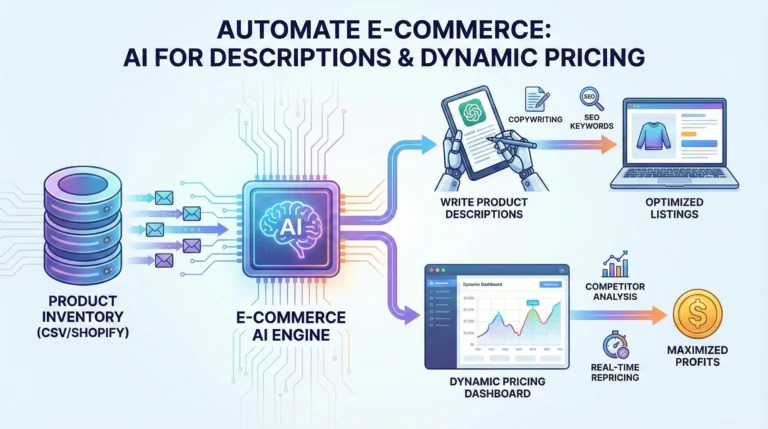
    To build an automated content factory, you need to connect your product database (like a Google Sheet or CSV export of your Shopify inventory) directly to an AI language model using tools like Zapier, Make.com, or specialized apps like Copy.ai and Hypotenuse AI.

    The Workflow:

    1. The Trigger: A new product is added to your store database with basic attributes (Name, Color, Material, Dimensions).
    2. The Prompt Template: Your automation tool sends these attributes to OpenAI with a strict prompt: “Act as an expert e-commerce copywriter. Using the provided specs, write a 100-word product description. Start with an emotional hook, follow with three bulleted benefits, and naturally weave in these SEO keywords. Tone: Premium and minimalist.”
    3. The Output: The AI generates the description and instantly updates your Shopify or WooCommerce listing via API.

    What used to take a copywriter a full week can now be executed across 5,000 SKUs while you grab a coffee.

    Part 2: Winning the Buy Box with Dynamic Pricing AI

    Having great product copy gets customers to your page, but pricing gets them to click “Add to Cart.” In the past, repricing meant setting basic rules (e.g., “always price my product $1 cheaper than Competitor X”). Today, rule-based pricing is obsolete.

    Enter dynamic pricing AI.

    Major players like Amazon make millions of repricing decisions every single day, evaluating relative market value without relying on manual input. Now, thanks to tools like Prisync, Intelis, and DynamicPricing AI, independent store owners have access to that exact same enterprise-level technology.

    How AI Pricing Works: Instead of just scraping a competitor’s website, modern AI pricing tools ingest dozens of variables simultaneously. They analyze:

    • Real-time competitor stock levels (If your competitor sells out, the AI automatically raises your price to capture a higher margin).
    • Historical sales velocity and seasonal demand trends.
    • Your specific procurement costs and target profit margins.
    • Customer price elasticity (how sensitive your specific audience is to a $2 price hike).

    Setting the Guardrails: The beauty of an ecommerce automation tutorial focused on pricing is that you remain in control. You never have to worry about the AI accidentally pricing a $100 jacket for $5. You set the absolute minimum margin floor (the “guardrails”), and the AI constantly tests price points above that floor to find the exact dollar amount that maximizes your total profit, not just your revenue.

    Final Thoughts

    The divide in e-commerce is no longer about who has the best product; it is about who has the best operational velocity. By automating your ChatGPT product descriptions and integrating dynamic pricing AI, you remove the human bottleneck from your catalog management. This frees you up to focus on what actually grows a business: sourcing better products, building a brand identity, and acquiring new customers.

  • ·

    Midjourney Branding: A Guide to Style Consistency

    We have all been there. You are playing around in Midjourney, and suddenly, you generate the perfect concept for a client’s logo. It’s the right vibe, the right colors, the right aesthetic. The client loves it.

    Then they ask the inevitable follow-up question: “This is great. Can we get a matching icon set for the website and a header image in the same style?”

    You go back to Midjourney, paste in the original prompt, hit enter, and… you get something completely different. Panic sets in.

    Midjourney is incredible at generating beautiful, singular images, but out of the box, it is terrible at consistency. And in branding, consistency isn’t just nice to have; it’s the whole ballgame. A brand identity is defined by repetition and cohesiveness.

    If you want to transition from using AI as a toy to using AI graphic design for business, you have to stop treating it like a slot machine and start treating it like a junior designer that needs very specific instructions.

    Here is a tutorial on how to force Midjourney style consistency to build a usable brand identity system.

    Phase 1: Defining the “Style Anchor”

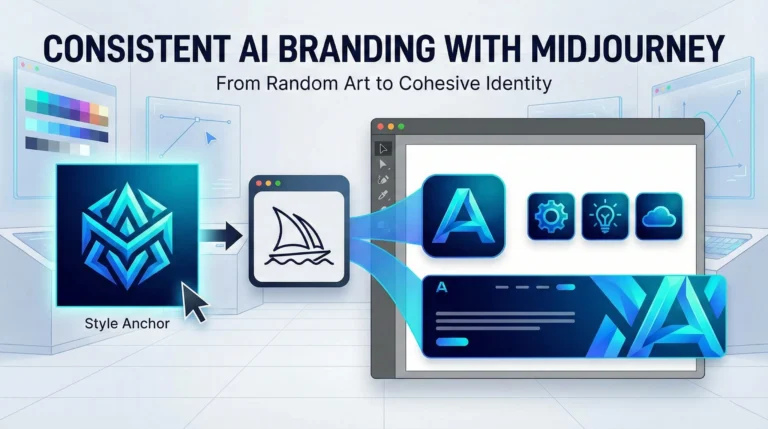
    You cannot build a consistent brand until you define what “consistent” looks like. You need one image that perfectly encapsulates the visual DNA of the brand—the color palette, the rendering technique (e.g., flat vector, 3D isometric, watercolor), and the mood.

    Don’t try to generate the final logo yet. Just generate the style.

    Example Prompt for a Tech Startup Style: /imagine prompt: A futuristic, minimalist geometric emblem, gradients of electric blue and cyan, clean lines, abstract data flow concept, white background, vector art style --v 6.0

    Reroll this prompt until you get one image that makes you say, “Yes, that is the look.” Upscale it. This image is now your “Style Anchor.” Right-click it and copy the image URL.

    Phase 2: The Secret Weapon (Style References)

    For a long time, maintaining consistency meant endlessly tweaking prompt text and praying. Then, Midjourney introduced the Style Reference parameter (--sref). This changed everything for professional designers.

    --sref tells Midjourney: “Don’t just look at the words I’m typing; look at this image and copy its vibe.”

    This is how we move from a single cool image to an AI logo design tutorial that actually works for business.

    Phase 3: Building the Asset Suite

    Now we are going to generate different assets, but we will force them all to match our Style Anchor from Phase 1 using the URL we copied.

    1. The Primary Logo Icon: Now we ask for the specific subject matter, but apply the anchor style.

    Prompt: /imagine prompt: A stylized letter 'A' icon, geometric, tech company logo --sref [INSERT YOUR STYLE ANCHOR URL HERE] --v 6.0

    2. Matching Website Icons: You need a set of three icons (a gear, a lightbulb, a cloud) for the services section of a website. They need to look like siblings to the logo.

    Prompt: /imagine prompt: A set of three UI icons: a gear, a lightbulb, and a cloud. Clean geometric style, minimalist --sref [INSERT YOUR STYLE ANCHOR URL HERE] --v 6.0

    Because you used the --sref link, Midjourney will render these new objects using the exact same electric blue gradients and clean line work as your anchor image.

    3. The Hero Background: You need a wide banner for the website header that feels connected to the brand but isn’t just a giant logo.

    Prompt: /imagine prompt: A wide website banner background, abstract data flowing, futuristic network patterns, subtle gradients --ar 16:9 --sref [INSERT YOUR STYLE ANCHOR URL HERE] --v 6.0

    Phase 4: The Professional Reality Check (Vectorizing)

    If you are an agency owner or freelancer, you know you cannot deliver a Midjourney PNG to a client as a final logo file. Midjourney creates raster images (pixels); professional brands need vectors (math).

    Midjourney is for ideation and consistency creation. Once you have the approved assets, your workflow must move off-platform. Take your finalized, consistent Midjourney outputs and use tools like Adobe Illustrator’s “Image Trace” or specialized AI vectorizers like Vectorizer.ai to convert them into scalable SVGs or EPS files.

    Final Thoughts

    Using Midjourney brand assets doesn’t replace the designer’s eye. It just speeds up the iteration process exponentially. By mastering tools like style referencing, you stop fighting the AI’s randomness and start harnessing it to build cohesive, sellable brand identities.

  • ·

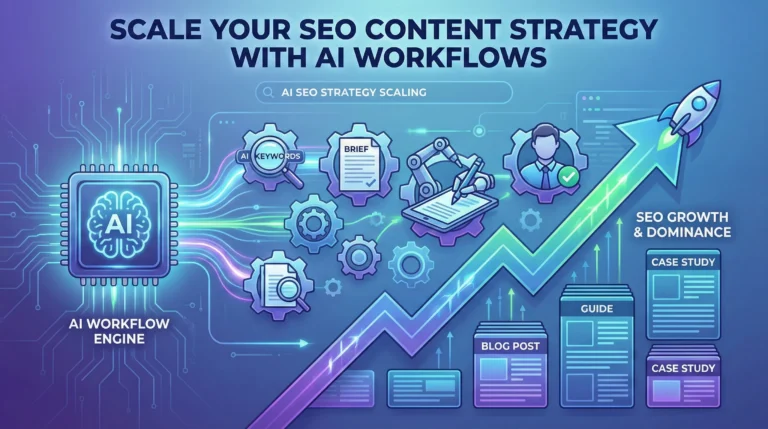
    Scale Your Content Strategy: A Blueprint for AI SEO Workflows

    If you are a content manager or niche site builder, you know the current reality: the SERPs are hungrier than ever. The old playbook of manually researching keywords, crafting individual briefs, and managing a dozen freelance writers on Trello is becoming unsustainable. It’s too slow and too expensive to compete with competitors who have figured out velocity.

    To win at search today, you cannot just “use AI to write.” You need to build an AI SEO strategy that turns manual bottlenecks into automated workflows.

    Scaling isn’t about asking ChatGPT to write 50 articles in one giant prompt—that’s a recipe for generic, low-ranking “slop.” True scale comes from deconstructing the SEO process and using AI to handle the repetitive heavy lifting, leaving the high-value strategic thinking to humans.

    Here is how to graduate from basic prompting to building an enterprise-grade programmatic SEO engine.

    Phase 1: Intelligent Keyword Clustering at Scale

    The biggest mistake SEOs make with AI is starting with the writing phase. Scale starts with structure. You cannot dominate a niche by picking keywords one by one.

    Instead of manually grouping keywords in spreadsheets, dump thousands of raw keyword ideas from tools like Ahrefs or Semrush into a CSV. Then, use ChatGPT’s Advanced Data Analysis feature to perform semantic clustering.

    The Goal: Ask ChatGPT to group keywords not just by similar words, but by identical search intent. This turns a messy list of 5,000 keywords into a clean map of 300 distinct article topics, ensuring you don’t cannibalize your own rankings.

    Phase 2: The Automated Content Brief Factory

    Before you generate a single paragraph of draft copy, you must generate the instructions. The quality of your ChatGPT for SEO content output is directly tied to the quality of the input brief.

    Don’t ask ChatGPT to “write an article about X.” Instead, create a workflow (perhaps using a tool like Make.com or Zapier chained to OpenAI’s API) that takes a target keyword and generates a comprehensive brief based on live SERP data.

    Your automated brief should include:

    • The primary search intent (informational vs. commercial).
    • A suggested H2/H3 structure based on top-ranking competitors.
    • A list of semantic entities and NLP terms that must be included.
    • The specific questions the article needs to answer to win Featured Snippets.

    Phase 3: The “Chain-of-Thought” Drafting Engine

    Once you have a rock-solid brief, you can begin drafting. But don’t try to generate a 2,000-word guide in one shot. AI loses the thread on long outputs.

    Build a workflow that chains prompts together. Step one generates the introduction based on the brief’s hook. Step two takes the introduction and the brief’s first H2 to write the next section, and so on. By breaking the task into modular chunks, you maintain context and improve factual accuracy.

    Phase 4: The Human-in-the-Loop (E-E-A-T Layer)

    This is where the elite SEOs separate themselves from the spammers. You cannot auto-publish raw AI output and expect long-term gains.

    Your workflow must end in a human review queue. The AI is the architect and the bricklayer, but you are the site inspector. The human job is no longer drafting; it’s injecting Experience, Expertise, Authoritativeness, and Trustworthiness (E-E-A-T). Add unique data, personal anecdotes, expert quotes, and ensure the tone matches your brand.

    By automating the research, briefing, and drafting phases, your team spends 80% of their time improving content quality, rather than staring at a blank page.

  • ·

    Automate Real Estate Market Analysis with ChatGPT

    If you are a real estate investor or realtor, your most valuable asset isn’t capital—it’s time. The traditional method of property analysis involves mind-numbing hours spent exporting MLS data, building complex spreadsheet models, and reading through hundred-page HOA disclosures just to see if a deal pencils out.

    But what if you could outsource the heavy lifting to an AI?

    Using ChatGPT for data analysis is no longer a futuristic concept; it is a baseline requirement for staying competitive in today’s fast-moving housing market. By combining ChatGPT’s advanced capabilities with purpose-built real estate AI tools, you can automate your property analysis, spot off-market trends, and calculate your ROI in seconds.

    Here is your complete tutorial on how to automate real estate market analysis using AI.

    Step 1: Export Your Raw Market Data

    ChatGPT cannot analyze what it cannot see. To get started, you need raw data. Go to your local MLS, Redfin, or Zillow, and run a search for your target criteria (e.g., multi-family homes in a specific ZIP code sold in the last 6 months). Export this data as a .csv or .xlsx file.

    Pro Tip: Make sure your spreadsheet has clear column headers like “List Price,” “Days on Market,” “Square Footage,” and “HOA Fees.” Clean data leads to accurate AI insights.

    Step 2: Upload and Prompt ChatGPT

    You will need a ChatGPT Plus, Team, or Enterprise account to use the Advanced Data Analysis feature. Open a new chat, click the paperclip icon to upload your CSV file, and use a highly specific command.

    Do not ask vague questions like, “Is this a good market?” Instead, use a strict analytical prompt:

    • The Prompt: “Act as an expert real estate investment analyst. I have uploaded recent sales data for [ZIP Code/Neighborhood]. Please analyze this dataset and provide a comprehensive market report. Include: 1) The median price per square foot. 2) The average Days on Market (DOM) for properties over $500k versus under $500k. 3) Identify any pricing outliers or anomalies. Present your findings in a clean, bulleted format and generate a bar chart showing the sales price trends over the last six months.”

    Within seconds, ChatGPT will write and execute the Python code necessary to parse your spreadsheet, giving you a digestible report and visual charts you can instantly drop into a client presentation or investor memo.

    Step 3: Automate Cash Flow and Cap Rate Modeling

    Analyzing the broader market is only half the battle; you also need to underwrite the specific property. You can use ChatGPT to instantly build custom cash flow models.

    Upload a property’s financials (taxes, insurance quotes, estimated rent) and use this prompt:

    • The Prompt: “Calculate the projected cap rate and cash-on-cash return for this property. Assume a 20% down payment, a 6.5% interest rate on a 30-year fixed mortgage, and a 5% vacancy rate. Factor in the provided property taxes and maintenance estimates. Output the results in a month-by-month financial table.”

    Step 4: Rapid Due Diligence on Long Documents

    One of the most tedious parts of real estate investing is the due diligence phase. Reading through thick HOA packets, seller disclosures, zoning laws, and inspection reports can take days.

    Instead of reading line-by-line, upload the PDF directly into ChatGPT and command it to find the red flags:

    • The Prompt: “Read this HOA disclosure packet. Extract any buyer-impacting details and summarize them in clear, plain language. Specifically highlight: rental restrictions (like short-term/Airbnb bans), special assessments, pet limitations, and any unusual fees. Format this for easy scanning.”

    This turns a two-hour reading session into a two-minute review.

    Step 5: Level Up with Dedicated Real Estate AI Tools

    While ChatGPT is an incredible general-purpose assistant, scaling a massive portfolio sometimes requires specialized firepower. If you want to automate property analysis at an enterprise level, consider integrating dedicated AI in real estate platforms:

    • HouseCanary: Excellent for automated valuation models (AVMs) and predictive forecasting for residential properties. It uses thousands of data points to predict price movements with institutional-grade accuracy.
    • Reonomy: The go-to platform for commercial real estate. It uses AI to discover off-market deals and analyze debt maturity profiles, helping you find motivated sellers months before they list.
    • Explo & Domo: Great for brokerages that want to build custom, AI-driven analytics dashboards that plug directly into their existing CRM systems.

    Final Thoughts

    Integrating AI in real estate doesn’t mean replacing your local market expertise or your gut instinct for a good deal. It means eliminating the friction between finding a property and making a data-driven offer. By mastering ChatGPT data analysis, you buy back your time—allowing you to focus on negotiating deals, building relationships, and scaling your portfolio.

  • ·

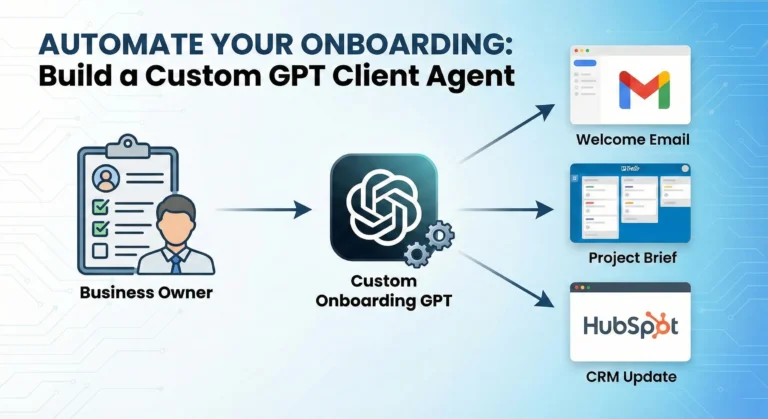
    Build a Custom GPT to Automate Client Onboarding

    If you run an agency or consulting business, you already know the onboarding paradox. Landing a new client is the best feeling in the world, but the administrative hangover that immediately follows—sending welcome packets, chasing down brand assets, and setting up project management boards—is a massive drain on your time.

    What if you could bottle up your exact onboarding process and hand it over to an AI?

    Building a custom ChatGPT agent to handle your new client intake isn’t just a fun tech experiment; it is a scalable business asset. By combining OpenAI’s custom GPT capabilities with AI workflow automation, you can create an assistant that guides your clients, answers their initial questions, and drafts their strategy documents while you focus on the actual billable work.

    Here is a step-by-step custom GPT tutorial to help you automate client onboarding and win back your week.

    Step 1: Map the Workflow (Don’t Skip This)

    A custom GPT is only as smart as the system you anchor it to. Before you even log into OpenAI, you need to document exactly what happens when a prospect says “yes.”

    Grab a piece of paper and outline your current bottlenecks. What do you do on repeat?

    • Do you send the same welcome email with slightly tweaked variables?
    • Do you manually review intake forms to pull out key goals?
    • Do you spend an hour writing a project kickoff brief?

    Pick one specific, repetitive phase of your onboarding process to automate first. A GPT built to “draft a custom project kickoff brief based on a client intake form” will perform ten times better than a GPT told to “handle my new clients.”

    Step 2: Configure Your Custom GPT

    Once your workflow is locked in, head over to ChatGPT. Note: You will need a paid Plus, Team, or Enterprise account to create and save custom GPTs.

    1. Click on Explore GPTs in the left sidebar, then hit Create.
    2. You will see a split screen. While it is tempting to use the “Create” tab to chat with the builder, switch over to the Configure tab. This gives you manual, granular control over how your agent behaves.
    3. Give your assistant a name (e.g., Onboarding Co-Pilot) and a brief description.

    Step 3: Write the System Prompt (The Brain)

    The “Instructions” box is where the magic happens. A standard prompt like “write welcome emails for my clients” will give you generic, robotic outputs.

    To make this tool an extension of your business, give it a strict persona, clear rules, and an expected output format. Try using this structure:

    • Role: You are the Senior Client Success Manager for [Your Agency Name]. Your job is to facilitate a seamless onboarding experience for new B2B clients.
    • Tone: Warm, professional, and concise. Avoid marketing jargon.
    • Task: When I upload a completed client intake form, you will generate three things: 1) A personalized welcome email. 2) A bulleted list of missing assets we need from the client. 3) An internal project brief for my team.
    • Boundaries: Never invent services we do not offer. If the intake form is missing critical budget data, explicitly flag it for my review.

    Step 4: Upload Your Knowledge Base

    This is what separates using ChatGPT for business from using it for parlor tricks. In the Knowledge section, upload the proprietary documents that make your agency unique.

    Upload your standard operating procedures (SOPs), your service pricing tiers, past examples of excellent project briefs, and your brand tone guidelines. When the GPT generates an onboarding plan, it will actively reference these files so the output actually sounds like it came from your desk.

    Pro Tip: Keep your knowledge files clean. Break large, messy PDFs into smaller, clearly titled text documents (e.g., Welcome_Email_Templates.pdf, Service_Tiers.pdf). This helps the AI pull the exact information it needs without hallucinating.

    Step 5: Connect to AI Workflow Automation

    Once your GPT is reliably analyzing intake forms and drafting emails, it is time to connect it to the rest of your tech stack.

    Under the “Capabilities” section, you can set up Custom Actions. By connecting your GPT to tools like Zapier or Make, your agent can move from just writing text to actually executing tasks. You can configure it so that once the GPT generates the onboarding brief, it automatically pushes that data into a new Trello card, updates the client’s status in HubSpot or Salesforce, and drafts the welcome email directly in your Gmail drafts folder.

    Final Thoughts

    Treat your new custom GPT like a new hire. It will make a few mistakes in its first week. When it gives you an output you don’t like, don’t just fix the output manually—go back into the Configure tab and update the instructions so it learns for next time. Within a few weeks, you will have a rock-solid, automated client onboarding system that scales as fast as your agency does.

  • ·

    The Death of the SDR: Building a “Zero-Human” Outbound Team

    Let’s be brutally honest for a moment. The “SDR Sweatshop” model is finally dead.

    We all knew it was broken back in 2023. But here in February 2026, continuing to run it is financial negligence. Taking bright, ambitious 22-year-olds and forcing them to act like spam-bots—sending 150 generic emails a day just to get a 0.5% reply rate—isn’t a strategy anymore. It’s insanity.

    The fundamental shift of the last two years isn’t just that AI got better at writing. It’s that AI got “agency.”

    We have moved past needing humans in the loop for low-value tasks. The future of high-growth B2B sales is the “Zero-Human” Outbound Team.

    The Math Just Doesn’t Work Anymore

    The demise of the Sales Development Representative (SDR) role comes down to cold, hard economics.

    An entry-level SDR in San Francisco, London, or New York costs anywhere from $80,000 to $120,000 fully loaded (salary, commission, tools, benefits). They work roughly 8 hours a day, they burn out in 14 months, and they spend 40% of their time just screwing around in Salesforce.

    In 2026, an autonomous AI agent—like 11x’s Alice, Artisan’s Ava, or a custom-built Agentforce flow—costs a fraction of that. It works 24/7/365. It never gets demoralized by rejection. It never forgets to follow up. It researches 1,000 leads in the time it takes a human to research ten.

    The ROI gap is now too wide for any CFO to ignore. If your competitor is using agents to book meetings at $50 a pop, and you’re using humans to book them at $500 a pop, you have already lost.

    Autonomy vs. Assistance

    The mistake most VPs of Sales are making right now is confusing “AI Co-pilots” with “AI Agents.”

    • A Co-pilot helps a human write an email faster. The human is still the bottleneck.
    • An Agent does the whole job. It finds the lead on LinkedIn, reads their recent posts to find a hook, drafts the email, sends it, reads the reply, handles basic objections, and books time on the Account Executive’s calendar. No human touches the process until the prospect says, “Sure, let’s talk.”

    We are now building outbound engines where the only human input is defining the Ideal Customer Profile (ICP), and the only human output is a booked Zoom call.

    The New Sales Org Chart

    So, do we fire everyone? No. But the pyramid is inverting.

    The bottom layer of the sales stack—the brute-force prospecting layer—is being automated away. The role of the “SDR Manager” is rapidly evolving into an “AI Ops Manager.” This person doesn’t motivate 20-somethings; they manage prompt libraries, monitor agent hallucination rates, and ensure data hygiene.

    This is liberation, not destruction. Humans are terrible at repetitive, robotic tasks. We are fantastic at empathy, complex negotiation, and relationship building.

    By outsourcing the grunt work to agents, your Account Executives (AEs) stop chasing ghosts and start spending their time actually selling to qualified buyers.

    The Final Pivot

    The transition is painful. It requires tearing down playbooks that have worked for a decade. But the companies that win in 2027 won’t be the ones with the biggest army of SDRs making cold calls. They will be the ones with the smartest swarms of autonomous agents.

    Stop hiring people for a job that no longer exists. It’s time to build the machine.

  • ·

    Salesforce Agentforce vs. HubSpot Breeze: Which AI CRM Wins in 2026?

    For the last decade, the choice between Salesforce and HubSpot was simple: Salesforce was for the Enterprise that needed to customize everything; HubSpot was for the scale-up that wanted things to work out of the box.

    In 2026, that line has blurred. Both have launched massive “Agentic” overhauls—Salesforce Agentforce and HubSpot Breeze—promising to turn your CRM from a passive database into an active employee.

    But don’t let the marketing hype fool you. These two platforms have taken radically different approaches to AI. I’ve dug into the pricing, the architecture, and the real-world headaches of both. Here is the no-nonsense comparison.

    1. The Philosophy: “The Brain” vs. “The Co-Pilot”

    Salesforce Agentforce is built on what they call the “Atlas” reasoning engine. It is designed to be autonomous.+1

    • The Vibe: It feels like hiring a very expensive, very smart consultant. You give it a complex goal (“Resolve this customer support ticket by checking shipping data in Oracle and refunding via Stripe”), and it figures out the steps. It doesn’t just suggest text; it takes action.
    • The Reality: It is powerful, but heavy. Setting it up requires a “human in the loop” to define strict guardrails, or you risk it hallucinating a 50% discount to your biggest client.

    HubSpot Breeze is built on the “Copilot” model. It is designed to be assistive.

    • The Vibe: It feels like a really fast intern sitting next to you. It lives in the sidebar. You ask it to “Research this lead” or “Rewrite this email,” and it does it instantly.
    • The Reality: It is less likely to break things because it (mostly) waits for you to click “Send.” It integrates seamlessly into the daily workflow of a rep, but it lacks the deep, multi-step reasoning capabilities of Salesforce.

    2. The Agents: What Can They Actually Do?

    Salesforce’s Star Player: The Service Agent Salesforce is winning the “Customer Service” game. Their Agentforce Service Agent can handle complex, multi-turn conversations without a human ever touching the keyboard. It can query external databases (thanks to Data Cloud) and actually resolve tickets.

    • Verdict: If you run a massive support center, this is the gold standard.

    HubSpot’s Star Player: The Prospecting Agent HubSpot knows its audience: Sales Reps who hate admin. The Breeze Prospecting Agent is brilliant at the “top of funnel” grunt work. It researches a company, finds recent news, drafts a personalized hook, and queues it up.

    • Verdict: If you run an outbound sales team, this creates immediate value. It doesn’t require a 6-month implementation project; you turn it on, and your reps get faster today.

    3. The Pricing: Credits vs. Complexity

    Here is where things get messy.

    Salesforce Agentforce Pricing:

    • The Model: A mix of “Per Conversation” fees ($2/conversation) and “Flex Credits.”
    • The Gotcha: It is notoriously hard to predict. If your AI agent gets into a loop or has a long conversation, your costs spike. You need a dedicated Ops person just to monitor your AI consumption bill.

    HubSpot Breeze Pricing:

    • The Model: Mostly bundled into the “seats.” If you are on Sales Hub Professional or Enterprise, you get a bucket of credits.
    • The Gotcha: You will burn through those credits faster than you think. However, the cost is capped and predictable. You know what your bill will be at the end of the month.

    4. The “Data Mess” Factor

    AI is only as good as the data it eats.

    • Salesforce relies on Data Cloud to harmonize your data. It works, but it’s an engineering project. If your Salesforce instance is a “spaghetti mess” of bad data (which, let’s be honest, it is), Agentforce will struggle.
    • HubSpot has launched Breeze Intelligence (formerly Clearbit). Because HubSpot’s data model is cleaner by default, the AI tends to hallucinate less right out of the gate. It enriches data automatically, giving the agent a better starting point without you needing a data scientist.

    The Verdict

    Choose Salesforce Agentforce If:

    • You are a large Enterprise (500+ employees).
    • You have a dedicated Salesforce Administrator/Developer team.
    • You need complex, cross-department automation (e.g., Sales talks to Logistics talks to Finance).

    Choose HubSpot Breeze If:

    • You are a SMB or Mid-Market company (10–500 employees).
    • You want your sales reps to adopt the tool this week, not next year.
    • You value ease of use over infinite customization.

    The Winner? For pure ROI speed, HubSpot Breeze takes the crown in 2026. It’s accessible, predictable, and actually helps reps sell. Salesforce is more powerful, but for most companies, that power remains locked behind a wall of complexity.

  • ·

    10 Best Autonomous AI Sales Agents in 2026 (That Actually Book Meetings)

    Let’s rip the band-aid off: The traditional SDR model is broken. Burning out young graduates by making them send 100 generic emails a day isn’t just cruel; in 2026, it’s bad business. Response rates are plummeting, and CAC (Customer Acquisition Cost) is skyrocketing.

    The solution isn’t “better templates.” It’s Digital Workers.

    We aren’t talking about chatbots that sit on your website waiting for visitors. We are talking about Autonomous Outbound Agents—AI that wakes up, logs into your CRM, finds leads, researches them, and sends hyper-personalized emails (or even makes calls) without you lifting a finger.

    I’ve tested the top contenders. Here are the 10 best AI Sales Agents that are actually worth your budget this year.

    1. 11x.ai (Alice)

    Best For: Pure autonomous outbound. If you’ve been on LinkedIn lately, you’ve heard of Alice. She is the closest thing to a “set it and forget it” AI SDR.

    • What she does: Alice finds leads, researches their LinkedIn activity, and drafts emails that sound frighteningly human.
    • The Killer Feature: She doesn’t just “blast.” She waits. She understands timing and follow-up cadence better than most junior reps.

    2. Artisan (Ava)

    Best For: Teams who want an “All-in-One” AI Employee. Artisan positions its agent, Ava, not as a tool but as a hire.

    • What she does: Ava automates the entire outbound stack. She has a built-in database of 300M+ B2B contacts (so you don’t need ZoomInfo) and handles the email warming and sending herself.
    • The Killer Feature: The “Waterfall” personalization. Ava stitches together data from news, funding rounds, and hiring posts to write emails that actually make sense.

    3. Salesforce Agentforce (SDR Agent)

    Best For: Enterprise teams living in Salesforce. For years, Salesforce AI was just “Einstein” giving you scores. Agentforce is different. It uses the new “Atlas” reasoning engine to actually do the work.

    • What it does: It lives inside your Sales Cloud. It qualifies inbound leads 24/7 and can autonomously nurture them until they are ready to buy.
    • The Killer Feature: Security. It respects your enterprise data governance. It won’t hallucinate your Q4 targets to a competitor.

    4. HubSpot Breeze (Prospecting Agent)

    Best For: Mid-market companies using HubSpot. If Salesforce is the tank, HubSpot Breeze is the sports car. It’s fast to deploy and lives natively in your CRM.

    • What it does: It researches companies in your target market and adds them to your CRM with “enriched” data, then drafts the outreach for you.
    • The Killer Feature: Ease of use. You don’t need a systems integrator to set this up. You turn it on, and it works.

    5. Clay (Claygent)

    Best For: Deep research and data enrichment. Clay isn’t a traditional “sender,” but its agent, Claygent, is the secret weapon of the world’s best growth hackers.

    • What it does: You give it a task like “Find me every VP of Sales in London who is hiring and loves golf.” Claygent scrapes the web, checks job boards, reads LinkedIn posts, and builds you a list that is 99% accurate.
    • The Killer Feature: It replaces your research team. It can visit 1,000 websites in minutes to verify if they use your competitor’s software.

    6. Regie.ai

    Best For: Enterprise-grade personalization and “Auto-Pilot.” Regie started as a writing assistant but has evolved into a full-blown agent.

    • What it does: It uses “Auto-Pilot” to continuously scan for triggers (like a funding announcement) and instantly enrolls that prospect into a sequence.
    • The Killer Feature: It solves the “blank page” problem. It dynamically builds campaigns based on who the prospect is, not just what template you picked.

    7. SalesCloser.ai

    Best For: Voice and Video demos. Most agents just write text. SalesCloser can talk.

    • What it does: It can join a Zoom call, give a product demo, and handle objections in real-time using voice.
    • The Killer Feature: It can handle the “discovery call” for smaller accounts that your human AEs don’t have time for.

    8. Reply.io (Jason AI)

    Best For: High-volume agencies. If you are an agency running outreach for 50 clients, Jason AI is your workhorse.

    • What it does: It handles the back-and-forth. When a lead replies “Not interested,” Jason handles it. When they say “Call me Tuesday,” Jason books it.
    • The Killer Feature: It integrates with everything, making it a great “layer” on top of your existing messy stack.

    9. Lindy.ai

    Best For: Custom workflows. Lindy is flexible. You can build a “Sales Lindy,” a “Support Lindy,” or a “Recruiting Lindy.”

    • What it does: It’s great for tasks that require jumping between apps—like “Check my email, update the CRM, then Slack the AE.”
    • The Killer Feature: You can “teach” it new skills just by recording your screen.

    10. AiSDR

    Best For: Budget-conscious teams. If 11x and Artisan are too pricey, AiSDR is the solid challenger.

    • What it does: It automates the email loop—drafting, sending, and qualifying—at a fraction of the cost of a full-time hire.
    • The Killer Feature: It reacts to objections. If a lead says “too expensive,” AiSDR knows how to pivot to a “budget-friendly” value prop.

    The Bottom Line

    If you are an Enterprise shop, go with Agentforce. If you are a startup or growth team, look at 11x or Artisan.

    But whatever you do, stop hiring humans to do a robot’s job. Your competitors already have.

  • ·

    Character Consistency: Midjourney vs. Flux

    If you have ever tried to make an AI comic book or a storyboard, you know the pain.

    You generate a stunning protagonist in Scene 1. Let’s call her “Maya, a cyberpunk hacker with a neon blue undercut.” She looks perfect.

    Then you write the prompt for Scene 2: “Maya sitting in a cafe drinking coffee.”

    Suddenly, Maya has a bob cut. Her jacket changed from leather to denim. Her face structure looks like she aged ten years or turned into her own cousin. The immersion is broken.

    For years, this “Shapeshifter Problem” was the wall that separated “cool AI art” from “actual storytelling.” But in 2026, the wall is crumbling. We now have specific tools designed to lock in a character’s identity.

    We put the two heavyweights—Midjourney and Flux—to the test. Here is who wins the Consistency Battle.

    The Contender: Midjourney (The --cref King)

    Midjourney remains the king of aesthetics, but its “Character Reference” (--cref) feature is what storytellers rely on.

    • How it works: You generate your “Master Image” of Maya. You copy the URL. Then, in your next prompt, you add --cref [url].
    • The Experience: It is shockingly good at capturing the vibe and facial features. In our test, Midjourney kept Maya’s neon hair and facial structure consistent about 85% of the time.
    • The Downside: Midjourney is stubborn. It loves to “prettify” things. If you try to put Maya in a gritty, ugly situation, the AI fights you to make it look cinematic. It also struggles with specific clothing consistency. Maya’s face stays the same, but her outfit tends to hallucinate new zippers and pockets in every frame.

    The Challenger: Flux (The Control Freak)

    Flux (specifically the specialized fine-tunes available in 2026) has taken the open-source world by storm.

    • How it works: Flux relies on “LoRAs” (Low-Rank Adaptation). Think of it as a mini-brain training. You upload 10 photos of a character, and the model learns who they are.
    • The Experience: This is the professional’s choice. Once Flux “knows” Maya, it doesn’t just guess; it understands her geometry. You can rotate her, change the lighting, or put her in a spacesuit, and the face remains identical.
    • The Downside: The learning curve is steep. You aren’t just typing a prompt; you are managing a workflow. You need a decent GPU or a cloud host like Fal.ai or Replicate to run it efficiently.

    The Verdict: Which One Do You Need?

    Choose Midjourney if: You are making a mood board, a pitch deck, or a children’s book where “close enough” is okay. It is fast, easy, and the lighting is always beautiful. The --cref tag is enough to fool the casual eye.

    Choose Flux if: You are building a graphic novel or a recurring brand mascot. If you need the character to wear the exact same logo on their shirt in panel 1 and panel 50, Flux is the only tool that offers that level of rigid consistency.

    The days of the shapeshifter are over. Pick your weapon and start telling your story.