|

Google Gemini Review 2026: Can It Really Beat ChatGPT?

Google Gemini Review 2026: Can It Really Beat ChatGPT?

If you follow AI even a little bit, you’ve probably heard that Google Gemini is supposed to be the company’s big answer to ChatGPT. In this Google Gemini review, I’m focusing on how Gemini AI actually feels in day‑to‑day use in 2026, and whether it genuinely beats ChatGPT or just offers a different flavour of the same thing. This Gemini vs ChatGPT review is based on typical tasks: writing, research, coding, and general productivity for users in the US and UK.

Setup and Interface: Gemini Feels Naturally Built Into Google

The first obvious advantage Gemini has is integration. While ChatGPT mostly lives in its own web app (unless you use plugins or third‑party tools), Gemini is woven directly into Google products that people in the US and UK already use daily.

In Gmail and Google Docs, Gemini can suggest replies, rewrite emails, draft blog posts, and summarise long text without leaving the page. On Android phones and Chromebooks, Gemini is increasingly replacing the old Google Assistant, so it feels like part of the operating system rather than an extra app.

ChatGPT, on the other hand, still works best as something you open in a separate tab or app and copy‑paste from. For some people that’s fine, but if you live inside Google’s ecosystem, Gemini’s integration is a big practical win.

Writing and Content Generation: ChatGPT Still Has the Edge for “Voice”

For writing tasks, the gap between Gemini AI and ChatGPT is smaller than it used to be, but it hasn’t disappeared.

Gemini is very good at structured writing: outlines, lists, how‑to guides, meeting notes and summaries. It tends to stay organised, on‑topic and fairly concise. If you need a clean first draft of a blog post, a product description, or a set of bullet points for a presentation, Gemini does the job without much drama.

ChatGPT, especially in its latest versions, still feels a bit more “human” in tone. It’s better at storytelling, humour, and capturing a particular style of writing. When you ask for a conversational article or a creative angle, ChatGPT often sounds more natural and less like a corporate manual.

So in this part of the Gemini vs ChatGPT review, the result is mixed: Gemini wins on structure and tight integration with Docs, while ChatGPT remains slightly stronger for voice and personality.

Search, Facts and Live Information: Gemini Plays on Home Ground

When it comes to live information, Gemini finally looks like the AI that Google promised. Because it sits directly on top of Google Search, it can pull in fresh results, link to sources, and show you where it found the information.

For example, if you ask for “best AI tools for small businesses in the UK in 2026” or “latest changes in US student loan rules”, Gemini is usually quicker to ground its answer in current web pages. You can see links, visit the original sites, and dig deeper.

ChatGPT has browsing modes and integrations, but they still feel like an extra layer bolted on top. Sometimes it browses, sometimes it doesn’t, and occasionally it hallucinates details more confidently than Gemini does.

That doesn’t mean Gemini is perfect: it can still misread pages or over‑simplify complex topics. But for search‑style questions, especially those relevant to US and UK news, Gemini now feels more reliable more often.

Coding and Technical Tasks: Close Competition, Slight Preference

Both Gemini AI and ChatGPT are strong coding assistants in 2026, and for most everyday developers there is less difference than marketing suggests.

Gemini is excellent when used with Google’s developer tools and cloud services. It can help generate code snippets, explain error messages, and suggest improvements in a fairly straightforward way. If you’re already in the Google Cloud world, that tight connection is useful.

ChatGPT still has a slight edge in explaining code step‑by‑step and offering multiple versions of a solution. Many developers in the US and UK have already built their personal workflow around ChatGPT, and that familiarity matters.

If you’re starting from scratch, you can comfortably pick either. If you’re deep into Google’s stack, Gemini will feel more natural. If you’ve been using ChatGPT for a year or more, there isn’t a strong reason to abandon it purely for coding.

Privacy, Pricing and Value for Money

On pricing, Gemini and ChatGPT both use a mix of free and paid tiers. Google’s free Gemini is competitive for casual users, and the paid versions are mainly attractive for heavy usage or business integrations.

For many US and UK users, the real question is not just price but trust. Google has a long history of collecting user data, and some people are cautious about giving Gemini access to their documents and emails, even if it is technically necessary for the features to work. OpenAI has had its own controversies, but it still feels slightly more “separate” from your daily accounts.

If you already rely heavily on Google Workspace, paying for Gemini’s advanced features can make sense: you are getting an AI layer across tools you’re already paying for. If you prefer to keep AI separate from your inbox and personal files, a standalone ChatGPT subscription may feel safer.
In 2026, Google Gemini has finally become a serious rival instead of just a late response. It doesn’t completely replace ChatGPT, but for many US and UK users, especially those deep in Google’s ecosystem, it might quietly become the AI they reach for first.
Final Verdict – Is Gemini Better Than ChatGPT in 2026?

So, the big question of this Gemini vs ChatGPT review: is Google Gemini actually better?

The honest answer is: it depends how you work.

Gemini is best for:

  • People who live inside Google Search, Gmail, Docs and Android
  • Structured work: summaries, outlines, emails, reports and quick research
  • Users who want AI blended directly into their existing tools

ChatGPT is still better for:

  • More creative writing, storytelling and conversational content
  • Users who like a single, central AI workspace separate from their other accounts
  • Developers and power users who already built habits and prompts around ChatGPT

In 2026, Google Gemini has finally become a serious rival instead of just a late response. It doesn’t completely replace ChatGPT, but for many US and UK users, especially those deep in Google’s ecosystem, it might quietly become the AI they reach for first.
Similar Posts

  • ·

    Stop Using Midjourney for Logos: The Vector Revolution

    Look, we have all been there.

    You spend two hours perfecting a prompt in Midjourney. You finally get that perfect, minimalist mascot for a client or a new sticker design for your Etsy shop. It looks crisp on your iPhone. It looks stunning on Discord.

    Then you send it to the printer.

    And the email comes back: “Sorry, this is 72 DPI. Do you have the vector file? When we blow this up for the banner, it looks like a Minecraft screenshot.”

    Panic sets in. You try to use an “AI upscaler,” but it just makes the lines look weird and wobbly. You try to “Image Trace” it in Illustrator, and suddenly your clean lines turn into a jagged mess of a thousand anchor points.

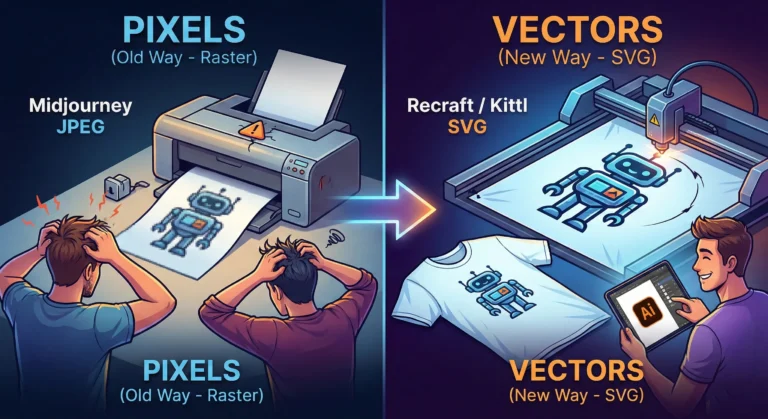
    Here is the hard truth for 2026: Midjourney and DALL-E are for art. They are not for assets.

    If you are a solo entrepreneur, a Print-on-Demand (POD) seller, or a freelancer, you need to stop thinking in pixels and start thinking in math. You need to join the Vector Revolution.

    The “Pixel” Trap

    Tools like Midjourney generate Raster images. They are made of colored dots (pixels). They are painted. If you zoom in, they get fuzzy. You cannot change the color of just the shirt without repainting the whole thing.

    Vectors (SVGs, EPS, AI files) are different. They are math equations. A line is defined by points A and B. Whether you print it on a business card or a billboard, the math stays the same. The line is always sharp.

    For years, AI was bad at vectors because “math” is harder for diffusion models than “painting.” But in 2026, the code has been cracked.

    The New Toolkit: Recraft & Kittl

    If you are still wrestling with raster images for logos, stop. Here are the tools that are actually making money right now.

    1. Recraft (The Heavy Hitter) Recraft isn’t just “Midjourney but different.” It is built from the ground up for designers. When you type “minimalist geometric lion logo,” it doesn’t give you a flat picture. It gives you layers.

    • Why it wins: You can export as SVG. You can open that file in Illustrator or Figma and actually edit the curves. You can change the brand colors in two clicks because the AI understands “color palettes,” not just “pixels.”

    2. Kittl (The POD Powerhouse) If you sell on Redbubble or Merch by Amazon, Kittl is your best friend. Their “AI Vector Generator” is tuned specifically for t-shirt complexity. It avoids those weird, wispy lines that screen printers hate. It creates clean, solid shapes that peel perfectly off a vinyl cutter.

    The “Editable” Advantage

    The biggest reason to switch isn’t just print quality—it’s editability.

    Imagine a client says, “I love the logo, but can you move the star to the left and make the font bold?”

    • With Midjourney: You have to re-roll the prompt and hope the random seed gives you something similar (it won’t).
    • With Vector AI: You just click the star and drag it to the left.

    The Bottom Line

    Stop selling JPEGs. In the freelance world of 2026, a “Logo Package” that includes a scalable SVG file is worth $500+. A JPEG is worth $50.

    The tools have evolved. Your workflow should too. Keep Midjourney for your mood boards and concept art, but when it’s time to build the actual product? Go vector.

  • ·

    Grok AI vs ChatGPT: Features and Real Use Cases

    Artificial intelligence tools are evolving rapidly, but most of them follow a similar pattern: static training data, controlled outputs, and limited real-time awareness. That model works well for structured tasks like coding assistance or writing help. However, it struggles when users want current insights, cultural context, or social trends.

    That gap is where Grok, developed by xAI, enters the picture.

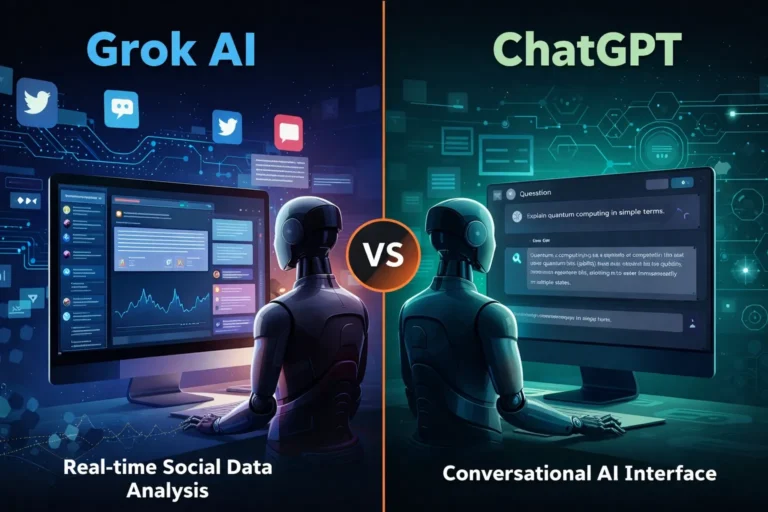
    Unlike many AI assistants that rely primarily on training datasets, Grok was designed to connect directly with X (formerly Twitter). This integration allows the model to analyze public conversations, trending topics, and real-time discussions.

    For professionals working in marketing, research, or online business, that difference can significantly change how AI is used in daily workflows.


    At its core, Grok functions as a conversational AI assistant similar to ChatGPT or Claude. Users can ask questions, generate text, analyze ideas, or explore technical topics.

    But Grok was intentionally designed with a different philosophy: context awareness from live data.

    Key capabilities include:

    Real-time information access
    Grok can interpret current discussions happening on X, making it useful for trend monitoring and sentiment analysis.

    📊 Social conversation insights
    It can summarize how people are reacting to a topic rather than just describing the topic itself.

    🧠 Conversational reasoning
    Grok aims to produce more informal and context-aware answers compared with some traditional AI assistants.

    🔎 Idea exploration and brainstorming
    Because it pulls from real discussions, it can surface unexpected perspectives that static datasets might miss.

    For example, a digital marketer researching a product launch could ask Grok:

    “What are people complaining about in the latest smartphone release?”

    Instead of returning a generic answer, the AI can analyze current posts and highlight common concerns.


    While both systems function as AI assistants, their strengths are slightly different.

    🔹 Data Sources

    Grok

    • Strong connection to real-time social data
    • Useful for trend discovery and sentiment analysis

    ChatGPT

    • Primarily trained on large datasets and structured knowledge
    • Strong for reasoning, coding, and documentation

    🔹 Content Tone

    Grok often responds with a more conversational tone, reflecting its connection to social platforms.

    ChatGPT generally produces more structured, formal responses, which can be useful for professional documentation.

    🔹 Business Applications

    ChatGPT remains stronger in areas like:

    • code generation
    • structured writing
    • workflow automation
    • technical problem solving

    Grok shows promise in areas such as:

    • social trend monitoring
    • public sentiment analysis
    • cultural context research

    For professionals, the tools may complement rather than replace each other.


    Here are practical scenarios where Grok can be particularly useful.

    📈 Marketing trend research

    Marketers can analyze what audiences are discussing about a brand or industry.

    Example:
    A SaaS founder launching a productivity app could analyze conversations around productivity tools to identify common complaints.

    🧩 Product feedback discovery

    Companies can quickly identify how users feel about competing products.

    This type of insight traditionally required expensive social listening tools.

    📰 News and narrative monitoring

    Journalists, analysts, and researchers can track how a story evolves across social media conversations.

    💡 Content brainstorming

    Creators and writers can explore trending topics that resonate with real audiences.

    Instead of guessing what people want to read, Grok can surface ideas based on live discussion patterns.


    Like any AI system, Grok has strengths and trade-offs.

    ✔ Benefits

    • Access to real-time conversations
    • Useful for trend discovery
    • Insight into public sentiment
    • Unique perspective compared to traditional AI tools

    ⚠ Limitations

    • Social data may contain noise or misinformation
    • Real-time data can introduce bias or emotional reactions
    • Not always ideal for technical or academic analysis

    Professionals should treat Grok as a research assistant rather than a final authority.


    If you’re running an online business or digital project, Grok works best when integrated into a broader workflow.

    Practical workflow example

    1️⃣ Trend discovery using Grok
    2️⃣ Content research and structure using ChatGPT
    3️⃣ Publishing strategy based on validated audience interests

    This layered approach combines real-time insight with structured AI reasoning.


    Grok may be especially valuable for:

    • digital marketers
    • startup founders
    • journalists and analysts
    • social media strategists
    • creators researching audience interests

    Who may not benefit as much

    • developers needing deep coding assistance
    • academic researchers needing highly verified sources
    • enterprises requiring strict moderation controls


    AI tools are gradually moving from static knowledge systems toward dynamic intelligence connected to real-world conversations. Grok represents an early experiment in that direction.

    While it may not replace traditional AI assistants like ChatGPT, its ability to interpret live social discussions creates new possibilities for research, marketing, and trend discovery.

    For professionals exploring AI workflows, Grok is less about replacing existing tools and more about adding a new layer of real-time insight to decision making.

  • ·

    Top AI Image Generation Tools for Designers in 2026

    Artificial intelligence has transformed the design industry. What once required hours of manual work in tools like Photoshop or Illustrator can now be achieved in seconds with AI image generation tools.

    Designers, marketers, and content creators are increasingly using AI to generate illustrations, concept art, social media graphics, and marketing visuals. These tools use powerful machine learning models to convert simple text prompts into stunning images.

    Whether you’re a freelance designer, a startup founder, or a content creator, AI-powered design tools can significantly speed up your workflow.

    In this guide, we’ll explore the top AI image generation tools for designers, including Midjourney, Leonardo AI, and Canva, and show how each platform can enhance your creative process.

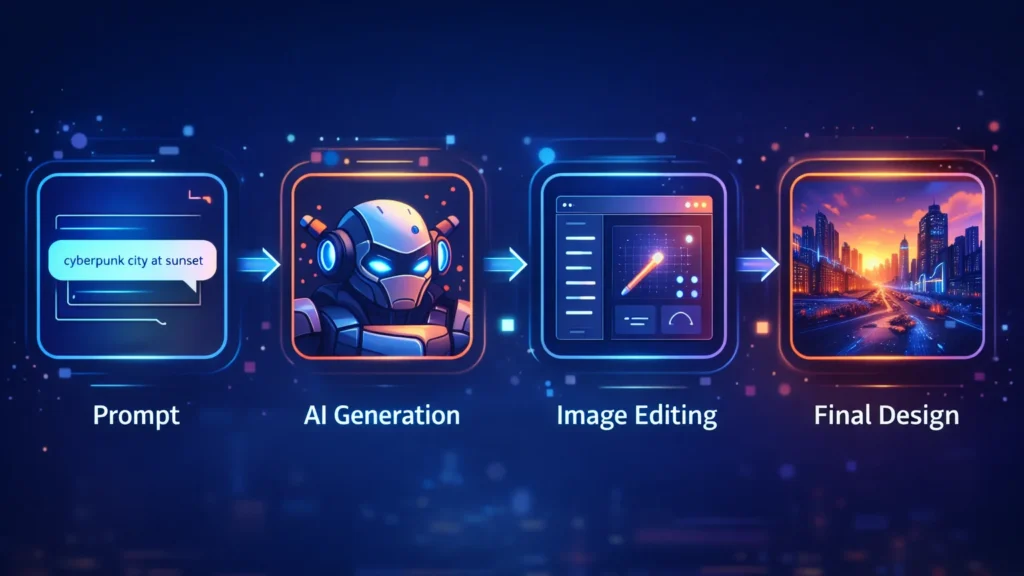
    Workflow diagram showing prompt input, AI image generation, image editing, and final design creation process.
    A visual workflow showing how AI image generators transform a text prompt into a finished design through generation and editing.

    AI design tools are not just about speed—they unlock entirely new creative possibilities.

    Key advantages include:

    • Generate multiple design concepts instantly
    • Create unique visuals without advanced design skills
    • Speed up creative workflows
    • Produce marketing visuals at scale
    • Reduce design costs for startups and creators

    For designers working with tight deadlines, AI tools can act as creative assistants that generate ideas and draft visuals quickly.

    ■ Best Overall: Midjourney
    ■ Best for Game Designers: Leonardo AI
    ■ Best for Beginners: Canva AI
    ■ Best for Marketing Visuals: Canva
    ■ Best for Concept Art: Midjourney

    Below are some of the most powerful AI image generators available today.

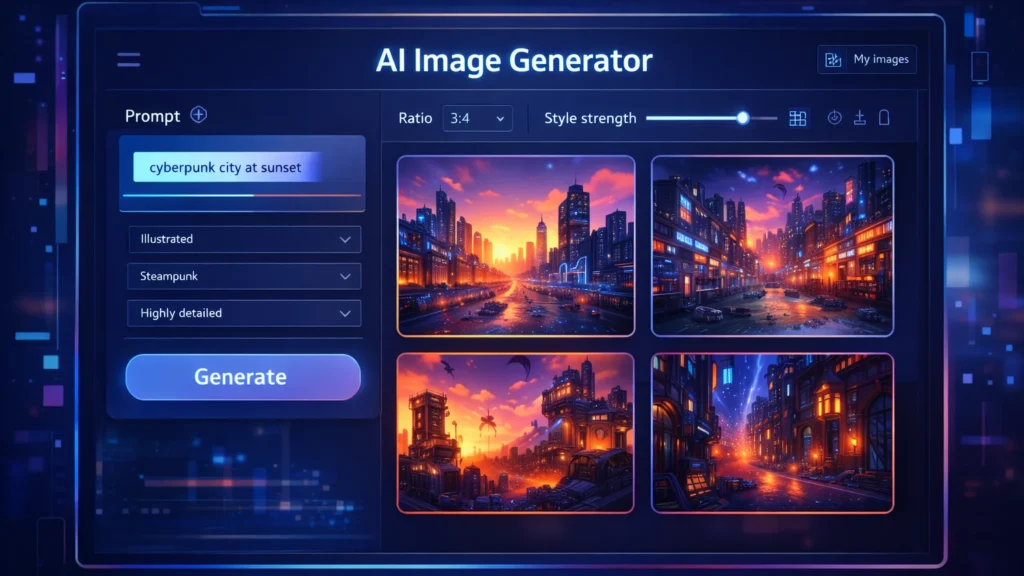
    AI image generator dashboard showing prompt input panel and multiple generated images in a design interface.
    A stylized AI image generator interface where users enter prompts and instantly generate multiple design variations.

    Midjourney is one of the most popular AI art generators used by professional designers and digital artists. It produces highly detailed and cinematic images from simple text prompts.

    Midjourney runs primarily through Discord, making it slightly different from traditional design tools.

    Key Features

    • Extremely high-quality image generation
    • Cinematic and artistic style outputs
    • Advanced prompt customization
    • Active community for prompt sharing

    Pros

    • Exceptional image quality
    • Ideal for concept art and illustration
    • Huge creative flexibility

    Cons

    • Requires Discord interface
    • Learning curve for prompts

    Best For

    Concept artists, creative designers, and illustrators looking for highly detailed artwork.

    Try Midjourney here

    Leonardo AI is becoming a favorite tool among game developers, product designers, and creative professionals who need consistent and customizable AI-generated images.

    It offers more control than many other AI art tools.

    Key Features

    • Custom AI model training
    • Game asset generation
    • Style control and presets
    • Prompt guidance tools

    Pros

    • Strong control over image styles
    • Great for game assets and design assets
    • Fast generation speeds

    Cons

    • Some advanced features require paid plans
    • Interface may feel complex for beginners

    Best For

    Game designers, digital artists, and product designers.

    Try Leonardo AI here

    Canva has integrated powerful AI features into its already popular design platform. With tools like Magic Media and the AI image generator, users can create visuals directly inside Canva.

    This makes it perfect for marketers and beginners.

    Key Features

    • AI text-to-image generator
    • Integrated design templates
    • Drag-and-drop editor
    • AI background removal and editing

    Pros

    • Very beginner-friendly
    • Works within existing design workflows
    • Excellent for marketing graphics

    Cons

    • Image quality may be lower than Midjourney
    • Limited artistic control

    Best For

    Social media creators, bloggers, and marketing teams.

    Try Canva AI here

    ToolBest ForKey FeaturePricing
    MidjourneyConcept artistsHigh-quality AI artPaid
    Leonardo AIGame designersCustom AI modelsFreemium
    Canva AIBeginners & marketersIntegrated design toolsFreemium

    Designers and creators are using AI tools in many creative ways.

    Common applications include:

    • Blog and website illustrations
    • YouTube thumbnails
    • Marketing graphics
    • Game assets
    • Concept art
    • Product mockups
    • Social media visuals

    For freelancers and online businesses, AI image generators can reduce the need for expensive design resources.

    Benefits and Limitations ⚖️

    AI design tools offer incredible advantages but also have some limitations.

    Benefits

    • Massive time savings
    • Endless creative variations
    • Lower design costs
    • Accessibility for beginners

    Limitations

    • Some images may look generic
    • Prompt engineering is required
    • Copyright concerns in some cases

    Designers should use AI tools as creative assistants, not replacements for human creativity.

    If you’re new to AI design tools, follow these steps.

    Step 1: Choose the right tool

    Pick a tool based on your use case.

    • Midjourney → creative artwork
    • Leonardo AI → design assets
    • Canva → marketing visuals

    Step 2: Learn prompt writing

    Your prompts determine the output quality.

    Example prompt:

    “Futuristic cyberpunk city at sunset, ultra-detailed digital art”

    Step 3: Experiment with styles

    Try different prompts, lighting, colors, and art styles to discover unique visuals.

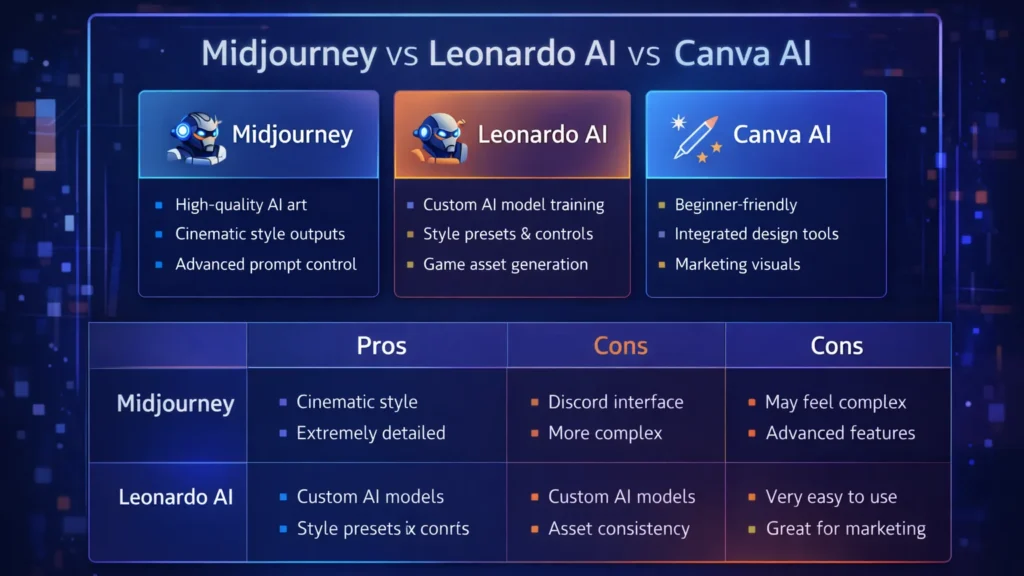
    Comparison chart highlighting features of Midjourney, Leonardo AI, and Canva AI image generation tools.
    Feature comparison of three popular AI image generation tools used by designers: Midjourney, Leonardo AI, and Canva AI.

    Conclusion

    AI image generation tools are transforming how designers create visuals. What once required hours of manual work can now be achieved in seconds using powerful AI platforms.

    Tools like Midjourney, Leonardo AI, and Canva AI give designers the ability to experiment, iterate, and produce high-quality visuals faster than ever.

    For entrepreneurs, bloggers, and digital creators, AI design tools offer a powerful way to scale visual content production while maintaining creativity.

    As AI continues to evolve, these tools will become an essential part of every modern designer’s toolkit.

  • ·

    Beyond the Green Screen: Choosing the Best AI Video Generators for 2026

    The statistics are undeniable: video dominates online engagement. But for years, creating high-quality video content has been a monumental task, demanding expensive equipment, skilled crew, and endless hours in the editing suite. This “production bottleneck” has traditionally kept many ambitious brands from fully leveraging video.

    Enter AI Video Generators.

    In 2026, these tools are no longer just novelties. They are rapidly evolving into powerful platforms that democratize video creation, allowing businesses—from bustling agencies in London to innovative startups in New York—to produce engaging content at unprecedented speed and scale.

    But with a new tool emerging every week, how do you choose the right one? At AI Growth Gear, with our foundation in film production and aesthetic communication, we see AI video as more than just pressing a button; it’s about translating vision into compelling motion, with precision and soul.

    Why AI Video is No Longer Optional

    • Speed to Market: Generate marketing videos, social clips, and product explainers in minutes, not days.
    • Cost Efficiency: Drastically reduce reliance on traditional production budgets, freeing up resources for strategy.
    • Scalability: Produce personalized video content for diverse audiences without increasing headcount.
    • Consistency: Maintain brand voice and visual style across all video assets through templating and AI assistance.

    What to Look For: A Director’s Checklist for AI Video Generators

    Not all AI video generators are created equal. Based on our extensive testing and understanding of professional production needs, here’s what to prioritize:

    1. Aesthetic Output (The Surbhi Chauhan Factor): This is paramount. Does the AI produce videos that look genuinely professional, or do they fall into the “uncanny valley” of robotic, overly polished, or bland visuals? Look for tools that allow granular control over style, lighting, and realistic character animation. Can it capture the texture of your brand?
    2. Ease of Use & Workflow Integration: A tool is only useful if it fits seamlessly into your existing operations. Is the interface intuitive? Can you upload scripts easily? Does it integrate with your content calendar or project management tools (like Notion or Zapier)?
    3. Customization & Brand Control: Can you upload your own brand assets (logos, fonts, color palettes)? Does it offer a range of customizable templates? The more control you have over the final output, the better it aligns with your brand identity.
    4. Voice & Lip-Sync Accuracy: If you’re using AI avatars or text-to-speech, pay close attention to the naturalness of the voice and the lip-sync quality. A robotic voice or mismatched lips can instantly break immersion and trust.
    5. Cost vs. Value: Free tools are tempting, but often come with limitations on quality, features, or branding. Evaluate subscription models based on the number of minutes, avatars, or advanced features you truly need. Calculate the ROI: how much time and money will it actually save you compared to traditional methods?
    6. Ethical Considerations & Rights: Understand the tool’s terms of service regarding content ownership and the ethical use of AI-generated faces or voices. Ensure you have the necessary rights for commercial use.

    The Future is in Motion

    AI video generators are not here to replace human creativity, but to augment it. They free up creatives to focus on strategic storytelling, conceptualization, and the subtle “director’s touch” that elevates content. By carefully selecting the right AI video gear, you can transform your content strategy, capture more attention, and truly scale your brand’s message.

    Ready to bring your brand to life in motion? The right AI video partner is waiting.

  • ·

    Digital Doubles: HeyGen vs. Synthesia – Choosing Your AI Presenter for 2026

    In business, communication is everything. Whether it’s training your global sales force, delivering personalized video messages to thousands of leads, or creating consistent brand explainers, the demand for engaging video is immense. The traditional approach—hiring presenters, booking studios, shooting, editing—is a bottleneck for even the most agile teams.

    This is where AI Avatar & Business Presenters step in. These aren’t just text-to-speech tools; they create convincing digital humans who can speak your message in multiple languages, with realistic expressions and lip-sync. For businesses in the US and UK looking to scale their video output without scaling their production budget, these platforms are a game-changer.

    At AI Growth Gear, we’ve evaluated the leading platforms with our “Director’s Lens,” focusing on realism, brand integration, and operational efficiency. Here’s how the top two—HeyGen (Avatar IV) and Synthesia—compare for your business.

    The Contenders at a Glance

    FeatureHeyGen (Avatar IV)Synthesia
    Primary StrengthUltra-Realistic Digital TwinsEnterprise-Grade Library & Compliance
    Best ForPersonalized Sales, UGCCorporate Training, Explainers
    WeaknessCustom avatars require more inputStock avatars can feel less unique

    1. HeyGen (Avatar IV): The Ultra-Realist

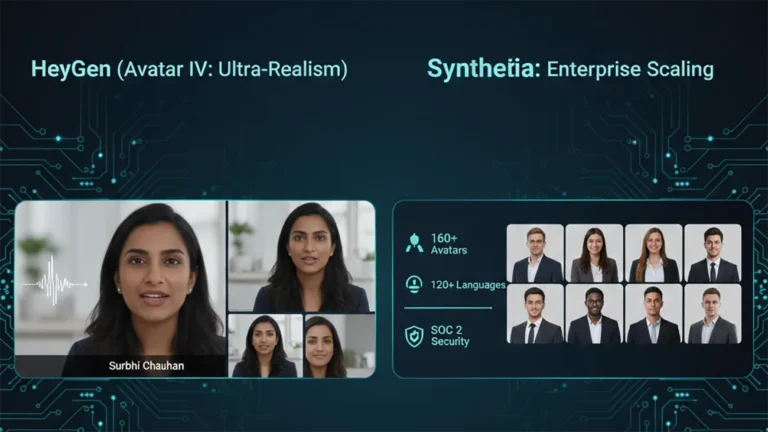
    HeyGen’s latest iteration, Avatar IV, is pushing the boundaries of what’s possible in AI avatar realism. Its “Digital Twin” feature allows businesses to create incredibly lifelike avatars of actual employees or spokespersons from minimal video footage. The subtlety of facial expressions and natural-sounding voice clones are truly impressive.

    • The Aesthetic: Aimed squarely at hyper-realism. If you want your AI presenter to be indistinguishable from a real human, HeyGen is currently leading the pack. It masters the minute details, making it ideal for maintaining a personal touch at scale.
    • The Director’s Take: “HeyGen is for when ‘authentic’ means ‘looks like you.’ It’s unparalleled for personalized sales videos, founder messages, or any content where the presenter’s unique identity is key. It allows a boutique agency to maintain its human brand persona without physically being in every video.”

    2. Synthesia: The Enterprise Powerhouse

    Synthesia has been the long-standing leader in the corporate AI video space, and for good reason. It boasts an extensive library of over 160 diverse stock avatars and 120+ languages, coupled with robust SOC 2 compliance for data security. Its platform is built for scalable, professional use cases across large organizations.

    • The Aesthetic: Polished, professional, and consistent. While its stock avatars are highly realistic, they aim for broad appeal rather than individual uniqueness.
    • The Director’s Take: “Synthesia is the workhorse of the enterprise. If you need to produce hundreds of consistent training modules, international onboarding videos, or routine explainers, its sheer volume of customizable options and security features make it the undisputed choice. It ensures your corporate communication is slick and reliable across the board.”

    The Verdict: Which Digital Double is Right for You?

    • Choose HeyGen if your priority is Personalization and Ultra-Realism. If you need your AI presenter to look and sound exactly like a specific person to build trust or enhance a unique brand identity.
    • Choose Synthesia if your priority is Scalability and Corporate Readiness. If you require a vast library of diverse avatars, multi-language support, and enterprise-grade security for consistent, high-volume video production.

    Our Recommendation for 2026

    For many agencies, the ideal setup might involve a blend: HeyGen for high-impact, personalized, and client-facing content, and Synthesia for internal training, broad-reach explainers, or situations requiring a diverse range of stock avatars. Both tools excel at making video production accessible, but they serve different strategic objectives.

  • ·

    Top No-Code AI Builders for Micro-SaaS

    The traditional software development model is broken for solo entrepreneurs. If you are targeting high-value B2B markets in the US and UK, spending months and hundreds of thousands of dollars on a dev team to build an MVP is a massive, unnecessary risk.

    The alternative driving today’s startup ecosystem is the AI micro-SaaS. By combining powerful Large Language Model (LLM) APIs with sophisticated no-code builders, a single founder can launch, monetize, and scale a custom AI product in a matter of weeks. Here at AI Growth Gear—part of the Enoxx News network led by Surbhi Chauhan—Editor-in-Chief Ajay K Saklanii frequently highlights how lean tech stacks and smart automation are leveling the playing field for solo operators.

    Whether you are building a specialized AI copywriting tool for real estate agents or an automated data extraction portal for financial firms, these are the premier no-code platforms to build your B2B micro-SaaS in 2026.

    Bubble: The Full-Stack Powerhouse

    When you need to build complex web applications with heavy backend logic, Bubble remains the undisputed heavyweight champion of the no-code world.

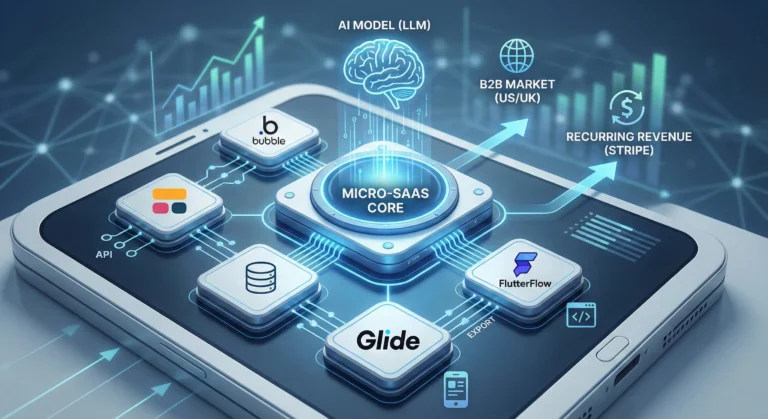
    • The Micro-SaaS Play: Bubble isn’t just a basic site builder; it handles user authentication, secure payment processing (via Stripe integrations), and complex database management. For an AI product, its API Connector is the critical feature. You can seamlessly hook your Bubble frontend into OpenAI, Anthropic, or specialized enterprise models. If you are building a B2B SaaS that requires dynamic prompts, user-specific data storage, and multi-tier subscription plans, Bubble gives you the visual infrastructure to build an enterprise-grade software wrapper without writing a single line of backend code.

    Softr: The High-Speed Client Portal Builder

    If your micro-SaaS relies heavily on organizing, displaying, and interacting with data, Softr is built for absolute speed. It turns Airtable databases or Google Sheets into fully functional, beautifully designed web apps in hours, not weeks.

    • The Micro-SaaS Play: Softr is perfect for building AI-curated directories, gated content portals, or internal agency tools that you plan to white-label and sell to other businesses. Recently, they have integrated native AI features that allow you to generate text and images directly within the app. For a lean startup looking to test a concept in the UK or US markets quickly, you can spin up a functional Softr app, connect it to your database, and start collecting subscription revenue before your competitors have even finished wireframing.

    FlutterFlow AI: The Code-Exportable Native App Builder

    The biggest historical criticism of no-code is vendor lock-in—the fear that you don’t actually own your source code. FlutterFlow solves this entirely. Built on top of Google’s robust Flutter framework, it allows you to build highly responsive web and native mobile apps visually.

    • The Micro-SaaS Play: FlutterFlow has heavily integrated AI directly into its building process. You can generate entire page layouts, database schemas, and even custom UI components using text prompts. More importantly, you can export the clean, readable Flutter code at any time. For founders building high-ticket AI mobile applications (like predictive analytics dashboards for field sales teams), FlutterFlow provides the speed of no-code with the security and scalability of a traditional startup tech stack.

    Glide: The Mobile-First Data Interface

    Glide operates on a simple premise: your business data should be easily accessible and highly actionable. It excels at turning complex spreadsheets into sleek, app-like interfaces designed primarily for mobile use.

    • The Micro-SaaS Play: While not meant for heavy, complex desktop software, Glide is phenomenal for B2B utility apps. If you are building an AI-driven inventory management tool for boutique retailers or a smart CRM overlay for traveling sales reps, Glide’s native AI columns can process text, extract data, and generate summaries directly from the connected data source. It is the fastest route to putting a functional, AI-powered tool directly into your clients’ pockets.

    The Bottom Line

    The term “SaaS development” no longer exclusively means hiring a massive team of engineers. By mastering platforms like Bubble, Softr, FlutterFlow, and Glide, you can build custom AI solutions that solve expensive B2B problems, secure recurring revenue, and command high valuations in the global tech market.