
For solo entrepreneurs and boutique agency owners, there’s a silent killer that’s far more damaging than a bad month of sales: churn. You spend countless hours and thousands of dollars acquiring a new high-value client in the US or UK, only to have them quietly slip away through the back door six months later. It’s the classic leaky bucket problem.
Historically, fixing churn was a reactive game. You’d conduct an exit interview after the client had already left to find out what went wrong. At AI Growth Gear, a division of Enoxx News Private Limited, we believe true digital growth comes from securing your backend financial stability first. That means moving from reactive firefighting to proactive prediction.
Thanks to a new wave of accessible AI tools, you no longer need a team of data scientists to predict the future. You can now use the data you already have to flag at-risk clients before they cancel. Here are the top predictive AI marketing software platforms that are helping lean businesses turn retention into a science in 2026.
Pecan AI: The Democratization of Predictive Modeling
Until recently, building a predictive churn model required a PhD in data science. Pecan AI has changed that by building a low-code platform designed for business users, not just data engineers.
The Retention Play: As a solo operator, you are sitting on a goldmine of historical data in your CRM and billing systems. Pecan connects directly to these sources and uses automated machine learning to build custom models specifically for your business. Within days, it can generate a list of your current clients with a “churn probability score.” This allows you to focus your limited time and energy on the 10% of clients who are actually at risk, rather than spray-and-praying generic retention emails to everyone.
Mixpanel: Behavioral Analytics as a Crystal Ball
While many tools tell you what happened, Mixpanel specializes in telling you why. It’s a powerful product analytics platform that helps you understand user behavior at a granular, event-based level.
The Retention Play: Churn rarely happens overnight; there are almost always leading indicators. Perhaps a client stopped logging into your project management portal, or their usage of a key feature dropped by 30% last month. Mixpanel’s deep behavioral cohort analysis helps you identify these specific patterns of “pre-churn” behavior. By setting up alerts for these leading indicators, you can intervene with a personalized check-in call or a targeted helpful resource at the exact moment a client’s engagement begins to wobble.
Optimove: The AI Orchestrator for Retention Actions
Knowing who is going to churn is only half the battle. You also need to know what action will prevent it. Optimove sits at the intersection of predictive data and marketing execution. It’s a Customer-Led Marketing Hub that uses AI to determine the next best action for every individual client.
The Retention Play: Optimove’s AI builds dynamic micro-segments of your client base based on their predicted future value and churn risk. Instead of sending a generic monthly newsletter, you can set up autonomous workflows. For a high-value client showing moderate churn risk, Optimove might automatically trigger an exclusive offer for a free strategy session via email. For a lower-tier client, it might trigger a series of educational in-app messages. It ensures that every retention effort is hyper-personalized and delivered at the optimal time to change the outcome.
The Bottom Line
In the high-stakes world of B2B services, client retention is your most sustainable growth strategy. By integrating predictive AI tools like Pecan AI, Mixpanel, and Optimove into your backend operations, you can stop guessing about who might leave and start proactively securing your business’s future revenue.

Marketing is one of the biggest challenges for small businesses. Entrepreneurs often need to manage content creation, advertising, social media, email campaigns, and analytics — often with limited time and resources.
This is where AI marketing tools for small businesses are changing the game.
Artificial intelligence can now automate many marketing tasks that previously required a full marketing team. AI tools can generate ad creatives, write marketing copy, schedule social media posts, analyze campaign performance, and optimize marketing strategies.
For entrepreneurs, bloggers, freelancers, and online business owners, AI marketing tools provide a powerful advantage: better results with less effort.
In this guide, we’ll explore the best AI marketing tools for small businesses that can help automate marketing workflows, improve campaign performance, and accelerate growth.
A small business owner using AI marketing tools to manage ads, social media scheduling, and analytics from a single dashboard.
Why AI Marketing Tools Matter for Small Businesses 🚀
Small businesses often struggle with limited time, budget, and resources. AI tools help solve these challenges by automating key marketing activities.
⏳ Save Time
AI tools automate repetitive tasks such as:
Writing marketing copy
Designing ad creatives
Scheduling social media posts
Generating blog content
Analyzing marketing data
This allows entrepreneurs to focus on strategy and growth instead of repetitive work.
💰 Reduce Marketing Costs
Hiring a full marketing team can be expensive.
AI tools allow small businesses to perform tasks that normally require:
Copywriters
Designers
Social media managers
Marketing analysts
This significantly lowers marketing expenses.
📊 Improve Marketing Performance
AI tools analyze data quickly and suggest improvements like:
Better ad creatives
High-performing content ideas
Optimal posting schedules
Improved audience targeting
These insights can help businesses achieve higher ROI from marketing campaigns.
Quick Tool Summary ⚡
Best Overall: AdCreative.ai Best Budget Option: Copy.ai Best for Social Media Marketing: Ocoya Best for Content Marketing: Jasper AI Best for Marketing Automation: HubSpot AI Best for SEO Content: Surfer SEO
Best AI Marketing Tools for Small Businesses 🧠
Comparison infographic showing popular AI marketing tools like AdCreative.ai, Copy.ai, Ocoya, Jasper AI, and Surfer SEO for small business marketing.
1. AdCreative.ai 🎯
AdCreative.ai is one of the most powerful AI advertising tools designed to generate high-converting ad creatives automatically.
Instead of manually designing ads, businesses can use AI to generate optimized ad visuals based on proven marketing data.
Key Features
AI-generated ad creatives
Conversion-focused design suggestions
Ad copy generation
Creative scoring for performance
Integration with major ad platforms
Pros
✔ Generates ads in seconds ✔ Optimized for advertising campaigns
Cons
✖ Most useful for businesses running regular ads ✖ Requires some experimentation
Best For
Businesses running Facebook Ads, Google Ads, and display campaigns.
If you have ever tried to make an AI comic book or a storyboard, you know the pain.
You generate a stunning protagonist in Scene 1. Let’s call her “Maya, a cyberpunk hacker with a neon blue undercut.” She looks perfect.
Then you write the prompt for Scene 2: “Maya sitting in a cafe drinking coffee.”
Suddenly, Maya has a bob cut. Her jacket changed from leather to denim. Her face structure looks like she aged ten years or turned into her own cousin. The immersion is broken.
For years, this “Shapeshifter Problem” was the wall that separated “cool AI art” from “actual storytelling.” But in 2026, the wall is crumbling. We now have specific tools designed to lock in a character’s identity.
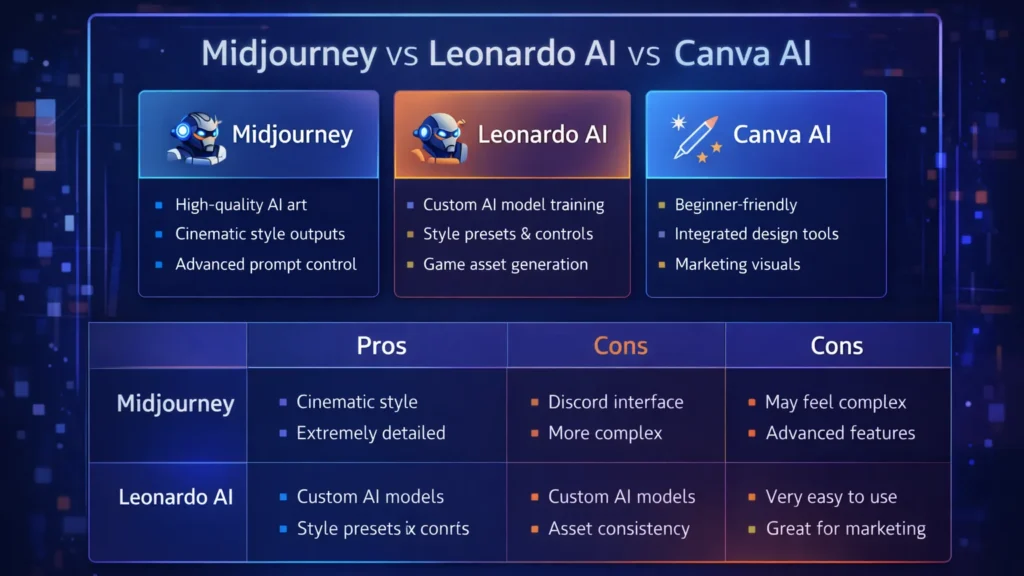
We put the two heavyweights—Midjourney and Flux—to the test. Here is who wins the Consistency Battle.
The Contender: Midjourney (The --cref King)
Midjourney remains the king of aesthetics, but its “Character Reference” (--cref) feature is what storytellers rely on.
How it works: You generate your “Master Image” of Maya. You copy the URL. Then, in your next prompt, you add --cref [url].
The Experience: It is shockingly good at capturing the vibe and facial features. In our test, Midjourney kept Maya’s neon hair and facial structure consistent about 85% of the time.
The Downside: Midjourney is stubborn. It loves to “prettify” things. If you try to put Maya in a gritty, ugly situation, the AI fights you to make it look cinematic. It also struggles with specific clothing consistency. Maya’s face stays the same, but her outfit tends to hallucinate new zippers and pockets in every frame.
The Challenger: Flux (The Control Freak)
Flux (specifically the specialized fine-tunes available in 2026) has taken the open-source world by storm.
How it works: Flux relies on “LoRAs” (Low-Rank Adaptation). Think of it as a mini-brain training. You upload 10 photos of a character, and the model learns who they are.
The Experience: This is the professional’s choice. Once Flux “knows” Maya, it doesn’t just guess; it understands her geometry. You can rotate her, change the lighting, or put her in a spacesuit, and the face remains identical.
The Downside: The learning curve is steep. You aren’t just typing a prompt; you are managing a workflow. You need a decent GPU or a cloud host like Fal.ai or Replicate to run it efficiently.
The Verdict: Which One Do You Need?
Choose Midjourney if: You are making a mood board, a pitch deck, or a children’s book where “close enough” is okay. It is fast, easy, and the lighting is always beautiful. The --cref tag is enough to fool the casual eye.
Choose Flux if: You are building a graphic novel or a recurring brand mascot. If you need the character to wear the exact same logo on their shirt in panel 1 and panel 50, Flux is the only tool that offers that level of rigid consistency.
The days of the shapeshifter are over. Pick your weapon and start telling your story.
The no-code movement started with simple frontend drag-and-drop website builders. Today, the real revolution is happening entirely behind the scenes. For technical founders, fractional CTOs, and lean dev teams building custom AI applications, the bottleneck isn’t the user interface; it’s the backend logic.
How do you securely connect your proprietary database to an enterprise LLM, build custom API endpoints, and orchestrate complex routing without spending months writing backend code? The answer lies in visual backend builders.
At AI Growth Gear (part of the Enoxx News network), we focus heavily on the infrastructure that makes AI scalable. These tools are designed for the “low-code” or highly technical no-code developer who understands logic, databases, and APIs but wants to skip the syntax errors and deployment headaches.
If you are building an AI app that requires serious backend power, these are the visual API builders you need to master.
BuildShip: The Visual AI Workflow Engine
BuildShip has rapidly become a favorite for developers who need to build complex AI features and deploy them as scalable APIs. It is essentially a visual interface for writing backend code, specifically optimized for AI tasks.
The Technical Play: Let’s say you are building an app that takes a user’s audio file, transcribes it, runs sentiment analysis via Claude 3, and then saves the result to your database. BuildShip allows you to visually connect these nodes—Stripe for billing, Whisper for transcription, Anthropic for analysis, and Supabase for storage. If you hit a wall with the visual nodes, BuildShip allows you to use its AI assistant to write a custom JavaScript or TypeScript function block right in the middle of the workflow. You get the speed of visual building with the absolute flexibility of custom code.
Xano: The No-Code Database & API Backend
If your AI application is highly data-intensive, you need a backend that can handle millions of records without lagging. Xano is widely considered the most powerful no-code backend available, offering a scalable PostgreSQL database and a robust API builder.
The Technical Play: Xano is perfect for building the backend of a custom RAG (Retrieval-Augmented Generation) application. You can store your company’s massive internal documents in Xano, use its built-in functions to convert those documents into vector embeddings (often via OpenAI’s API), and then build custom API endpoints that allow your frontend app to query that vector data securely. It handles complex data transformations and logic that would crash lighter platforms, making it ideal for enterprise-grade internal tools.
Make (Advanced AI Routing): The Logic Orchestrator
While often thought of as a simple Zapier alternative, Make (formerly Integromat) is actually a visual programming language capable of handling incredibly complex, multi-path routing and error handling.
The Technical Play: Make shines when your AI application requires complex “if/then” logic and needs to talk to dozens of different external services. For example, you can build an AI routing system where an incoming user query is first analyzed by a fast, cheap LLM to determine intent. If the query is simple, Make routes it to a pre-written response. If it’s complex, Make routes it to a slower, more expensive model (like GPT-4), formats the response, and sends it back to the user via Slack, Email, or your custom frontend. It allows you to build highly resilient, cost-optimized AI systems visually.
The Bottom Line
Building a sophisticated AI application no longer requires a massive backend engineering team. By leveraging visual backend builders like BuildShip, Xano, and Make, technical founders can architect scalable databases, build custom API endpoints, and orchestrate complex LLM logic in a fraction of the time.
If you follow AI even a little bit, you’ve probably heard that Google Gemini is supposed to be the company’s big answer to ChatGPT. In this Google Gemini review, I’m focusing on how Gemini AI actually feels in day‑to‑day use in 2026, and whether it genuinely beats ChatGPT or just offers a different flavour of the same thing. This Gemini vs ChatGPT review is based on typical tasks: writing, research, coding, and general productivity for users in the US and UK.
Setup and Interface: Gemini Feels Naturally Built Into Google
The first obvious advantage Gemini has is integration. While ChatGPT mostly lives in its own web app (unless you use plugins or third‑party tools), Gemini is woven directly into Google products that people in the US and UK already use daily.
In Gmail and Google Docs, Gemini can suggest replies, rewrite emails, draft blog posts, and summarise long text without leaving the page. On Android phones and Chromebooks, Gemini is increasingly replacing the old Google Assistant, so it feels like part of the operating system rather than an extra app.
ChatGPT, on the other hand, still works best as something you open in a separate tab or app and copy‑paste from. For some people that’s fine, but if you live inside Google’s ecosystem, Gemini’s integration is a big practical win.
Writing and Content Generation: ChatGPT Still Has the Edge for “Voice”
For writing tasks, the gap between Gemini AI and ChatGPT is smaller than it used to be, but it hasn’t disappeared.
Gemini is very good at structured writing: outlines, lists, how‑to guides, meeting notes and summaries. It tends to stay organised, on‑topic and fairly concise. If you need a clean first draft of a blog post, a product description, or a set of bullet points for a presentation, Gemini does the job without much drama.
ChatGPT, especially in its latest versions, still feels a bit more “human” in tone. It’s better at storytelling, humour, and capturing a particular style of writing. When you ask for a conversational article or a creative angle, ChatGPT often sounds more natural and less like a corporate manual.
So in this part of the Gemini vs ChatGPT review, the result is mixed: Gemini wins on structure and tight integration with Docs, while ChatGPT remains slightly stronger for voice and personality.
Search, Facts and Live Information: Gemini Plays on Home Ground
When it comes to live information, Gemini finally looks like the AI that Google promised. Because it sits directly on top of Google Search, it can pull in fresh results, link to sources, and show you where it found the information.
For example, if you ask for “best AI tools for small businesses in the UK in 2026” or “latest changes in US student loan rules”, Gemini is usually quicker to ground its answer in current web pages. You can see links, visit the original sites, and dig deeper.
ChatGPT has browsing modes and integrations, but they still feel like an extra layer bolted on top. Sometimes it browses, sometimes it doesn’t, and occasionally it hallucinates details more confidently than Gemini does.
That doesn’t mean Gemini is perfect: it can still misread pages or over‑simplify complex topics. But for search‑style questions, especially those relevant to US and UK news, Gemini now feels more reliable more often.
Coding and Technical Tasks: Close Competition, Slight Preference
Both Gemini AI and ChatGPT are strong coding assistants in 2026, and for most everyday developers there is less difference than marketing suggests.
Gemini is excellent when used with Google’s developer tools and cloud services. It can help generate code snippets, explain error messages, and suggest improvements in a fairly straightforward way. If you’re already in the Google Cloud world, that tight connection is useful.
ChatGPT still has a slight edge in explaining code step‑by‑step and offering multiple versions of a solution. Many developers in the US and UK have already built their personal workflow around ChatGPT, and that familiarity matters.
If you’re starting from scratch, you can comfortably pick either. If you’re deep into Google’s stack, Gemini will feel more natural. If you’ve been using ChatGPT for a year or more, there isn’t a strong reason to abandon it purely for coding.
Privacy, Pricing and Value for Money
On pricing, Gemini and ChatGPT both use a mix of free and paid tiers. Google’s free Gemini is competitive for casual users, and the paid versions are mainly attractive for heavy usage or business integrations.
For many US and UK users, the real question is not just price but trust. Google has a long history of collecting user data, and some people are cautious about giving Gemini access to their documents and emails, even if it is technically necessary for the features to work. OpenAI has had its own controversies, but it still feels slightly more “separate” from your daily accounts.
If you already rely heavily on Google Workspace, paying for Gemini’s advanced features can make sense: you are getting an AI layer across tools you’re already paying for. If you prefer to keep AI separate from your inbox and personal files, a standalone ChatGPT subscription may feel safer.
Final Verdict – Is Gemini Better Than ChatGPT in 2026?
So, the big question of this Gemini vs ChatGPT review: is Google Gemini actually better?
The honest answer is: it depends how you work.
Gemini is best for:
People who live inside Google Search, Gmail, Docs and Android
Structured work: summaries, outlines, emails, reports and quick research
Users who want AI blended directly into their existing tools
ChatGPT is still better for:
More creative writing, storytelling and conversational content
Users who like a single, central AI workspace separate from their other accounts
Developers and power users who already built habits and prompts around ChatGPT
In 2026, Google Gemini has finally become a serious rival instead of just a late response. It doesn’t completely replace ChatGPT, but for many US and UK users, especially those deep in Google’s ecosystem, it might quietly become the AI they reach for first.
When you are building a content pipeline for the highly competitive US and UK markets, volume without strategy is just noise. High-value search queries—especially those driving lucrative B2B AdSense clicks and enterprise affiliate commissions—require deep topical authority and pristine on-page optimization.
At AI Growth Gear, operating under the Enoxx News Private Limited network, our Editor-in-Chief Ajay K Saklanii often emphasizes that scaling organic growth isn’t about replacing your writers with bots; it is about giving them an AI-powered exoskeleton. To command the highest-paying digital marketing advertisers, your website’s architecture and content must be flawless.
Here is a breakdown of the highest-tier AI SEO and content strategy tools in 2026, designed to help lean teams and boutique agencies build massive, traffic-generating content engines.
Surfer SEO: The On-Page & AI Visibility Engine
Surfer has long been the gold standard for correlating on-page data with search rankings, but in 2026, it has evolved into a full-scale Answer Engine Optimization (AEO) powerhouse.
The Strategy Play: While its core Content Editor provides real-time scoring to ensure your articles hit the exact semantic density Google demands, its new AI Tracker is the true game-changer. It monitors exactly how and where your brand is cited in Google AI Overviews, ChatGPT, and Perplexity. For affiliate marketers and agency owners, knowing which AI models recommend your product roundups—and using Surfer’s Auto-Optimize to inject missing entities so you get cited more often—is a massive competitive advantage.+1
ContentShake AI (Semrush): The All-in-One Traffic Builder
If you want to eliminate the friction between deep keyword research and a published draft, ContentShake AI bridges the gap by plugging directly into Semrush’s industry-leading data ecosystem.
The Strategy Play: Instead of bouncing between a research tool, a Google Doc, and a CMS, ContentShake automates the pipeline. You input your target B2B keywords, and it uses Semrush’s competitive insights to generate comprehensive, SEO-optimized articles. It understands search intent, ensures readability, and integrates seamlessly into WordPress. It is the perfect tool for solo operators who need to spin up high-quality affiliate hubs quickly without hiring a massive editorial team.
Jasper Grid: Enterprise Content Orchestration
Jasper has shifted from a simple AI writer to a true enterprise workflow tool with the recent launch of Jasper Grid. It operates like an intelligent, no-code spreadsheet purpose-built for high-volume marketing orchestration.
The Strategy Play: Grid allows you to turn a single keyword strategy into hundreds of localized, on-brand assets in minutes. By connecting its Optimization Agent to Grid, you can generate blogs, social posts, and email sequences simultaneously. More importantly, it uses “Jasper IQ” to enforce strict brand governance, ensuring every piece of content matches your specific brand voice and audience personas. For agencies managing multiple high-end UK and US clients, it is the ultimate tool for scaling production without sacrificing quality control.+2
MarketMuse: The Topical Authority Architect
MarketMuse doesn’t just look at single keywords; it uses patented topic modeling to analyze your entire website’s inventory and compare it against the broader internet. It is built for long-term, high-ROI content strategy.
The Strategy Play: MarketMuse provides a “Personalized Difficulty” score, telling you exactly how hard it will be for your specific domain to rank for a term based on your existing coverage. It identifies content gaps that your competitors have missed and generates incredibly detailed content briefs. If you want to build a digital asset that dominates a highly profitable niche (like financial software or B2B SaaS) and draws in premium AdSense placements, MarketMuse gives you the exact blueprint to build undisputed topical authority.+2
The Bottom Line
Dominating search in 2026 requires a blend of traditional SEO and AI-driven discoverability. By utilizing MarketMuse for high-level strategy, Jasper Grid for orchestrated scale, ContentShake for rapid execution, and Surfer for surgical on-page optimization, you can build an elite content pipeline that attracts premium global traffic and maximizes your monetization efforts.
The era of the “sorry, I didn’t catch that” chatbot is thankfully over. If you are running an e-commerce brand or a B2B service company in the US or UK right now, your customers don’t just prefer self-serve support—they demand it. They expect accurate answers at 2 AM on a Saturday, and relying solely on human staff to provide that is a massive scalability bottleneck and financial drain.
For years, the AdSense market for “customer service software” and “helpdesk automation” has been incredibly competitive because the pain point is so acute. But the solution is no longer just about better ticketing systems; it’s about deflection through intelligence.
Today’s no-code AI builders allow businesses to train custom GPT models specifically on their own support documents, return policies, and technical manuals. The result is an autonomous agent that doesn’t just provide links, but actually resolves Tier-1 issues without human intervention.
Here are the best no-code platforms to build your own autonomous support workforce.
Chatbase: The Fastest Path to “Live”
If you are drowning in repetitive FAQs and need a solution yesterday, Chatbase is phenomenal. It popularized the “chat with your data” concept.
The Support Play: You literally drag and drop your PDF product manuals, HR policy documents, or point it at your existing help center URL. Within minutes, Chatbase digests that information and creates a custom chatbot that answers questions based only on that data. For e-commerce brands constantly answering “what is your return window?”, Chatbase is an instant relief valve that requires virtually zero technical setup.
Botpress: The Action-Oriented Agent
Sometimes you need more than just answers; you need actions. Botpress is a powerful, visual platform designed for building agents that can execute tasks.
The Support Play: A customer doesn’t just want to know how to check their order status; they want the bot to check it for them. Botpress excels here. Its visual flow builder allows you to connect the chat interface to external systems like Shopify, Salesforce, or your custom database. You can build an agent that authenticates the user, fetches their real-time shipping data, and updates their ticket—all without a human agent ever opening a tab.
Dante AI: The Multi-Source Specialist
Businesses rarely have all their knowledge neatly organized in one PDF. Dante AI shines at ingesting messy, varied data sources to train your bot.
The Support Play: You can train a Dante bot on a combination of your website, a series of YouTube tutorial videos, Google Docs, and Notion pages simultaneously. It’s incredibly adept at synthesizing information from these different formats into coherent answers. Furthermore, if you are serving a global market, Dante’s robust, out-of-the-box multi-language support is a massive advantage for providing localized support without hiring local teams.
Voiceflow: The Enterprise CX Design Platform
Voiceflow approaches chatbots from a design-first perspective. It feels less like a technical builder and more like a collaborative design tool like Figma for conversational experiences.
The Support Play: This is the platform for larger teams or agencies building complex, high-stakes customer journeys across multiple channels (webchat, WhatsApp, SMS, etc.). Voiceflow allows for deep collaboration between designers, developers, and stakeholders to prototype, test, and iterate on complex conversation paths before they ever go live. It ensures your automated support feels on-brand and professional at scale.
The Bottom Line
Implementing autonomous AI support isn’t just about cutting costs—though it drastically reduces cost-per-ticket. It’s about providing the instant gratification experience modern consumers expect. By automating the repetitive 80% of queries, you free up your human support team to handle complex, emotionally charged issues with empathy, creating a better experience for everyone involved.