|

Top AI Image Generation Tools for Designers in 2026

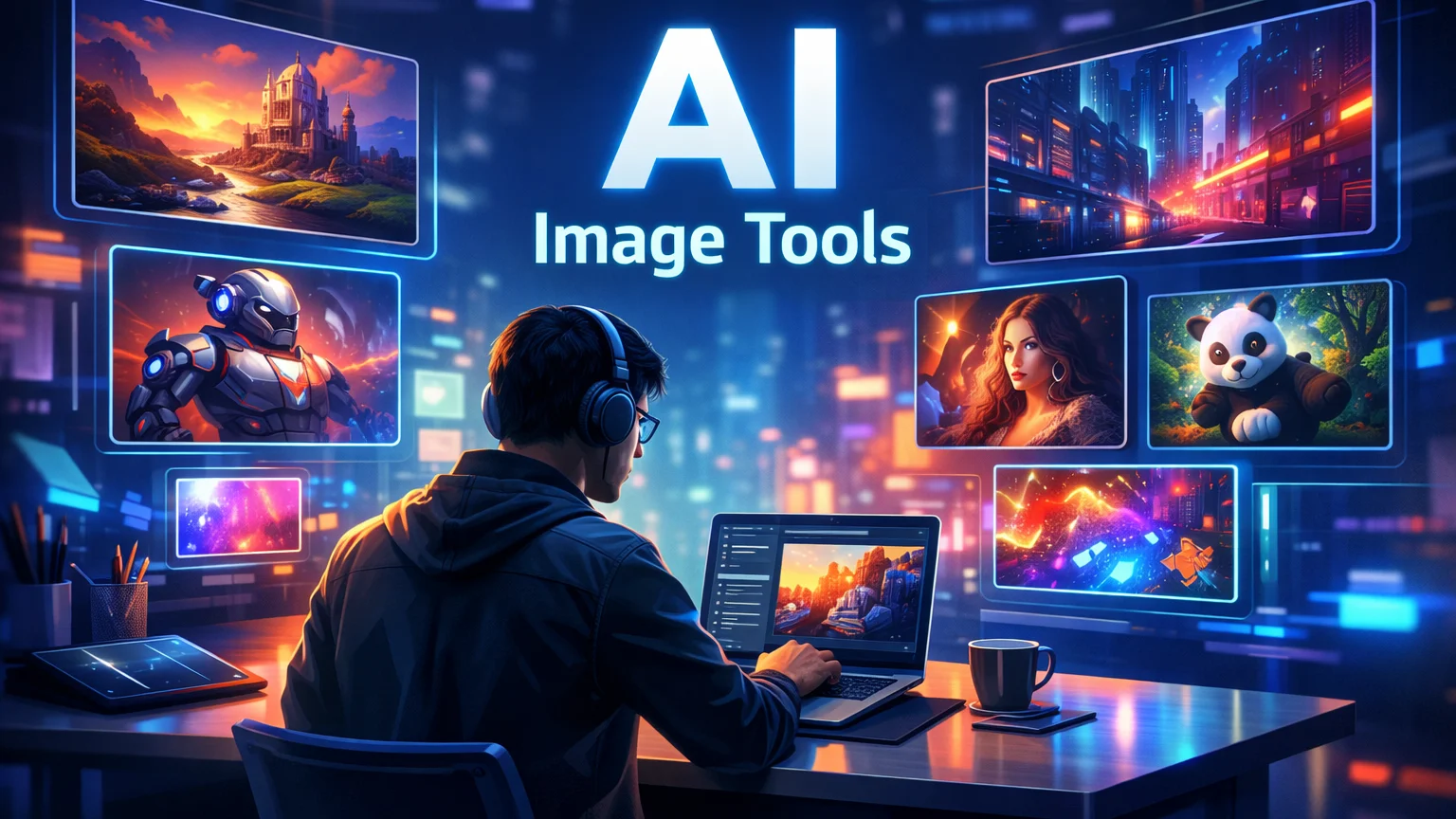
Futuristic designer workspace using AI image generation tools to create digital art and illustrations on floating holographic screens.

Artificial intelligence has transformed the design industry. What once required hours of manual work in tools like Photoshop or Illustrator can now be achieved in seconds with AI image generation tools.

Designers, marketers, and content creators are increasingly using AI to generate illustrations, concept art, social media graphics, and marketing visuals. These tools use powerful machine learning models to convert simple text prompts into stunning images.

Whether you’re a freelance designer, a startup founder, or a content creator, AI-powered design tools can significantly speed up your workflow.

In this guide, we’ll explore the top AI image generation tools for designers, including Midjourney, Leonardo AI, and Canva, and show how each platform can enhance your creative process.
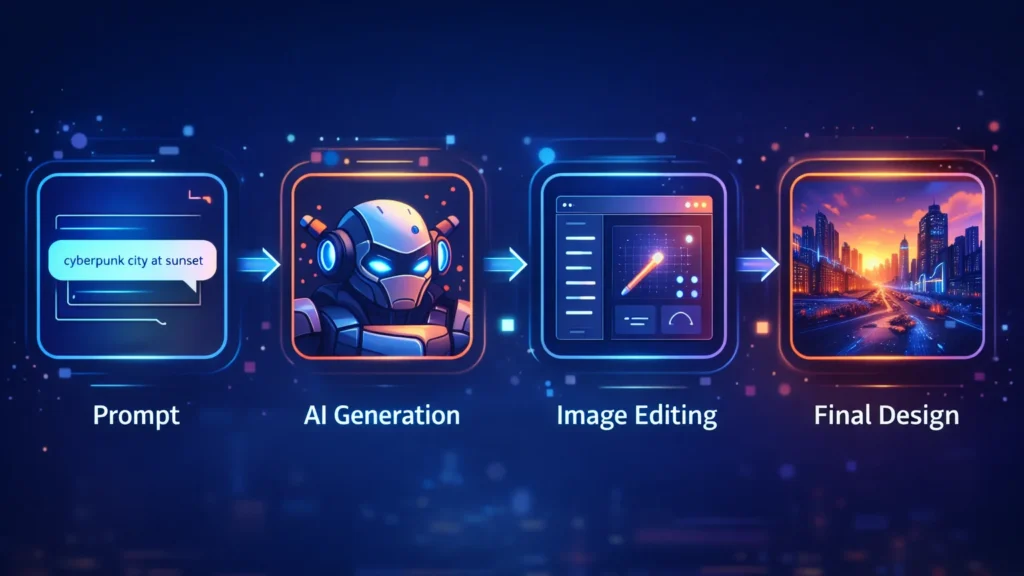
Workflow diagram showing prompt input, AI image generation, image editing, and final design creation process.
A visual workflow showing how AI image generators transform a text prompt into a finished design through generation and editing.

AI design tools are not just about speed—they unlock entirely new creative possibilities.

Key advantages include:

• Generate multiple design concepts instantly
• Create unique visuals without advanced design skills
• Speed up creative workflows
• Produce marketing visuals at scale
• Reduce design costs for startups and creators

For designers working with tight deadlines, AI tools can act as creative assistants that generate ideas and draft visuals quickly.

■ Best Overall: Midjourney
■ Best for Game Designers: Leonardo AI
■ Best for Beginners: Canva AI
■ Best for Marketing Visuals: Canva
■ Best for Concept Art: Midjourney

Below are some of the most powerful AI image generators available today.
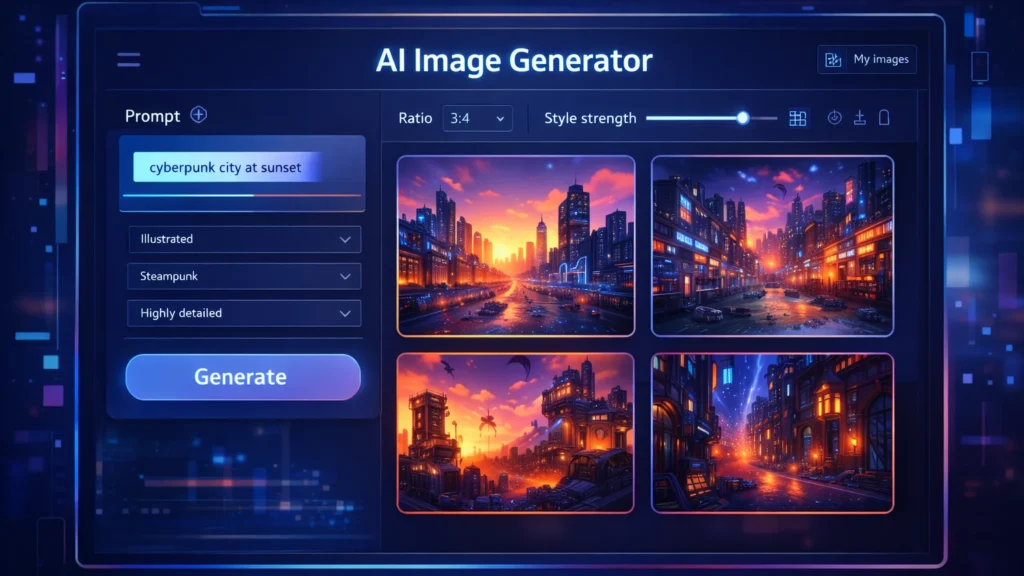
AI image generator dashboard showing prompt input panel and multiple generated images in a design interface.
A stylized AI image generator interface where users enter prompts and instantly generate multiple design variations.

Midjourney is one of the most popular AI art generators used by professional designers and digital artists. It produces highly detailed and cinematic images from simple text prompts.

Midjourney runs primarily through Discord, making it slightly different from traditional design tools.

Key Features

• Extremely high-quality image generation
• Cinematic and artistic style outputs
• Advanced prompt customization
• Active community for prompt sharing

Pros

• Exceptional image quality
• Ideal for concept art and illustration
• Huge creative flexibility

Cons

• Requires Discord interface
• Learning curve for prompts

Best For

Concept artists, creative designers, and illustrators looking for highly detailed artwork.

Try Midjourney here

Leonardo AI is becoming a favorite tool among game developers, product designers, and creative professionals who need consistent and customizable AI-generated images.

It offers more control than many other AI art tools.

Key Features

• Custom AI model training
• Game asset generation
• Style control and presets
• Prompt guidance tools

Pros

• Strong control over image styles
• Great for game assets and design assets
• Fast generation speeds

Cons

• Some advanced features require paid plans
• Interface may feel complex for beginners

Best For

Game designers, digital artists, and product designers.

Try Leonardo AI here

Canva has integrated powerful AI features into its already popular design platform. With tools like Magic Media and the AI image generator, users can create visuals directly inside Canva.

This makes it perfect for marketers and beginners.

Key Features

• AI text-to-image generator
• Integrated design templates
• Drag-and-drop editor
• AI background removal and editing

Pros

• Very beginner-friendly
• Works within existing design workflows
• Excellent for marketing graphics

Cons

• Image quality may be lower than Midjourney
• Limited artistic control

Best For

Social media creators, bloggers, and marketing teams.

Try Canva AI here

ToolBest ForKey FeaturePricing
MidjourneyConcept artistsHigh-quality AI artPaid
Leonardo AIGame designersCustom AI modelsFreemium
Canva AIBeginners & marketersIntegrated design toolsFreemium

Designers and creators are using AI tools in many creative ways.

Common applications include:

• Blog and website illustrations
• YouTube thumbnails
• Marketing graphics
• Game assets
• Concept art
• Product mockups
• Social media visuals

For freelancers and online businesses, AI image generators can reduce the need for expensive design resources.

Benefits and Limitations ⚖️

AI design tools offer incredible advantages but also have some limitations.

Benefits

• Massive time savings
• Endless creative variations
• Lower design costs
• Accessibility for beginners

Limitations

• Some images may look generic
• Prompt engineering is required
• Copyright concerns in some cases

Designers should use AI tools as creative assistants, not replacements for human creativity.

If you’re new to AI design tools, follow these steps.

Step 1: Choose the right tool

Pick a tool based on your use case.

• Midjourney → creative artwork
• Leonardo AI → design assets
• Canva → marketing visuals

Step 2: Learn prompt writing

Your prompts determine the output quality.

Example prompt:

“Futuristic cyberpunk city at sunset, ultra-detailed digital art”

Step 3: Experiment with styles

Try different prompts, lighting, colors, and art styles to discover unique visuals.
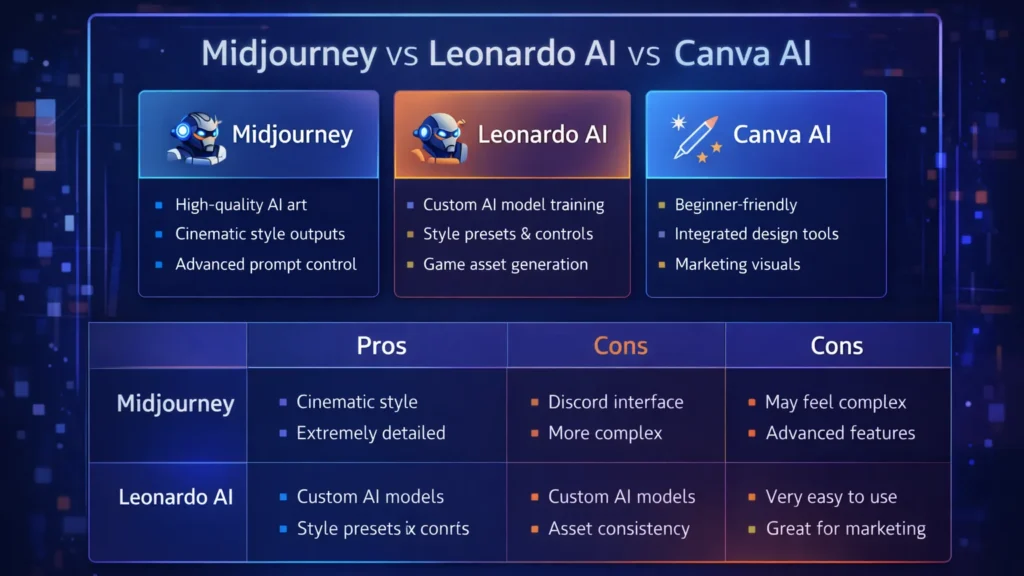
Comparison chart highlighting features of Midjourney, Leonardo AI, and Canva AI image generation tools.
Feature comparison of three popular AI image generation tools used by designers: Midjourney, Leonardo AI, and Canva AI.

Conclusion

AI image generation tools are transforming how designers create visuals. What once required hours of manual work can now be achieved in seconds using powerful AI platforms.

Tools like Midjourney, Leonardo AI, and Canva AI give designers the ability to experiment, iterate, and produce high-quality visuals faster than ever.

For entrepreneurs, bloggers, and digital creators, AI design tools offer a powerful way to scale visual content production while maintaining creativity.

As AI continues to evolve, these tools will become an essential part of every modern designer’s toolkit.

Similar Posts

  • ·

    Cinematic Showdown: Google Veo vs. Runway vs. Sora (2026 Comparison)

    In the film world, choosing a camera is a statement of style. An Arri Alexa feels different than a RED. In 2026, choosing an AI Video Generator is no different. You are choosing the “soul” of your footage.

    At AI Growth Gear, we’ve put the top three engines through a rigorous “Director’s Test.” Here is how they stack up for professional agency use.

    The Competitors at a Glance

    FeatureGoogle Veo 3.2Runway Gen-4.5OpenAI Sora 2
    Primary StrengthIntegrated Audio & 4K ClarityGranular Creative ControlNarrative Logic & Physics
    Best ForReady-to-use Social AdsHigh-End Brand FilmsLong-Form Storytelling
    WeaknessCan feel “too perfect”Steep learning curveLimited public API access

    1. Google Veo 3.2: The “All-in-One” Workhorse

    Google has leveraged its vast data to create the most stable engine. The standout feature in 2026 is Native Audio Synchronization. When Veo generates a video of a car splashing through rain, it generates the exact sound of that splash perfectly synced to the frame.

    • The Aesthetic: It leans toward commercial realism. It’s vibrant, sharp, and safe.
    • The Director’s Take: “If you need an ad for a UK real estate firm or a US tech startup that needs to look ‘Apple-clean’ in ten minutes, Veo is your gear.”

    2. Runway Gen-4.5: The Artist’s Precision Tool

    Runway remains the favorite for those of us with a NIFT or film background. Their “Motion Brush 3.0” and “Director Mode” allow you to tell the AI exactly where to move the camera (pan, tilt, zoom) and which specific elements should move within the frame.

    • The Aesthetic: Moody, textured, and artistic. It handles “Cinematic Grain” and lighting better than anyone else.
    • The Director’s Take: “Runway doesn’t just ‘generate’; it ‘collaborates.’ It’s the only tool that lets me maintain a specific brand texture without the AI taking over the creative wheel.”

    3. OpenAI Sora 2: The Physics Master

    Sora 2 is still the king of Spatial Consistency. If a character walks behind a tree and comes out the other side, they look identical. Most other AIs still “glitch” the details. Sora understands that a glass of water should reflect the room, and gravity should pull objects down naturally.

    • The Aesthetic: Hyper-realistic and expansive. It excels at wide, sweeping “Drone” shots.
    • The Director’s Take: “Sora is for the ‘Big Picture.’ It’s perfect for world-building or creating complex scenes where physical logic cannot be compromised.”

    The Verdict: Which Gear Should You Pick?

    • Choose Google Veo if your priority is Speed and Sound. It’s the ultimate tool for high-volume content agencies where “done is better than perfect.”
    • Choose Runway if your priority is Aesthetic Control. If your brand relies on a specific “look” or mood, Runway is the only tool that respects your creative direction.
    • Choose Sora if your priority is Realism and Scale. When the physics of the scene must be flawless, Sora is the undisputed leader.

    Our Recommendation for 2026

    For most boutique agencies, a Runway + Veo hybrid workflow is the winner. Use Runway to create the “Hero” visuals that define your style, and use Veo to quickly scale the supporting content with integrated sound.

  • ·

    Best AI Tools for Social Media Automation in 2026

    Managing multiple social media accounts manually can quickly become overwhelming. From creating content to posting consistently and analyzing results, it takes time and effort. That’s where AI tools for social media automation come in.

    These tools help you generate content, schedule posts, optimize performance, and even design creatives — all with minimal manual work. Whether you’re a marketer, freelancer, or business owner, using AI can significantly boost your productivity and engagement.

    In this guide, we’ll explore the best AI tools for social media automation, including powerful platforms like AdCreative.ai, Ocoya, and Copy.ai.

    AI system automating social media posts from creation to publishing across multiple platforms
    AI tools streamline content creation and automatically publish posts across social platforms

    Social media success depends on consistency, creativity, and timing.

    AI tools help you:

    • Save hours every week
    • Post consistently
    • Improve engagement rates
    • Scale content production

    For businesses, this means faster growth with fewer resources.


    🏆 Best Overall — Ocoya
    💰 Best Budget — Copy.ai
    🚀 Best for Beginners — Buffer
    ⚡ Best for Ads & Creatives — AdCreative.ai

    Close-up of laptop showing content calendar with scheduled posts and analytics graphs
    Plan and organize your social media strategy using a structured content calendar

    Description:
    Ocoya is an all-in-one AI marketing tool designed specifically for social media automation. It combines content creation, scheduling, and analytics in one platform.

    Key Features:

    • AI caption generator
    • Social media scheduler
    • Hashtag suggestions
    • E-commerce integrations

    Pros:

    • Complete automation solution
    • Easy to use
    • Great for content + scheduling

    Cons:

    • Limited advanced analytics
    • Requires subscription

    Best For:
    Marketers and small businesses

    👉 Try Ocoya →


    Description:
    AdCreative.ai focuses on generating high-converting ad creatives using AI, making it ideal for social media advertising campaigns.

    Key Features:

    • AI-generated ad creatives
    • Conversion-focused designs
    • Performance scoring
    • Multiple ad variations

    Pros:

    • Excellent for paid ads
    • High-quality creatives
    • Data-driven

    Cons:

    • Not a full scheduler
    • Premium pricing

    Best For:
    Advertisers and eCommerce brands


    Description:
    Copy.ai helps you generate captions, posts, and marketing copy for social media in seconds.

    Key Features:

    • AI caption generator
    • Content templates
    • Multi-language support
    • Fast output

    Pros:

    • Affordable
    • Beginner-friendly
    • Saves time

    Cons:

    • No scheduling feature
    • Needs editing

    Best For:
    Freelancers and beginners


    Description:
    Buffer is a simple and reliable social media scheduling tool with AI assistance for content ideas.

    Key Features:

    • Post scheduling
    • Analytics
    • Clean UI

    Pros:

    • Easy to use
    • Affordable
    • Great for beginners

    Cons:

    • Limited automation features

    Best For:
    Small businesses


    Description:
    Hootsuite offers advanced automation, scheduling, and analytics powered by AI.

    Key Features:

    • Multi-platform management
    • AI recommendations
    • Deep analytics

    Pros:

    • Enterprise features
    • Strong reporting

    Cons:

    • Expensive

    Best For:
    Agencies


    📊 Practical Use Cases

    • Schedule a week’s content in minutes
    • Generate captions instantly
    • Create ad creatives with AI
    • Manage multiple accounts
    • Analyze engagement automatically

    ⚖️ Benefits and Limitations

    Benefits:

    • Saves time
    • Boosts productivity
    • Improves consistency
    • Scales content creation

    Limitations:

    • Requires subscriptions
    • Limited human creativity
    • Learning curve

    🛠️ How to Get Started

    1. Choose a tool based on your goal
    2. Connect your social accounts
    3. Generate content using AI
    4. Schedule posts
    5. Track performance

    Content creator working with multiple screens showing analytics dashboards and AI tools
    Boost productivity by managing social media with AI tools and real-time analytics

    📊 Comparison Table

    ToolBest ForKey FeaturePricing
    OcoyaAll-in-oneAI + SchedulingMid-range
    AdCreative.aiAdsAI CreativesPremium
    Copy.aiContent WritingAI CopywritingBudget
    BufferBeginnersSimple SchedulingAffordable
    HootsuiteAgenciesAdvanced AnalyticsExpensive

    ✅ Conclusion

    AI tools for social media automation are transforming how businesses and creators manage their online presence. With tools like Ocoya, AdCreative.ai, and Copy.ai, you can automate content creation, improve engagement, and scale your growth effortlessly.

    If you’re just starting, go with Copy.ai or Buffer. If you want full automation, Ocoya is your best bet. And for ads, AdCreative.ai is unmatched.


  • ·

    Build Premium AI Client Portals Without Code

    If you are running a high-end consulting firm or a boutique agency targeting clients in the US and UK, your deliverables are top-tier. But how are you delivering them?

    If you are still relying on scattered email chains, password-protected zip files, and messy shared spreadsheets to manage a five-figure retainer client, you have a perception problem. In the premium B2B space, the experience of working with you is just as important as the results.

    The modern solution is a dedicated, white-labeled client portal. It’s the difference between looking like a freelancer and looking like an enterprise infrastructure.

    Traditionally, building a secure, custom portal required expensive CRM development and dedicated engineering. Today, no-code AI builders have democratized this process. You can now build sophisticated client management software that not only displays data but uses AI to make that data actionable for your clients.

    Here are the top no-code tools to build high-value client portals in 2026.

    Softr: The Fastest Path from Database to Dashboard

    Softr has cornered the market on speed and ease of use, especially if your agency already operates out of Airtable or Google Sheets. It turns those static databases into secure, beautiful web apps in minutes.

    • The Agency Play: Use Softr to build a transparent project tracker. Instead of weekly status calls, give clients a login where they can see real-time progress. Where Softr shines now is its native AI integration. You can use it to automatically generate executive summaries of project status reports within the portal, saving your project managers hours of writing while giving the C-suite client a quick, digestible update.

    Stacker: Deep Permissions for Sensitive Data

    When dealing with larger corporate clients, security and granular permissions are paramount. Stacker excels at taking complex, messy datasets (from sources like Salesforce or complex Airtable bases) and turning them into clean, restricted client views.

    • The Agency Play: If you are a financial consultant or handling sensitive marketing data, you can’t show every client the whole database. Stacker allows you to build one master app where Client A only sees Client A’s data, and Client B only sees Client B’s. You can build a sophisticated, secure B2B portal that looks like a million-dollar custom build, ensuring absolute data privacy while providing high-level visibility.

    Noloco: The Premium White-Label Experience

    For boutique agencies where branding is everything, Noloco offers perhaps the most polished, high-end feel right out of the box. It is designed specifically for building client-facing apps and internal tools that look completely bespoke.

    • The Agency Play: Noloco is ideal for high-ticket creative or strategic agencies. You can fully remove any trace of the builder’s branding, use your own domain, and deeply customize the UI to match your firm’s aesthetic. You can build portals where clients approve creative assets, view AI-generated performance forecasts, and access contract documents in an environment that feels intensely premium and professional.

    Glide: The Mobile-First Action Portal

    Sometimes your clients aren’t at a desk; they are in the field. Glide (which we also love for micro-SaaS) is phenomenal for building mobile-optimized portals that turn data into action.

    • The Agency Play: Imagine you run a property management consulting firm. You can build a Glide portal for your investors that sits on their phone home screen. They can view property performance data and, crucially, use Glide’s AI columns to instantly interact with that data—for example, snapping a photo of a maintenance issue and having Glide’s AI instantly categorize it and draft a work order for approval. It turns a passive report into an active tool.

    The Bottom Line

    A client portal is no longer just a nice-to-have utility; it is a core piece of agency infrastructure. By using platforms like Softr, Stacker, Noloco, and Glide, you are not just organizing files—you are providing a sophisticated software experience that cements client retention and justifies premium retainer fees.

  • ·

    Top No-Code AI Chatbot Builders for Client Support

    The era of the “sorry, I didn’t catch that” chatbot is thankfully over. If you are running an e-commerce brand or a B2B service company in the US or UK right now, your customers don’t just prefer self-serve support—they demand it. They expect accurate answers at 2 AM on a Saturday, and relying solely on human staff to provide that is a massive scalability bottleneck and financial drain.

    For years, the AdSense market for “customer service software” and “helpdesk automation” has been incredibly competitive because the pain point is so acute. But the solution is no longer just about better ticketing systems; it’s about deflection through intelligence.

    Today’s no-code AI builders allow businesses to train custom GPT models specifically on their own support documents, return policies, and technical manuals. The result is an autonomous agent that doesn’t just provide links, but actually resolves Tier-1 issues without human intervention.

    Here are the best no-code platforms to build your own autonomous support workforce.

    Chatbase: The Fastest Path to “Live”

    If you are drowning in repetitive FAQs and need a solution yesterday, Chatbase is phenomenal. It popularized the “chat with your data” concept.

    • The Support Play: You literally drag and drop your PDF product manuals, HR policy documents, or point it at your existing help center URL. Within minutes, Chatbase digests that information and creates a custom chatbot that answers questions based only on that data. For e-commerce brands constantly answering “what is your return window?”, Chatbase is an instant relief valve that requires virtually zero technical setup.

    Botpress: The Action-Oriented Agent

    Sometimes you need more than just answers; you need actions. Botpress is a powerful, visual platform designed for building agents that can execute tasks.

    • The Support Play: A customer doesn’t just want to know how to check their order status; they want the bot to check it for them. Botpress excels here. Its visual flow builder allows you to connect the chat interface to external systems like Shopify, Salesforce, or your custom database. You can build an agent that authenticates the user, fetches their real-time shipping data, and updates their ticket—all without a human agent ever opening a tab.

    Dante AI: The Multi-Source Specialist

    Businesses rarely have all their knowledge neatly organized in one PDF. Dante AI shines at ingesting messy, varied data sources to train your bot.

    • The Support Play: You can train a Dante bot on a combination of your website, a series of YouTube tutorial videos, Google Docs, and Notion pages simultaneously. It’s incredibly adept at synthesizing information from these different formats into coherent answers. Furthermore, if you are serving a global market, Dante’s robust, out-of-the-box multi-language support is a massive advantage for providing localized support without hiring local teams.

    Voiceflow: The Enterprise CX Design Platform

    Voiceflow approaches chatbots from a design-first perspective. It feels less like a technical builder and more like a collaborative design tool like Figma for conversational experiences.

    • The Support Play: This is the platform for larger teams or agencies building complex, high-stakes customer journeys across multiple channels (webchat, WhatsApp, SMS, etc.). Voiceflow allows for deep collaboration between designers, developers, and stakeholders to prototype, test, and iterate on complex conversation paths before they ever go live. It ensures your automated support feels on-brand and professional at scale.

    The Bottom Line

    Implementing autonomous AI support isn’t just about cutting costs—though it drastically reduces cost-per-ticket. It’s about providing the instant gratification experience modern consumers expect. By automating the repetitive 80% of queries, you free up your human support team to handle complex, emotionally charged issues with empathy, creating a better experience for everyone involved.

  • ·

    Digital Doubles: HeyGen vs. Synthesia – Choosing Your AI Presenter for 2026

    In business, communication is everything. Whether it’s training your global sales force, delivering personalized video messages to thousands of leads, or creating consistent brand explainers, the demand for engaging video is immense. The traditional approach—hiring presenters, booking studios, shooting, editing—is a bottleneck for even the most agile teams.

    This is where AI Avatar & Business Presenters step in. These aren’t just text-to-speech tools; they create convincing digital humans who can speak your message in multiple languages, with realistic expressions and lip-sync. For businesses in the US and UK looking to scale their video output without scaling their production budget, these platforms are a game-changer.

    At AI Growth Gear, we’ve evaluated the leading platforms with our “Director’s Lens,” focusing on realism, brand integration, and operational efficiency. Here’s how the top two—HeyGen (Avatar IV) and Synthesia—compare for your business.

    The Contenders at a Glance

    FeatureHeyGen (Avatar IV)Synthesia
    Primary StrengthUltra-Realistic Digital TwinsEnterprise-Grade Library & Compliance
    Best ForPersonalized Sales, UGCCorporate Training, Explainers
    WeaknessCustom avatars require more inputStock avatars can feel less unique

    1. HeyGen (Avatar IV): The Ultra-Realist

    HeyGen’s latest iteration, Avatar IV, is pushing the boundaries of what’s possible in AI avatar realism. Its “Digital Twin” feature allows businesses to create incredibly lifelike avatars of actual employees or spokespersons from minimal video footage. The subtlety of facial expressions and natural-sounding voice clones are truly impressive.

    • The Aesthetic: Aimed squarely at hyper-realism. If you want your AI presenter to be indistinguishable from a real human, HeyGen is currently leading the pack. It masters the minute details, making it ideal for maintaining a personal touch at scale.
    • The Director’s Take: “HeyGen is for when ‘authentic’ means ‘looks like you.’ It’s unparalleled for personalized sales videos, founder messages, or any content where the presenter’s unique identity is key. It allows a boutique agency to maintain its human brand persona without physically being in every video.”

    2. Synthesia: The Enterprise Powerhouse

    Synthesia has been the long-standing leader in the corporate AI video space, and for good reason. It boasts an extensive library of over 160 diverse stock avatars and 120+ languages, coupled with robust SOC 2 compliance for data security. Its platform is built for scalable, professional use cases across large organizations.

    • The Aesthetic: Polished, professional, and consistent. While its stock avatars are highly realistic, they aim for broad appeal rather than individual uniqueness.
    • The Director’s Take: “Synthesia is the workhorse of the enterprise. If you need to produce hundreds of consistent training modules, international onboarding videos, or routine explainers, its sheer volume of customizable options and security features make it the undisputed choice. It ensures your corporate communication is slick and reliable across the board.”

    The Verdict: Which Digital Double is Right for You?

    • Choose HeyGen if your priority is Personalization and Ultra-Realism. If you need your AI presenter to look and sound exactly like a specific person to build trust or enhance a unique brand identity.
    • Choose Synthesia if your priority is Scalability and Corporate Readiness. If you require a vast library of diverse avatars, multi-language support, and enterprise-grade security for consistent, high-volume video production.

    Our Recommendation for 2026

    For many agencies, the ideal setup might involve a blend: HeyGen for high-impact, personalized, and client-facing content, and Synthesia for internal training, broad-reach explainers, or situations requiring a diverse range of stock avatars. Both tools excel at making video production accessible, but they serve different strategic objectives.

  • ·

    Gemini vs Grok vs ChatGPT: Which AI Actually Delivers?

    AI tools are no longer novelty software. They’re embedded in marketing stacks, product teams, customer support desks, and solo founder workflows.

    But here’s the real issue: most comparisons between Gemini, Grok, and ChatGPT focus on feature checklists — not actual business impact.

    If you’re running campaigns, building SaaS products, automating workflows, or scaling digital operations, the question isn’t which AI is smartest.

    The question is:

    Which AI fits your workflow, risk tolerance, and monetization model?

    Let’s break this down from a practical, business-first perspective.


    🧠 Core Positioning: What Each Tool Is Really Built For

    ChatGPT has become the default AI workspace for professionals.

    It excels at:

    • Long-form content
    • Structured reasoning
    • Coding assistance
    • Workflow automation via APIs
    • Document summarization
    • Custom GPT workflows

    For many entrepreneurs, ChatGPT acts as a “digital operations assistant.”

    • Draft landing pages
    • Generate ad variations
    • Build Zapier automation logic
    • Create client reporting templates

    It’s flexible and ecosystem-friendly.


    Gemini integrates deeply into Google’s ecosystem.

    Its strength isn’t just intelligence — it’s context.

    It works well with:

    • Google Docs
    • Gmail
    • Sheets
    • Drive
    • Workspace collaboration
    • Analyze campaign data directly in Sheets
    • Draft email updates inside Gmail
    • Summarize meeting notes automatically

    Gemini is strongest when your business already lives inside Google.


    Grok operates differently. It’s closely integrated with the X (formerly Twitter) ecosystem and emphasizes real-time information access.

    Its positioning is:

    • Social intelligence
    • Real-time trend awareness
    • Edgier conversational style
    • Live internet awareness
    • Monitor sentiment shifts
    • Analyze breaking news
    • Generate rapid-response commentary

    Grok shines in live environments. It’s less structured, more reactive.


    ⚙️ Real-World Productivity Comparison

    Here’s where things matter for professionals.

    For AI Automation Builders 🛠️

    • ChatGPT wins due to API maturity and plugin ecosystem.
    • Gemini is improving but less flexible for external automation.
    • Grok isn’t optimized for backend automation yet.

    For AI Marketing Workflows 📈

    • ChatGPT: Best for structured funnel content, copy frameworks, strategy.
    • Gemini: Strong for ad analysis if you live in Google Ads.
    • Grok: Useful for trend-based content and social hooks.

    For SaaS Founders 💻

    • ChatGPT: Product ideation, UX copy, code scaffolding.
    • Gemini: Useful for internal documentation collaboration.
    • Grok: Less relevant unless your SaaS is social-data-driven.

    ⚖️ Strengths and Limitations

    ChatGPT

    Pros

    • Deep reasoning
    • Advanced coding
    • API integrations
    • Custom GPT creation

    Cons

    • May require prompt skill to maximize output
    • Enterprise pricing can scale

    Gemini

    Pros

    • Native Google ecosystem integration
    • Strong document collaboration
    • Smooth Workspace automation

    Cons

    • Less customizable outside Google
    • Not as developer-centric

    Grok

    Pros

    • Real-time awareness
    • Social sentiment alignment
    • Direct integration with X

    Cons

    • Not workflow-automation focused
    • Limited enterprise tooling

    🚀 Practical Implementation Strategy

    Instead of choosing just one, many professionals layer them.

    Here’s a smart approach:

    Step 1: Define Your Primary Use Case

    Ask:

    • Is this content-heavy?
    • Is this data-heavy?
    • Is this trend-heavy?

    Step 2: Assign Roles

    • ChatGPT → Strategy + structure
    • Gemini → Internal collaboration
    • Grok → Real-time market pulse

    Step 3: Build Repeatable AI Workflows

    For example:

    1. Use Grok to identify trending topics.
    2. Use ChatGPT to turn that into structured authority content.
    3. Use Gemini to distribute internally via Docs and Gmail.

    This layered workflow reduces blind spots.


    👥 Who Should Use What?

    Choose ChatGPT If:

    • You build automation workflows
    • You write long-form content
    • You code or build SaaS tools
    • You need structured output

    Choose Gemini If:

    • Your company runs on Google Workspace
    • You collaborate heavily in Docs/Sheets
    • You need built-in AI inside email

    Choose Grok If:

    • You depend on real-time news
    • You operate in finance, crypto, politics, media
    • You build brand presence on X

    🎯 Final Perspective

    There isn’t a universal “best AI.”

    There’s only:

    • Best for workflow
    • Best for ecosystem
    • Best for execution speed

    ChatGPT is currently the most versatile.
    Gemini is the most integrated.
    Grok is the most reactive.

    For serious professionals, the competitive edge isn’t the tool — it’s how intelligently you deploy it.

    AI doesn’t replace strategic thinking.
    It amplifies it.