|

Best AI Tools for Social Media Automation in 2026

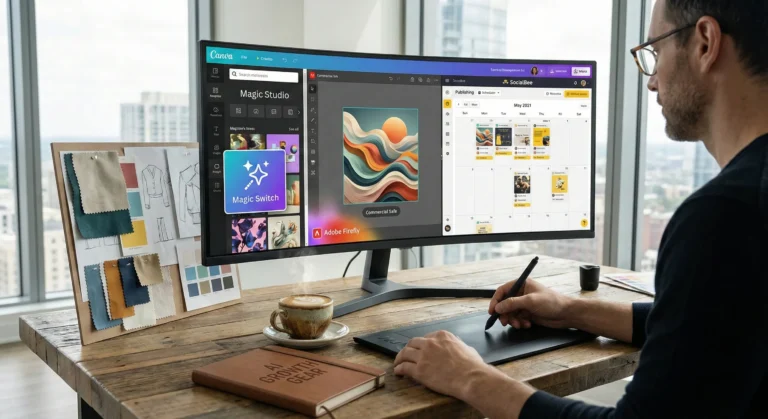
Content creator using AI tools for social media scheduling with analytics dashboard and automation workflow

Managing multiple social media accounts manually can quickly become overwhelming. From creating content to posting consistently and analyzing results, it takes time and effort. That’s where AI tools for social media automation come in.

These tools help you generate content, schedule posts, optimize performance, and even design creatives — all with minimal manual work. Whether you’re a marketer, freelancer, or business owner, using AI can significantly boost your productivity and engagement.

In this guide, we’ll explore the best AI tools for social media automation, including powerful platforms like AdCreative.ai, Ocoya, and Copy.ai.

AI system automating social media posts from creation to publishing across multiple platforms
AI tools streamline content creation and automatically publish posts across social platforms

Social media success depends on consistency, creativity, and timing.

AI tools help you:

  • Save hours every week
  • Post consistently
  • Improve engagement rates
  • Scale content production

For businesses, this means faster growth with fewer resources.


🏆 Best Overall — Ocoya
💰 Best Budget — Copy.ai
🚀 Best for Beginners — Buffer
⚡ Best for Ads & Creatives — AdCreative.ai

Close-up of laptop showing content calendar with scheduled posts and analytics graphs
Plan and organize your social media strategy using a structured content calendar

Description:
Ocoya is an all-in-one AI marketing tool designed specifically for social media automation. It combines content creation, scheduling, and analytics in one platform.

Key Features:

  • AI caption generator
  • Social media scheduler
  • Hashtag suggestions
  • E-commerce integrations

Pros:

  • Complete automation solution
  • Easy to use
  • Great for content + scheduling

Cons:

  • Limited advanced analytics
  • Requires subscription

Best For:
Marketers and small businesses

👉 Try Ocoya →


Description:
AdCreative.ai focuses on generating high-converting ad creatives using AI, making it ideal for social media advertising campaigns.

Key Features:

  • AI-generated ad creatives
  • Conversion-focused designs
  • Performance scoring
  • Multiple ad variations

Pros:

  • Excellent for paid ads
  • High-quality creatives
  • Data-driven

Cons:

  • Not a full scheduler
  • Premium pricing

Best For:
Advertisers and eCommerce brands


Description:
Copy.ai helps you generate captions, posts, and marketing copy for social media in seconds.

Key Features:

  • AI caption generator
  • Content templates
  • Multi-language support
  • Fast output

Pros:

  • Affordable
  • Beginner-friendly
  • Saves time

Cons:

  • No scheduling feature
  • Needs editing

Best For:
Freelancers and beginners


Description:
Buffer is a simple and reliable social media scheduling tool with AI assistance for content ideas.

Key Features:

  • Post scheduling
  • Analytics
  • Clean UI

Pros:

  • Easy to use
  • Affordable
  • Great for beginners

Cons:

  • Limited automation features

Best For:
Small businesses


Description:
Hootsuite offers advanced automation, scheduling, and analytics powered by AI.

Key Features:

  • Multi-platform management
  • AI recommendations
  • Deep analytics

Pros:

  • Enterprise features
  • Strong reporting

Cons:

  • Expensive

Best For:
Agencies


📊 Practical Use Cases

  • Schedule a week’s content in minutes
  • Generate captions instantly
  • Create ad creatives with AI
  • Manage multiple accounts
  • Analyze engagement automatically

⚖️ Benefits and Limitations

Benefits:

  • Saves time
  • Boosts productivity
  • Improves consistency
  • Scales content creation

Limitations:

  • Requires subscriptions
  • Limited human creativity
  • Learning curve

🛠️ How to Get Started

  1. Choose a tool based on your goal
  2. Connect your social accounts
  3. Generate content using AI
  4. Schedule posts
  5. Track performance

Content creator working with multiple screens showing analytics dashboards and AI tools
Boost productivity by managing social media with AI tools and real-time analytics

📊 Comparison Table

ToolBest ForKey FeaturePricing
OcoyaAll-in-oneAI + SchedulingMid-range
AdCreative.aiAdsAI CreativesPremium
Copy.aiContent WritingAI CopywritingBudget
BufferBeginnersSimple SchedulingAffordable
HootsuiteAgenciesAdvanced AnalyticsExpensive

✅ Conclusion

AI tools for social media automation are transforming how businesses and creators manage their online presence. With tools like Ocoya, AdCreative.ai, and Copy.ai, you can automate content creation, improve engagement, and scale your growth effortlessly.

If you’re just starting, go with Copy.ai or Buffer. If you want full automation, Ocoya is your best bet. And for ads, AdCreative.ai is unmatched.

Similar Posts

  • ·

    Gemini vs Grok vs ChatGPT: Which AI Actually Delivers?

    AI tools are no longer novelty software. They’re embedded in marketing stacks, product teams, customer support desks, and solo founder workflows.

    But here’s the real issue: most comparisons between Gemini, Grok, and ChatGPT focus on feature checklists — not actual business impact.

    If you’re running campaigns, building SaaS products, automating workflows, or scaling digital operations, the question isn’t which AI is smartest.

    The question is:

    Which AI fits your workflow, risk tolerance, and monetization model?

    Let’s break this down from a practical, business-first perspective.


    🧠 Core Positioning: What Each Tool Is Really Built For

    ChatGPT has become the default AI workspace for professionals.

    It excels at:

    • Long-form content
    • Structured reasoning
    • Coding assistance
    • Workflow automation via APIs
    • Document summarization
    • Custom GPT workflows

    For many entrepreneurs, ChatGPT acts as a “digital operations assistant.”

    • Draft landing pages
    • Generate ad variations
    • Build Zapier automation logic
    • Create client reporting templates

    It’s flexible and ecosystem-friendly.


    Gemini integrates deeply into Google’s ecosystem.

    Its strength isn’t just intelligence — it’s context.

    It works well with:

    • Google Docs
    • Gmail
    • Sheets
    • Drive
    • Workspace collaboration
    • Analyze campaign data directly in Sheets
    • Draft email updates inside Gmail
    • Summarize meeting notes automatically

    Gemini is strongest when your business already lives inside Google.


    Grok operates differently. It’s closely integrated with the X (formerly Twitter) ecosystem and emphasizes real-time information access.

    Its positioning is:

    • Social intelligence
    • Real-time trend awareness
    • Edgier conversational style
    • Live internet awareness
    • Monitor sentiment shifts
    • Analyze breaking news
    • Generate rapid-response commentary

    Grok shines in live environments. It’s less structured, more reactive.


    ⚙️ Real-World Productivity Comparison

    Here’s where things matter for professionals.

    For AI Automation Builders 🛠️

    • ChatGPT wins due to API maturity and plugin ecosystem.
    • Gemini is improving but less flexible for external automation.
    • Grok isn’t optimized for backend automation yet.

    For AI Marketing Workflows 📈

    • ChatGPT: Best for structured funnel content, copy frameworks, strategy.
    • Gemini: Strong for ad analysis if you live in Google Ads.
    • Grok: Useful for trend-based content and social hooks.

    For SaaS Founders 💻

    • ChatGPT: Product ideation, UX copy, code scaffolding.
    • Gemini: Useful for internal documentation collaboration.
    • Grok: Less relevant unless your SaaS is social-data-driven.

    ⚖️ Strengths and Limitations

    ChatGPT

    Pros

    • Deep reasoning
    • Advanced coding
    • API integrations
    • Custom GPT creation

    Cons

    • May require prompt skill to maximize output
    • Enterprise pricing can scale

    Gemini

    Pros

    • Native Google ecosystem integration
    • Strong document collaboration
    • Smooth Workspace automation

    Cons

    • Less customizable outside Google
    • Not as developer-centric

    Grok

    Pros

    • Real-time awareness
    • Social sentiment alignment
    • Direct integration with X

    Cons

    • Not workflow-automation focused
    • Limited enterprise tooling

    🚀 Practical Implementation Strategy

    Instead of choosing just one, many professionals layer them.

    Here’s a smart approach:

    Step 1: Define Your Primary Use Case

    Ask:

    • Is this content-heavy?
    • Is this data-heavy?
    • Is this trend-heavy?

    Step 2: Assign Roles

    • ChatGPT → Strategy + structure
    • Gemini → Internal collaboration
    • Grok → Real-time market pulse

    Step 3: Build Repeatable AI Workflows

    For example:

    1. Use Grok to identify trending topics.
    2. Use ChatGPT to turn that into structured authority content.
    3. Use Gemini to distribute internally via Docs and Gmail.

    This layered workflow reduces blind spots.


    👥 Who Should Use What?

    Choose ChatGPT If:

    • You build automation workflows
    • You write long-form content
    • You code or build SaaS tools
    • You need structured output

    Choose Gemini If:

    • Your company runs on Google Workspace
    • You collaborate heavily in Docs/Sheets
    • You need built-in AI inside email

    Choose Grok If:

    • You depend on real-time news
    • You operate in finance, crypto, politics, media
    • You build brand presence on X

    🎯 Final Perspective

    There isn’t a universal “best AI.”

    There’s only:

    • Best for workflow
    • Best for ecosystem
    • Best for execution speed

    ChatGPT is currently the most versatile.
    Gemini is the most integrated.
    Grok is the most reactive.

    For serious professionals, the competitive edge isn’t the tool — it’s how intelligently you deploy it.

    AI doesn’t replace strategic thinking.
    It amplifies it.

  • ·

    Top AI Image Generation Tools for Designers in 2026

    Artificial intelligence has transformed the design industry. What once required hours of manual work in tools like Photoshop or Illustrator can now be achieved in seconds with AI image generation tools.

    Designers, marketers, and content creators are increasingly using AI to generate illustrations, concept art, social media graphics, and marketing visuals. These tools use powerful machine learning models to convert simple text prompts into stunning images.

    Whether you’re a freelance designer, a startup founder, or a content creator, AI-powered design tools can significantly speed up your workflow.

    In this guide, we’ll explore the top AI image generation tools for designers, including Midjourney, Leonardo AI, and Canva, and show how each platform can enhance your creative process.

    Workflow diagram showing prompt input, AI image generation, image editing, and final design creation process.
    A visual workflow showing how AI image generators transform a text prompt into a finished design through generation and editing.

    AI design tools are not just about speed—they unlock entirely new creative possibilities.

    Key advantages include:

    • Generate multiple design concepts instantly
    • Create unique visuals without advanced design skills
    • Speed up creative workflows
    • Produce marketing visuals at scale
    • Reduce design costs for startups and creators

    For designers working with tight deadlines, AI tools can act as creative assistants that generate ideas and draft visuals quickly.

    ■ Best Overall: Midjourney
    ■ Best for Game Designers: Leonardo AI
    ■ Best for Beginners: Canva AI
    ■ Best for Marketing Visuals: Canva
    ■ Best for Concept Art: Midjourney

    Below are some of the most powerful AI image generators available today.

    AI image generator dashboard showing prompt input panel and multiple generated images in a design interface.
    A stylized AI image generator interface where users enter prompts and instantly generate multiple design variations.

    Midjourney is one of the most popular AI art generators used by professional designers and digital artists. It produces highly detailed and cinematic images from simple text prompts.

    Midjourney runs primarily through Discord, making it slightly different from traditional design tools.

    Key Features

    • Extremely high-quality image generation
    • Cinematic and artistic style outputs
    • Advanced prompt customization
    • Active community for prompt sharing

    Pros

    • Exceptional image quality
    • Ideal for concept art and illustration
    • Huge creative flexibility

    Cons

    • Requires Discord interface
    • Learning curve for prompts

    Best For

    Concept artists, creative designers, and illustrators looking for highly detailed artwork.

    Try Midjourney here

    Leonardo AI is becoming a favorite tool among game developers, product designers, and creative professionals who need consistent and customizable AI-generated images.

    It offers more control than many other AI art tools.

    Key Features

    • Custom AI model training
    • Game asset generation
    • Style control and presets
    • Prompt guidance tools

    Pros

    • Strong control over image styles
    • Great for game assets and design assets
    • Fast generation speeds

    Cons

    • Some advanced features require paid plans
    • Interface may feel complex for beginners

    Best For

    Game designers, digital artists, and product designers.

    Try Leonardo AI here

    Canva has integrated powerful AI features into its already popular design platform. With tools like Magic Media and the AI image generator, users can create visuals directly inside Canva.

    This makes it perfect for marketers and beginners.

    Key Features

    • AI text-to-image generator
    • Integrated design templates
    • Drag-and-drop editor
    • AI background removal and editing

    Pros

    • Very beginner-friendly
    • Works within existing design workflows
    • Excellent for marketing graphics

    Cons

    • Image quality may be lower than Midjourney
    • Limited artistic control

    Best For

    Social media creators, bloggers, and marketing teams.

    Try Canva AI here

    ToolBest ForKey FeaturePricing
    MidjourneyConcept artistsHigh-quality AI artPaid
    Leonardo AIGame designersCustom AI modelsFreemium
    Canva AIBeginners & marketersIntegrated design toolsFreemium

    Designers and creators are using AI tools in many creative ways.

    Common applications include:

    • Blog and website illustrations
    • YouTube thumbnails
    • Marketing graphics
    • Game assets
    • Concept art
    • Product mockups
    • Social media visuals

    For freelancers and online businesses, AI image generators can reduce the need for expensive design resources.

    Benefits and Limitations ⚖️

    AI design tools offer incredible advantages but also have some limitations.

    Benefits

    • Massive time savings
    • Endless creative variations
    • Lower design costs
    • Accessibility for beginners

    Limitations

    • Some images may look generic
    • Prompt engineering is required
    • Copyright concerns in some cases

    Designers should use AI tools as creative assistants, not replacements for human creativity.

    If you’re new to AI design tools, follow these steps.

    Step 1: Choose the right tool

    Pick a tool based on your use case.

    • Midjourney → creative artwork
    • Leonardo AI → design assets
    • Canva → marketing visuals

    Step 2: Learn prompt writing

    Your prompts determine the output quality.

    Example prompt:

    “Futuristic cyberpunk city at sunset, ultra-detailed digital art”

    Step 3: Experiment with styles

    Try different prompts, lighting, colors, and art styles to discover unique visuals.

    Comparison chart highlighting features of Midjourney, Leonardo AI, and Canva AI image generation tools.
    Feature comparison of three popular AI image generation tools used by designers: Midjourney, Leonardo AI, and Canva AI.

    Conclusion

    AI image generation tools are transforming how designers create visuals. What once required hours of manual work can now be achieved in seconds using powerful AI platforms.

    Tools like Midjourney, Leonardo AI, and Canva AI give designers the ability to experiment, iterate, and produce high-quality visuals faster than ever.

    For entrepreneurs, bloggers, and digital creators, AI design tools offer a powerful way to scale visual content production while maintaining creativity.

    As AI continues to evolve, these tools will become an essential part of every modern designer’s toolkit.

  • ·

    Cinematic Showdown: Google Veo vs. Runway vs. Sora (2026 Comparison)

    In the film world, choosing a camera is a statement of style. An Arri Alexa feels different than a RED. In 2026, choosing an AI Video Generator is no different. You are choosing the “soul” of your footage.

    At AI Growth Gear, we’ve put the top three engines through a rigorous “Director’s Test.” Here is how they stack up for professional agency use.

    The Competitors at a Glance

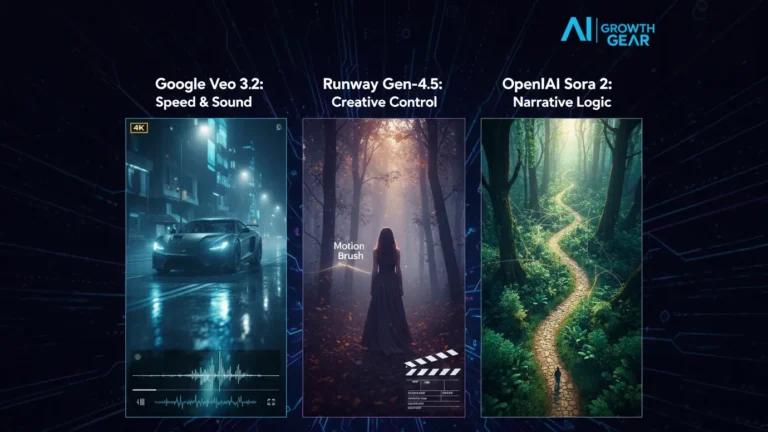
    FeatureGoogle Veo 3.2Runway Gen-4.5OpenAI Sora 2
    Primary StrengthIntegrated Audio & 4K ClarityGranular Creative ControlNarrative Logic & Physics
    Best ForReady-to-use Social AdsHigh-End Brand FilmsLong-Form Storytelling
    WeaknessCan feel “too perfect”Steep learning curveLimited public API access

    1. Google Veo 3.2: The “All-in-One” Workhorse

    Google has leveraged its vast data to create the most stable engine. The standout feature in 2026 is Native Audio Synchronization. When Veo generates a video of a car splashing through rain, it generates the exact sound of that splash perfectly synced to the frame.

    • The Aesthetic: It leans toward commercial realism. It’s vibrant, sharp, and safe.
    • The Director’s Take: “If you need an ad for a UK real estate firm or a US tech startup that needs to look ‘Apple-clean’ in ten minutes, Veo is your gear.”

    2. Runway Gen-4.5: The Artist’s Precision Tool

    Runway remains the favorite for those of us with a NIFT or film background. Their “Motion Brush 3.0” and “Director Mode” allow you to tell the AI exactly where to move the camera (pan, tilt, zoom) and which specific elements should move within the frame.

    • The Aesthetic: Moody, textured, and artistic. It handles “Cinematic Grain” and lighting better than anyone else.
    • The Director’s Take: “Runway doesn’t just ‘generate’; it ‘collaborates.’ It’s the only tool that lets me maintain a specific brand texture without the AI taking over the creative wheel.”

    3. OpenAI Sora 2: The Physics Master

    Sora 2 is still the king of Spatial Consistency. If a character walks behind a tree and comes out the other side, they look identical. Most other AIs still “glitch” the details. Sora understands that a glass of water should reflect the room, and gravity should pull objects down naturally.

    • The Aesthetic: Hyper-realistic and expansive. It excels at wide, sweeping “Drone” shots.
    • The Director’s Take: “Sora is for the ‘Big Picture.’ It’s perfect for world-building or creating complex scenes where physical logic cannot be compromised.”

    The Verdict: Which Gear Should You Pick?

    • Choose Google Veo if your priority is Speed and Sound. It’s the ultimate tool for high-volume content agencies where “done is better than perfect.”
    • Choose Runway if your priority is Aesthetic Control. If your brand relies on a specific “look” or mood, Runway is the only tool that respects your creative direction.
    • Choose Sora if your priority is Realism and Scale. When the physics of the scene must be flawless, Sora is the undisputed leader.

    Our Recommendation for 2026

    For most boutique agencies, a Runway + Veo hybrid workflow is the winner. Use Runway to create the “Hero” visuals that define your style, and use Veo to quickly scale the supporting content with integrated sound.

  • ·

    Stop Using Midjourney for Logos: The Vector Revolution

    Look, we have all been there.

    You spend two hours perfecting a prompt in Midjourney. You finally get that perfect, minimalist mascot for a client or a new sticker design for your Etsy shop. It looks crisp on your iPhone. It looks stunning on Discord.

    Then you send it to the printer.

    And the email comes back: “Sorry, this is 72 DPI. Do you have the vector file? When we blow this up for the banner, it looks like a Minecraft screenshot.”

    Panic sets in. You try to use an “AI upscaler,” but it just makes the lines look weird and wobbly. You try to “Image Trace” it in Illustrator, and suddenly your clean lines turn into a jagged mess of a thousand anchor points.

    Here is the hard truth for 2026: Midjourney and DALL-E are for art. They are not for assets.

    If you are a solo entrepreneur, a Print-on-Demand (POD) seller, or a freelancer, you need to stop thinking in pixels and start thinking in math. You need to join the Vector Revolution.

    The “Pixel” Trap

    Tools like Midjourney generate Raster images. They are made of colored dots (pixels). They are painted. If you zoom in, they get fuzzy. You cannot change the color of just the shirt without repainting the whole thing.

    Vectors (SVGs, EPS, AI files) are different. They are math equations. A line is defined by points A and B. Whether you print it on a business card or a billboard, the math stays the same. The line is always sharp.

    For years, AI was bad at vectors because “math” is harder for diffusion models than “painting.” But in 2026, the code has been cracked.

    The New Toolkit: Recraft & Kittl

    If you are still wrestling with raster images for logos, stop. Here are the tools that are actually making money right now.

    1. Recraft (The Heavy Hitter) Recraft isn’t just “Midjourney but different.” It is built from the ground up for designers. When you type “minimalist geometric lion logo,” it doesn’t give you a flat picture. It gives you layers.

    • Why it wins: You can export as SVG. You can open that file in Illustrator or Figma and actually edit the curves. You can change the brand colors in two clicks because the AI understands “color palettes,” not just “pixels.”

    2. Kittl (The POD Powerhouse) If you sell on Redbubble or Merch by Amazon, Kittl is your best friend. Their “AI Vector Generator” is tuned specifically for t-shirt complexity. It avoids those weird, wispy lines that screen printers hate. It creates clean, solid shapes that peel perfectly off a vinyl cutter.

    The “Editable” Advantage

    The biggest reason to switch isn’t just print quality—it’s editability.

    Imagine a client says, “I love the logo, but can you move the star to the left and make the font bold?”

    • With Midjourney: You have to re-roll the prompt and hope the random seed gives you something similar (it won’t).
    • With Vector AI: You just click the star and drag it to the left.

    The Bottom Line

    Stop selling JPEGs. In the freelance world of 2026, a “Logo Package” that includes a scalable SVG file is worth $500+. A JPEG is worth $50.

    The tools have evolved. Your workflow should too. Keep Midjourney for your mood boards and concept art, but when it’s time to build the actual product? Go vector.

  • ·

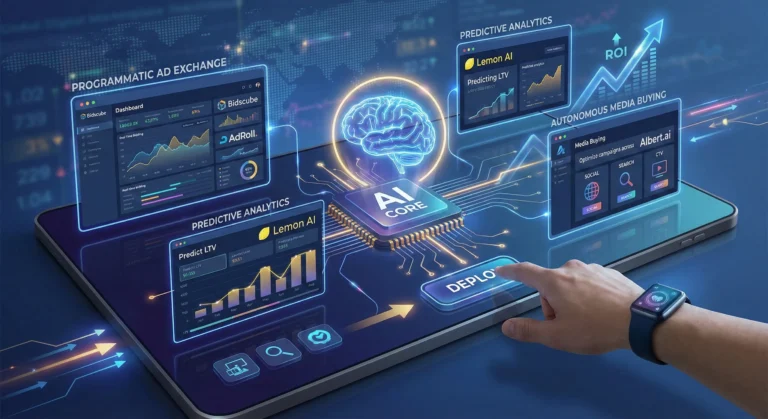
    Predictive AI Marketing Software: Stop Churn Before It Happens

    For solo entrepreneurs and boutique agency owners, there’s a silent killer that’s far more damaging than a bad month of sales: churn. You spend countless hours and thousands of dollars acquiring a new high-value client in the US or UK, only to have them quietly slip away through the back door six months later. It’s the classic leaky bucket problem.

    Historically, fixing churn was a reactive game. You’d conduct an exit interview after the client had already left to find out what went wrong. At AI Growth Gear, a division of Enoxx News Private Limited, we believe true digital growth comes from securing your backend financial stability first. That means moving from reactive firefighting to proactive prediction.

    Thanks to a new wave of accessible AI tools, you no longer need a team of data scientists to predict the future. You can now use the data you already have to flag at-risk clients before they cancel. Here are the top predictive AI marketing software platforms that are helping lean businesses turn retention into a science in 2026.

    Pecan AI: The Democratization of Predictive Modeling

    Until recently, building a predictive churn model required a PhD in data science. Pecan AI has changed that by building a low-code platform designed for business users, not just data engineers.

    • The Retention Play: As a solo operator, you are sitting on a goldmine of historical data in your CRM and billing systems. Pecan connects directly to these sources and uses automated machine learning to build custom models specifically for your business. Within days, it can generate a list of your current clients with a “churn probability score.” This allows you to focus your limited time and energy on the 10% of clients who are actually at risk, rather than spray-and-praying generic retention emails to everyone.

    Mixpanel: Behavioral Analytics as a Crystal Ball

    While many tools tell you what happened, Mixpanel specializes in telling you why. It’s a powerful product analytics platform that helps you understand user behavior at a granular, event-based level.

    • The Retention Play: Churn rarely happens overnight; there are almost always leading indicators. Perhaps a client stopped logging into your project management portal, or their usage of a key feature dropped by 30% last month. Mixpanel’s deep behavioral cohort analysis helps you identify these specific patterns of “pre-churn” behavior. By setting up alerts for these leading indicators, you can intervene with a personalized check-in call or a targeted helpful resource at the exact moment a client’s engagement begins to wobble.

    Optimove: The AI Orchestrator for Retention Actions

    Knowing who is going to churn is only half the battle. You also need to know what action will prevent it. Optimove sits at the intersection of predictive data and marketing execution. It’s a Customer-Led Marketing Hub that uses AI to determine the next best action for every individual client.

    • The Retention Play: Optimove’s AI builds dynamic micro-segments of your client base based on their predicted future value and churn risk. Instead of sending a generic monthly newsletter, you can set up autonomous workflows. For a high-value client showing moderate churn risk, Optimove might automatically trigger an exclusive offer for a free strategy session via email. For a lower-tier client, it might trigger a series of educational in-app messages. It ensures that every retention effort is hyper-personalized and delivered at the optimal time to change the outcome.

    The Bottom Line

    In the high-stakes world of B2B services, client retention is your most sustainable growth strategy. By integrating predictive AI tools like Pecan AI, Mixpanel, and Optimove into your backend operations, you can stop guessing about who might leave and start proactively securing your business’s future revenue.

  • ·

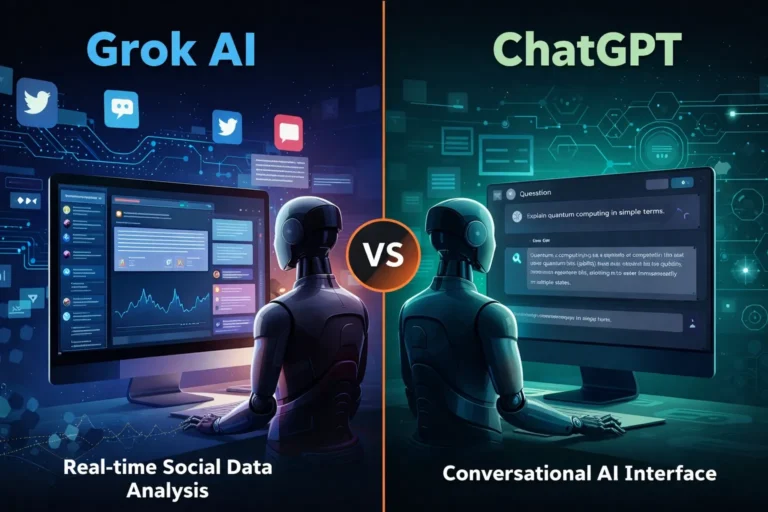
    Grok AI vs ChatGPT: Features and Real Use Cases

    Artificial intelligence tools are evolving rapidly, but most of them follow a similar pattern: static training data, controlled outputs, and limited real-time awareness. That model works well for structured tasks like coding assistance or writing help. However, it struggles when users want current insights, cultural context, or social trends.

    That gap is where Grok, developed by xAI, enters the picture.

    Unlike many AI assistants that rely primarily on training datasets, Grok was designed to connect directly with X (formerly Twitter). This integration allows the model to analyze public conversations, trending topics, and real-time discussions.

    For professionals working in marketing, research, or online business, that difference can significantly change how AI is used in daily workflows.


    At its core, Grok functions as a conversational AI assistant similar to ChatGPT or Claude. Users can ask questions, generate text, analyze ideas, or explore technical topics.

    But Grok was intentionally designed with a different philosophy: context awareness from live data.

    Key capabilities include:

    Real-time information access
    Grok can interpret current discussions happening on X, making it useful for trend monitoring and sentiment analysis.

    📊 Social conversation insights
    It can summarize how people are reacting to a topic rather than just describing the topic itself.

    🧠 Conversational reasoning
    Grok aims to produce more informal and context-aware answers compared with some traditional AI assistants.

    🔎 Idea exploration and brainstorming
    Because it pulls from real discussions, it can surface unexpected perspectives that static datasets might miss.

    For example, a digital marketer researching a product launch could ask Grok:

    “What are people complaining about in the latest smartphone release?”

    Instead of returning a generic answer, the AI can analyze current posts and highlight common concerns.


    While both systems function as AI assistants, their strengths are slightly different.

    🔹 Data Sources

    Grok

    • Strong connection to real-time social data
    • Useful for trend discovery and sentiment analysis

    ChatGPT

    • Primarily trained on large datasets and structured knowledge
    • Strong for reasoning, coding, and documentation

    🔹 Content Tone

    Grok often responds with a more conversational tone, reflecting its connection to social platforms.

    ChatGPT generally produces more structured, formal responses, which can be useful for professional documentation.

    🔹 Business Applications

    ChatGPT remains stronger in areas like:

    • code generation
    • structured writing
    • workflow automation
    • technical problem solving

    Grok shows promise in areas such as:

    • social trend monitoring
    • public sentiment analysis
    • cultural context research

    For professionals, the tools may complement rather than replace each other.


    Here are practical scenarios where Grok can be particularly useful.

    📈 Marketing trend research

    Marketers can analyze what audiences are discussing about a brand or industry.

    Example:
    A SaaS founder launching a productivity app could analyze conversations around productivity tools to identify common complaints.

    🧩 Product feedback discovery

    Companies can quickly identify how users feel about competing products.

    This type of insight traditionally required expensive social listening tools.

    📰 News and narrative monitoring

    Journalists, analysts, and researchers can track how a story evolves across social media conversations.

    💡 Content brainstorming

    Creators and writers can explore trending topics that resonate with real audiences.

    Instead of guessing what people want to read, Grok can surface ideas based on live discussion patterns.


    Like any AI system, Grok has strengths and trade-offs.

    ✔ Benefits

    • Access to real-time conversations
    • Useful for trend discovery
    • Insight into public sentiment
    • Unique perspective compared to traditional AI tools

    ⚠ Limitations

    • Social data may contain noise or misinformation
    • Real-time data can introduce bias or emotional reactions
    • Not always ideal for technical or academic analysis

    Professionals should treat Grok as a research assistant rather than a final authority.


    If you’re running an online business or digital project, Grok works best when integrated into a broader workflow.

    Practical workflow example

    1️⃣ Trend discovery using Grok
    2️⃣ Content research and structure using ChatGPT
    3️⃣ Publishing strategy based on validated audience interests

    This layered approach combines real-time insight with structured AI reasoning.


    Grok may be especially valuable for:

    • digital marketers
    • startup founders
    • journalists and analysts
    • social media strategists
    • creators researching audience interests

    Who may not benefit as much

    • developers needing deep coding assistance
    • academic researchers needing highly verified sources
    • enterprises requiring strict moderation controls


    AI tools are gradually moving from static knowledge systems toward dynamic intelligence connected to real-world conversations. Grok represents an early experiment in that direction.

    While it may not replace traditional AI assistants like ChatGPT, its ability to interpret live social discussions creates new possibilities for research, marketing, and trend discovery.

    For professionals exploring AI workflows, Grok is less about replacing existing tools and more about adding a new layer of real-time insight to decision making.