|

Top AI Suites for Aesthetic Automation

Top AI Suites for Aesthetic Automation

When we talk about scaling a digital agency, the conversation usually jumps straight to data, spreadsheets, and cold outreach. But for design-centric solo entrepreneurs and boutique brand builders targeting high-end clients in the US and UK, the real challenge is scaling taste.

How do you multiply your creative output without diluting the visual identity that makes your brand premium?

Here at AI Growth Gear (a division of the Enoxx News network), our Editor-in-Chief Ajay K Saklanii frequently points out that the future of brand building for solo operators lies in “aesthetic automation.” It is the exact intersection where high-end design principles meet autonomous tech. You aren’t just generating content; you are building a self-sustaining visual engine backed by Enoxx News Private Limited’s growth philosophies.

If you want to command higher retainer fees while keeping your overhead low, these are the visual marketing and aesthetic automation suites you need to integrate into your workflow in 2026.

Canva Magic Studio: The All-in-One Design Engine

Canva has quietly transitioned from a simple template builder into an enterprise-grade AI powerhouse. Magic Studio isn’t just about generating one-off images; it’s about workflow velocity.

The Agency Play: For boutique agencies, maintaining absolute visual consistency across campaigns is non-negotiable. With Canva’s Magic Switch and Magic Grab, you can take a single hero asset—say, a custom graphic for a client’s Q3 campaign—and autonomously resize, reformat, and translate it across every platform in seconds. Combined with their Brand Hub, which locks in fonts, hex codes, and brand voices, you can hand off bulk content creation to junior team members without worrying about them breaking brand guidelines.

Adobe Firefly: Commercial-Safe Generative Art

While other generative AI image models get the viral social media attention, Adobe Firefly is the tool actually built for commercial agency use. The biggest risk with AI-generated visuals for high-end clients is copyright infringement. Firefly is trained entirely on licensed and public domain content, making it commercially safe.

The Agency Play: Firefly’s “Style Kits” allow agencies to train the AI directly on a client’s proprietary assets. Need fifty variations of a product shot for A/B testing on a high-CPC programmatic ad campaign? You can generate them instantly, ensuring every single variation perfectly matches the client’s established mood board, lighting, and texture preferences. It brings enterprise-level personalization down to the solo operator level.

Jasper Art: The Copy-to-Visual Bridge

Jasper started as an AI writing assistant, but Jasper Art has evolved into a crucial tool for marketers who need their copy and visuals to work in perfect tandem.

The Agency Play: High-converting AdSense and affiliate campaigns rely heavily on visual context. Jasper allows you to generate high-fidelity blog thumbnails, ad creatives, and supporting graphics directly alongside your SEO-optimized copy. It eliminates the friction of bouncing between a copywriter and a graphic designer. For solo entrepreneurs running content-heavy sites, it means you can hit “publish” faster while maintaining a premium look that attracts top-tier advertisers.

SocialBee: The Visual Publishing Orchestrator

Creating the assets is only half the battle. Distributing them beautifully is the other. SocialBee has emerged as a top-tier automated publishing suite because of how seamlessly it connects the dots between creation and distribution.

The Agency Play: SocialBee integrates directly with Canva and Unsplash, allowing you to pull your newly generated AI assets straight into your publishing queue. Its AI Copilot can then generate tailored captions and schedule the content into category-based buckets (e.g., “Promotional,” “Behind the Scenes,” “Educational”). For a lean agency, this means you can build a 90-day, visually stunning, multi-channel social media calendar in an afternoon, put it on autopilot, and get back to closing deals.

The Bottom Line

Aesthetic automation isn’t about replacing the artist; it’s about removing the friction from the art. By building a tech stack that respects brand consistency—using Canva, Firefly, Jasper, and SocialBee—you can deliver premium, high-volume visual marketing that justifies premium pricing and attracts the highest-paying digital advertisers.
Similar Posts

  • ·

    Cinematic Showdown: Google Veo vs. Runway vs. Sora (2026 Comparison)

    In the film world, choosing a camera is a statement of style. An Arri Alexa feels different than a RED. In 2026, choosing an AI Video Generator is no different. You are choosing the “soul” of your footage.

    At AI Growth Gear, we’ve put the top three engines through a rigorous “Director’s Test.” Here is how they stack up for professional agency use.

    The Competitors at a Glance

    FeatureGoogle Veo 3.2Runway Gen-4.5OpenAI Sora 2
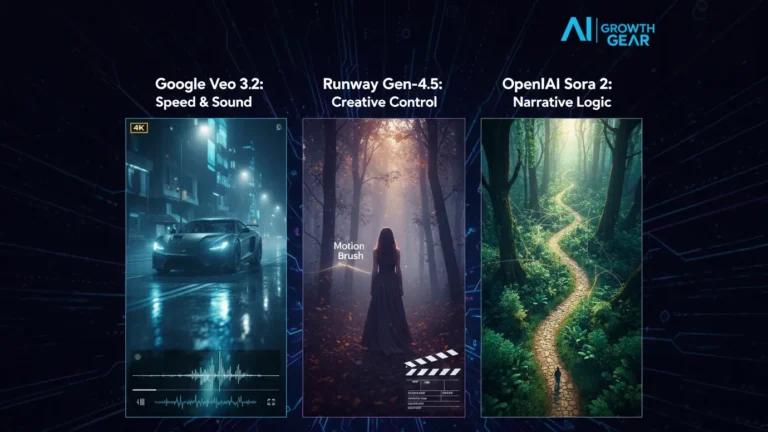
    Primary StrengthIntegrated Audio & 4K ClarityGranular Creative ControlNarrative Logic & Physics
    Best ForReady-to-use Social AdsHigh-End Brand FilmsLong-Form Storytelling
    WeaknessCan feel “too perfect”Steep learning curveLimited public API access

    1. Google Veo 3.2: The “All-in-One” Workhorse

    Google has leveraged its vast data to create the most stable engine. The standout feature in 2026 is Native Audio Synchronization. When Veo generates a video of a car splashing through rain, it generates the exact sound of that splash perfectly synced to the frame.

    • The Aesthetic: It leans toward commercial realism. It’s vibrant, sharp, and safe.
    • The Director’s Take: “If you need an ad for a UK real estate firm or a US tech startup that needs to look ‘Apple-clean’ in ten minutes, Veo is your gear.”

    2. Runway Gen-4.5: The Artist’s Precision Tool

    Runway remains the favorite for those of us with a NIFT or film background. Their “Motion Brush 3.0” and “Director Mode” allow you to tell the AI exactly where to move the camera (pan, tilt, zoom) and which specific elements should move within the frame.

    • The Aesthetic: Moody, textured, and artistic. It handles “Cinematic Grain” and lighting better than anyone else.
    • The Director’s Take: “Runway doesn’t just ‘generate’; it ‘collaborates.’ It’s the only tool that lets me maintain a specific brand texture without the AI taking over the creative wheel.”

    3. OpenAI Sora 2: The Physics Master

    Sora 2 is still the king of Spatial Consistency. If a character walks behind a tree and comes out the other side, they look identical. Most other AIs still “glitch” the details. Sora understands that a glass of water should reflect the room, and gravity should pull objects down naturally.

    • The Aesthetic: Hyper-realistic and expansive. It excels at wide, sweeping “Drone” shots.
    • The Director’s Take: “Sora is for the ‘Big Picture.’ It’s perfect for world-building or creating complex scenes where physical logic cannot be compromised.”

    The Verdict: Which Gear Should You Pick?

    • Choose Google Veo if your priority is Speed and Sound. It’s the ultimate tool for high-volume content agencies where “done is better than perfect.”
    • Choose Runway if your priority is Aesthetic Control. If your brand relies on a specific “look” or mood, Runway is the only tool that respects your creative direction.
    • Choose Sora if your priority is Realism and Scale. When the physics of the scene must be flawless, Sora is the undisputed leader.

    Our Recommendation for 2026

    For most boutique agencies, a Runway + Veo hybrid workflow is the winner. Use Runway to create the “Hero” visuals that define your style, and use Veo to quickly scale the supporting content with integrated sound.

  • ·

    Best AI Marketing Tools for Small Businesses to Automate Marketing and Grow Faster

    Marketing is one of the biggest challenges for small businesses. Entrepreneurs often need to manage content creation, advertising, social media, email campaigns, and analytics — often with limited time and resources.

    This is where AI marketing tools for small businesses are changing the game.

    Artificial intelligence can now automate many marketing tasks that previously required a full marketing team. AI tools can generate ad creatives, write marketing copy, schedule social media posts, analyze campaign performance, and optimize marketing strategies.

    For entrepreneurs, bloggers, freelancers, and online business owners, AI marketing tools provide a powerful advantage: better results with less effort.

    In this guide, we’ll explore the best AI marketing tools for small businesses that can help automate marketing workflows, improve campaign performance, and accelerate growth.


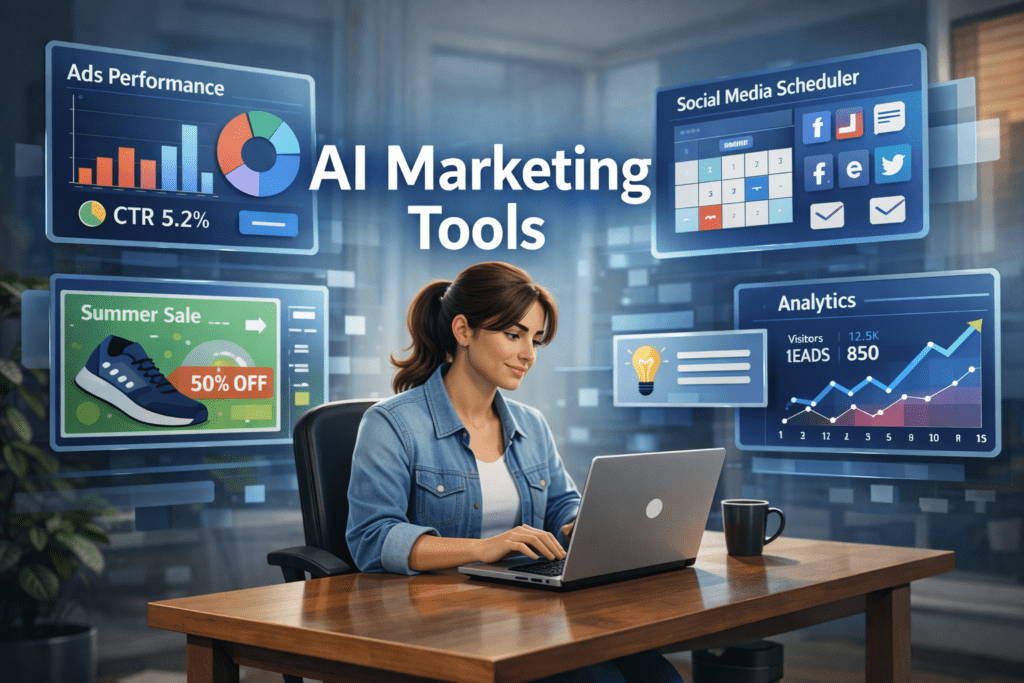
    A young entrepreneur working on a laptop while AI marketing dashboards display ad performance, social media scheduling, and analytics tools used by small businesses for marketing automation.
    A small business owner using AI marketing tools to manage ads, social media scheduling, and analytics from a single dashboard.

    Why AI Marketing Tools Matter for Small Businesses 🚀

    Small businesses often struggle with limited time, budget, and resources. AI tools help solve these challenges by automating key marketing activities.

    ⏳ Save Time

    AI tools automate repetitive tasks such as:

    • Writing marketing copy
    • Designing ad creatives
    • Scheduling social media posts
    • Generating blog content
    • Analyzing marketing data

    This allows entrepreneurs to focus on strategy and growth instead of repetitive work.


    💰 Reduce Marketing Costs

    Hiring a full marketing team can be expensive.

    AI tools allow small businesses to perform tasks that normally require:

    • Copywriters
    • Designers
    • Social media managers
    • Marketing analysts

    This significantly lowers marketing expenses.


    📊 Improve Marketing Performance

    AI tools analyze data quickly and suggest improvements like:

    • Better ad creatives
    • High-performing content ideas
    • Optimal posting schedules
    • Improved audience targeting

    These insights can help businesses achieve higher ROI from marketing campaigns.


    Quick Tool Summary ⚡

    Best Overall: AdCreative.ai
    Best Budget Option: Copy.ai
    Best for Social Media Marketing: Ocoya
    Best for Content Marketing: Jasper AI
    Best for Marketing Automation: HubSpot AI
    Best for SEO Content: Surfer SEO


    Best AI Marketing Tools for Small Businesses 🧠


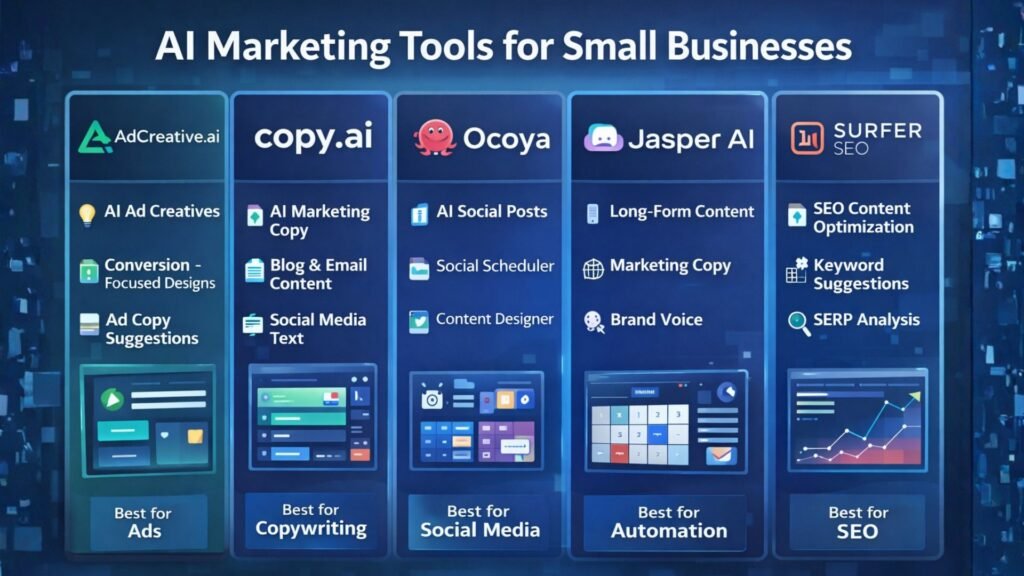
    Comparison infographic of AI marketing tools for small businesses highlighting features such as ad creation, AI copywriting, social media automation, content generation, and SEO optimization.
    Comparison infographic showing popular AI marketing tools like AdCreative.ai, Copy.ai, Ocoya, Jasper AI, and Surfer SEO for small business marketing.

    1. AdCreative.ai 🎯

    AdCreative.ai is one of the most powerful AI advertising tools designed to generate high-converting ad creatives automatically.

    Instead of manually designing ads, businesses can use AI to generate optimized ad visuals based on proven marketing data.

    Key Features

    • AI-generated ad creatives
    • Conversion-focused design suggestions
    • Ad copy generation
    • Creative scoring for performance
    • Integration with major ad platforms

    Pros

    ✔ Generates ads in seconds
    ✔ Optimized for advertising campaigns

    Cons

    ✖ Most useful for businesses running regular ads
    ✖ Requires some experimentation

    Best For

    Businesses running Facebook Ads, Google Ads, and display campaigns.

    Try AdCreative.ai here


    2. Copy.ai ✍️

    Copy.ai is a popular AI writing tool designed to generate marketing content quickly.

    The platform helps businesses create blog posts, product descriptions, ad copy, and email marketing content.

    Key Features

    • AI marketing copy generator
    • Blog writing tools
    • Email marketing templates
    • Social media caption generator
    • Content idea generation

    Pros

    ✔ Easy to use
    ✔ Fast content creation

    Cons

    ✖ AI output may require editing
    ✖ Limited customization

    Best For

    Entrepreneurs who need quick marketing copy and content ideas.

    Affiliate Call-To-Action

    Try Copy.ai here


    3. Ocoya 📱

    Ocoya is an AI-powered social media marketing platform that combines content creation, scheduling, and analytics.

    It helps businesses generate posts and automatically publish them across multiple social media platforms.

    Key Features

    • AI social media captions
    • Automated post scheduling
    • Graphic design tools
    • Social media analytics

    Pros

    ✔ Excellent for social media automation
    ✔ Multi-platform integrations

    Cons

    ✖ Analytics features are limited
    ✖ Advanced features require paid plans

    Best For

    Small businesses managing multiple social media platforms.

    Try Ocoya here


    4. Jasper AI 📝

    Jasper AI is one of the most advanced AI writing tools for marketing and content creation.

    It helps marketers generate blog posts, landing pages, and marketing campaigns.

    Key Features

    • Long-form AI writing
    • Marketing copy templates
    • AI brand voice customization
    • SEO-friendly content creation

    Pros

    ✔ High-quality AI writing
    ✔ Ideal for content marketing

    Cons

    ✖ Higher pricing
    ✖ Content may require editing

    Best For

    Bloggers and marketers focused on content-driven growth.

    Try Jasper AI here


    5. HubSpot AI 🤖

    HubSpot integrates AI into its marketing automation platform.

    The tool provides advanced features for email marketing, lead generation, CRM automation, and analytics.

    Key Features

    • AI email generation
    • Marketing automation workflows
    • CRM integration
    • Campaign analytics

    Pros

    ✔ Complete marketing ecosystem
    ✔ Powerful automation tools

    Cons

    ✖ Expensive for small startups
    ✖ Advanced features require premium plans

    Best For

    Businesses managing large marketing campaigns and sales funnels.


    6. Surfer SEO 🔎

    Surfer SEO helps businesses create SEO-optimized content that ranks on Google.

    The platform analyzes top-ranking pages and provides real-time optimization suggestions.

    Key Features

    • Content optimization
    • Keyword suggestions
    • SEO score tracking
    • SERP analysis

    Pros

    ✔ Excellent for SEO-driven content
    ✔ Data-backed recommendations

    Cons

    ✖ Requires some SEO knowledge
    ✖ Paid plans can be expensive

    Best For

    Bloggers and marketers focused on organic traffic growth.


    AI Marketing Tools Comparison Table 📊

    ToolBest ForKey FeaturePricing
    AdCreative.aiAdvertisingAI ad creativesPaid
    Copy.aiCopywritingAI marketing copyFreemium
    OcoyaSocial mediaAI schedulingPaid
    Jasper AIContent marketingLong-form writingPaid
    HubSpot AIAutomationCRM marketingPaid
    Surfer SEOSEO marketingContent optimizationPaid

    Practical Use Cases for AI Marketing Tools 💡

    AI marketing tools can transform how small businesses operate.

    Social Media Automation

    AI tools can:

    • Generate social media posts
    • Schedule content automatically
    • Analyze engagement performance

    Ad Campaign Creation

    AI can quickly generate:

    • Ad visuals
    • Ad headlines
    • Targeting suggestions

    Content Marketing

    AI tools can produce:

    • Blog posts
    • Email newsletters
    • Product descriptions
    • Website content

    Benefits and Limitations ⚖️

    Benefits

    ✔ Faster marketing execution
    ✔ Lower marketing costs
    ✔ Improved campaign performance
    ✔ Better marketing insights


    Limitations

    ✖ AI-generated content may need editing
    ✖ Over-automation can reduce brand personality
    ✖ Some tools require learning time


    Best AI Writing Tools for Bloggers in 2026: Tools That Actually Improve Content

    How to Get Started with AI Marketing Tools 🛠️

    If you’re new to AI marketing, follow this simple process.

    Step 1

    Choose one or two tools based on your marketing needs.

    Step 2

    Use AI to automate repetitive tasks such as content creation and social media scheduling.

    Step 3

    Monitor campaign performance using analytics.

    Step 4

    Expand your AI marketing stack as your business grows.


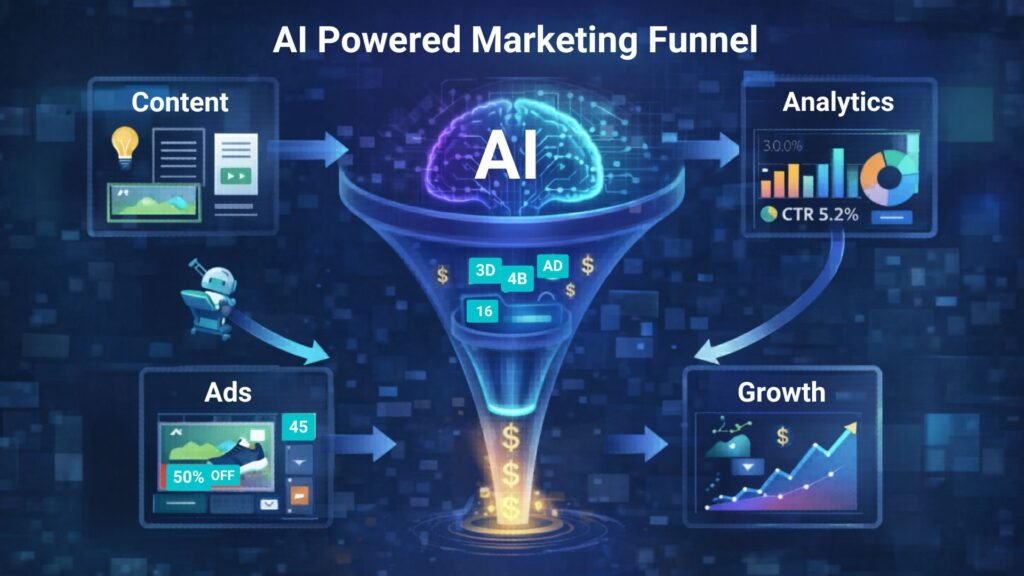
    AI-powered marketing funnel showing content creation, advertising campaigns, analytics tracking, and business growth automation.
    Illustration of an AI-powered marketing funnel showing how content, ads, analytics, and automation work together to drive business growth.

    Conclusion 🎯

    Artificial intelligence is transforming digital marketing, allowing small businesses to compete with larger brands.

    The best AI marketing tools for small businesses help automate content creation, advertising, and social media management while improving efficiency.

    Tools like AdCreative.ai, Copy.ai, and Ocoya allow entrepreneurs and marketers to scale their marketing efforts without large teams or huge budgets.

    By adopting AI marketing tools today, businesses can build smarter marketing strategies and unlock new growth opportunities.

  • ·

    Build Premium AI Client Portals Without Code

    If you are running a high-end consulting firm or a boutique agency targeting clients in the US and UK, your deliverables are top-tier. But how are you delivering them?

    If you are still relying on scattered email chains, password-protected zip files, and messy shared spreadsheets to manage a five-figure retainer client, you have a perception problem. In the premium B2B space, the experience of working with you is just as important as the results.

    The modern solution is a dedicated, white-labeled client portal. It’s the difference between looking like a freelancer and looking like an enterprise infrastructure.

    Traditionally, building a secure, custom portal required expensive CRM development and dedicated engineering. Today, no-code AI builders have democratized this process. You can now build sophisticated client management software that not only displays data but uses AI to make that data actionable for your clients.

    Here are the top no-code tools to build high-value client portals in 2026.

    Softr: The Fastest Path from Database to Dashboard

    Softr has cornered the market on speed and ease of use, especially if your agency already operates out of Airtable or Google Sheets. It turns those static databases into secure, beautiful web apps in minutes.

    • The Agency Play: Use Softr to build a transparent project tracker. Instead of weekly status calls, give clients a login where they can see real-time progress. Where Softr shines now is its native AI integration. You can use it to automatically generate executive summaries of project status reports within the portal, saving your project managers hours of writing while giving the C-suite client a quick, digestible update.

    Stacker: Deep Permissions for Sensitive Data

    When dealing with larger corporate clients, security and granular permissions are paramount. Stacker excels at taking complex, messy datasets (from sources like Salesforce or complex Airtable bases) and turning them into clean, restricted client views.

    • The Agency Play: If you are a financial consultant or handling sensitive marketing data, you can’t show every client the whole database. Stacker allows you to build one master app where Client A only sees Client A’s data, and Client B only sees Client B’s. You can build a sophisticated, secure B2B portal that looks like a million-dollar custom build, ensuring absolute data privacy while providing high-level visibility.

    Noloco: The Premium White-Label Experience

    For boutique agencies where branding is everything, Noloco offers perhaps the most polished, high-end feel right out of the box. It is designed specifically for building client-facing apps and internal tools that look completely bespoke.

    • The Agency Play: Noloco is ideal for high-ticket creative or strategic agencies. You can fully remove any trace of the builder’s branding, use your own domain, and deeply customize the UI to match your firm’s aesthetic. You can build portals where clients approve creative assets, view AI-generated performance forecasts, and access contract documents in an environment that feels intensely premium and professional.

    Glide: The Mobile-First Action Portal

    Sometimes your clients aren’t at a desk; they are in the field. Glide (which we also love for micro-SaaS) is phenomenal for building mobile-optimized portals that turn data into action.

    • The Agency Play: Imagine you run a property management consulting firm. You can build a Glide portal for your investors that sits on their phone home screen. They can view property performance data and, crucially, use Glide’s AI columns to instantly interact with that data—for example, snapping a photo of a maintenance issue and having Glide’s AI instantly categorize it and draft a work order for approval. It turns a passive report into an active tool.

    The Bottom Line

    A client portal is no longer just a nice-to-have utility; it is a core piece of agency infrastructure. By using platforms like Softr, Stacker, Noloco, and Glide, you are not just organizing files—you are providing a sophisticated software experience that cements client retention and justifies premium retainer fees.

  • ·

    Stop Using Midjourney for Logos: The Vector Revolution

    Look, we have all been there.

    You spend two hours perfecting a prompt in Midjourney. You finally get that perfect, minimalist mascot for a client or a new sticker design for your Etsy shop. It looks crisp on your iPhone. It looks stunning on Discord.

    Then you send it to the printer.

    And the email comes back: “Sorry, this is 72 DPI. Do you have the vector file? When we blow this up for the banner, it looks like a Minecraft screenshot.”

    Panic sets in. You try to use an “AI upscaler,” but it just makes the lines look weird and wobbly. You try to “Image Trace” it in Illustrator, and suddenly your clean lines turn into a jagged mess of a thousand anchor points.

    Here is the hard truth for 2026: Midjourney and DALL-E are for art. They are not for assets.

    If you are a solo entrepreneur, a Print-on-Demand (POD) seller, or a freelancer, you need to stop thinking in pixels and start thinking in math. You need to join the Vector Revolution.

    The “Pixel” Trap

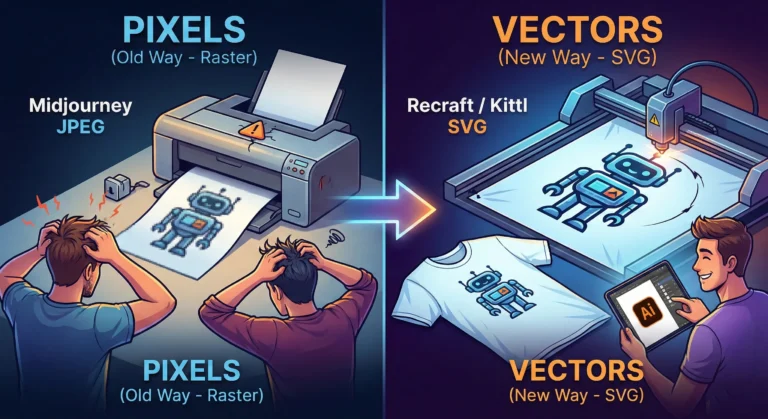
    Tools like Midjourney generate Raster images. They are made of colored dots (pixels). They are painted. If you zoom in, they get fuzzy. You cannot change the color of just the shirt without repainting the whole thing.

    Vectors (SVGs, EPS, AI files) are different. They are math equations. A line is defined by points A and B. Whether you print it on a business card or a billboard, the math stays the same. The line is always sharp.

    For years, AI was bad at vectors because “math” is harder for diffusion models than “painting.” But in 2026, the code has been cracked.

    The New Toolkit: Recraft & Kittl

    If you are still wrestling with raster images for logos, stop. Here are the tools that are actually making money right now.

    1. Recraft (The Heavy Hitter) Recraft isn’t just “Midjourney but different.” It is built from the ground up for designers. When you type “minimalist geometric lion logo,” it doesn’t give you a flat picture. It gives you layers.

    • Why it wins: You can export as SVG. You can open that file in Illustrator or Figma and actually edit the curves. You can change the brand colors in two clicks because the AI understands “color palettes,” not just “pixels.”

    2. Kittl (The POD Powerhouse) If you sell on Redbubble or Merch by Amazon, Kittl is your best friend. Their “AI Vector Generator” is tuned specifically for t-shirt complexity. It avoids those weird, wispy lines that screen printers hate. It creates clean, solid shapes that peel perfectly off a vinyl cutter.

    The “Editable” Advantage

    The biggest reason to switch isn’t just print quality—it’s editability.

    Imagine a client says, “I love the logo, but can you move the star to the left and make the font bold?”

    • With Midjourney: You have to re-roll the prompt and hope the random seed gives you something similar (it won’t).
    • With Vector AI: You just click the star and drag it to the left.

    The Bottom Line

    Stop selling JPEGs. In the freelance world of 2026, a “Logo Package” that includes a scalable SVG file is worth $500+. A JPEG is worth $50.

    The tools have evolved. Your workflow should too. Keep Midjourney for your mood boards and concept art, but when it’s time to build the actual product? Go vector.

  • ·

    Visual Backend Builders for Custom AI Apps

    The no-code movement started with simple frontend drag-and-drop website builders. Today, the real revolution is happening entirely behind the scenes. For technical founders, fractional CTOs, and lean dev teams building custom AI applications, the bottleneck isn’t the user interface; it’s the backend logic.

    How do you securely connect your proprietary database to an enterprise LLM, build custom API endpoints, and orchestrate complex routing without spending months writing backend code? The answer lies in visual backend builders.

    At AI Growth Gear (part of the Enoxx News network), we focus heavily on the infrastructure that makes AI scalable. These tools are designed for the “low-code” or highly technical no-code developer who understands logic, databases, and APIs but wants to skip the syntax errors and deployment headaches.

    If you are building an AI app that requires serious backend power, these are the visual API builders you need to master.

    BuildShip: The Visual AI Workflow Engine

    BuildShip has rapidly become a favorite for developers who need to build complex AI features and deploy them as scalable APIs. It is essentially a visual interface for writing backend code, specifically optimized for AI tasks.

    • The Technical Play: Let’s say you are building an app that takes a user’s audio file, transcribes it, runs sentiment analysis via Claude 3, and then saves the result to your database. BuildShip allows you to visually connect these nodes—Stripe for billing, Whisper for transcription, Anthropic for analysis, and Supabase for storage. If you hit a wall with the visual nodes, BuildShip allows you to use its AI assistant to write a custom JavaScript or TypeScript function block right in the middle of the workflow. You get the speed of visual building with the absolute flexibility of custom code.

    Xano: The No-Code Database & API Backend

    If your AI application is highly data-intensive, you need a backend that can handle millions of records without lagging. Xano is widely considered the most powerful no-code backend available, offering a scalable PostgreSQL database and a robust API builder.

    • The Technical Play: Xano is perfect for building the backend of a custom RAG (Retrieval-Augmented Generation) application. You can store your company’s massive internal documents in Xano, use its built-in functions to convert those documents into vector embeddings (often via OpenAI’s API), and then build custom API endpoints that allow your frontend app to query that vector data securely. It handles complex data transformations and logic that would crash lighter platforms, making it ideal for enterprise-grade internal tools.

    Make (Advanced AI Routing): The Logic Orchestrator

    While often thought of as a simple Zapier alternative, Make (formerly Integromat) is actually a visual programming language capable of handling incredibly complex, multi-path routing and error handling.

    • The Technical Play: Make shines when your AI application requires complex “if/then” logic and needs to talk to dozens of different external services. For example, you can build an AI routing system where an incoming user query is first analyzed by a fast, cheap LLM to determine intent. If the query is simple, Make routes it to a pre-written response. If it’s complex, Make routes it to a slower, more expensive model (like GPT-4), formats the response, and sends it back to the user via Slack, Email, or your custom frontend. It allows you to build highly resilient, cost-optimized AI systems visually.

    The Bottom Line

    Building a sophisticated AI application no longer requires a massive backend engineering team. By leveraging visual backend builders like BuildShip, Xano, and Make, technical founders can architect scalable databases, build custom API endpoints, and orchestrate complex LLM logic in a fraction of the time.

  • ·

    Digital Doubles: HeyGen vs. Synthesia – Choosing Your AI Presenter for 2026

    In business, communication is everything. Whether it’s training your global sales force, delivering personalized video messages to thousands of leads, or creating consistent brand explainers, the demand for engaging video is immense. The traditional approach—hiring presenters, booking studios, shooting, editing—is a bottleneck for even the most agile teams.

    This is where AI Avatar & Business Presenters step in. These aren’t just text-to-speech tools; they create convincing digital humans who can speak your message in multiple languages, with realistic expressions and lip-sync. For businesses in the US and UK looking to scale their video output without scaling their production budget, these platforms are a game-changer.

    At AI Growth Gear, we’ve evaluated the leading platforms with our “Director’s Lens,” focusing on realism, brand integration, and operational efficiency. Here’s how the top two—HeyGen (Avatar IV) and Synthesia—compare for your business.

    The Contenders at a Glance

    FeatureHeyGen (Avatar IV)Synthesia
    Primary StrengthUltra-Realistic Digital TwinsEnterprise-Grade Library & Compliance
    Best ForPersonalized Sales, UGCCorporate Training, Explainers
    WeaknessCustom avatars require more inputStock avatars can feel less unique

    1. HeyGen (Avatar IV): The Ultra-Realist

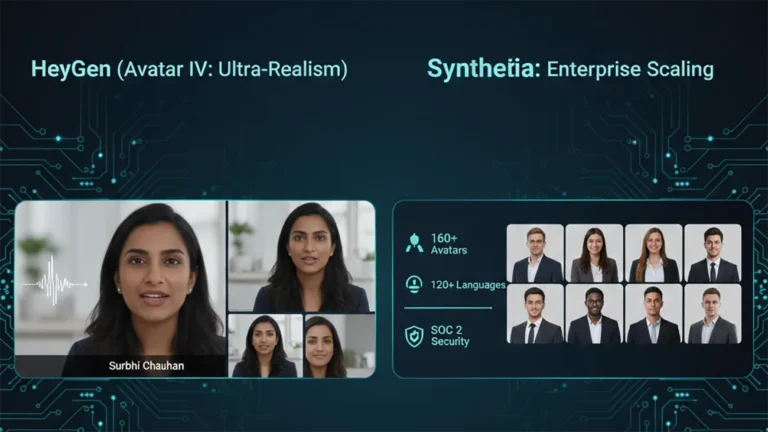
    HeyGen’s latest iteration, Avatar IV, is pushing the boundaries of what’s possible in AI avatar realism. Its “Digital Twin” feature allows businesses to create incredibly lifelike avatars of actual employees or spokespersons from minimal video footage. The subtlety of facial expressions and natural-sounding voice clones are truly impressive.

    • The Aesthetic: Aimed squarely at hyper-realism. If you want your AI presenter to be indistinguishable from a real human, HeyGen is currently leading the pack. It masters the minute details, making it ideal for maintaining a personal touch at scale.
    • The Director’s Take: “HeyGen is for when ‘authentic’ means ‘looks like you.’ It’s unparalleled for personalized sales videos, founder messages, or any content where the presenter’s unique identity is key. It allows a boutique agency to maintain its human brand persona without physically being in every video.”

    2. Synthesia: The Enterprise Powerhouse

    Synthesia has been the long-standing leader in the corporate AI video space, and for good reason. It boasts an extensive library of over 160 diverse stock avatars and 120+ languages, coupled with robust SOC 2 compliance for data security. Its platform is built for scalable, professional use cases across large organizations.

    • The Aesthetic: Polished, professional, and consistent. While its stock avatars are highly realistic, they aim for broad appeal rather than individual uniqueness.
    • The Director’s Take: “Synthesia is the workhorse of the enterprise. If you need to produce hundreds of consistent training modules, international onboarding videos, or routine explainers, its sheer volume of customizable options and security features make it the undisputed choice. It ensures your corporate communication is slick and reliable across the board.”

    The Verdict: Which Digital Double is Right for You?

    • Choose HeyGen if your priority is Personalization and Ultra-Realism. If you need your AI presenter to look and sound exactly like a specific person to build trust or enhance a unique brand identity.
    • Choose Synthesia if your priority is Scalability and Corporate Readiness. If you require a vast library of diverse avatars, multi-language support, and enterprise-grade security for consistent, high-volume video production.

    Our Recommendation for 2026

    For many agencies, the ideal setup might involve a blend: HeyGen for high-impact, personalized, and client-facing content, and Synthesia for internal training, broad-reach explainers, or situations requiring a diverse range of stock avatars. Both tools excel at making video production accessible, but they serve different strategic objectives.