You spend two hours perfecting a prompt in Midjourney. You finally get that perfect, minimalist mascot for a client or a new sticker design for your Etsy shop. It looks crisp on your iPhone. It looks stunning on Discord.
Then you send it to the printer.
And the email comes back: “Sorry, this is 72 DPI. Do you have the vector file? When we blow this up for the banner, it looks like a Minecraft screenshot.”
Panic sets in. You try to use an “AI upscaler,” but it just makes the lines look weird and wobbly. You try to “Image Trace” it in Illustrator, and suddenly your clean lines turn into a jagged mess of a thousand anchor points.
Here is the hard truth for 2026: Midjourney and DALL-E are for art. They are not for assets.
If you are a solo entrepreneur, a Print-on-Demand (POD) seller, or a freelancer, you need to stop thinking in pixels and start thinking in math. You need to join the Vector Revolution.
The “Pixel” Trap
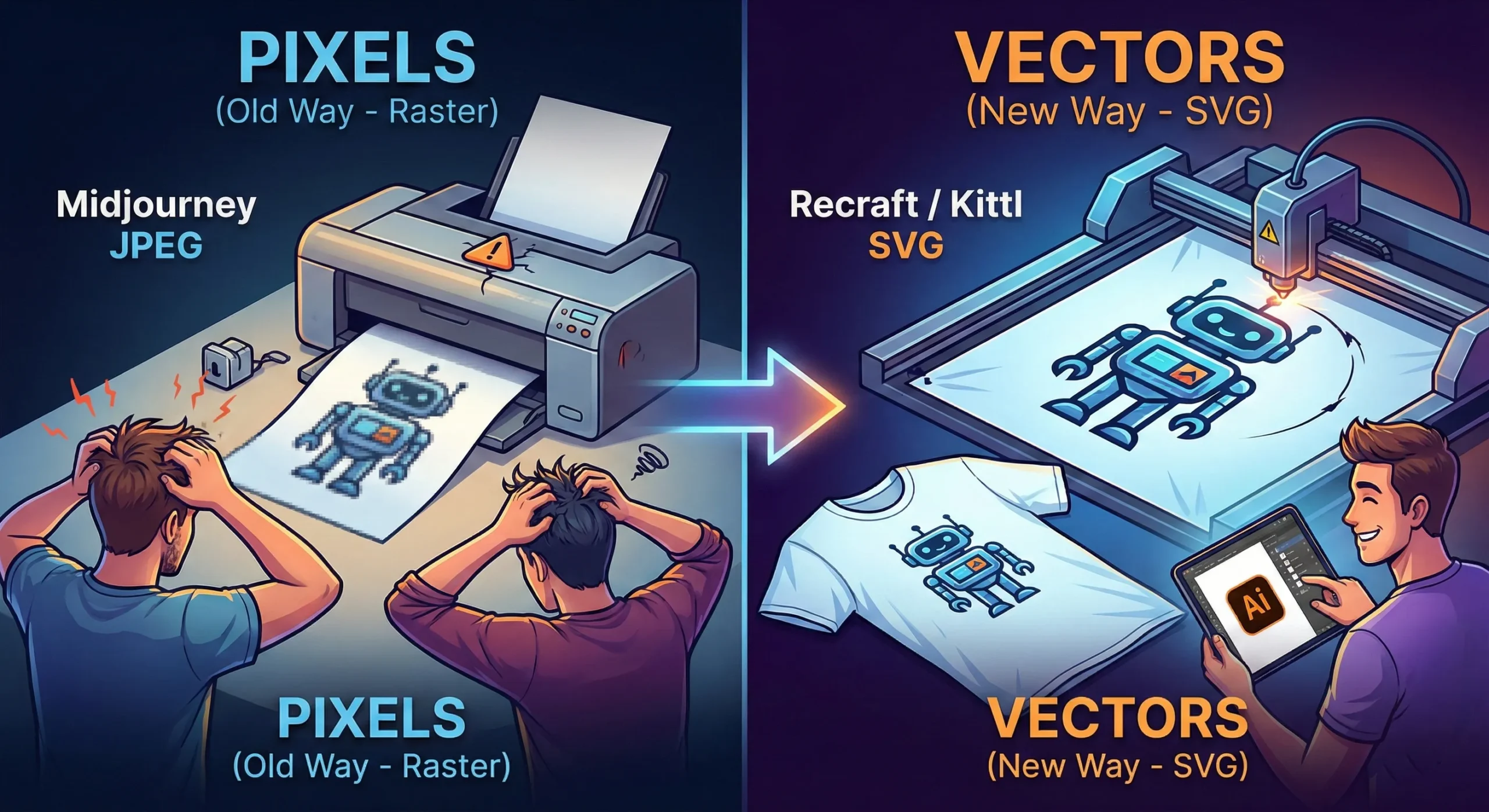
Tools like Midjourney generate Raster images. They are made of colored dots (pixels). They are painted. If you zoom in, they get fuzzy. You cannot change the color of just the shirt without repainting the whole thing.
Vectors (SVGs, EPS, AI files) are different. They are math equations. A line is defined by points A and B. Whether you print it on a business card or a billboard, the math stays the same. The line is always sharp.
For years, AI was bad at vectors because “math” is harder for diffusion models than “painting.” But in 2026, the code has been cracked.
The New Toolkit: Recraft & Kittl
If you are still wrestling with raster images for logos, stop. Here are the tools that are actually making money right now.
1. Recraft (The Heavy Hitter) Recraft isn’t just “Midjourney but different.” It is built from the ground up for designers. When you type “minimalist geometric lion logo,” it doesn’t give you a flat picture. It gives you layers.
Why it wins: You can export as SVG. You can open that file in Illustrator or Figma and actually edit the curves. You can change the brand colors in two clicks because the AI understands “color palettes,” not just “pixels.”
2. Kittl (The POD Powerhouse) If you sell on Redbubble or Merch by Amazon, Kittl is your best friend. Their “AI Vector Generator” is tuned specifically for t-shirt complexity. It avoids those weird, wispy lines that screen printers hate. It creates clean, solid shapes that peel perfectly off a vinyl cutter.
The “Editable” Advantage
The biggest reason to switch isn’t just print quality—it’s editability.
Imagine a client says, “I love the logo, but can you move the star to the left and make the font bold?”
With Midjourney: You have to re-roll the prompt and hope the random seed gives you something similar (it won’t).
With Vector AI: You just click the star and drag it to the left.
The Bottom Line
Stop selling JPEGs. In the freelance world of 2026, a “Logo Package” that includes a scalable SVG file is worth $500+. A JPEG is worth $50.
The tools have evolved. Your workflow should too. Keep Midjourney for your mood boards and concept art, but when it’s time to build the actual product? Go vector.
When you are building a content pipeline for the highly competitive US and UK markets, volume without strategy is just noise. High-value search queries—especially those driving lucrative B2B AdSense clicks and enterprise affiliate commissions—require deep topical authority and pristine on-page optimization.
At AI Growth Gear, operating under the Enoxx News Private Limited network, our Editor-in-Chief Ajay K Saklanii often emphasizes that scaling organic growth isn’t about replacing your writers with bots; it is about giving them an AI-powered exoskeleton. To command the highest-paying digital marketing advertisers, your website’s architecture and content must be flawless.
Here is a breakdown of the highest-tier AI SEO and content strategy tools in 2026, designed to help lean teams and boutique agencies build massive, traffic-generating content engines.
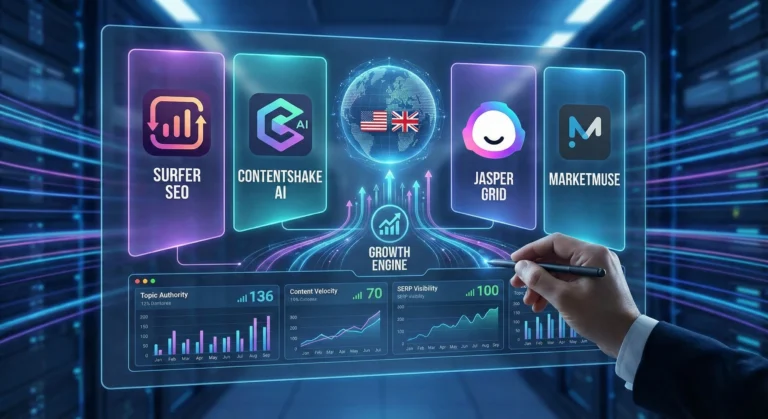
Surfer SEO: The On-Page & AI Visibility Engine
Surfer has long been the gold standard for correlating on-page data with search rankings, but in 2026, it has evolved into a full-scale Answer Engine Optimization (AEO) powerhouse.
The Strategy Play: While its core Content Editor provides real-time scoring to ensure your articles hit the exact semantic density Google demands, its new AI Tracker is the true game-changer. It monitors exactly how and where your brand is cited in Google AI Overviews, ChatGPT, and Perplexity. For affiliate marketers and agency owners, knowing which AI models recommend your product roundups—and using Surfer’s Auto-Optimize to inject missing entities so you get cited more often—is a massive competitive advantage.+1
ContentShake AI (Semrush): The All-in-One Traffic Builder
If you want to eliminate the friction between deep keyword research and a published draft, ContentShake AI bridges the gap by plugging directly into Semrush’s industry-leading data ecosystem.
The Strategy Play: Instead of bouncing between a research tool, a Google Doc, and a CMS, ContentShake automates the pipeline. You input your target B2B keywords, and it uses Semrush’s competitive insights to generate comprehensive, SEO-optimized articles. It understands search intent, ensures readability, and integrates seamlessly into WordPress. It is the perfect tool for solo operators who need to spin up high-quality affiliate hubs quickly without hiring a massive editorial team.
Jasper Grid: Enterprise Content Orchestration
Jasper has shifted from a simple AI writer to a true enterprise workflow tool with the recent launch of Jasper Grid. It operates like an intelligent, no-code spreadsheet purpose-built for high-volume marketing orchestration.
The Strategy Play: Grid allows you to turn a single keyword strategy into hundreds of localized, on-brand assets in minutes. By connecting its Optimization Agent to Grid, you can generate blogs, social posts, and email sequences simultaneously. More importantly, it uses “Jasper IQ” to enforce strict brand governance, ensuring every piece of content matches your specific brand voice and audience personas. For agencies managing multiple high-end UK and US clients, it is the ultimate tool for scaling production without sacrificing quality control.+2
MarketMuse: The Topical Authority Architect
MarketMuse doesn’t just look at single keywords; it uses patented topic modeling to analyze your entire website’s inventory and compare it against the broader internet. It is built for long-term, high-ROI content strategy.
The Strategy Play: MarketMuse provides a “Personalized Difficulty” score, telling you exactly how hard it will be for your specific domain to rank for a term based on your existing coverage. It identifies content gaps that your competitors have missed and generates incredibly detailed content briefs. If you want to build a digital asset that dominates a highly profitable niche (like financial software or B2B SaaS) and draws in premium AdSense placements, MarketMuse gives you the exact blueprint to build undisputed topical authority.+2
The Bottom Line
Dominating search in 2026 requires a blend of traditional SEO and AI-driven discoverability. By utilizing MarketMuse for high-level strategy, Jasper Grid for orchestrated scale, ContentShake for rapid execution, and Surfer for surgical on-page optimization, you can build an elite content pipeline that attracts premium global traffic and maximizes your monetization efforts.
If you follow AI even a little bit, you’ve probably heard that Google Gemini is supposed to be the company’s big answer to ChatGPT. In this Google Gemini review, I’m focusing on how Gemini AI actually feels in day‑to‑day use in 2026, and whether it genuinely beats ChatGPT or just offers a different flavour of the same thing. This Gemini vs ChatGPT review is based on typical tasks: writing, research, coding, and general productivity for users in the US and UK.
Setup and Interface: Gemini Feels Naturally Built Into Google
The first obvious advantage Gemini has is integration. While ChatGPT mostly lives in its own web app (unless you use plugins or third‑party tools), Gemini is woven directly into Google products that people in the US and UK already use daily.
In Gmail and Google Docs, Gemini can suggest replies, rewrite emails, draft blog posts, and summarise long text without leaving the page. On Android phones and Chromebooks, Gemini is increasingly replacing the old Google Assistant, so it feels like part of the operating system rather than an extra app.
ChatGPT, on the other hand, still works best as something you open in a separate tab or app and copy‑paste from. For some people that’s fine, but if you live inside Google’s ecosystem, Gemini’s integration is a big practical win.
Writing and Content Generation: ChatGPT Still Has the Edge for “Voice”
For writing tasks, the gap between Gemini AI and ChatGPT is smaller than it used to be, but it hasn’t disappeared.
Gemini is very good at structured writing: outlines, lists, how‑to guides, meeting notes and summaries. It tends to stay organised, on‑topic and fairly concise. If you need a clean first draft of a blog post, a product description, or a set of bullet points for a presentation, Gemini does the job without much drama.
ChatGPT, especially in its latest versions, still feels a bit more “human” in tone. It’s better at storytelling, humour, and capturing a particular style of writing. When you ask for a conversational article or a creative angle, ChatGPT often sounds more natural and less like a corporate manual.
So in this part of the Gemini vs ChatGPT review, the result is mixed: Gemini wins on structure and tight integration with Docs, while ChatGPT remains slightly stronger for voice and personality.
Search, Facts and Live Information: Gemini Plays on Home Ground
When it comes to live information, Gemini finally looks like the AI that Google promised. Because it sits directly on top of Google Search, it can pull in fresh results, link to sources, and show you where it found the information.
For example, if you ask for “best AI tools for small businesses in the UK in 2026” or “latest changes in US student loan rules”, Gemini is usually quicker to ground its answer in current web pages. You can see links, visit the original sites, and dig deeper.
ChatGPT has browsing modes and integrations, but they still feel like an extra layer bolted on top. Sometimes it browses, sometimes it doesn’t, and occasionally it hallucinates details more confidently than Gemini does.
That doesn’t mean Gemini is perfect: it can still misread pages or over‑simplify complex topics. But for search‑style questions, especially those relevant to US and UK news, Gemini now feels more reliable more often.
Coding and Technical Tasks: Close Competition, Slight Preference
Both Gemini AI and ChatGPT are strong coding assistants in 2026, and for most everyday developers there is less difference than marketing suggests.
Gemini is excellent when used with Google’s developer tools and cloud services. It can help generate code snippets, explain error messages, and suggest improvements in a fairly straightforward way. If you’re already in the Google Cloud world, that tight connection is useful.
ChatGPT still has a slight edge in explaining code step‑by‑step and offering multiple versions of a solution. Many developers in the US and UK have already built their personal workflow around ChatGPT, and that familiarity matters.
If you’re starting from scratch, you can comfortably pick either. If you’re deep into Google’s stack, Gemini will feel more natural. If you’ve been using ChatGPT for a year or more, there isn’t a strong reason to abandon it purely for coding.
Privacy, Pricing and Value for Money
On pricing, Gemini and ChatGPT both use a mix of free and paid tiers. Google’s free Gemini is competitive for casual users, and the paid versions are mainly attractive for heavy usage or business integrations.
For many US and UK users, the real question is not just price but trust. Google has a long history of collecting user data, and some people are cautious about giving Gemini access to their documents and emails, even if it is technically necessary for the features to work. OpenAI has had its own controversies, but it still feels slightly more “separate” from your daily accounts.
If you already rely heavily on Google Workspace, paying for Gemini’s advanced features can make sense: you are getting an AI layer across tools you’re already paying for. If you prefer to keep AI separate from your inbox and personal files, a standalone ChatGPT subscription may feel safer.
Final Verdict – Is Gemini Better Than ChatGPT in 2026?
So, the big question of this Gemini vs ChatGPT review: is Google Gemini actually better?
The honest answer is: it depends how you work.
Gemini is best for:
People who live inside Google Search, Gmail, Docs and Android
Structured work: summaries, outlines, emails, reports and quick research
Users who want AI blended directly into their existing tools
ChatGPT is still better for:
More creative writing, storytelling and conversational content
Users who like a single, central AI workspace separate from their other accounts
Developers and power users who already built habits and prompts around ChatGPT
In 2026, Google Gemini has finally become a serious rival instead of just a late response. It doesn’t completely replace ChatGPT, but for many US and UK users, especially those deep in Google’s ecosystem, it might quietly become the AI they reach for first.
The no-code movement started with simple frontend drag-and-drop website builders. Today, the real revolution is happening entirely behind the scenes. For technical founders, fractional CTOs, and lean dev teams building custom AI applications, the bottleneck isn’t the user interface; it’s the backend logic.
How do you securely connect your proprietary database to an enterprise LLM, build custom API endpoints, and orchestrate complex routing without spending months writing backend code? The answer lies in visual backend builders.
At AI Growth Gear (part of the Enoxx News network), we focus heavily on the infrastructure that makes AI scalable. These tools are designed for the “low-code” or highly technical no-code developer who understands logic, databases, and APIs but wants to skip the syntax errors and deployment headaches.
If you are building an AI app that requires serious backend power, these are the visual API builders you need to master.
BuildShip: The Visual AI Workflow Engine
BuildShip has rapidly become a favorite for developers who need to build complex AI features and deploy them as scalable APIs. It is essentially a visual interface for writing backend code, specifically optimized for AI tasks.
The Technical Play: Let’s say you are building an app that takes a user’s audio file, transcribes it, runs sentiment analysis via Claude 3, and then saves the result to your database. BuildShip allows you to visually connect these nodes—Stripe for billing, Whisper for transcription, Anthropic for analysis, and Supabase for storage. If you hit a wall with the visual nodes, BuildShip allows you to use its AI assistant to write a custom JavaScript or TypeScript function block right in the middle of the workflow. You get the speed of visual building with the absolute flexibility of custom code.
Xano: The No-Code Database & API Backend
If your AI application is highly data-intensive, you need a backend that can handle millions of records without lagging. Xano is widely considered the most powerful no-code backend available, offering a scalable PostgreSQL database and a robust API builder.
The Technical Play: Xano is perfect for building the backend of a custom RAG (Retrieval-Augmented Generation) application. You can store your company’s massive internal documents in Xano, use its built-in functions to convert those documents into vector embeddings (often via OpenAI’s API), and then build custom API endpoints that allow your frontend app to query that vector data securely. It handles complex data transformations and logic that would crash lighter platforms, making it ideal for enterprise-grade internal tools.
Make (Advanced AI Routing): The Logic Orchestrator
While often thought of as a simple Zapier alternative, Make (formerly Integromat) is actually a visual programming language capable of handling incredibly complex, multi-path routing and error handling.
The Technical Play: Make shines when your AI application requires complex “if/then” logic and needs to talk to dozens of different external services. For example, you can build an AI routing system where an incoming user query is first analyzed by a fast, cheap LLM to determine intent. If the query is simple, Make routes it to a pre-written response. If it’s complex, Make routes it to a slower, more expensive model (like GPT-4), formats the response, and sends it back to the user via Slack, Email, or your custom frontend. It allows you to build highly resilient, cost-optimized AI systems visually.
The Bottom Line
Building a sophisticated AI application no longer requires a massive backend engineering team. By leveraging visual backend builders like BuildShip, Xano, and Make, technical founders can architect scalable databases, build custom API endpoints, and orchestrate complex LLM logic in a fraction of the time.
When we talk about scaling a digital agency, the conversation usually jumps straight to data, spreadsheets, and cold outreach. But for design-centric solo entrepreneurs and boutique brand builders targeting high-end clients in the US and UK, the real challenge is scaling taste.
How do you multiply your creative output without diluting the visual identity that makes your brand premium?
Here at AI Growth Gear (a division of the Enoxx News network), our Editor-in-Chief Ajay K Saklanii frequently points out that the future of brand building for solo operators lies in “aesthetic automation.” It is the exact intersection where high-end design principles meet autonomous tech. You aren’t just generating content; you are building a self-sustaining visual engine backed by Enoxx News Private Limited’s growth philosophies.
If you want to command higher retainer fees while keeping your overhead low, these are the visual marketing and aesthetic automation suites you need to integrate into your workflow in 2026.
Canva Magic Studio: The All-in-One Design Engine
Canva has quietly transitioned from a simple template builder into an enterprise-grade AI powerhouse. Magic Studio isn’t just about generating one-off images; it’s about workflow velocity.
The Agency Play: For boutique agencies, maintaining absolute visual consistency across campaigns is non-negotiable. With Canva’s Magic Switch and Magic Grab, you can take a single hero asset—say, a custom graphic for a client’s Q3 campaign—and autonomously resize, reformat, and translate it across every platform in seconds. Combined with their Brand Hub, which locks in fonts, hex codes, and brand voices, you can hand off bulk content creation to junior team members without worrying about them breaking brand guidelines.
Adobe Firefly: Commercial-Safe Generative Art
While other generative AI image models get the viral social media attention, Adobe Firefly is the tool actually built for commercial agency use. The biggest risk with AI-generated visuals for high-end clients is copyright infringement. Firefly is trained entirely on licensed and public domain content, making it commercially safe.
The Agency Play: Firefly’s “Style Kits” allow agencies to train the AI directly on a client’s proprietary assets. Need fifty variations of a product shot for A/B testing on a high-CPC programmatic ad campaign? You can generate them instantly, ensuring every single variation perfectly matches the client’s established mood board, lighting, and texture preferences. It brings enterprise-level personalization down to the solo operator level.
Jasper Art: The Copy-to-Visual Bridge
Jasper started as an AI writing assistant, but Jasper Art has evolved into a crucial tool for marketers who need their copy and visuals to work in perfect tandem.
The Agency Play: High-converting AdSense and affiliate campaigns rely heavily on visual context. Jasper allows you to generate high-fidelity blog thumbnails, ad creatives, and supporting graphics directly alongside your SEO-optimized copy. It eliminates the friction of bouncing between a copywriter and a graphic designer. For solo entrepreneurs running content-heavy sites, it means you can hit “publish” faster while maintaining a premium look that attracts top-tier advertisers.
SocialBee: The Visual Publishing Orchestrator
Creating the assets is only half the battle. Distributing them beautifully is the other. SocialBee has emerged as a top-tier automated publishing suite because of how seamlessly it connects the dots between creation and distribution.
The Agency Play: SocialBee integrates directly with Canva and Unsplash, allowing you to pull your newly generated AI assets straight into your publishing queue. Its AI Copilot can then generate tailored captions and schedule the content into category-based buckets (e.g., “Promotional,” “Behind the Scenes,” “Educational”). For a lean agency, this means you can build a 90-day, visually stunning, multi-channel social media calendar in an afternoon, put it on autopilot, and get back to closing deals.
The Bottom Line
Aesthetic automation isn’t about replacing the artist; it’s about removing the friction from the art. By building a tech stack that respects brand consistency—using Canva, Firefly, Jasper, and SocialBee—you can deliver premium, high-volume visual marketing that justifies premium pricing and attracts the highest-paying digital advertisers.
If you are a solo entrepreneur or running a boutique agency targeting the US and UK markets, you already know the pain of sky-high Cost Per Clicks (CPCs). Competing in high-value B2B and SaaS niches means you are going up against massive corporate marketing budgets.
To win, you can’t just throw money at Google and Meta and hope for the best. You need an advertising ecosystem that acts faster and smarter than a human media buyer ever could. Programmatic advertising and AI-driven ad optimization used to be reserved for Fortune 500 companies. Today, they are the secret weapons for lean digital businesses looking to spend large budgets with surgical precision.
Here at AI Growth Gear, we constantly test the backend systems that drive real revenue. Operating under the Enoxx News Private Limited umbrella, Editor-in-Chief Ajay K Saklanii emphasizes that scaling digital growth requires removing human error from ad bidding. Here are the top AI advertising platforms to automate and scale your media buying in 2026.
Albert.ai: The Autonomous Media Buyer
Most AI ad tools are essentially just analytics dashboards that tell you what you should do. Albert.ai is different—it is a true autonomous doer.
The Agency Play: Albert plugs directly into your existing search, social, and programmatic tech stack. Instead of a junior media buyer logging in daily to tweak bids, Albert analyzes the landscape and makes micro-adjustments 24/7. It shifts budgets toward high-performing channels, pauses fatiguing creatives, and actively bids based on real-time market conditions. If you are managing multiple high-ticket client accounts, Albert acts as an entirely automated performance marketing department.
Lemon AI: The Predictive ROAS Engine
When you are spending heavily on user acquisition (UA), waiting 90 days to see if a campaign is profitable is a luxury solo businesses don’t have. Lemon AI focuses heavily on predictive analytics to eliminate that waiting game.
The Agency Play: Lemon AI’s models analyze user behavior almost immediately after an interaction (like an app install or a lead form submission) and predict that user’s Lifetime Value (LTV) and Return on Ad Spend (ROAS). For boutique agencies running campaigns in gaming, e-commerce, or B2B SaaS, this means you can aggressively scale up winning campaigns within days—rather than weeks—because the AI has already predicted the long-term profitability of the traffic.
AdRoll: The Cross-Channel Retargeting Giant
In the B2B world, high-value clients rarely convert on the first click. The buying journey is long, and staying top-of-mind is critical. AdRoll remains one of the most powerful platforms for closing the loop on your hard-earned traffic.
The Agency Play: AdRoll consolidates your audience data and follows your highest-intent visitors across the web. Whether they are scrolling through a news site, checking their social feeds, or watching streaming content via Connected TV (CTV), AdRoll’s AI dynamically serves them hyper-relevant retargeting ads. It takes the guesswork out of cross-channel attribution, ensuring your brand stays visible exactly where your prospects spend their time.
Bidscube: The Programmatic Trading Floor
Programmatic advertising involves buying ad space in real-time milliseconds before a webpage loads. Historically, navigating Demand-Side Platforms (DSPs) and Ad Exchanges required a massive agency setup. Bidscube democratizes this ecosystem.
The Agency Play: Bidscube provides the infrastructure that allows solo operators to bid on premium ad inventory globally. Its algorithms analyze hundreds of data signals—from device IDs to contextual relevance—in less than 100 milliseconds to place your ads in front of the right eyes at the lowest possible clearing price. It gives lean agencies omnichannel scale and complete cost transparency, ensuring every cent of a client’s large ad budget is deployed efficiently.
The Bottom Line
Managing a six-figure ad spend shouldn’t require a ten-person team. By leveraging platforms like Albert.ai, Lemon AI, AdRoll, and Bidscube, boutique agencies can compete on the global stage. These tools optimize bids, predict revenue, and secure premium inventory automatically, turning ad operations into a high-ROI, self-driving machine.
Creating consistent blog content can be challenging, especially when bloggers are expected to publish regularly while maintaining high quality. Research, outlining, drafting, editing, and optimizing for SEO all take time. As competition grows online, bloggers are increasingly looking for tools that can help streamline their workflow.
AI writing tools have become powerful assistants for bloggers and content creators. Instead of replacing writers, these tools help generate ideas, draft articles, improve clarity, and speed up the content creation process. Many modern AI tools can also assist with SEO optimization, marketing copy, and productivity workflows.
In this guide, we explore the best AI writing tools for bloggers in 2026, how they work, and how they can help bloggers create better content faster.
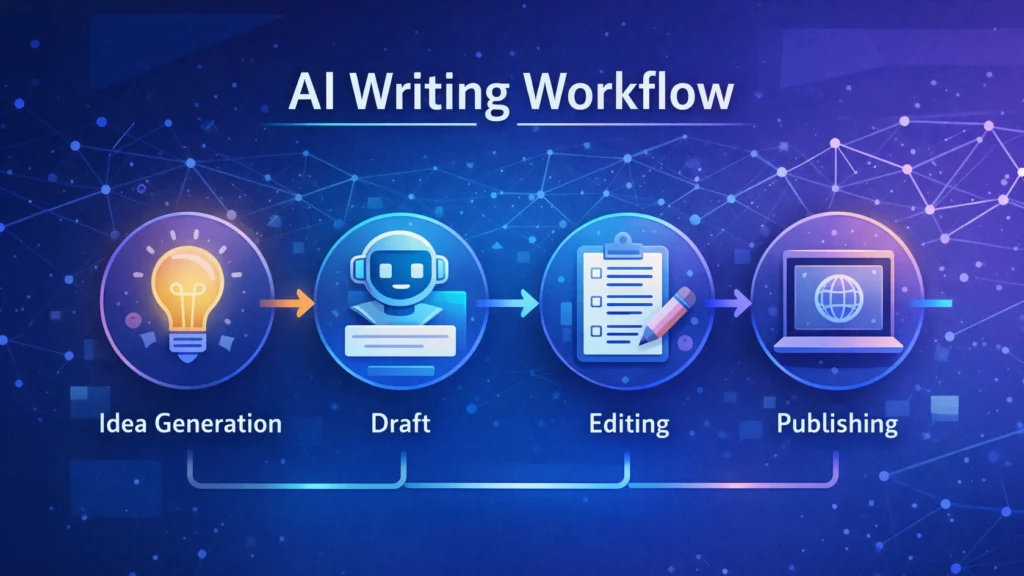
A simple AI writing workflow illustrating how bloggers use AI tools to generate ideas, draft articles, edit content, and publish posts efficiently.
Quick Tool Summary
■ Best Overall: Jasper AI ■ Best Budget Option: Rytr ■ Best for Beginners: ChatGPT ■ Best for Marketing Content: Copy.ai ■ Best Productivity Tool: Notion AI
Why Bloggers Are Using AI Writing Tools ✍️
AI writing tools are becoming essential for bloggers for several reasons.
Faster content creation
AI can generate outlines, drafts, and ideas in seconds.
Overcoming writer’s block
Many bloggers use AI tools to brainstorm new content topics.
Content scaling
AI allows bloggers to produce more articles without sacrificing quality.
SEO support
Some tools assist with keyword integration, readability, and structure.
These advantages make AI writing tools particularly useful for entrepreneurs, marketers, and freelancers managing multiple content projects.
Best AI Writing Tools for Bloggers
Below are some of the most widely used AI writing tools available today.
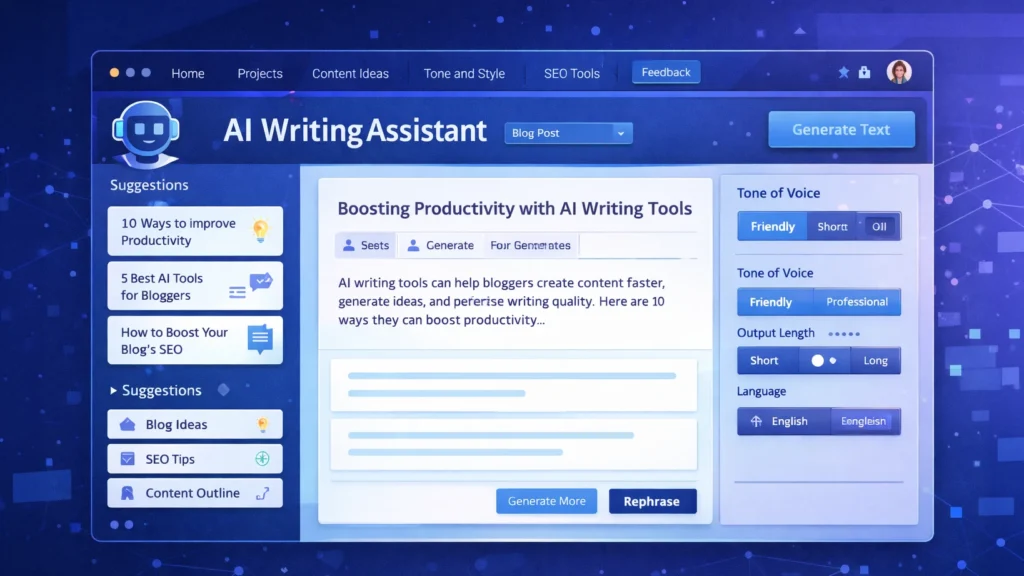
An AI writing assistant dashboard displaying content suggestions, blog ideas, and tone settings used by bloggers to generate and edit articles efficiently.
1. ChatGPT
ChatGPT has become one of the most popular AI writing assistants used by bloggers and content creators. It can generate article ideas, outlines, paragraphs, and full drafts with simple prompts.
Key Features
• Blog topic generation • Article outlines and drafts • Content rewriting and editing • Brainstorming ideas
Pros
• Very flexible writing assistant • Supports multiple writing styles
Cons
• Requires good prompts • Content still needs editing and fact-checking
Best For
Bloggers who want a versatile AI assistant for brainstorming and writing drafts.
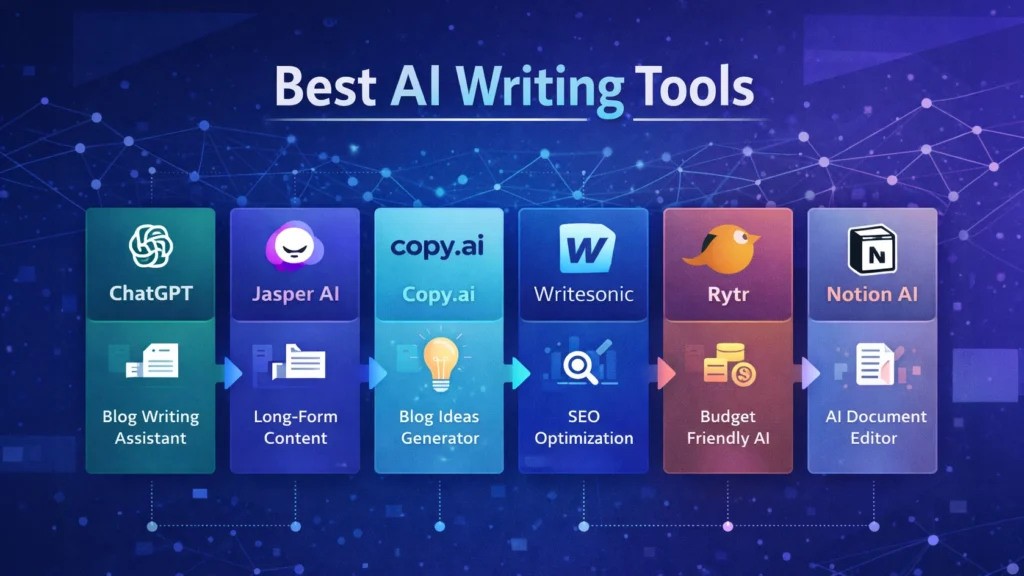
Visual comparison chart of leading AI writing tools such as ChatGPT, Jasper AI, Copy.ai, Writesonic, Rytr, and Notion AI, highlighting their main capabilities for blogging and content creation.
• AI content requires fact checking • Tone may need human editing • Some tools generate generic text
The best results come from combining AI assistance with human creativity and expertise.
How to Get Started with AI Writing Tools 🚀
If you are new to AI writing tools, start with a simple workflow.
Choose a topic and research keywords.
Use AI to generate an outline.
Draft the article using AI assistance.
Edit the content to improve accuracy and tone.
Optimize the article for SEO before publishing.
With practice, bloggers can significantly reduce the time required to produce high-quality content.
Conclusion
AI writing tools are rapidly transforming how bloggers create content. From generating ideas to drafting full articles, these tools help streamline the blogging process and improve productivity.
The key is choosing the right tool for your workflow. Beginners may prefer flexible tools like ChatGPT, while professional bloggers and marketing teams often benefit from advanced platforms such as Jasper AI.
When used correctly, AI writing tools can help bloggers publish more consistently, scale their content strategy, and grow their online audience in an increasingly competitive digital landscape.