In the film world, choosing a camera is a statement of style. An Arri Alexa feels different than a RED. In 2026, choosing an AI Video Generator is no different. You are choosing the “soul” of your footage.
At AI Growth Gear, we’ve put the top three engines through a rigorous “Director’s Test.” Here is how they stack up for professional agency use.
The Competitors at a Glance
Feature
Google Veo 3.2
Runway Gen-4.5
OpenAI Sora 2
Primary Strength
Integrated Audio & 4K Clarity
Granular Creative Control
Narrative Logic & Physics
Best For
Ready-to-use Social Ads
High-End Brand Films
Long-Form Storytelling
Weakness
Can feel “too perfect”
Steep learning curve
Limited public API access
1. Google Veo 3.2: The “All-in-One” Workhorse
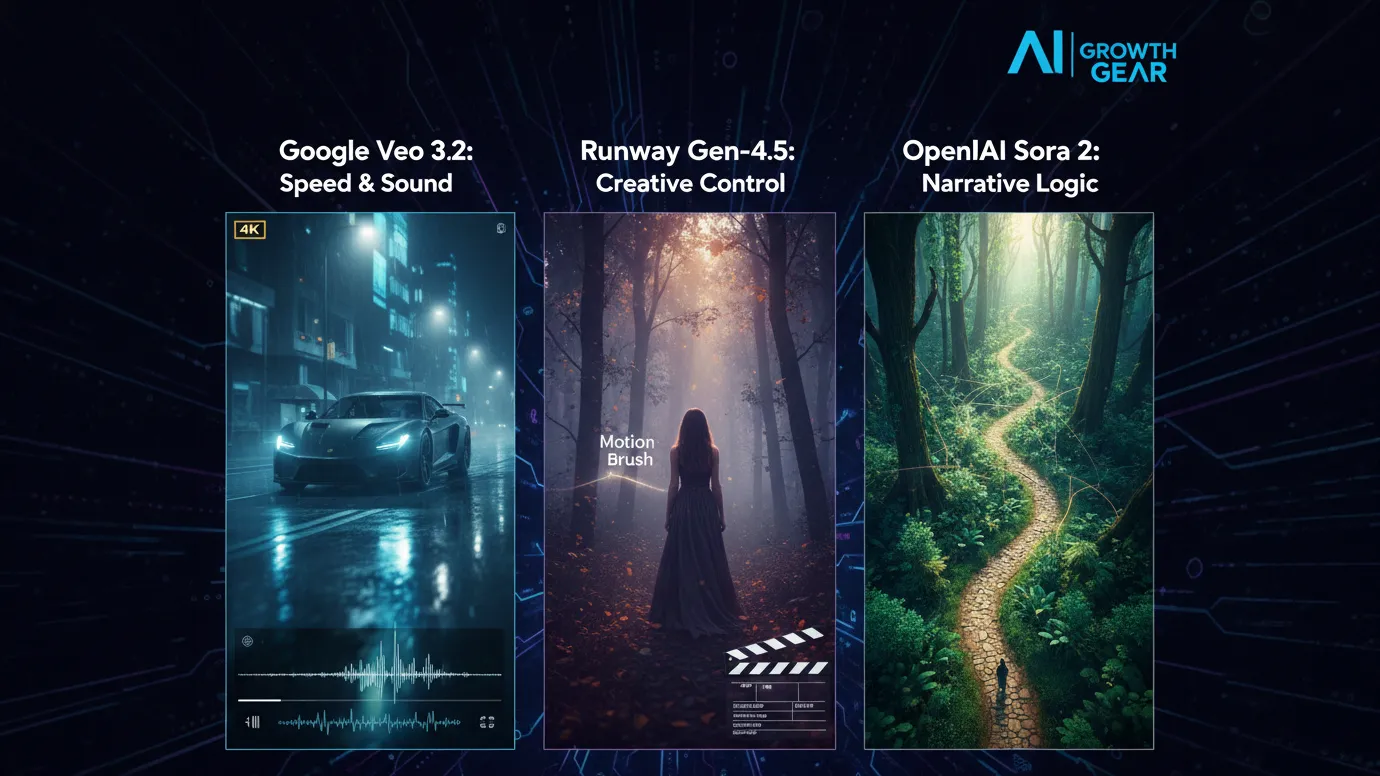
Google has leveraged its vast data to create the most stable engine. The standout feature in 2026 is Native Audio Synchronization. When Veo generates a video of a car splashing through rain, it generates the exact sound of that splash perfectly synced to the frame.
The Aesthetic: It leans toward commercial realism. It’s vibrant, sharp, and safe.
The Director’s Take: “If you need an ad for a UK real estate firm or a US tech startup that needs to look ‘Apple-clean’ in ten minutes, Veo is your gear.”
2. Runway Gen-4.5: The Artist’s Precision Tool
Runway remains the favorite for those of us with a NIFT or film background. Their “Motion Brush 3.0” and “Director Mode” allow you to tell the AI exactly where to move the camera (pan, tilt, zoom) and which specific elements should move within the frame.
The Aesthetic: Moody, textured, and artistic. It handles “Cinematic Grain” and lighting better than anyone else.
The Director’s Take: “Runway doesn’t just ‘generate’; it ‘collaborates.’ It’s the only tool that lets me maintain a specific brand texture without the AI taking over the creative wheel.”
3. OpenAI Sora 2: The Physics Master
Sora 2 is still the king of Spatial Consistency. If a character walks behind a tree and comes out the other side, they look identical. Most other AIs still “glitch” the details. Sora understands that a glass of water should reflect the room, and gravity should pull objects down naturally.
The Aesthetic: Hyper-realistic and expansive. It excels at wide, sweeping “Drone” shots.
The Director’s Take: “Sora is for the ‘Big Picture.’ It’s perfect for world-building or creating complex scenes where physical logic cannot be compromised.”
The Verdict: Which Gear Should You Pick?
Choose Google Veo if your priority is Speed and Sound. It’s the ultimate tool for high-volume content agencies where “done is better than perfect.”
Choose Runway if your priority is Aesthetic Control. If your brand relies on a specific “look” or mood, Runway is the only tool that respects your creative direction.
Choose Sora if your priority is Realism and Scale. When the physics of the scene must be flawless, Sora is the undisputed leader.
Our Recommendation for 2026
For most boutique agencies, a Runway + Veo hybrid workflow is the winner. Use Runway to create the “Hero” visuals that define your style, and use Veo to quickly scale the supporting content with integrated sound.

Marketing is one of the biggest challenges for small businesses. Entrepreneurs often need to manage content creation, advertising, social media, email campaigns, and analytics — often with limited time and resources.
This is where AI marketing tools for small businesses are changing the game.
Artificial intelligence can now automate many marketing tasks that previously required a full marketing team. AI tools can generate ad creatives, write marketing copy, schedule social media posts, analyze campaign performance, and optimize marketing strategies.
For entrepreneurs, bloggers, freelancers, and online business owners, AI marketing tools provide a powerful advantage: better results with less effort.
In this guide, we’ll explore the best AI marketing tools for small businesses that can help automate marketing workflows, improve campaign performance, and accelerate growth.
A small business owner using AI marketing tools to manage ads, social media scheduling, and analytics from a single dashboard.
Why AI Marketing Tools Matter for Small Businesses 🚀
Small businesses often struggle with limited time, budget, and resources. AI tools help solve these challenges by automating key marketing activities.
⏳ Save Time
AI tools automate repetitive tasks such as:
Writing marketing copy
Designing ad creatives
Scheduling social media posts
Generating blog content
Analyzing marketing data
This allows entrepreneurs to focus on strategy and growth instead of repetitive work.
💰 Reduce Marketing Costs
Hiring a full marketing team can be expensive.
AI tools allow small businesses to perform tasks that normally require:
Copywriters
Designers
Social media managers
Marketing analysts
This significantly lowers marketing expenses.
📊 Improve Marketing Performance
AI tools analyze data quickly and suggest improvements like:
Better ad creatives
High-performing content ideas
Optimal posting schedules
Improved audience targeting
These insights can help businesses achieve higher ROI from marketing campaigns.
Quick Tool Summary ⚡
Best Overall: AdCreative.ai Best Budget Option: Copy.ai Best for Social Media Marketing: Ocoya Best for Content Marketing: Jasper AI Best for Marketing Automation: HubSpot AI Best for SEO Content: Surfer SEO
Best AI Marketing Tools for Small Businesses 🧠
Comparison infographic showing popular AI marketing tools like AdCreative.ai, Copy.ai, Ocoya, Jasper AI, and Surfer SEO for small business marketing.
1. AdCreative.ai 🎯
AdCreative.ai is one of the most powerful AI advertising tools designed to generate high-converting ad creatives automatically.
Instead of manually designing ads, businesses can use AI to generate optimized ad visuals based on proven marketing data.
Key Features
AI-generated ad creatives
Conversion-focused design suggestions
Ad copy generation
Creative scoring for performance
Integration with major ad platforms
Pros
✔ Generates ads in seconds ✔ Optimized for advertising campaigns
Cons
✖ Most useful for businesses running regular ads ✖ Requires some experimentation
Best For
Businesses running Facebook Ads, Google Ads, and display campaigns.
If you have ever tried to make an AI comic book or a storyboard, you know the pain.
You generate a stunning protagonist in Scene 1. Let’s call her “Maya, a cyberpunk hacker with a neon blue undercut.” She looks perfect.
Then you write the prompt for Scene 2: “Maya sitting in a cafe drinking coffee.”
Suddenly, Maya has a bob cut. Her jacket changed from leather to denim. Her face structure looks like she aged ten years or turned into her own cousin. The immersion is broken.
For years, this “Shapeshifter Problem” was the wall that separated “cool AI art” from “actual storytelling.” But in 2026, the wall is crumbling. We now have specific tools designed to lock in a character’s identity.
We put the two heavyweights—Midjourney and Flux—to the test. Here is who wins the Consistency Battle.
The Contender: Midjourney (The --cref King)
Midjourney remains the king of aesthetics, but its “Character Reference” (--cref) feature is what storytellers rely on.
How it works: You generate your “Master Image” of Maya. You copy the URL. Then, in your next prompt, you add --cref [url].
The Experience: It is shockingly good at capturing the vibe and facial features. In our test, Midjourney kept Maya’s neon hair and facial structure consistent about 85% of the time.
The Downside: Midjourney is stubborn. It loves to “prettify” things. If you try to put Maya in a gritty, ugly situation, the AI fights you to make it look cinematic. It also struggles with specific clothing consistency. Maya’s face stays the same, but her outfit tends to hallucinate new zippers and pockets in every frame.
The Challenger: Flux (The Control Freak)
Flux (specifically the specialized fine-tunes available in 2026) has taken the open-source world by storm.
How it works: Flux relies on “LoRAs” (Low-Rank Adaptation). Think of it as a mini-brain training. You upload 10 photos of a character, and the model learns who they are.
The Experience: This is the professional’s choice. Once Flux “knows” Maya, it doesn’t just guess; it understands her geometry. You can rotate her, change the lighting, or put her in a spacesuit, and the face remains identical.
The Downside: The learning curve is steep. You aren’t just typing a prompt; you are managing a workflow. You need a decent GPU or a cloud host like Fal.ai or Replicate to run it efficiently.
The Verdict: Which One Do You Need?
Choose Midjourney if: You are making a mood board, a pitch deck, or a children’s book where “close enough” is okay. It is fast, easy, and the lighting is always beautiful. The --cref tag is enough to fool the casual eye.
Choose Flux if: You are building a graphic novel or a recurring brand mascot. If you need the character to wear the exact same logo on their shirt in panel 1 and panel 50, Flux is the only tool that offers that level of rigid consistency.
The days of the shapeshifter are over. Pick your weapon and start telling your story.
If you follow AI even a little bit, you’ve probably heard that Google Gemini is supposed to be the company’s big answer to ChatGPT. In this Google Gemini review, I’m focusing on how Gemini AI actually feels in day‑to‑day use in 2026, and whether it genuinely beats ChatGPT or just offers a different flavour of the same thing. This Gemini vs ChatGPT review is based on typical tasks: writing, research, coding, and general productivity for users in the US and UK.
Setup and Interface: Gemini Feels Naturally Built Into Google
The first obvious advantage Gemini has is integration. While ChatGPT mostly lives in its own web app (unless you use plugins or third‑party tools), Gemini is woven directly into Google products that people in the US and UK already use daily.
In Gmail and Google Docs, Gemini can suggest replies, rewrite emails, draft blog posts, and summarise long text without leaving the page. On Android phones and Chromebooks, Gemini is increasingly replacing the old Google Assistant, so it feels like part of the operating system rather than an extra app.
ChatGPT, on the other hand, still works best as something you open in a separate tab or app and copy‑paste from. For some people that’s fine, but if you live inside Google’s ecosystem, Gemini’s integration is a big practical win.
Writing and Content Generation: ChatGPT Still Has the Edge for “Voice”
For writing tasks, the gap between Gemini AI and ChatGPT is smaller than it used to be, but it hasn’t disappeared.
Gemini is very good at structured writing: outlines, lists, how‑to guides, meeting notes and summaries. It tends to stay organised, on‑topic and fairly concise. If you need a clean first draft of a blog post, a product description, or a set of bullet points for a presentation, Gemini does the job without much drama.
ChatGPT, especially in its latest versions, still feels a bit more “human” in tone. It’s better at storytelling, humour, and capturing a particular style of writing. When you ask for a conversational article or a creative angle, ChatGPT often sounds more natural and less like a corporate manual.
So in this part of the Gemini vs ChatGPT review, the result is mixed: Gemini wins on structure and tight integration with Docs, while ChatGPT remains slightly stronger for voice and personality.
Search, Facts and Live Information: Gemini Plays on Home Ground
When it comes to live information, Gemini finally looks like the AI that Google promised. Because it sits directly on top of Google Search, it can pull in fresh results, link to sources, and show you where it found the information.
For example, if you ask for “best AI tools for small businesses in the UK in 2026” or “latest changes in US student loan rules”, Gemini is usually quicker to ground its answer in current web pages. You can see links, visit the original sites, and dig deeper.
ChatGPT has browsing modes and integrations, but they still feel like an extra layer bolted on top. Sometimes it browses, sometimes it doesn’t, and occasionally it hallucinates details more confidently than Gemini does.
That doesn’t mean Gemini is perfect: it can still misread pages or over‑simplify complex topics. But for search‑style questions, especially those relevant to US and UK news, Gemini now feels more reliable more often.
Coding and Technical Tasks: Close Competition, Slight Preference
Both Gemini AI and ChatGPT are strong coding assistants in 2026, and for most everyday developers there is less difference than marketing suggests.
Gemini is excellent when used with Google’s developer tools and cloud services. It can help generate code snippets, explain error messages, and suggest improvements in a fairly straightforward way. If you’re already in the Google Cloud world, that tight connection is useful.
ChatGPT still has a slight edge in explaining code step‑by‑step and offering multiple versions of a solution. Many developers in the US and UK have already built their personal workflow around ChatGPT, and that familiarity matters.
If you’re starting from scratch, you can comfortably pick either. If you’re deep into Google’s stack, Gemini will feel more natural. If you’ve been using ChatGPT for a year or more, there isn’t a strong reason to abandon it purely for coding.
Privacy, Pricing and Value for Money
On pricing, Gemini and ChatGPT both use a mix of free and paid tiers. Google’s free Gemini is competitive for casual users, and the paid versions are mainly attractive for heavy usage or business integrations.
For many US and UK users, the real question is not just price but trust. Google has a long history of collecting user data, and some people are cautious about giving Gemini access to their documents and emails, even if it is technically necessary for the features to work. OpenAI has had its own controversies, but it still feels slightly more “separate” from your daily accounts.
If you already rely heavily on Google Workspace, paying for Gemini’s advanced features can make sense: you are getting an AI layer across tools you’re already paying for. If you prefer to keep AI separate from your inbox and personal files, a standalone ChatGPT subscription may feel safer.
Final Verdict – Is Gemini Better Than ChatGPT in 2026?
So, the big question of this Gemini vs ChatGPT review: is Google Gemini actually better?
The honest answer is: it depends how you work.
Gemini is best for:
People who live inside Google Search, Gmail, Docs and Android
Structured work: summaries, outlines, emails, reports and quick research
Users who want AI blended directly into their existing tools
ChatGPT is still better for:
More creative writing, storytelling and conversational content
Users who like a single, central AI workspace separate from their other accounts
Developers and power users who already built habits and prompts around ChatGPT
In 2026, Google Gemini has finally become a serious rival instead of just a late response. It doesn’t completely replace ChatGPT, but for many US and UK users, especially those deep in Google’s ecosystem, it might quietly become the AI they reach for first.
In the professional services world—whether you are a consultant in London or a creative director in New York—you eventually hit a “ceiling.” This ceiling is defined by the number of hours in a day. Since your revenue is tied to your time, your growth is capped by your own physical limits.
At AI Growth Gear, we call this the Expert’s Dilemma. You want to grow, but you don’t want to hire a massive team that dilutes your brand’s “soul” or increases your overhead to stressful levels.
The secret to breaking this ceiling in 2026 isn’t working harder; it’s building a Digital Twin for your operations.
The Math of Growth
Most boutique owners spend 60% of their time on “Administrative Friction”—invoicing, lead qualification, meeting prep, and basic research. These are $20/hour tasks being performed by a $200/hour expert.
By implementing specific AI Gears, we help our clients flip that ratio.
The Lead Filter: An AI Agent that qualifies leads before they ever reach your calendar.
The Briefing Engine: A system that researches a client and prepares a 1-page strategic brief while you sleep.
The Content Multiplier: Taking one 10-minute video of you speaking and turning it into a month’s worth of high-end social posts.
When you remove the friction, you don’t just save time—यू (you) multiply your billable capacity.
Quality Over Headcount
The old way to scale was to hire junior staff. But junior staff require training, management, and a high salary. In 2026, the leanest agencies are the most profitable.
By using Aesthetic Automation, a founder can maintain a “Boutique” feel—giving every client that high-end, personal touch—while the AI handles the data-heavy lifting in the background. Surbhi’s background at NIFT taught us that luxury is often about what you don’t see. The client sees a seamless, high-end experience; they don’t need to see the gears that made it happen so quickly.
The 10x Consultant
Imagine being able to take on three times the number of clients without adding a single minute to your work week. That is the power of a well-oiled AI strategy. It allows you to move from being a “worker” in your business to being the “Architect” of it.
Is Your Business Gear-Ready?
Scaling isn’t about doing more; it’s about being more efficient with what you already have. If you are ready to stop trading your life for billable hours, it’s time to look at your operational gears.
In film production, there is a reason why a movie doesn’t just consist of actors and a script. It needs a Director. The director ensures that every shot, every line, and every edit serves the larger vision. Without that oversight, even the most expensive production falls apart into a series of disconnected scenes.
As we consult with businesses across the UK and US, we see a recurring fear: “If I automate my business, will I lose the soul of my brand?” The answer is only “Yes” if you treat AI like a replacement. At AI Growth Gear, we treat AI as a high-performing crew that requires a skilled Director. This is what we call the Human-in-the-Loop (HITL) philosophy.
The Myth of “Set it and Forget it”
The biggest mistake a business can make in 2026 is believing that AI is a magic wand. You cannot simply “plug in” an agent and expect it to understand your brand’s nuances, your customers’ emotional needs, or your ethical boundaries.
True “Gear-driven” growth requires a feedback loop. AI handles the heavy lifting—the data crunching, the first drafts, the scheduling—while the human handles the judgment.
Why My Film Background Matters to Your ROI
During my time in film production, I learned that a great story is told in the edits. AI is fantastic at generating volume, but humans are essential for selection.
When we build an AI workflow for a client, we don’t just hand over a tool. We build “Director Checkpoints.” These are stages in the automation where the system pauses for human approval or refinement. This ensures that:
The Tone stays consistent: Your AI shouldn’t sound like a different person every time it sends an email.
The Ethics remain sound: AI doesn’t inherently understand the cultural nuances of a London-based client versus a New York-based one.
The Strategy evolves: Data tells you what happened; humans tell you why it matters.
Building Your Digital Crew
Imagine your business as a production. Your AI agents are your camera operators, your lighting crew, and your editors. They work fast, they don’t get tired, and they follow instructions perfectly. But you are the Director.
The HITL approach allows you to scale your output by 10x without losing 1% of your quality. It’s about leveraging the machine to give the human more time to be creative, strategic, and—most importantly—present.
Gearing Up for Authenticity
In a world that is becoming increasingly automated, authenticity is the new gold standard. By keeping a human in the loop, you aren’t slowing down your growth; you are protecting your brand’s most valuable asset: its identity.
At AI Growth Gear, we don’t just give you the tech; we give you the script and the direction to ensure your business’s story is told exactly how you intended.
Scaling an agency in the US or UK used to mean one thing: hiring more people. Every new client meant adding more project managers, more data entry clerks, and more administrative bloat. But operations managers are waking up to a new reality. You don’t need a bigger team to handle enterprise-level capacity; you need better internal infrastructure.
The secret to maximizing agency margins right now is replacing repetitive administrative headcount with custom AI agents. By leveraging no-code enterprise automation, you can build digital employees that handle your backend operations 24/7. Here at AI Growth Gear, we prioritize software that directly impacts the bottom line. If you want to deploy sophisticated business intelligence and workflow software without writing a line of code, these are the platforms you need.
MindStudio: The AI Employee Factory
MindStudio is arguably the most robust platform right now for building highly specialized, multi-step AI agents. It allows you to build custom interfaces and connect different foundation models (like Claude 3 or GPT-4) depending on the specific task.
The Operations Play: Stop paying junior staff to summarize endless client discovery calls and format them into briefs. With MindStudio, you can build an internal “Strategy Agent.” You upload the raw call transcript, and the agent automatically extracts the core business objectives, cross-references them with your agency’s standard operating procedures (SOPs), and outputs a polished, ready-to-execute project brief. It turns hours of manual administrative work into a three-second automated workflow.
Zapier Central: The Action-Oriented Assistant
You likely already use Zapier to connect your apps, but Zapier Central transforms those passive connections into an active, conversational AI workspace. It allows you to build bots that sit directly on top of your live data.
The Operations Play: Zapier Central excels at data triage. Imagine a custom agent monitoring your high-value lead inbox. When a new enterprise inquiry comes in, the agent reads the context, automatically queries your CRM to see if they are an existing contact, drafts a personalized response based on their industry, and pings the correct account executive in Slack with a summary. It acts as an autonomous executive assistant that never drops the ball, perfectly optimizing your agency’s lead response times.
Flowise: Visual LLM Orchestration
For agencies handling vast amounts of proprietary data or complex technical documentation, Flowise is a game-changer. It provides a drag-and-drop visual interface for LangChain, meaning you can build highly complex AI logic flows without needing a Python developer.
The Operations Play: Build a secure, internal “Knowledge Retrieval Agent” for your team. By connecting Flowise to your agency’s internal Google Drive or Notion workspace, your team can simply ask the agent questions like, “What were the exact deliverables we promised in the Q3 contract for Client X?” The agent searches the secure internal database and retrieves the exact clause in seconds. This eliminates the endless back-and-forth messaging between departments and streamlines overall business intelligence.
Voiceflow: Conversational Process Management
While typically known for building customer-facing chatbots, smart operations managers are using Voiceflow to build robust internal conversational interfaces.
The Operations Play: Employee onboarding is a massive drain on operational resources. With Voiceflow, you can build an interactive “HR & Onboarding Agent.” Instead of handing new hires a static 50-page PDF of company policies, they interact with the Voiceflow agent. It can guide them through setting up their software stack, answer specific questions about payroll schedules, and train them on agency methodologies. It guarantees a consistent, scalable onboarding experience without tying up your senior staff.
The Bottom Line
B2B margins are won and lost in the backend. By investing in no-code workflow software like MindStudio, Zapier Central, Flowise, and Voiceflow, you aren’t just buying tools—you are building a scalable, automated workforce. This allows you to take on larger enterprise contracts without proportionately increasing your overhead.