AI Tools

AI tools are transforming how businesses, creators, and entrepreneurs work by automating repetitive tasks and improving productivity. From AI writing assistants and design generators to marketing automation platforms and no-code AI builders, modern tools are enabling individuals and teams to accomplish more with fewer resources.

In this section of AI Growth Gear, we review and analyze some of the most useful AI tools available today. Our guides cover software used for content creation, marketing automation, workflow optimization, design, and digital business operations.

Each review focuses on practical use cases, helping readers understand how different tools perform in real-world scenarios. Whether you are a founder, marketer, freelancer, or digital creator, this category highlights technologies that can streamline workflows and unlock new growth opportunities.

  • ·

    Top AI Image Generation Tools for Designers in 2026

    Artificial intelligence has transformed the design industry. What once required hours of manual work in tools like Photoshop or Illustrator can now be achieved in seconds with AI image generation tools.

    Designers, marketers, and content creators are increasingly using AI to generate illustrations, concept art, social media graphics, and marketing visuals. These tools use powerful machine learning models to convert simple text prompts into stunning images.

    Whether you’re a freelance designer, a startup founder, or a content creator, AI-powered design tools can significantly speed up your workflow.

    In this guide, we’ll explore the top AI image generation tools for designers, including Midjourney, Leonardo AI, and Canva, and show how each platform can enhance your creative process.
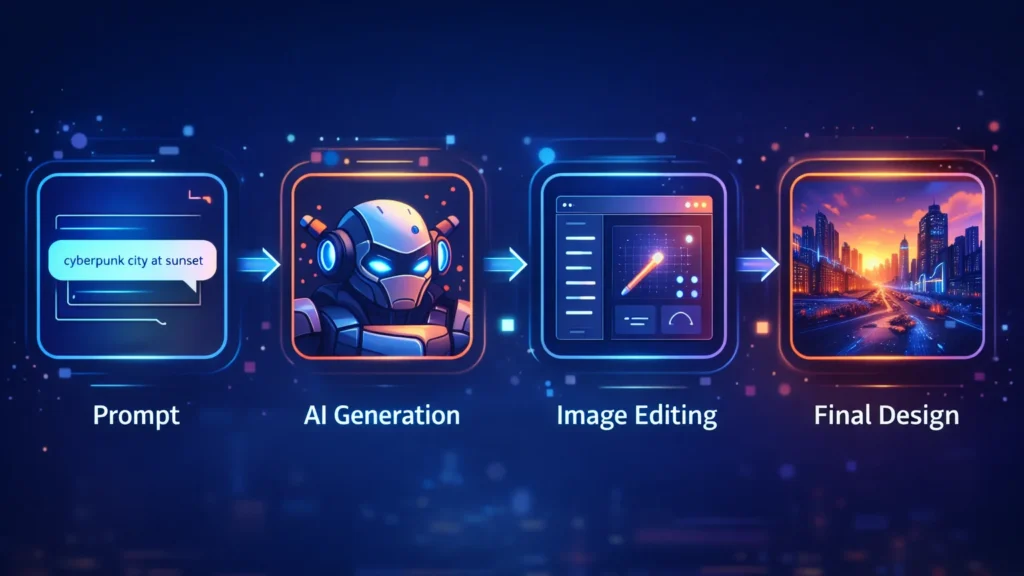
    Workflow diagram showing prompt input, AI image generation, image editing, and final design creation process.
    A visual workflow showing how AI image generators transform a text prompt into a finished design through generation and editing.

    AI design tools are not just about speed—they unlock entirely new creative possibilities.

    Key advantages include:

    • Generate multiple design concepts instantly
    • Create unique visuals without advanced design skills
    • Speed up creative workflows
    • Produce marketing visuals at scale
    • Reduce design costs for startups and creators

    For designers working with tight deadlines, AI tools can act as creative assistants that generate ideas and draft visuals quickly.

    ■ Best Overall: Midjourney
    ■ Best for Game Designers: Leonardo AI
    ■ Best for Beginners: Canva AI
    ■ Best for Marketing Visuals: Canva
    ■ Best for Concept Art: Midjourney

    Below are some of the most powerful AI image generators available today.
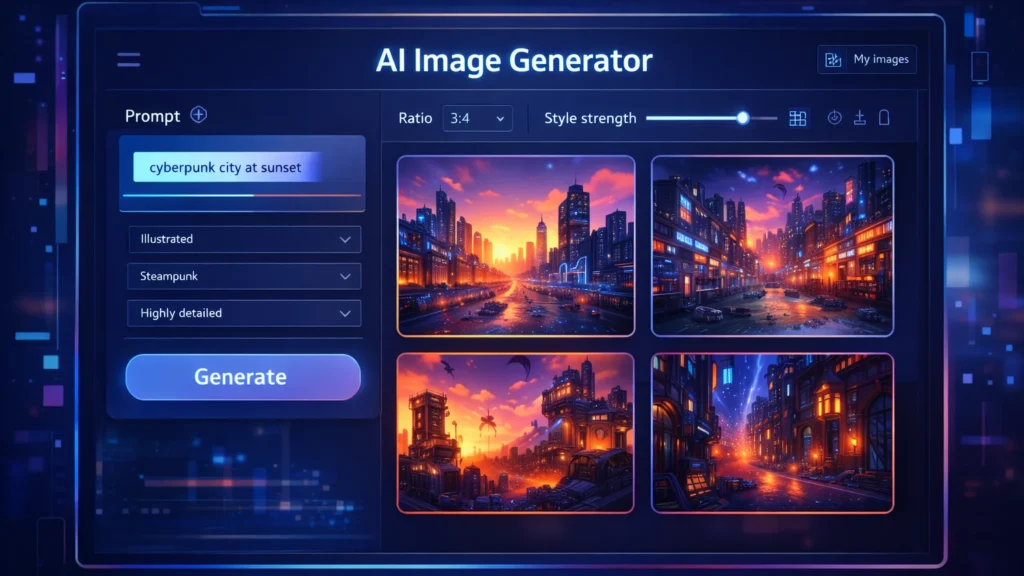
    AI image generator dashboard showing prompt input panel and multiple generated images in a design interface.
    A stylized AI image generator interface where users enter prompts and instantly generate multiple design variations.

    Midjourney is one of the most popular AI art generators used by professional designers and digital artists. It produces highly detailed and cinematic images from simple text prompts.

    Midjourney runs primarily through Discord, making it slightly different from traditional design tools.

    Key Features

    • Extremely high-quality image generation
    • Cinematic and artistic style outputs
    • Advanced prompt customization
    • Active community for prompt sharing

    Pros

    • Exceptional image quality
    • Ideal for concept art and illustration
    • Huge creative flexibility

    Cons

    • Requires Discord interface
    • Learning curve for prompts

    Best For

    Concept artists, creative designers, and illustrators looking for highly detailed artwork.

    Try Midjourney here

    Leonardo AI is becoming a favorite tool among game developers, product designers, and creative professionals who need consistent and customizable AI-generated images.

    It offers more control than many other AI art tools.

    Key Features

    • Custom AI model training
    • Game asset generation
    • Style control and presets
    • Prompt guidance tools

    Pros

    • Strong control over image styles
    • Great for game assets and design assets
    • Fast generation speeds

    Cons

    • Some advanced features require paid plans
    • Interface may feel complex for beginners

    Best For

    Game designers, digital artists, and product designers.

    Try Leonardo AI here

    Canva has integrated powerful AI features into its already popular design platform. With tools like Magic Media and the AI image generator, users can create visuals directly inside Canva.

    This makes it perfect for marketers and beginners.

    Key Features

    • AI text-to-image generator
    • Integrated design templates
    • Drag-and-drop editor
    • AI background removal and editing

    Pros

    • Very beginner-friendly
    • Works within existing design workflows
    • Excellent for marketing graphics

    Cons

    • Image quality may be lower than Midjourney
    • Limited artistic control

    Best For

    Social media creators, bloggers, and marketing teams.

    Try Canva AI here

    ToolBest ForKey FeaturePricing
    MidjourneyConcept artistsHigh-quality AI artPaid
    Leonardo AIGame designersCustom AI modelsFreemium
    Canva AIBeginners & marketersIntegrated design toolsFreemium

    Designers and creators are using AI tools in many creative ways.

    Common applications include:

    • Blog and website illustrations
    • YouTube thumbnails
    • Marketing graphics
    • Game assets
    • Concept art
    • Product mockups
    • Social media visuals

    For freelancers and online businesses, AI image generators can reduce the need for expensive design resources.

    Benefits and Limitations ⚖️

    AI design tools offer incredible advantages but also have some limitations.

    Benefits

    • Massive time savings
    • Endless creative variations
    • Lower design costs
    • Accessibility for beginners

    Limitations

    • Some images may look generic
    • Prompt engineering is required
    • Copyright concerns in some cases

    Designers should use AI tools as creative assistants, not replacements for human creativity.

    If you’re new to AI design tools, follow these steps.

    Step 1: Choose the right tool

    Pick a tool based on your use case.

    • Midjourney → creative artwork
    • Leonardo AI → design assets
    • Canva → marketing visuals

    Step 2: Learn prompt writing

    Your prompts determine the output quality.

    Example prompt:

    “Futuristic cyberpunk city at sunset, ultra-detailed digital art”

    Step 3: Experiment with styles

    Try different prompts, lighting, colors, and art styles to discover unique visuals.
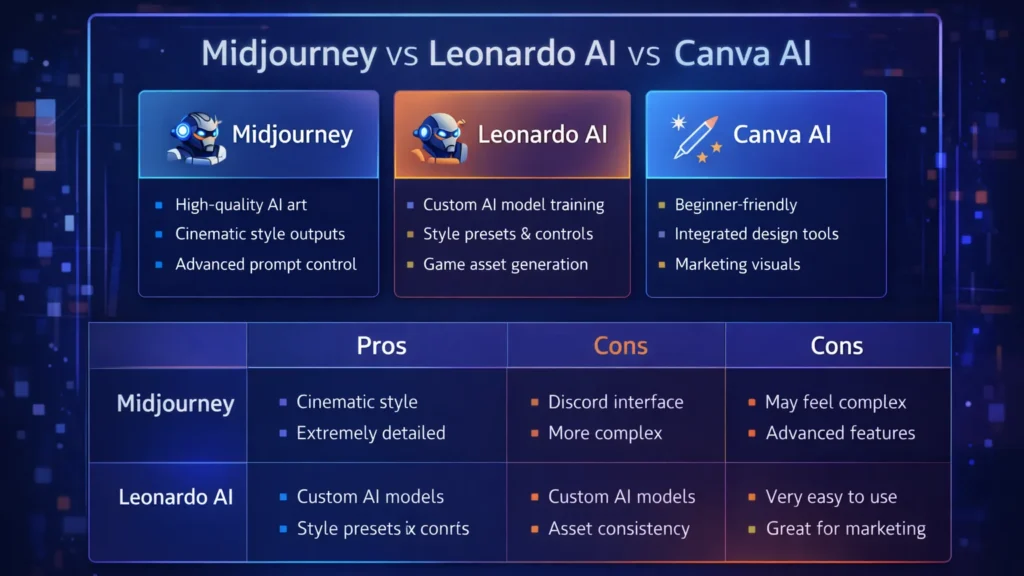
    Comparison chart highlighting features of Midjourney, Leonardo AI, and Canva AI image generation tools.
    Feature comparison of three popular AI image generation tools used by designers: Midjourney, Leonardo AI, and Canva AI.

    Conclusion

    AI image generation tools are transforming how designers create visuals. What once required hours of manual work can now be achieved in seconds using powerful AI platforms.

    Tools like Midjourney, Leonardo AI, and Canva AI give designers the ability to experiment, iterate, and produce high-quality visuals faster than ever.

    For entrepreneurs, bloggers, and digital creators, AI design tools offer a powerful way to scale visual content production while maintaining creativity.

    As AI continues to evolve, these tools will become an essential part of every modern designer’s toolkit.
  • ·

    Best AI Video Tools for Content Creators in 2026

    Video content is dominating the internet. Platforms like YouTube, TikTok, Instagram Reels, and LinkedIn video have made video one of the most powerful ways to reach audiences online.

    However, producing high-quality videos traditionally requires editing skills, expensive software, and significant time investment.

    Artificial intelligence is now transforming this process.

    AI video tools allow creators to generate videos from scripts, automatically edit clips, add voiceovers, and even create AI presenters. For entrepreneurs, bloggers, and marketers, this means producing professional video content without needing a full production team.

    In this guide, we explore the best AI video tools for content creators and how they can help you scale content production faster and more efficiently.

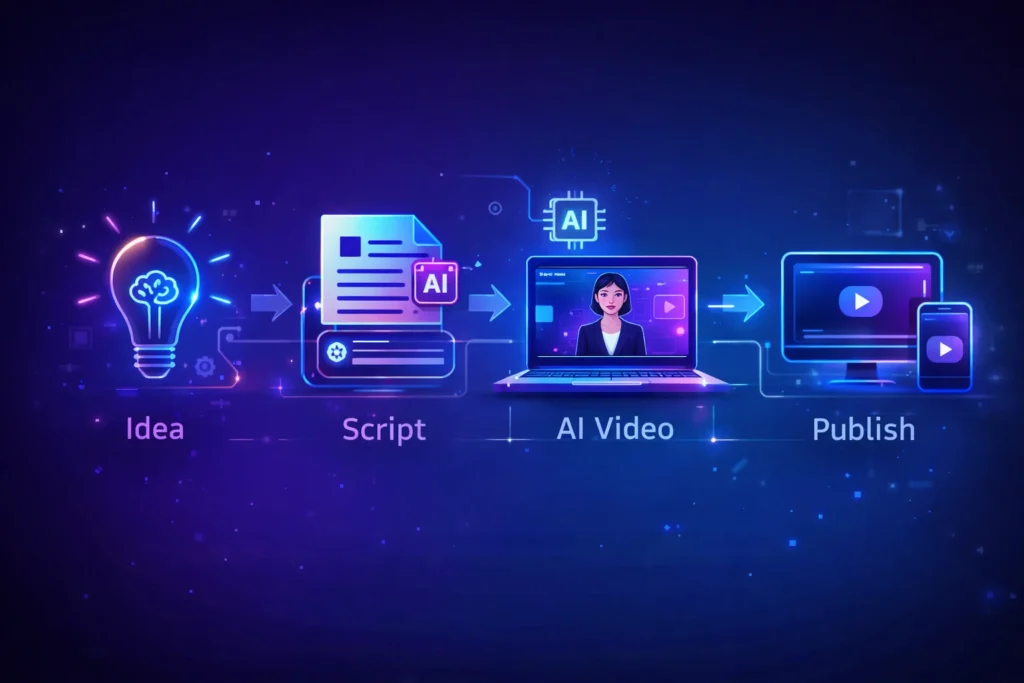
    AI video creation workflow showing idea, script, AI video generation and publishing process for content creators
    An infographic illustrating the AI video creation workflow, where content creators transform an idea into a script, generate AI-powered videos, and publish them across digital platforms.

    Video production used to be complicated and time-consuming. AI technology now allows creators to automate many parts of the process.

    With the right AI video tools, creators can:

    • Produce videos much faster
    • Reduce editing time dramatically
    • Convert blog posts into videos
    • Create faceless YouTube channels
    • Scale social media marketing campaigns

    For freelancers, content creators, and online businesses, these tools help produce more content with fewer resources.


    Best Overall: Pictory AI
    Best Budget Option: InVideo AI
    Best for Beginners: Lumen5
    Best for AI Avatars: Synthesia
    Best for Advanced Creators: Runway ML


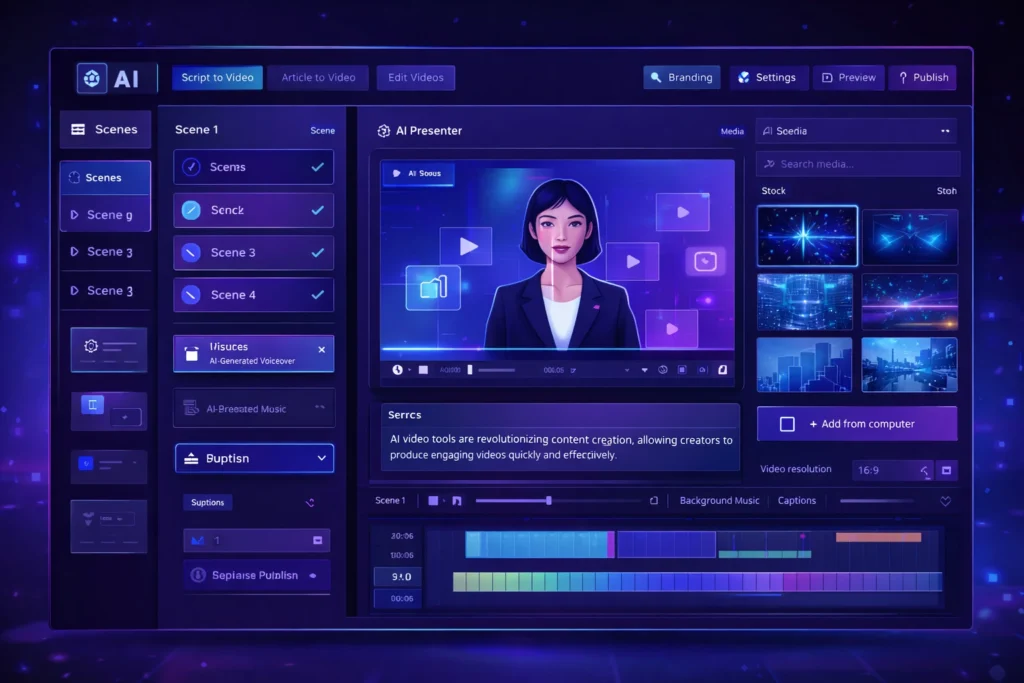
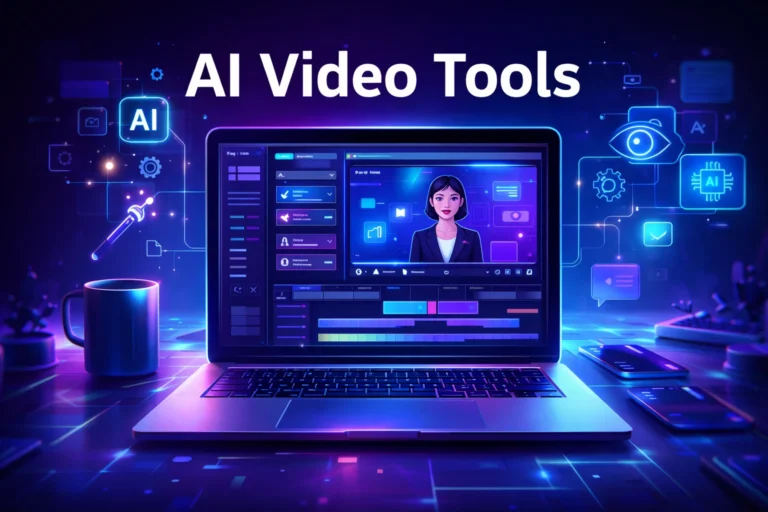
    AI video generator dashboard interface showing AI presenter, video timeline editor and automated video creation tools
    A modern AI video generator dashboard interface displaying an AI presenter, video editing timeline, and automation tools used by content creators to generate videos quickly.

    Pictory AI is widely used by bloggers and YouTubers to convert scripts or articles into engaging videos. It automatically matches your script with visuals, adds captions, and generates voiceovers.

    This makes it ideal for creating faceless YouTube content or repurposing blog posts.

    Key Features

    • Script-to-video automation
    • AI voiceovers
    • Automatic captions
    • Large stock footage library

    Pros

    • Very beginner friendly
    • Fast video creation

    Cons

    • Limited customization
    • Paid plans required for longer videos

    Best For

    Bloggers, YouTubers, and marketers creating educational or faceless video content.

    Try Pictory AI here


    Synthesia allows creators to generate videos using realistic AI avatars. Instead of recording yourself, you can simply write a script and the AI presenter delivers the message.

    This is especially useful for business videos, training materials, and product explainers.

    Key Features

    • AI avatar presenters
    • Support for 120+ languages
    • Text-to-video generation
    • Professional video templates

    Pros

    • Professional looking presenters
    • Great for corporate and educational videos

    Cons

    • Premium pricing
    • Limited emotional expressions in avatars

    Best For

    Businesses, educators, and creators producing professional presentations.

    Try Synthesia here


    Runway ML is one of the most advanced AI video platforms currently available. It includes powerful AI editing tools, video generation models, and creative features used by filmmakers and digital creators.

    This platform is perfect for creators who want more advanced control over video production.

    Key Features

    • AI video generation tools
    • Automatic background removal
    • AI-powered video editing
    • Creative effects powered by AI models

    Pros

    • Advanced creative capabilities
    • Used by professional creators

    Cons

    • Learning curve for beginners
    • Higher cost for heavy usage

    Best For

    Professional creators, filmmakers, and advanced video editors.

    Try Runway ML here


    InVideo AI focuses on creating videos directly from text prompts. Users simply describe the video they want, and the platform automatically generates visuals, voiceovers, and music.

    It’s especially popular among marketers and social media creators.

    Key Features

    • AI text-to-video generator
    • Automated script creation
    • Huge media library
    • Social media optimized templates

    Pros

    • Affordable pricing
    • Simple user interface

    Cons

    • AI voice quality varies
    • Limited advanced editing features

    Best For

    Social media marketers and beginners creating short-form video content.

    Try InVideo AI here


    Lumen5 is designed for turning blog posts into engaging videos. It automatically extracts key points from your article and matches them with visuals.

    This makes it extremely useful for bloggers and digital marketers repurposing written content.

    Key Features

    • Blog-to-video conversion
    • Drag-and-drop editor
    • AI media matching
    • Social media formats

    Pros

    • Easy to use
    • Great for content repurposing

    Cons

    • Limited advanced editing features
    • Repetitive stock footage

    Best For

    Bloggers and marketers converting articles into videos.

    Try Lumen5 here


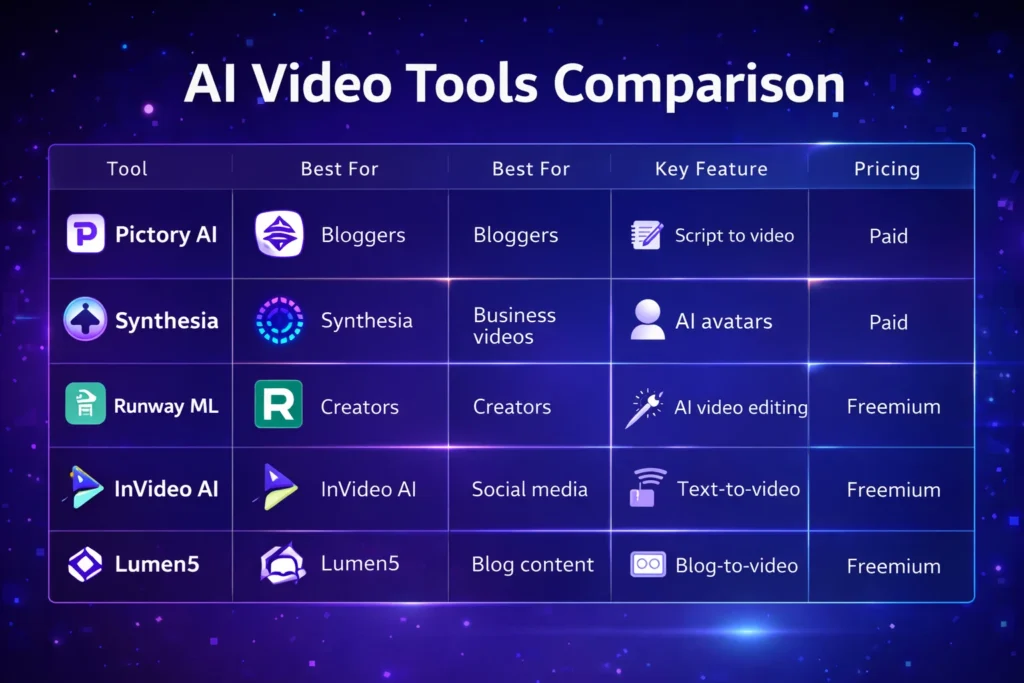
    ToolBest ForKey FeaturePricing
    Pictory AIBloggersScript to videoPaid
    SynthesiaBusiness videosAI avatarsPaid
    Runway MLCreatorsAI video editingFreemium
    InVideo AISocial mediaText-to-videoFreemium
    Lumen5Blog contentBlog-to-videoFreemium

    AI video tools are used for many different purposes.

    Common use cases include:

    • Creating faceless YouTube channels
    • Producing Instagram Reels or TikTok content
    • Repurposing blog articles into videos
    • Creating product marketing videos
    • Producing online course materials

    Entrepreneurs and digital marketers are increasingly using AI tools to scale content creation across multiple platforms.


    • Faster content production
    • Lower production costs
    • No advanced editing skills required
    • Scalable content marketing strategy

    • Limited creative control in some tools
    • Subscription costs for premium features
    • AI-generated content may require manual editing

    Despite these limitations, AI video technology continues to improve rapidly.


    If you are new to AI video tools, follow these steps:

    1. Choose a beginner-friendly platform such as Pictory or InVideo.
    2. Start with short video projects.
    3. Experiment with AI voiceovers and templates.
    4. Optimize videos for platforms like YouTube or TikTok.

    Most platforms offer free trials, allowing creators to test the tools before upgrading.


    Comparison chart of popular AI video tools including Pictory AI, Synthesia, Runway ML, InVideo AI, and Lumen5 showing features and pricing
    A visual comparison chart highlighting key features, best use cases, and pricing models of leading AI video tools used by content creators.

    AI video tools are transforming the way content creators produce video content.

    Instead of spending hours editing footage, creators can now generate professional videos using artificial intelligence. Platforms like Pictory, Synthesia, Runway ML, InVideo AI, and Lumen5 make it easier than ever to create high-quality video content.

    For entrepreneurs, bloggers, and digital marketers, adopting AI video tools can significantly improve productivity and help scale content marketing efforts.

    As AI technology continues evolving, these tools will become an essential part of the modern creator’s workflow.

  • ·

    Best AI Marketing Tools for Small Businesses to Automate Marketing and Grow Faster

    Marketing is one of the biggest challenges for small businesses. Entrepreneurs often need to manage content creation, advertising, social media, email campaigns, and analytics — often with limited time and resources.

    This is where AI marketing tools for small businesses are changing the game.

    Artificial intelligence can now automate many marketing tasks that previously required a full marketing team. AI tools can generate ad creatives, write marketing copy, schedule social media posts, analyze campaign performance, and optimize marketing strategies.

    For entrepreneurs, bloggers, freelancers, and online business owners, AI marketing tools provide a powerful advantage: better results with less effort.

    In this guide, we’ll explore the best AI marketing tools for small businesses that can help automate marketing workflows, improve campaign performance, and accelerate growth.


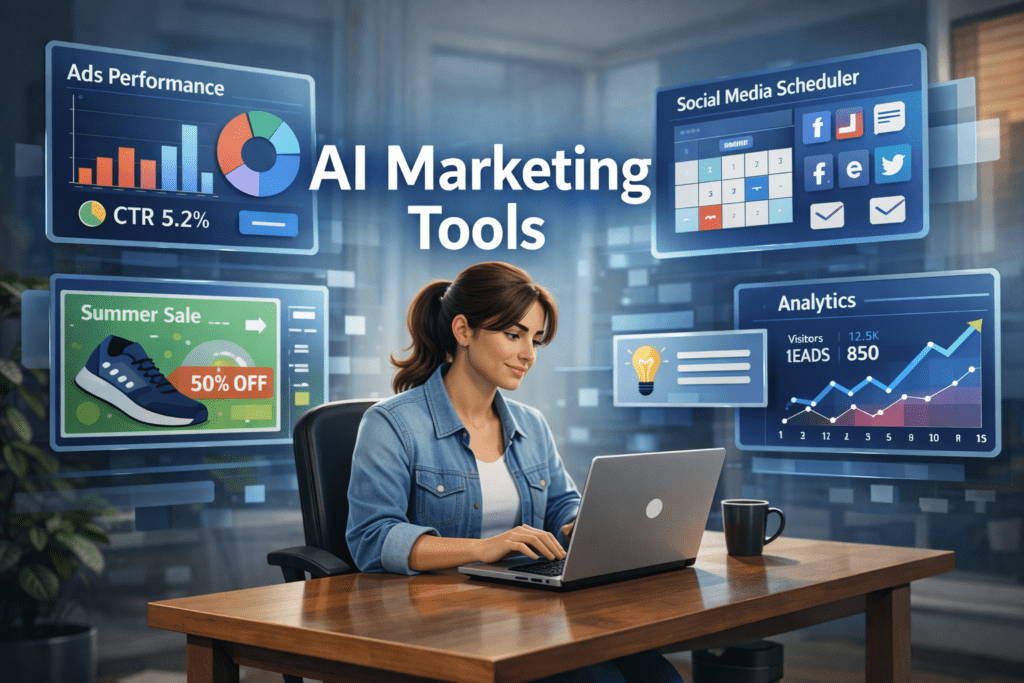
    A young entrepreneur working on a laptop while AI marketing dashboards display ad performance, social media scheduling, and analytics tools used by small businesses for marketing automation.
    A small business owner using AI marketing tools to manage ads, social media scheduling, and analytics from a single dashboard.

    Why AI Marketing Tools Matter for Small Businesses 🚀

    Small businesses often struggle with limited time, budget, and resources. AI tools help solve these challenges by automating key marketing activities.

    ⏳ Save Time

    AI tools automate repetitive tasks such as:

    • Writing marketing copy
    • Designing ad creatives
    • Scheduling social media posts
    • Generating blog content
    • Analyzing marketing data

    This allows entrepreneurs to focus on strategy and growth instead of repetitive work.


    💰 Reduce Marketing Costs

    Hiring a full marketing team can be expensive.

    AI tools allow small businesses to perform tasks that normally require:

    • Copywriters
    • Designers
    • Social media managers
    • Marketing analysts

    This significantly lowers marketing expenses.


    📊 Improve Marketing Performance

    AI tools analyze data quickly and suggest improvements like:

    • Better ad creatives
    • High-performing content ideas
    • Optimal posting schedules
    • Improved audience targeting

    These insights can help businesses achieve higher ROI from marketing campaigns.


    Quick Tool Summary ⚡

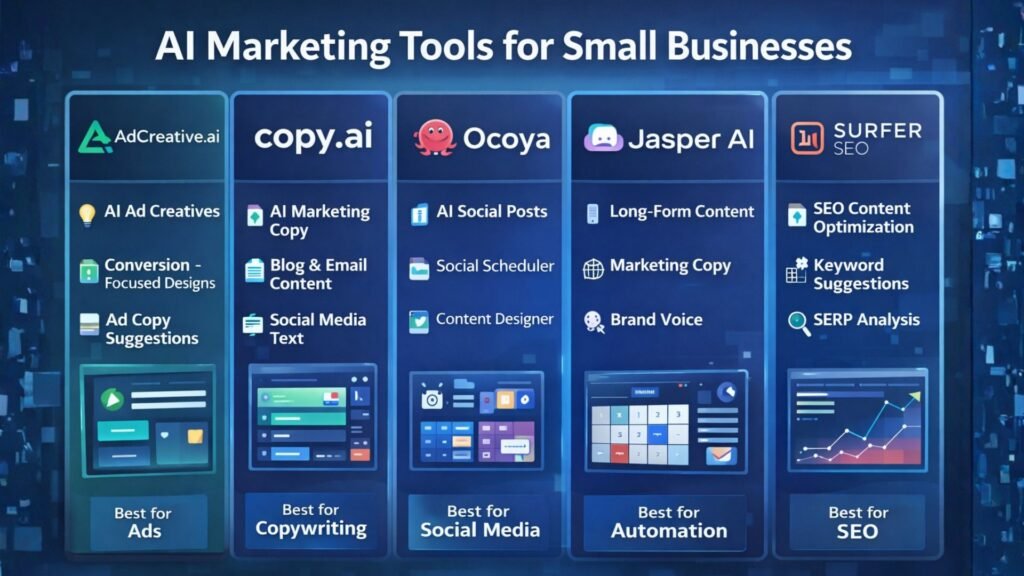
    Best Overall: AdCreative.ai
    Best Budget Option: Copy.ai
    Best for Social Media Marketing: Ocoya
    Best for Content Marketing: Jasper AI
    Best for Marketing Automation: HubSpot AI
    Best for SEO Content: Surfer SEO


    Best AI Marketing Tools for Small Businesses 🧠


    Comparison infographic of AI marketing tools for small businesses highlighting features such as ad creation, AI copywriting, social media automation, content generation, and SEO optimization.
    Comparison infographic showing popular AI marketing tools like AdCreative.ai, Copy.ai, Ocoya, Jasper AI, and Surfer SEO for small business marketing.

    1. AdCreative.ai 🎯

    AdCreative.ai is one of the most powerful AI advertising tools designed to generate high-converting ad creatives automatically.

    Instead of manually designing ads, businesses can use AI to generate optimized ad visuals based on proven marketing data.

    Key Features

    • AI-generated ad creatives
    • Conversion-focused design suggestions
    • Ad copy generation
    • Creative scoring for performance
    • Integration with major ad platforms

    Pros

    ✔ Generates ads in seconds
    ✔ Optimized for advertising campaigns

    Cons

    ✖ Most useful for businesses running regular ads
    ✖ Requires some experimentation

    Best For

    Businesses running Facebook Ads, Google Ads, and display campaigns.

    Try AdCreative.ai here


    2. Copy.ai ✍️

    Copy.ai is a popular AI writing tool designed to generate marketing content quickly.

    The platform helps businesses create blog posts, product descriptions, ad copy, and email marketing content.

    Key Features

    • AI marketing copy generator
    • Blog writing tools
    • Email marketing templates
    • Social media caption generator
    • Content idea generation

    Pros

    ✔ Easy to use
    ✔ Fast content creation

    Cons

    ✖ AI output may require editing
    ✖ Limited customization

    Best For

    Entrepreneurs who need quick marketing copy and content ideas.

    Affiliate Call-To-Action

    Try Copy.ai here


    3. Ocoya 📱

    Ocoya is an AI-powered social media marketing platform that combines content creation, scheduling, and analytics.

    It helps businesses generate posts and automatically publish them across multiple social media platforms.

    Key Features

    • AI social media captions
    • Automated post scheduling
    • Graphic design tools
    • Social media analytics

    Pros

    ✔ Excellent for social media automation
    ✔ Multi-platform integrations

    Cons

    ✖ Analytics features are limited
    ✖ Advanced features require paid plans

    Best For

    Small businesses managing multiple social media platforms.

    Try Ocoya here


    4. Jasper AI 📝

    Jasper AI is one of the most advanced AI writing tools for marketing and content creation.

    It helps marketers generate blog posts, landing pages, and marketing campaigns.

    Key Features

    • Long-form AI writing
    • Marketing copy templates
    • AI brand voice customization
    • SEO-friendly content creation

    Pros

    ✔ High-quality AI writing
    ✔ Ideal for content marketing

    Cons

    ✖ Higher pricing
    ✖ Content may require editing

    Best For

    Bloggers and marketers focused on content-driven growth.

    Try Jasper AI here


    5. HubSpot AI 🤖

    HubSpot integrates AI into its marketing automation platform.

    The tool provides advanced features for email marketing, lead generation, CRM automation, and analytics.

    Key Features

    • AI email generation
    • Marketing automation workflows
    • CRM integration
    • Campaign analytics

    Pros

    ✔ Complete marketing ecosystem
    ✔ Powerful automation tools

    Cons

    ✖ Expensive for small startups
    ✖ Advanced features require premium plans

    Best For

    Businesses managing large marketing campaigns and sales funnels.


    6. Surfer SEO 🔎

    Surfer SEO helps businesses create SEO-optimized content that ranks on Google.

    The platform analyzes top-ranking pages and provides real-time optimization suggestions.

    Key Features

    • Content optimization
    • Keyword suggestions
    • SEO score tracking
    • SERP analysis

    Pros

    ✔ Excellent for SEO-driven content
    ✔ Data-backed recommendations

    Cons

    ✖ Requires some SEO knowledge
    ✖ Paid plans can be expensive

    Best For

    Bloggers and marketers focused on organic traffic growth.


    AI Marketing Tools Comparison Table 📊

    ToolBest ForKey FeaturePricing
    AdCreative.aiAdvertisingAI ad creativesPaid
    Copy.aiCopywritingAI marketing copyFreemium
    OcoyaSocial mediaAI schedulingPaid
    Jasper AIContent marketingLong-form writingPaid
    HubSpot AIAutomationCRM marketingPaid
    Surfer SEOSEO marketingContent optimizationPaid

    Practical Use Cases for AI Marketing Tools 💡

    AI marketing tools can transform how small businesses operate.

    Social Media Automation

    AI tools can:

    • Generate social media posts
    • Schedule content automatically
    • Analyze engagement performance

    Ad Campaign Creation

    AI can quickly generate:

    • Ad visuals
    • Ad headlines
    • Targeting suggestions

    Content Marketing

    AI tools can produce:

    • Blog posts
    • Email newsletters
    • Product descriptions
    • Website content

    Benefits and Limitations ⚖️

    Benefits

    ✔ Faster marketing execution
    ✔ Lower marketing costs
    ✔ Improved campaign performance
    ✔ Better marketing insights


    Limitations

    ✖ AI-generated content may need editing
    ✖ Over-automation can reduce brand personality
    ✖ Some tools require learning time


    Best AI Writing Tools for Bloggers in 2026: Tools That Actually Improve Content

    How to Get Started with AI Marketing Tools 🛠️

    If you’re new to AI marketing, follow this simple process.

    Step 1

    Choose one or two tools based on your marketing needs.

    Step 2

    Use AI to automate repetitive tasks such as content creation and social media scheduling.

    Step 3

    Monitor campaign performance using analytics.

    Step 4

    Expand your AI marketing stack as your business grows.


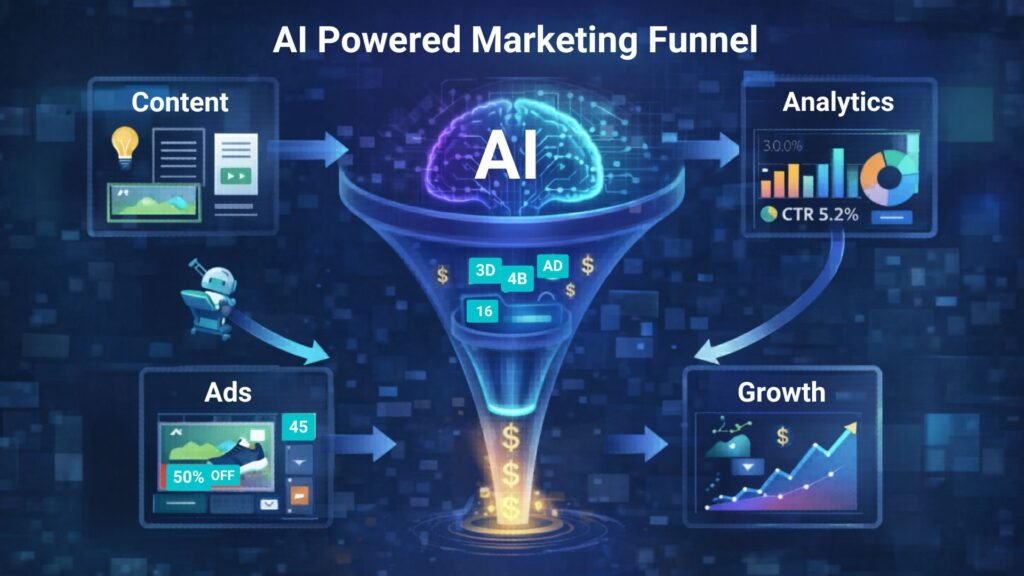
    AI-powered marketing funnel showing content creation, advertising campaigns, analytics tracking, and business growth automation.
    Illustration of an AI-powered marketing funnel showing how content, ads, analytics, and automation work together to drive business growth.

    Conclusion 🎯

    Artificial intelligence is transforming digital marketing, allowing small businesses to compete with larger brands.

    The best AI marketing tools for small businesses help automate content creation, advertising, and social media management while improving efficiency.

    Tools like AdCreative.ai, Copy.ai, and Ocoya allow entrepreneurs and marketers to scale their marketing efforts without large teams or huge budgets.

    By adopting AI marketing tools today, businesses can build smarter marketing strategies and unlock new growth opportunities.

  • ·

    Best AI Writing Tools for Bloggers in 2026: Tools That Actually Improve Content

    Creating consistent blog content can be challenging, especially when bloggers are expected to publish regularly while maintaining high quality. Research, outlining, drafting, editing, and optimizing for SEO all take time. As competition grows online, bloggers are increasingly looking for tools that can help streamline their workflow.

    AI writing tools have become powerful assistants for bloggers and content creators. Instead of replacing writers, these tools help generate ideas, draft articles, improve clarity, and speed up the content creation process. Many modern AI tools can also assist with SEO optimization, marketing copy, and productivity workflows.

    In this guide, we explore the best AI writing tools for bloggers in 2026, how they work, and how they can help bloggers create better content faster.

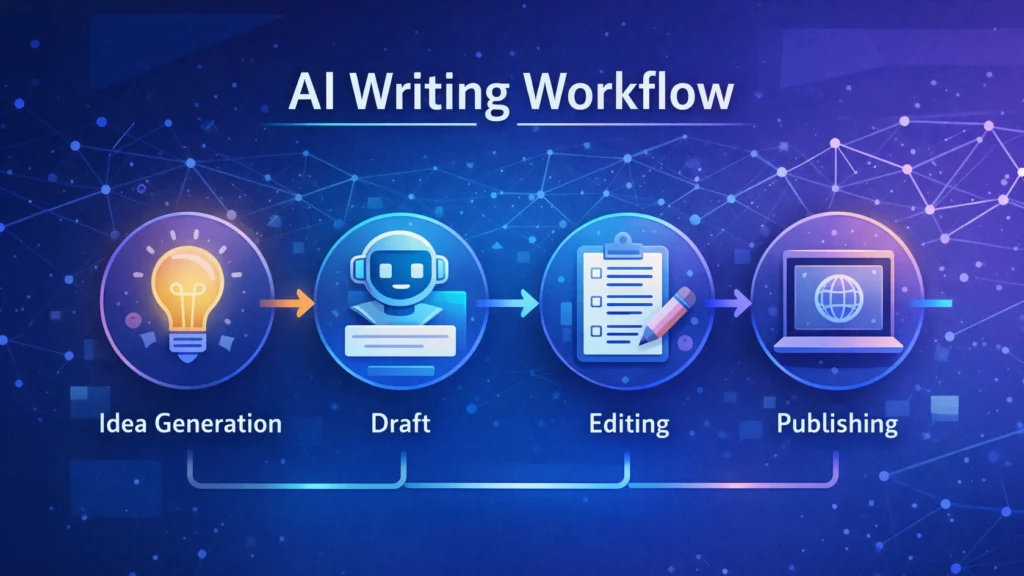
    Diagram showing an AI writing workflow including idea generation, drafting, editing, and publishing stages used by bloggers and content creators.
    A simple AI writing workflow illustrating how bloggers use AI tools to generate ideas, draft articles, edit content, and publish posts efficiently.

    Quick Tool Summary

    Best Overall: Jasper AI
    Best Budget Option: Rytr
    Best for Beginners: ChatGPT
    Best for Marketing Content: Copy.ai
    Best Productivity Tool: Notion AI


    Why Bloggers Are Using AI Writing Tools ✍️

    AI writing tools are becoming essential for bloggers for several reasons.

    Faster content creation

    AI can generate outlines, drafts, and ideas in seconds.

    Overcoming writer’s block

    Many bloggers use AI tools to brainstorm new content topics.

    Content scaling

    AI allows bloggers to produce more articles without sacrificing quality.

    SEO support

    Some tools assist with keyword integration, readability, and structure.

    These advantages make AI writing tools particularly useful for entrepreneurs, marketers, and freelancers managing multiple content projects.


    Best AI Writing Tools for Bloggers

    Below are some of the most widely used AI writing tools available today.

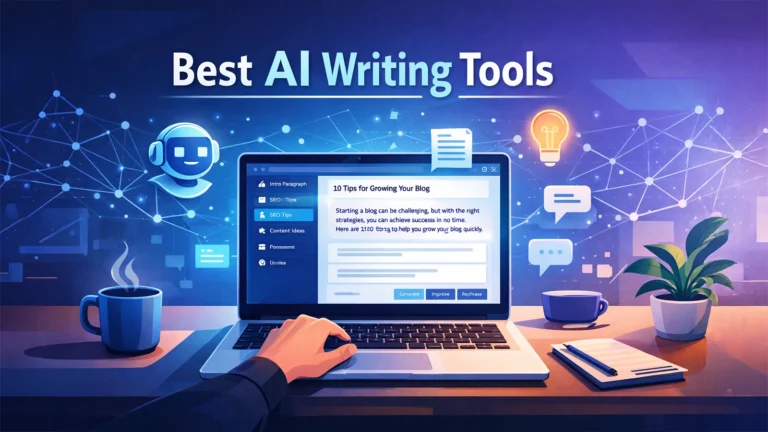
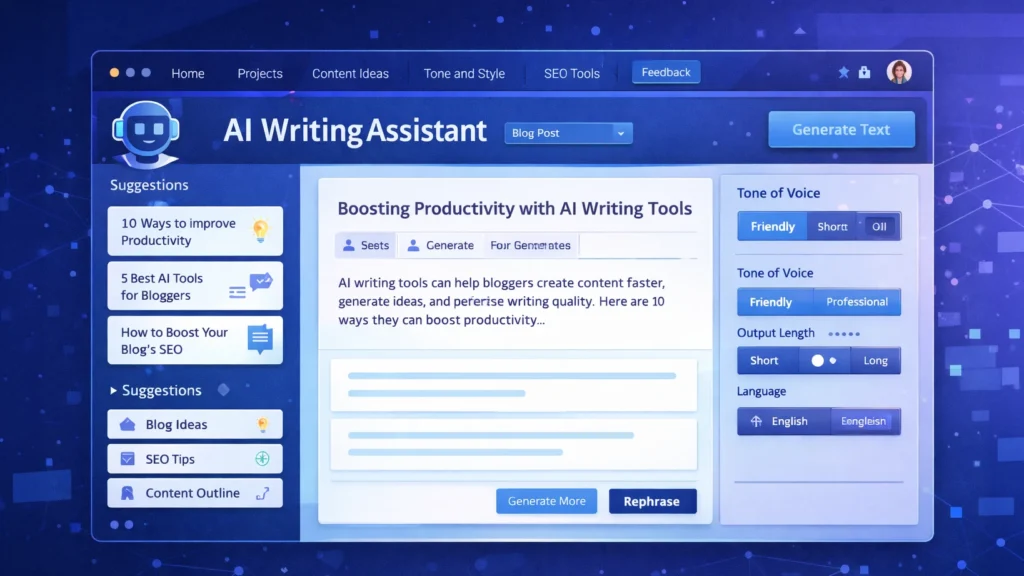
    Screenshot-style illustration of an AI writing assistant dashboard showing blog content suggestions, SEO tips, and tone settings for generating AI-powered blog posts.
    An AI writing assistant dashboard displaying content suggestions, blog ideas, and tone settings used by bloggers to generate and edit articles efficiently.

    1. ChatGPT

    ChatGPT has become one of the most popular AI writing assistants used by bloggers and content creators. It can generate article ideas, outlines, paragraphs, and full drafts with simple prompts.

    Key Features

    • Blog topic generation
    • Article outlines and drafts
    • Content rewriting and editing
    • Brainstorming ideas

    Pros

    • Very flexible writing assistant
    • Supports multiple writing styles

    Cons

    • Requires good prompts
    • Content still needs editing and fact-checking

    Best For

    Bloggers who want a versatile AI assistant for brainstorming and writing drafts.

    You can try ChatGPT for free here: https://chatgpt.com/


    2. Jasper AI

    Jasper AI is one of the most advanced AI writing platforms designed for marketers and professional content creators.

    Key Features

    • Long-form blog writing
    • Marketing copy templates
    • Brand voice customization
    • Content campaign workflows

    Pros

    • High-quality output
    • Powerful marketing features

    Cons

    • Higher pricing compared to other tools
    • Slight learning curve

    Best For

    Professional bloggers and marketing teams producing high volumes of content.

    Try Jasper AI here → https://www.jasper.ai/


    3. Copy.ai

    Copy.ai focuses heavily on marketing copy but is also widely used by bloggers for idea generation and short-form content.

    Key Features

    • Blog idea generator
    • Social media content creation
    • Marketing copy templates
    • Quick draft generation

    Pros

    • Easy to use
    • Excellent for brainstorming

    Cons

    • Limited long-form writing capabilities

    Best For

    Bloggers who want quick inspiration and marketing copy assistance.

    Try Copy.ai here → Copy AI


    4. Writesonic

    Writesonic combines AI writing capabilities with SEO optimization tools, making it popular among bloggers and marketers.

    Key Features

    • Blog article generator
    • SEO-focused writing tools
    • Content rewriting and editing
    • Marketing copy creation

    Pros

    • Good for SEO content
    • Supports multiple writing formats

    Cons

    • Output may require manual editing

    Best For

    Bloggers who want AI assistance with SEO-optimized content.

    Try Writesonic here


    5. Rytr

    Rytr is known as one of the most affordable AI writing tools available today.

    Key Features

    • Blog writing assistant
    • Tone customization
    • Content rewriting
    • Multi-language support

    Pros

    • Budget friendly
    • Simple and easy interface

    Cons

    • Less advanced than premium tools

    Best For

    Beginner bloggers looking for an affordable AI writing solution.

    Try Rytr here →


    6. Notion AI

    Notion AI integrates AI writing capabilities directly into the Notion productivity platform.

    Key Features

    • AI document editing
    • Writing suggestions
    • Content summarization
    • Project organization

    Pros

    • Excellent for productivity workflows
    • Ideal for managing content ideas

    Cons

    • Limited marketing-focused features

    Best For

    Bloggers who manage writing projects and ideas within Notion.

    Try Notion AI here →


    AI Writing Tools Comparison Table

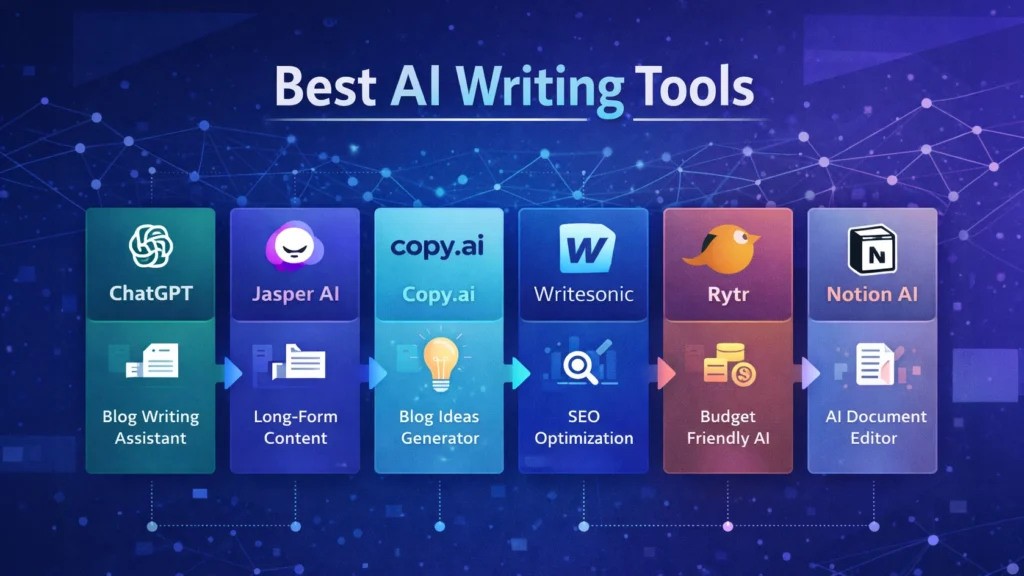
    Infographic comparing popular AI writing tools including ChatGPT, Jasper AI, Copy.ai, Writesonic, Rytr, and Notion AI with their key features for bloggers.
    Visual comparison chart of leading AI writing tools such as ChatGPT, Jasper AI, Copy.ai, Writesonic, Rytr, and Notion AI, highlighting their main capabilities for blogging and content creation.
    ToolBest ForKey FeaturePricing
    ChatGPTBloggersFlexible writing assistantFreemium
    Jasper AIMarketersLong-form AI writingPaid
    Copy.aiMarketing contentIdea generationFreemium
    WritesonicSEO bloggersSEO writing toolsPaid
    RytrBeginnersBudget-friendly AI writingLow cost
    Notion AIProductivityWriting inside workspacePaid

    Best AI Marketing Tools for Small Businesses to Automate Marketing and Grow Faster

    Practical Use Cases for Bloggers

    Bloggers use AI writing tools in several ways to improve productivity and efficiency.

    Content Idea Generation

    AI tools can quickly generate blog topic ideas based on keywords or niche themes.

    Blog Outlines

    Instead of starting from a blank page, bloggers can create structured outlines using AI.

    Draft Writing

    AI tools can produce first drafts that writers can edit and refine.

    Editing and Optimization

    Some AI tools help improve clarity, grammar, and readability.

    These workflows allow bloggers to focus more on creativity and strategy while automation handles repetitive tasks.


    Benefits and Limitations ⚖️

    While AI writing tools offer many advantages, they still require human oversight.

    Benefits

    • Faster content production
    • Improved productivity
    • Easier brainstorming
    • Scalable blogging workflows

    Limitations

    • AI content requires fact checking
    • Tone may need human editing
    • Some tools generate generic text

    The best results come from combining AI assistance with human creativity and expertise.


    How to Get Started with AI Writing Tools 🚀

    If you are new to AI writing tools, start with a simple workflow.

    1. Choose a topic and research keywords.
    2. Use AI to generate an outline.
    3. Draft the article using AI assistance.
    4. Edit the content to improve accuracy and tone.
    5. Optimize the article for SEO before publishing.

    With practice, bloggers can significantly reduce the time required to produce high-quality content.


    Conclusion

    AI writing tools are rapidly transforming how bloggers create content. From generating ideas to drafting full articles, these tools help streamline the blogging process and improve productivity.

    The key is choosing the right tool for your workflow. Beginners may prefer flexible tools like ChatGPT, while professional bloggers and marketing teams often benefit from advanced platforms such as Jasper AI.

    When used correctly, AI writing tools can help bloggers publish more consistently, scale their content strategy, and grow their online audience in an increasingly competitive digital landscape.

  • ·

    Grok AI vs ChatGPT: Features and Real Use Cases

    Artificial intelligence tools are evolving rapidly, but most of them follow a similar pattern: static training data, controlled outputs, and limited real-time awareness. That model works well for structured tasks like coding assistance or writing help. However, it struggles when users want current insights, cultural context, or social trends.

    That gap is where Grok, developed by xAI, enters the picture.

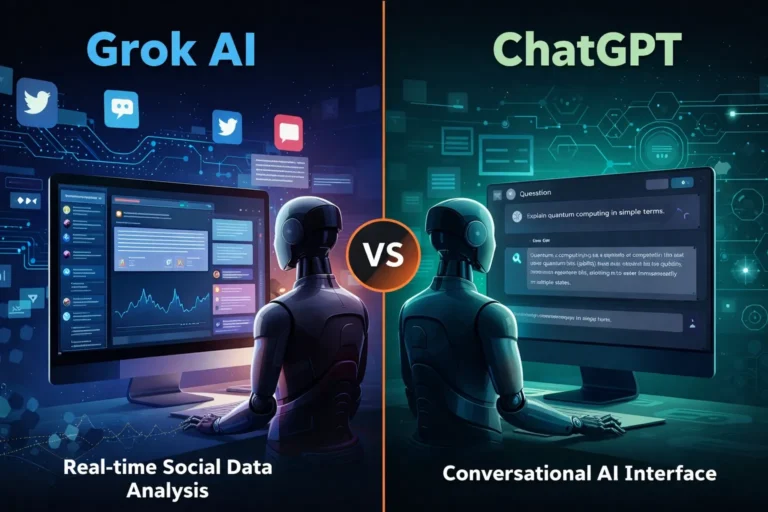
    Unlike many AI assistants that rely primarily on training datasets, Grok was designed to connect directly with X (formerly Twitter). This integration allows the model to analyze public conversations, trending topics, and real-time discussions.

    For professionals working in marketing, research, or online business, that difference can significantly change how AI is used in daily workflows.


    At its core, Grok functions as a conversational AI assistant similar to ChatGPT or Claude. Users can ask questions, generate text, analyze ideas, or explore technical topics.

    But Grok was intentionally designed with a different philosophy: context awareness from live data.

    Key capabilities include:

    Real-time information access
    Grok can interpret current discussions happening on X, making it useful for trend monitoring and sentiment analysis.

    📊 Social conversation insights
    It can summarize how people are reacting to a topic rather than just describing the topic itself.

    🧠 Conversational reasoning
    Grok aims to produce more informal and context-aware answers compared with some traditional AI assistants.

    🔎 Idea exploration and brainstorming
    Because it pulls from real discussions, it can surface unexpected perspectives that static datasets might miss.

    For example, a digital marketer researching a product launch could ask Grok:

    “What are people complaining about in the latest smartphone release?”

    Instead of returning a generic answer, the AI can analyze current posts and highlight common concerns.


    While both systems function as AI assistants, their strengths are slightly different.

    🔹 Data Sources

    Grok

    • Strong connection to real-time social data
    • Useful for trend discovery and sentiment analysis

    ChatGPT

    • Primarily trained on large datasets and structured knowledge
    • Strong for reasoning, coding, and documentation

    🔹 Content Tone

    Grok often responds with a more conversational tone, reflecting its connection to social platforms.

    ChatGPT generally produces more structured, formal responses, which can be useful for professional documentation.

    🔹 Business Applications

    ChatGPT remains stronger in areas like:

    • code generation
    • structured writing
    • workflow automation
    • technical problem solving

    Grok shows promise in areas such as:

    • social trend monitoring
    • public sentiment analysis
    • cultural context research

    For professionals, the tools may complement rather than replace each other.


    Here are practical scenarios where Grok can be particularly useful.

    📈 Marketing trend research

    Marketers can analyze what audiences are discussing about a brand or industry.

    Example:
    A SaaS founder launching a productivity app could analyze conversations around productivity tools to identify common complaints.

    🧩 Product feedback discovery

    Companies can quickly identify how users feel about competing products.

    This type of insight traditionally required expensive social listening tools.

    📰 News and narrative monitoring

    Journalists, analysts, and researchers can track how a story evolves across social media conversations.

    💡 Content brainstorming

    Creators and writers can explore trending topics that resonate with real audiences.

    Instead of guessing what people want to read, Grok can surface ideas based on live discussion patterns.


    Like any AI system, Grok has strengths and trade-offs.

    ✔ Benefits

    • Access to real-time conversations
    • Useful for trend discovery
    • Insight into public sentiment
    • Unique perspective compared to traditional AI tools

    ⚠ Limitations

    • Social data may contain noise or misinformation
    • Real-time data can introduce bias or emotional reactions
    • Not always ideal for technical or academic analysis

    Professionals should treat Grok as a research assistant rather than a final authority.


    If you’re running an online business or digital project, Grok works best when integrated into a broader workflow.

    Practical workflow example

    1️⃣ Trend discovery using Grok
    2️⃣ Content research and structure using ChatGPT
    3️⃣ Publishing strategy based on validated audience interests

    This layered approach combines real-time insight with structured AI reasoning.


    Grok may be especially valuable for:

    • digital marketers
    • startup founders
    • journalists and analysts
    • social media strategists
    • creators researching audience interests

    Who may not benefit as much

    • developers needing deep coding assistance
    • academic researchers needing highly verified sources
    • enterprises requiring strict moderation controls


    AI tools are gradually moving from static knowledge systems toward dynamic intelligence connected to real-world conversations. Grok represents an early experiment in that direction.

    While it may not replace traditional AI assistants like ChatGPT, its ability to interpret live social discussions creates new possibilities for research, marketing, and trend discovery.

    For professionals exploring AI workflows, Grok is less about replacing existing tools and more about adding a new layer of real-time insight to decision making.

  • ·

    Gemini vs Grok vs ChatGPT: Which AI Actually Delivers?

    AI tools are no longer novelty software. They’re embedded in marketing stacks, product teams, customer support desks, and solo founder workflows.

    But here’s the real issue: most comparisons between Gemini, Grok, and ChatGPT focus on feature checklists — not actual business impact.

    If you’re running campaigns, building SaaS products, automating workflows, or scaling digital operations, the question isn’t which AI is smartest.

    The question is:

    Which AI fits your workflow, risk tolerance, and monetization model?

    Let’s break this down from a practical, business-first perspective.


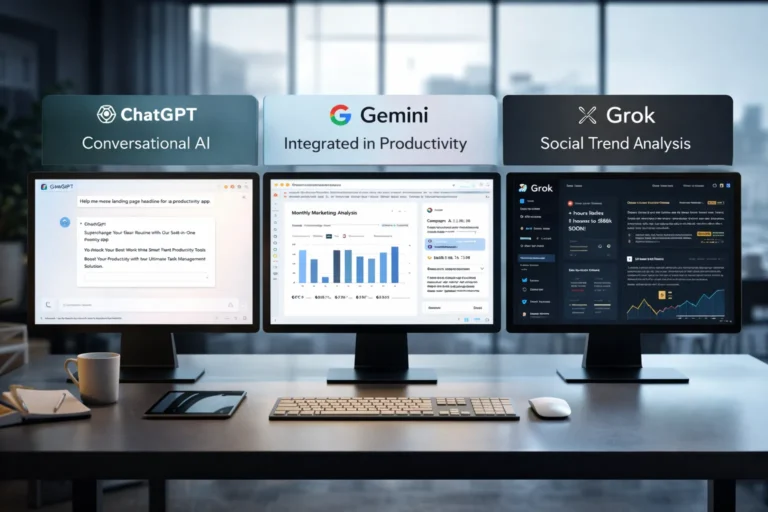
    🧠 Core Positioning: What Each Tool Is Really Built For

    ChatGPT has become the default AI workspace for professionals.

    It excels at:

    • Long-form content
    • Structured reasoning
    • Coding assistance
    • Workflow automation via APIs
    • Document summarization
    • Custom GPT workflows

    For many entrepreneurs, ChatGPT acts as a “digital operations assistant.”

    • Draft landing pages
    • Generate ad variations
    • Build Zapier automation logic
    • Create client reporting templates

    It’s flexible and ecosystem-friendly.


    Gemini integrates deeply into Google’s ecosystem.

    Its strength isn’t just intelligence — it’s context.

    It works well with:

    • Google Docs
    • Gmail
    • Sheets
    • Drive
    • Workspace collaboration
    • Analyze campaign data directly in Sheets
    • Draft email updates inside Gmail
    • Summarize meeting notes automatically

    Gemini is strongest when your business already lives inside Google.


    Grok operates differently. It’s closely integrated with the X (formerly Twitter) ecosystem and emphasizes real-time information access.

    Its positioning is:

    • Social intelligence
    • Real-time trend awareness
    • Edgier conversational style
    • Live internet awareness
    • Monitor sentiment shifts
    • Analyze breaking news
    • Generate rapid-response commentary

    Grok shines in live environments. It’s less structured, more reactive.


    ⚙️ Real-World Productivity Comparison

    Here’s where things matter for professionals.

    For AI Automation Builders 🛠️

    • ChatGPT wins due to API maturity and plugin ecosystem.
    • Gemini is improving but less flexible for external automation.
    • Grok isn’t optimized for backend automation yet.

    For AI Marketing Workflows 📈

    • ChatGPT: Best for structured funnel content, copy frameworks, strategy.
    • Gemini: Strong for ad analysis if you live in Google Ads.
    • Grok: Useful for trend-based content and social hooks.

    For SaaS Founders 💻

    • ChatGPT: Product ideation, UX copy, code scaffolding.
    • Gemini: Useful for internal documentation collaboration.
    • Grok: Less relevant unless your SaaS is social-data-driven.

    ⚖️ Strengths and Limitations

    ChatGPT

    Pros

    • Deep reasoning
    • Advanced coding
    • API integrations
    • Custom GPT creation

    Cons

    • May require prompt skill to maximize output
    • Enterprise pricing can scale

    Gemini

    Pros

    • Native Google ecosystem integration
    • Strong document collaboration
    • Smooth Workspace automation

    Cons

    • Less customizable outside Google
    • Not as developer-centric

    Grok

    Pros

    • Real-time awareness
    • Social sentiment alignment
    • Direct integration with X

    Cons

    • Not workflow-automation focused
    • Limited enterprise tooling

    🚀 Practical Implementation Strategy

    Instead of choosing just one, many professionals layer them.

    Here’s a smart approach:

    Step 1: Define Your Primary Use Case

    Ask:

    • Is this content-heavy?
    • Is this data-heavy?
    • Is this trend-heavy?

    Step 2: Assign Roles

    • ChatGPT → Strategy + structure
    • Gemini → Internal collaboration
    • Grok → Real-time market pulse

    Step 3: Build Repeatable AI Workflows

    For example:

    1. Use Grok to identify trending topics.
    2. Use ChatGPT to turn that into structured authority content.
    3. Use Gemini to distribute internally via Docs and Gmail.

    This layered workflow reduces blind spots.


    👥 Who Should Use What?

    Choose ChatGPT If:

    • You build automation workflows
    • You write long-form content
    • You code or build SaaS tools
    • You need structured output

    Choose Gemini If:

    • Your company runs on Google Workspace
    • You collaborate heavily in Docs/Sheets
    • You need built-in AI inside email

    Choose Grok If:

    • You depend on real-time news
    • You operate in finance, crypto, politics, media
    • You build brand presence on X

    🎯 Final Perspective

    There isn’t a universal “best AI.”

    There’s only:

    • Best for workflow
    • Best for ecosystem
    • Best for execution speed

    ChatGPT is currently the most versatile.
    Gemini is the most integrated.
    Grok is the most reactive.

    For serious professionals, the competitive edge isn’t the tool — it’s how intelligently you deploy it.

    AI doesn’t replace strategic thinking.
    It amplifies it.

  • ·

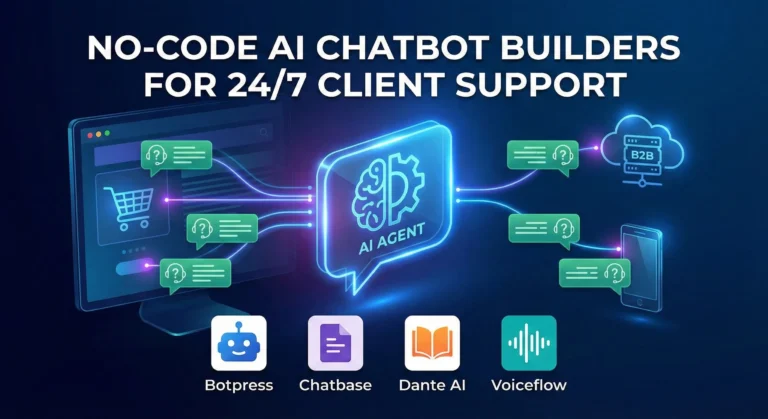
    Top No-Code AI Chatbot Builders for Client Support

    The era of the “sorry, I didn’t catch that” chatbot is thankfully over. If you are running an e-commerce brand or a B2B service company in the US or UK right now, your customers don’t just prefer self-serve support—they demand it. They expect accurate answers at 2 AM on a Saturday, and relying solely on human staff to provide that is a massive scalability bottleneck and financial drain.

    For years, the AdSense market for “customer service software” and “helpdesk automation” has been incredibly competitive because the pain point is so acute. But the solution is no longer just about better ticketing systems; it’s about deflection through intelligence.

    Today’s no-code AI builders allow businesses to train custom GPT models specifically on their own support documents, return policies, and technical manuals. The result is an autonomous agent that doesn’t just provide links, but actually resolves Tier-1 issues without human intervention.

    Here are the best no-code platforms to build your own autonomous support workforce.

    Chatbase: The Fastest Path to “Live”

    If you are drowning in repetitive FAQs and need a solution yesterday, Chatbase is phenomenal. It popularized the “chat with your data” concept.

    • The Support Play: You literally drag and drop your PDF product manuals, HR policy documents, or point it at your existing help center URL. Within minutes, Chatbase digests that information and creates a custom chatbot that answers questions based only on that data. For e-commerce brands constantly answering “what is your return window?”, Chatbase is an instant relief valve that requires virtually zero technical setup.

    Botpress: The Action-Oriented Agent

    Sometimes you need more than just answers; you need actions. Botpress is a powerful, visual platform designed for building agents that can execute tasks.

    • The Support Play: A customer doesn’t just want to know how to check their order status; they want the bot to check it for them. Botpress excels here. Its visual flow builder allows you to connect the chat interface to external systems like Shopify, Salesforce, or your custom database. You can build an agent that authenticates the user, fetches their real-time shipping data, and updates their ticket—all without a human agent ever opening a tab.

    Dante AI: The Multi-Source Specialist

    Businesses rarely have all their knowledge neatly organized in one PDF. Dante AI shines at ingesting messy, varied data sources to train your bot.

    • The Support Play: You can train a Dante bot on a combination of your website, a series of YouTube tutorial videos, Google Docs, and Notion pages simultaneously. It’s incredibly adept at synthesizing information from these different formats into coherent answers. Furthermore, if you are serving a global market, Dante’s robust, out-of-the-box multi-language support is a massive advantage for providing localized support without hiring local teams.

    Voiceflow: The Enterprise CX Design Platform

    Voiceflow approaches chatbots from a design-first perspective. It feels less like a technical builder and more like a collaborative design tool like Figma for conversational experiences.

    • The Support Play: This is the platform for larger teams or agencies building complex, high-stakes customer journeys across multiple channels (webchat, WhatsApp, SMS, etc.). Voiceflow allows for deep collaboration between designers, developers, and stakeholders to prototype, test, and iterate on complex conversation paths before they ever go live. It ensures your automated support feels on-brand and professional at scale.

    The Bottom Line

    Implementing autonomous AI support isn’t just about cutting costs—though it drastically reduces cost-per-ticket. It’s about providing the instant gratification experience modern consumers expect. By automating the repetitive 80% of queries, you free up your human support team to handle complex, emotionally charged issues with empathy, creating a better experience for everyone involved.

  • ·

    Visual Backend Builders for Custom AI Apps

    The no-code movement started with simple frontend drag-and-drop website builders. Today, the real revolution is happening entirely behind the scenes. For technical founders, fractional CTOs, and lean dev teams building custom AI applications, the bottleneck isn’t the user interface; it’s the backend logic.

    How do you securely connect your proprietary database to an enterprise LLM, build custom API endpoints, and orchestrate complex routing without spending months writing backend code? The answer lies in visual backend builders.

    At AI Growth Gear (part of the Enoxx News network), we focus heavily on the infrastructure that makes AI scalable. These tools are designed for the “low-code” or highly technical no-code developer who understands logic, databases, and APIs but wants to skip the syntax errors and deployment headaches.

    If you are building an AI app that requires serious backend power, these are the visual API builders you need to master.

    BuildShip: The Visual AI Workflow Engine

    BuildShip has rapidly become a favorite for developers who need to build complex AI features and deploy them as scalable APIs. It is essentially a visual interface for writing backend code, specifically optimized for AI tasks.

    • The Technical Play: Let’s say you are building an app that takes a user’s audio file, transcribes it, runs sentiment analysis via Claude 3, and then saves the result to your database. BuildShip allows you to visually connect these nodes—Stripe for billing, Whisper for transcription, Anthropic for analysis, and Supabase for storage. If you hit a wall with the visual nodes, BuildShip allows you to use its AI assistant to write a custom JavaScript or TypeScript function block right in the middle of the workflow. You get the speed of visual building with the absolute flexibility of custom code.

    Xano: The No-Code Database & API Backend

    If your AI application is highly data-intensive, you need a backend that can handle millions of records without lagging. Xano is widely considered the most powerful no-code backend available, offering a scalable PostgreSQL database and a robust API builder.

    • The Technical Play: Xano is perfect for building the backend of a custom RAG (Retrieval-Augmented Generation) application. You can store your company’s massive internal documents in Xano, use its built-in functions to convert those documents into vector embeddings (often via OpenAI’s API), and then build custom API endpoints that allow your frontend app to query that vector data securely. It handles complex data transformations and logic that would crash lighter platforms, making it ideal for enterprise-grade internal tools.

    Make (Advanced AI Routing): The Logic Orchestrator

    While often thought of as a simple Zapier alternative, Make (formerly Integromat) is actually a visual programming language capable of handling incredibly complex, multi-path routing and error handling.

    • The Technical Play: Make shines when your AI application requires complex “if/then” logic and needs to talk to dozens of different external services. For example, you can build an AI routing system where an incoming user query is first analyzed by a fast, cheap LLM to determine intent. If the query is simple, Make routes it to a pre-written response. If it’s complex, Make routes it to a slower, more expensive model (like GPT-4), formats the response, and sends it back to the user via Slack, Email, or your custom frontend. It allows you to build highly resilient, cost-optimized AI systems visually.

    The Bottom Line

    Building a sophisticated AI application no longer requires a massive backend engineering team. By leveraging visual backend builders like BuildShip, Xano, and Make, technical founders can architect scalable databases, build custom API endpoints, and orchestrate complex LLM logic in a fraction of the time.

  • ·

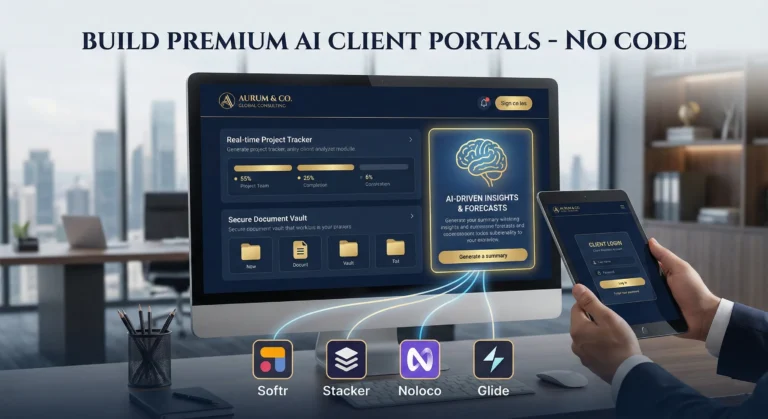
    Build Premium AI Client Portals Without Code

    If you are running a high-end consulting firm or a boutique agency targeting clients in the US and UK, your deliverables are top-tier. But how are you delivering them?

    If you are still relying on scattered email chains, password-protected zip files, and messy shared spreadsheets to manage a five-figure retainer client, you have a perception problem. In the premium B2B space, the experience of working with you is just as important as the results.

    The modern solution is a dedicated, white-labeled client portal. It’s the difference between looking like a freelancer and looking like an enterprise infrastructure.

    Traditionally, building a secure, custom portal required expensive CRM development and dedicated engineering. Today, no-code AI builders have democratized this process. You can now build sophisticated client management software that not only displays data but uses AI to make that data actionable for your clients.

    Here are the top no-code tools to build high-value client portals in 2026.

    Softr: The Fastest Path from Database to Dashboard

    Softr has cornered the market on speed and ease of use, especially if your agency already operates out of Airtable or Google Sheets. It turns those static databases into secure, beautiful web apps in minutes.

    • The Agency Play: Use Softr to build a transparent project tracker. Instead of weekly status calls, give clients a login where they can see real-time progress. Where Softr shines now is its native AI integration. You can use it to automatically generate executive summaries of project status reports within the portal, saving your project managers hours of writing while giving the C-suite client a quick, digestible update.

    Stacker: Deep Permissions for Sensitive Data

    When dealing with larger corporate clients, security and granular permissions are paramount. Stacker excels at taking complex, messy datasets (from sources like Salesforce or complex Airtable bases) and turning them into clean, restricted client views.

    • The Agency Play: If you are a financial consultant or handling sensitive marketing data, you can’t show every client the whole database. Stacker allows you to build one master app where Client A only sees Client A’s data, and Client B only sees Client B’s. You can build a sophisticated, secure B2B portal that looks like a million-dollar custom build, ensuring absolute data privacy while providing high-level visibility.

    Noloco: The Premium White-Label Experience

    For boutique agencies where branding is everything, Noloco offers perhaps the most polished, high-end feel right out of the box. It is designed specifically for building client-facing apps and internal tools that look completely bespoke.

    • The Agency Play: Noloco is ideal for high-ticket creative or strategic agencies. You can fully remove any trace of the builder’s branding, use your own domain, and deeply customize the UI to match your firm’s aesthetic. You can build portals where clients approve creative assets, view AI-generated performance forecasts, and access contract documents in an environment that feels intensely premium and professional.

    Glide: The Mobile-First Action Portal

    Sometimes your clients aren’t at a desk; they are in the field. Glide (which we also love for micro-SaaS) is phenomenal for building mobile-optimized portals that turn data into action.

    • The Agency Play: Imagine you run a property management consulting firm. You can build a Glide portal for your investors that sits on their phone home screen. They can view property performance data and, crucially, use Glide’s AI columns to instantly interact with that data—for example, snapping a photo of a maintenance issue and having Glide’s AI instantly categorize it and draft a work order for approval. It turns a passive report into an active tool.

    The Bottom Line

    A client portal is no longer just a nice-to-have utility; it is a core piece of agency infrastructure. By using platforms like Softr, Stacker, Noloco, and Glide, you are not just organizing files—you are providing a sophisticated software experience that cements client retention and justifies premium retainer fees.

  • ·

    Top No-Code AI Agent Builders for Agencies

    Scaling an agency in the US or UK used to mean one thing: hiring more people. Every new client meant adding more project managers, more data entry clerks, and more administrative bloat. But operations managers are waking up to a new reality. You don’t need a bigger team to handle enterprise-level capacity; you need better internal infrastructure.

    The secret to maximizing agency margins right now is replacing repetitive administrative headcount with custom AI agents. By leveraging no-code enterprise automation, you can build digital employees that handle your backend operations 24/7. Here at AI Growth Gear, we prioritize software that directly impacts the bottom line. If you want to deploy sophisticated business intelligence and workflow software without writing a line of code, these are the platforms you need.

    MindStudio: The AI Employee Factory

    MindStudio is arguably the most robust platform right now for building highly specialized, multi-step AI agents. It allows you to build custom interfaces and connect different foundation models (like Claude 3 or GPT-4) depending on the specific task.

    • The Operations Play: Stop paying junior staff to summarize endless client discovery calls and format them into briefs. With MindStudio, you can build an internal “Strategy Agent.” You upload the raw call transcript, and the agent automatically extracts the core business objectives, cross-references them with your agency’s standard operating procedures (SOPs), and outputs a polished, ready-to-execute project brief. It turns hours of manual administrative work into a three-second automated workflow.

    Zapier Central: The Action-Oriented Assistant

    You likely already use Zapier to connect your apps, but Zapier Central transforms those passive connections into an active, conversational AI workspace. It allows you to build bots that sit directly on top of your live data.

    • The Operations Play: Zapier Central excels at data triage. Imagine a custom agent monitoring your high-value lead inbox. When a new enterprise inquiry comes in, the agent reads the context, automatically queries your CRM to see if they are an existing contact, drafts a personalized response based on their industry, and pings the correct account executive in Slack with a summary. It acts as an autonomous executive assistant that never drops the ball, perfectly optimizing your agency’s lead response times.

    Flowise: Visual LLM Orchestration

    For agencies handling vast amounts of proprietary data or complex technical documentation, Flowise is a game-changer. It provides a drag-and-drop visual interface for LangChain, meaning you can build highly complex AI logic flows without needing a Python developer.

    • The Operations Play: Build a secure, internal “Knowledge Retrieval Agent” for your team. By connecting Flowise to your agency’s internal Google Drive or Notion workspace, your team can simply ask the agent questions like, “What were the exact deliverables we promised in the Q3 contract for Client X?” The agent searches the secure internal database and retrieves the exact clause in seconds. This eliminates the endless back-and-forth messaging between departments and streamlines overall business intelligence.

    Voiceflow: Conversational Process Management

    While typically known for building customer-facing chatbots, smart operations managers are using Voiceflow to build robust internal conversational interfaces.

    • The Operations Play: Employee onboarding is a massive drain on operational resources. With Voiceflow, you can build an interactive “HR & Onboarding Agent.” Instead of handing new hires a static 50-page PDF of company policies, they interact with the Voiceflow agent. It can guide them through setting up their software stack, answer specific questions about payroll schedules, and train them on agency methodologies. It guarantees a consistent, scalable onboarding experience without tying up your senior staff.

    The Bottom Line

    B2B margins are won and lost in the backend. By investing in no-code workflow software like MindStudio, Zapier Central, Flowise, and Voiceflow, you aren’t just buying tools—you are building a scalable, automated workforce. This allows you to take on larger enterprise contracts without proportionately increasing your overhead.