|

How to Make Money with AI Tools

Illustration showing AI tools generating income through writing, design, and video creation on a laptop with a rising revenue graph.

Artificial intelligence is transforming the way people build online businesses. Entrepreneurs, freelancers, and content creators are increasingly using AI tools to automate tasks, produce content faster, and create new revenue streams.

The biggest advantage of AI technology is accessibility. You no longer need advanced technical skills or expensive software to start an online business. Modern AI platforms allow users to create blog content, marketing graphics, and professional videos in just minutes.

Many successful online entrepreneurs are already building profitable AI-powered side hustles. With tools like Jasper AI, Canva, and Pictory, it is possible to produce high-quality digital content quickly and scale online income opportunities.

In this guide, you will learn practical strategies to make money with AI tools, the best tools available today, and how beginners can start an AI side hustle step by step.
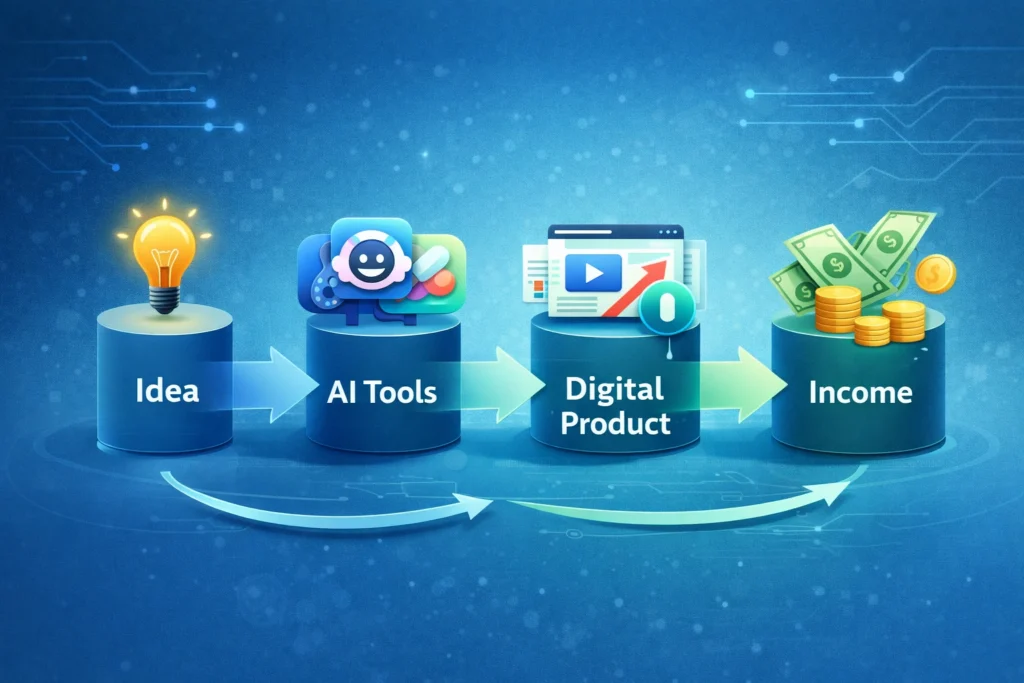
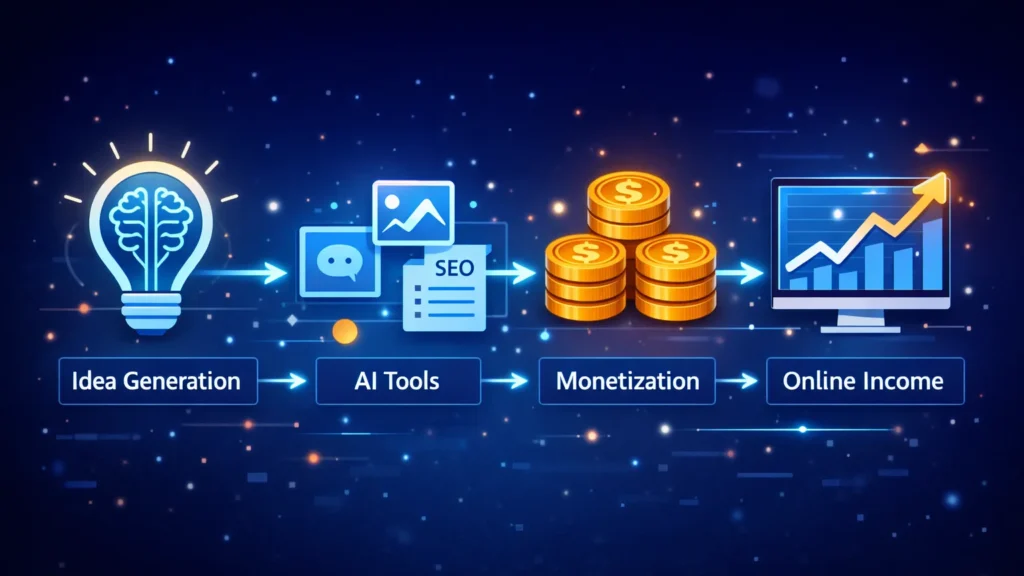
AI workflow diagram showing idea, AI tools, digital product creation, and income generation process.
A simple AI workflow showing how an idea can be turned into a digital product and income using AI tools.

Why AI Side Hustles Matter in 2026

Artificial intelligence is becoming one of the most important drivers of the digital economy. Businesses across industries are using AI to automate marketing, create content, and improve productivity.

This growing adoption of AI has opened new opportunities for individuals who want to start online businesses.

Some key reasons AI side hustles are growing rapidly include:

• Businesses need more content than ever before
• AI tools dramatically reduce production time
• Startup costs for online businesses are lower
• Digital marketing demand continues to increase
• AI tools are becoming beginner-friendly

Because of these factors, AI-powered side hustles are becoming one of the most accessible ways to start making money online.


Best Ways to Make Money with AI Tools

There are several profitable opportunities where AI tools can help generate income.


AI writing tools such as Jasper AI allow freelancers and entrepreneurs to create blog posts, marketing copy, and product descriptions much faster than traditional writing.

Common services include:

• SEO blog writing
• Website copywriting
• Email marketing content
• Product descriptions for eCommerce

Many freelance writers charge between $50 and $300 per article depending on the niche and content quality.


Design platforms like Canva make it easy to create professional graphics even without design experience.

Using Canva’s AI features, users can create:

• Social media graphics
• YouTube thumbnails
• Marketing banners
• Presentation designs
• Digital product templates

These designs can be sold on marketplaces like Etsy, Fiverr, or Gumroad.


Video content is one of the fastest growing forms of digital media. AI tools like Pictory make it possible to create videos without advanced editing skills.

You can use AI video tools for:

• YouTube automation channels
• TikTok and Instagram videos
• Video marketing for businesses
• Affiliate marketing content

AI tools convert text or blog posts into engaging videos automatically.


Blogging remains one of the most powerful online business models, and AI tools make it easier to scale content production.

AI tools can assist with:

• Generating article outlines
• Writing first drafts
• Creating social media posts
• Generating blog graphics

Blog monetization options include:

• Google AdSense
• Affiliate marketing
• Sponsored content
• Digital products

Many bloggers now use AI tools to accelerate content publishing.


Best AI Tools for Making Money

Below are some of the most useful AI tools for building an AI-powered side hustle.
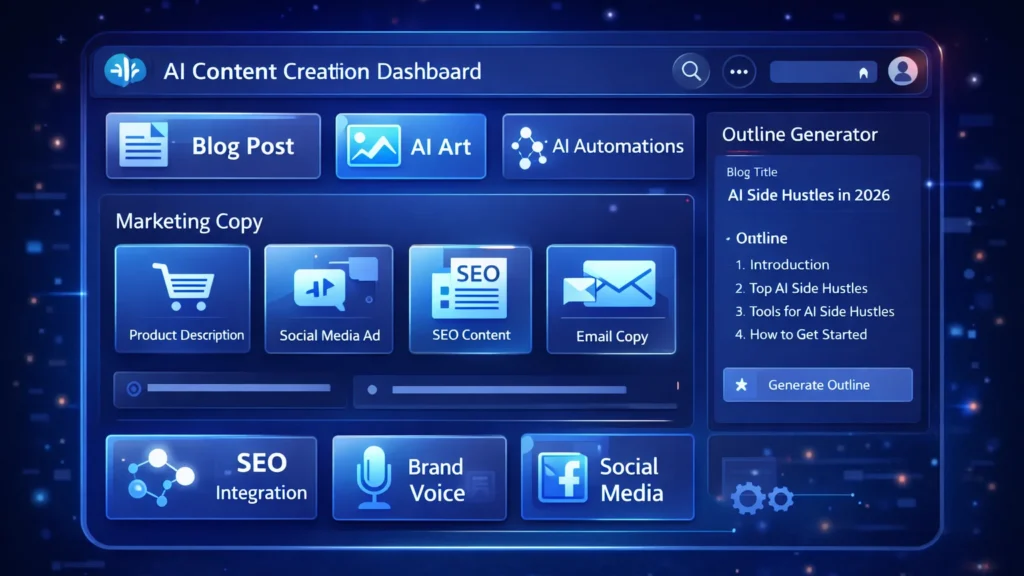
Illustration showing AI tools used for making money online including AI writing, design, and video creation tools that help generate side income.
Popular AI tools like writing, design, and video creation platforms help entrepreneurs create content, digital products, and videos to generate online income.

Jasper AI is one of the most powerful AI writing assistants designed for marketers, bloggers, and businesses.

It helps generate blog posts, marketing content, and long-form articles quickly.

Key Features

• AI blog post generator
• SEO optimized content creation
• Marketing templates
• Brand voice customization

Pros

• Produces high-quality long-form content
• Saves significant writing time

Cons

• Paid subscription required
• Content may require editing

Best For

Bloggers, affiliate marketers, and freelance writers who want to scale content production.

Try Jasper AI here


Canva is a popular design platform that now includes powerful AI features for image creation and graphic design.

It allows beginners to create professional graphics with simple drag-and-drop tools.

Key Features

• AI image generator
• Magic Write AI assistant
• Thousands of templates
• Social media design tools

Pros

• Extremely beginner friendly
• Large template library

Cons

• Advanced features require Canva Pro
• Some AI features have usage limits

Best For

Freelancers, marketers, and entrepreneurs creating digital graphics or design products.

Try Canva here


Pictory is an AI video creation platform that converts text content into professional videos.

It is widely used by YouTube creators and marketers.

Key Features

• Text-to-video generation
• AI voice narration
• Automatic video summarization
• Built-in stock footage library

Pros

• Fast video production
• No editing experience required

Cons

• Limited customization compared to professional editors
• Subscription required

Best For

YouTube creators, social media marketers, and businesses producing video content.

Try Pictory here


AI Tool Comparison

ToolBest ForKey FeaturePricing
Jasper AIBloggers and marketersLong-form AI writingPaid
CanvaDesigners and beginnersAI graphic designFreemium
PictoryVideo creatorsText-to-video automationPaid

Practical Use Cases for AI Tools

Here are some real ways individuals and businesses use AI tools to generate income:

• Freelance content writing services
• Selling digital design templates
• Running YouTube automation channels
• Building affiliate marketing blogs
• Managing social media for businesses

AI technology does not replace creativity. Instead, it helps creators produce content faster and scale their work.


Benefits and Limitations of AI Tools

Benefits

• Faster content production
• Lower startup costs
• Beginner-friendly platforms
• Ability to scale online businesses

Limitations

• AI content still requires editing
• Competitive markets in some niches
• Many advanced tools require subscriptions

Understanding these factors helps you build a sustainable AI-powered business.


How to Get Started with an AI Side Hustle

Starting an AI side hustle does not require major investments.

Follow these simple steps:

  1. Choose a niche that interests you
  2. Select AI tools that fit your goals
  3. Start creating valuable content or services
  4. Promote your work through social media or websites
  5. Monetize through ads, affiliate programs, or client services

Consistency and quality will play the biggest role in long-term success.
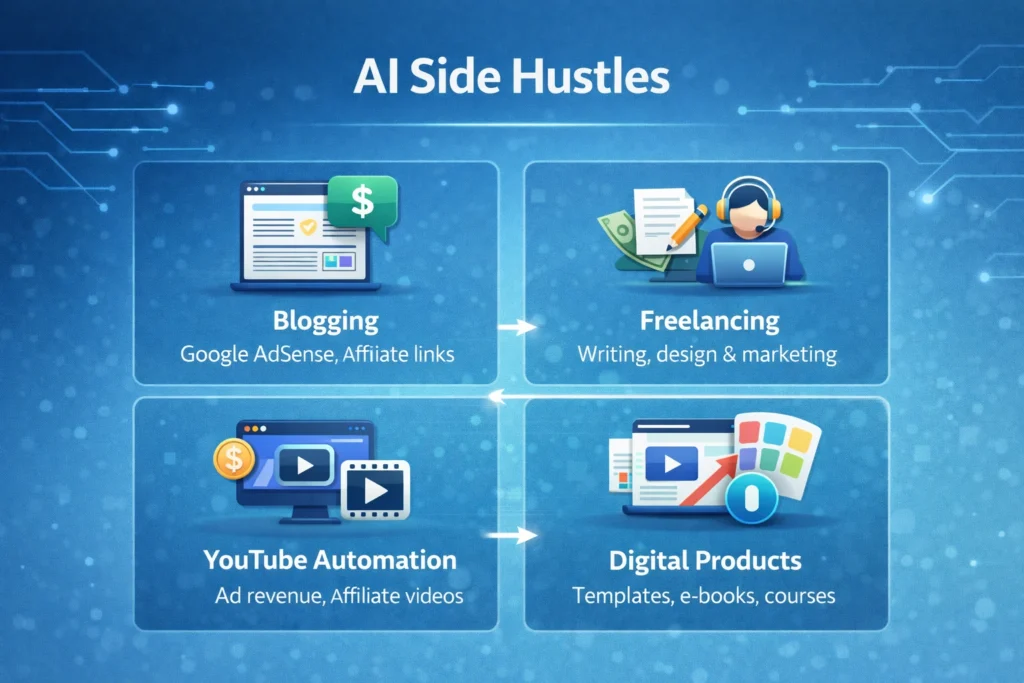

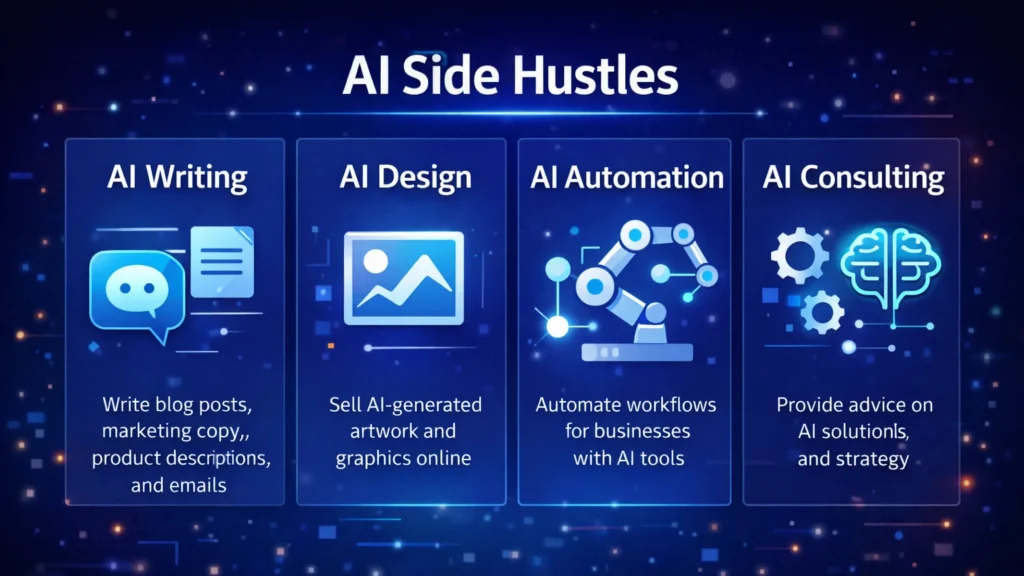
Infographic comparing AI side hustles including blogging, freelancing, YouTube automation, and digital products for making money online.
A visual comparison of popular AI side hustles such as blogging, freelancing, YouTube automation, and digital products that can generate income online.

Conclusion

Artificial intelligence is creating new opportunities for entrepreneurs, freelancers, and creators around the world. With the right strategy, AI tools can help build scalable online businesses and generate multiple income streams.

Platforms like Jasper AI, Canva, and Pictory allow individuals to produce content, graphics, and videos more efficiently than ever before.

If you are interested in starting an online business, learning how to use AI tools effectively could become one of the most valuable skills in the modern digital economy.

Similar Posts

  • ·

    Best AI Tools for Social Media Automation in 2026

    Managing multiple social media accounts manually can quickly become overwhelming. From creating content to posting consistently and analyzing results, it takes time and effort. That’s where AI tools for social media automation come in.

    These tools help you generate content, schedule posts, optimize performance, and even design creatives — all with minimal manual work. Whether you’re a marketer, freelancer, or business owner, using AI can significantly boost your productivity and engagement.

    In this guide, we’ll explore the best AI tools for social media automation, including powerful platforms like AdCreative.ai, Ocoya, and Copy.ai.

    AI system automating social media posts from creation to publishing across multiple platforms
    AI tools streamline content creation and automatically publish posts across social platforms

    Social media success depends on consistency, creativity, and timing.

    AI tools help you:

    • Save hours every week
    • Post consistently
    • Improve engagement rates
    • Scale content production

    For businesses, this means faster growth with fewer resources.


    🏆 Best Overall — Ocoya
    💰 Best Budget — Copy.ai
    🚀 Best for Beginners — Buffer
    ⚡ Best for Ads & Creatives — AdCreative.ai

    Close-up of laptop showing content calendar with scheduled posts and analytics graphs
    Plan and organize your social media strategy using a structured content calendar

    Description:
    Ocoya is an all-in-one AI marketing tool designed specifically for social media automation. It combines content creation, scheduling, and analytics in one platform.

    Key Features:

    • AI caption generator
    • Social media scheduler
    • Hashtag suggestions
    • E-commerce integrations

    Pros:

    • Complete automation solution
    • Easy to use
    • Great for content + scheduling

    Cons:

    • Limited advanced analytics
    • Requires subscription

    Best For:
    Marketers and small businesses

    👉 Try Ocoya →


    Description:
    AdCreative.ai focuses on generating high-converting ad creatives using AI, making it ideal for social media advertising campaigns.

    Key Features:

    • AI-generated ad creatives
    • Conversion-focused designs
    • Performance scoring
    • Multiple ad variations

    Pros:

    • Excellent for paid ads
    • High-quality creatives
    • Data-driven

    Cons:

    • Not a full scheduler
    • Premium pricing

    Best For:
    Advertisers and eCommerce brands


    Description:
    Copy.ai helps you generate captions, posts, and marketing copy for social media in seconds.

    Key Features:

    • AI caption generator
    • Content templates
    • Multi-language support
    • Fast output

    Pros:

    • Affordable
    • Beginner-friendly
    • Saves time

    Cons:

    • No scheduling feature
    • Needs editing

    Best For:
    Freelancers and beginners


    Description:
    Buffer is a simple and reliable social media scheduling tool with AI assistance for content ideas.

    Key Features:

    • Post scheduling
    • Analytics
    • Clean UI

    Pros:

    • Easy to use
    • Affordable
    • Great for beginners

    Cons:

    • Limited automation features

    Best For:
    Small businesses


    Description:
    Hootsuite offers advanced automation, scheduling, and analytics powered by AI.

    Key Features:

    • Multi-platform management
    • AI recommendations
    • Deep analytics

    Pros:

    • Enterprise features
    • Strong reporting

    Cons:

    • Expensive

    Best For:
    Agencies


    📊 Practical Use Cases

    • Schedule a week’s content in minutes
    • Generate captions instantly
    • Create ad creatives with AI
    • Manage multiple accounts
    • Analyze engagement automatically

    ⚖️ Benefits and Limitations

    Benefits:

    • Saves time
    • Boosts productivity
    • Improves consistency
    • Scales content creation

    Limitations:

    • Requires subscriptions
    • Limited human creativity
    • Learning curve

    🛠️ How to Get Started

    1. Choose a tool based on your goal
    2. Connect your social accounts
    3. Generate content using AI
    4. Schedule posts
    5. Track performance

    Content creator working with multiple screens showing analytics dashboards and AI tools
    Boost productivity by managing social media with AI tools and real-time analytics

    📊 Comparison Table

    ToolBest ForKey FeaturePricing
    OcoyaAll-in-oneAI + SchedulingMid-range
    AdCreative.aiAdsAI CreativesPremium
    Copy.aiContent WritingAI CopywritingBudget
    BufferBeginnersSimple SchedulingAffordable
    HootsuiteAgenciesAdvanced AnalyticsExpensive

    ✅ Conclusion

    AI tools for social media automation are transforming how businesses and creators manage their online presence. With tools like Ocoya, AdCreative.ai, and Copy.ai, you can automate content creation, improve engagement, and scale your growth effortlessly.

    If you’re just starting, go with Copy.ai or Buffer. If you want full automation, Ocoya is your best bet. And for ads, AdCreative.ai is unmatched.


  • ·

    Best AI Video Tools for Content Creators in 2026

    Video content is dominating the internet. Platforms like YouTube, TikTok, Instagram Reels, and LinkedIn video have made video one of the most powerful ways to reach audiences online.

    However, producing high-quality videos traditionally requires editing skills, expensive software, and significant time investment.

    Artificial intelligence is now transforming this process.

    AI video tools allow creators to generate videos from scripts, automatically edit clips, add voiceovers, and even create AI presenters. For entrepreneurs, bloggers, and marketers, this means producing professional video content without needing a full production team.

    In this guide, we explore the best AI video tools for content creators and how they can help you scale content production faster and more efficiently.

    AI video creation workflow showing idea, script, AI video generation and publishing process for content creators
    An infographic illustrating the AI video creation workflow, where content creators transform an idea into a script, generate AI-powered videos, and publish them across digital platforms.

    Video production used to be complicated and time-consuming. AI technology now allows creators to automate many parts of the process.

    With the right AI video tools, creators can:

    • Produce videos much faster
    • Reduce editing time dramatically
    • Convert blog posts into videos
    • Create faceless YouTube channels
    • Scale social media marketing campaigns

    For freelancers, content creators, and online businesses, these tools help produce more content with fewer resources.


    Best Overall: Pictory AI
    Best Budget Option: InVideo AI
    Best for Beginners: Lumen5
    Best for AI Avatars: Synthesia
    Best for Advanced Creators: Runway ML


    AI video generator dashboard interface showing AI presenter, video timeline editor and automated video creation tools
    A modern AI video generator dashboard interface displaying an AI presenter, video editing timeline, and automation tools used by content creators to generate videos quickly.

    Pictory AI is widely used by bloggers and YouTubers to convert scripts or articles into engaging videos. It automatically matches your script with visuals, adds captions, and generates voiceovers.

    This makes it ideal for creating faceless YouTube content or repurposing blog posts.

    Key Features

    • Script-to-video automation
    • AI voiceovers
    • Automatic captions
    • Large stock footage library

    Pros

    • Very beginner friendly
    • Fast video creation

    Cons

    • Limited customization
    • Paid plans required for longer videos

    Best For

    Bloggers, YouTubers, and marketers creating educational or faceless video content.

    Try Pictory AI here


    Synthesia allows creators to generate videos using realistic AI avatars. Instead of recording yourself, you can simply write a script and the AI presenter delivers the message.

    This is especially useful for business videos, training materials, and product explainers.

    Key Features

    • AI avatar presenters
    • Support for 120+ languages
    • Text-to-video generation
    • Professional video templates

    Pros

    • Professional looking presenters
    • Great for corporate and educational videos

    Cons

    • Premium pricing
    • Limited emotional expressions in avatars

    Best For

    Businesses, educators, and creators producing professional presentations.

    Try Synthesia here


    Runway ML is one of the most advanced AI video platforms currently available. It includes powerful AI editing tools, video generation models, and creative features used by filmmakers and digital creators.

    This platform is perfect for creators who want more advanced control over video production.

    Key Features

    • AI video generation tools
    • Automatic background removal
    • AI-powered video editing
    • Creative effects powered by AI models

    Pros

    • Advanced creative capabilities
    • Used by professional creators

    Cons

    • Learning curve for beginners
    • Higher cost for heavy usage

    Best For

    Professional creators, filmmakers, and advanced video editors.

    Try Runway ML here


    InVideo AI focuses on creating videos directly from text prompts. Users simply describe the video they want, and the platform automatically generates visuals, voiceovers, and music.

    It’s especially popular among marketers and social media creators.

    Key Features

    • AI text-to-video generator
    • Automated script creation
    • Huge media library
    • Social media optimized templates

    Pros

    • Affordable pricing
    • Simple user interface

    Cons

    • AI voice quality varies
    • Limited advanced editing features

    Best For

    Social media marketers and beginners creating short-form video content.

    Try InVideo AI here


    Lumen5 is designed for turning blog posts into engaging videos. It automatically extracts key points from your article and matches them with visuals.

    This makes it extremely useful for bloggers and digital marketers repurposing written content.

    Key Features

    • Blog-to-video conversion
    • Drag-and-drop editor
    • AI media matching
    • Social media formats

    Pros

    • Easy to use
    • Great for content repurposing

    Cons

    • Limited advanced editing features
    • Repetitive stock footage

    Best For

    Bloggers and marketers converting articles into videos.

    Try Lumen5 here


    ToolBest ForKey FeaturePricing
    Pictory AIBloggersScript to videoPaid
    SynthesiaBusiness videosAI avatarsPaid
    Runway MLCreatorsAI video editingFreemium
    InVideo AISocial mediaText-to-videoFreemium
    Lumen5Blog contentBlog-to-videoFreemium

    AI video tools are used for many different purposes.

    Common use cases include:

    • Creating faceless YouTube channels
    • Producing Instagram Reels or TikTok content
    • Repurposing blog articles into videos
    • Creating product marketing videos
    • Producing online course materials

    Entrepreneurs and digital marketers are increasingly using AI tools to scale content creation across multiple platforms.


    • Faster content production
    • Lower production costs
    • No advanced editing skills required
    • Scalable content marketing strategy

    • Limited creative control in some tools
    • Subscription costs for premium features
    • AI-generated content may require manual editing

    Despite these limitations, AI video technology continues to improve rapidly.


    If you are new to AI video tools, follow these steps:

    1. Choose a beginner-friendly platform such as Pictory or InVideo.
    2. Start with short video projects.
    3. Experiment with AI voiceovers and templates.
    4. Optimize videos for platforms like YouTube or TikTok.

    Most platforms offer free trials, allowing creators to test the tools before upgrading.


    Comparison chart of popular AI video tools including Pictory AI, Synthesia, Runway ML, InVideo AI, and Lumen5 showing features and pricing
    A visual comparison chart highlighting key features, best use cases, and pricing models of leading AI video tools used by content creators.

    AI video tools are transforming the way content creators produce video content.

    Instead of spending hours editing footage, creators can now generate professional videos using artificial intelligence. Platforms like Pictory, Synthesia, Runway ML, InVideo AI, and Lumen5 make it easier than ever to create high-quality video content.

    For entrepreneurs, bloggers, and digital marketers, adopting AI video tools can significantly improve productivity and help scale content marketing efforts.

    As AI technology continues evolving, these tools will become an essential part of the modern creator’s workflow.

  • ·

    18 Best Digital Products to Sell in 2026

    Many solopreneurs don’t struggle with ideas — they struggle with choosing the right digital product. The internet is crowded, attention is limited, and generic downloads don’t sell anymore.

    What works in 2026?
    Digital products that solve specific problems, are easy to distribute, and align with growing AI-powered workflows.

    Below is a curated, practical list of digital products that are in real demand — along with examples and platforms where they perform well.


    Digital products offer:

    • ✅ No inventory
    • ✅ Global reach
    • ✅ High margins
    • ✅ Easy automation
    • ⚡ Scalable distribution

    But success depends on positioning, not just uploading files.


    The 18 Best Digital Products for 2026

    ❶ eBooks in Micro-Niches

    Instead of broad topics like “Fitness Guide,” focus on:

    • Remote worker posture guides
    • AI tools for accountants
    • Budgeting for freelancers

    Best platforms: Amazon KDP, Gumroad


    ❷ Notion Templates

    Professionals love ready-made productivity systems:

    • CRM dashboards
    • Content calendars
    • Startup planning boards

    Platforms: Gumroad, Etsy


    ❸ AI Prompt Packs

    Curated prompt libraries for:

    • Marketing campaigns
    • SEO optimization
    • LinkedIn growth

    Platforms: Shopify, Lemon Squeezy


    ❹ Digital Planners

    High-demand categories include:

    • ADHD planners
    • Wedding organizers
    • Business goal planners

    Platforms: Etsy, KDP


    ❺ Online Mini-Courses

    Short, skill-specific lessons:

    • Canva design basics
    • AI automation workflows
    • Email marketing setup

    Platforms: Teachable, Kajabi


    ❻ Website Templates

    Pre-built themes for:

    • Coaches
    • Freelancers
    • SaaS startups

    Platforms: Shopify, Creative Market


    ❼ Resume & CV Kits

    Professionals constantly update resumes.
    Bundle:

    • Editable templates
    • Cover letter examples
    • LinkedIn optimization guide

    Platform: Etsy


    ❽ Printables for Kids

    Examples:

    • Learning activity sheets
    • Homeschool planners

    Platform: Etsy


    ❾ Stock Photo Bundles

    Niche-focused visuals:

    • Remote work setups
    • AI workspace imagery

    Platforms: Shopify, Gumroad


    ❿ Spreadsheet Tools

    Examples:

    • Budget trackers
    • Investment analysis sheets
    • Freelance income dashboards

    Platform: Etsy


    ⓫ Canva Social Media Kits

    Pre-designed content packs for small businesses.


    ⓬ AI Automation Blueprints

    Step-by-step workflow documents for automating tasks.


    ⓭ Audio Downloads

    Meditation scripts, focus tracks, productivity timers.


    ⓮ Membership Communities

    Private paid groups with curated resources.


    ⓯ Digital Art & Wall Prints

    Minimalist, niche-themed art files.


    ⓰ SaaS Micro-Tools

    Simple productivity or AI-powered tools solving one problem well.


    ⓱ Email Marketing Templates

    Pre-written campaigns for specific industries.


    ⓲ Data & Research Reports

    Industry insights packaged for professionals.


    💡 Choosing the Right Platform

    Each platform attracts a different buyer type:

    • Etsy → Creative & printable products
    • Gumroad → Digital creators & tech audience
    • Shopify → Brand builders
    • KDP → eBook and print products
    • Kajabi/Teachable → Courses

    Choose based on your audience, not trends.


    ⚖️ Benefits and Limitations

    Benefits

    • Low startup cost
    • Automation friendly
    • Location independent

    Limitations

    • Competitive categories
    • Requires positioning
    • Marketing still matters

    Digital products are assets — but not automatic income machines.


    🛠 Action Plan for Solopreneurs

    1. Identify a niche audience.
    2. Study what they repeatedly struggle with.
    3. Create one focused product.
    4. Launch on one platform only.
    5. Gather feedback.
    6. Improve and expand your product line.

    📌 Build a small portfolio instead of chasing viral success.


    👥 Who Should Build Digital Products?

    Ideal for:

    • Freelancers
    • Consultants
    • AI tool users
    • Side hustlers
    • Coaches

    Not ideal for:

    • Those seeking overnight profits
    • People unwilling to research
    • Creators avoiding iteration

    Final Thoughts

    Digital products in 2026 are no longer about selling random PDFs. They’re about solving targeted problems with clarity and precision.

    If you combine niche research, smart positioning, and consistent execution, digital products can become a reliable income stream — especially when enhanced with AI tools and automation.

    The opportunity is real. The strategy determines the outcome.

  • ·

    Grok AI vs ChatGPT: Features and Real Use Cases

    Artificial intelligence tools are evolving rapidly, but most of them follow a similar pattern: static training data, controlled outputs, and limited real-time awareness. That model works well for structured tasks like coding assistance or writing help. However, it struggles when users want current insights, cultural context, or social trends.

    That gap is where Grok, developed by xAI, enters the picture.

    Unlike many AI assistants that rely primarily on training datasets, Grok was designed to connect directly with X (formerly Twitter). This integration allows the model to analyze public conversations, trending topics, and real-time discussions.

    For professionals working in marketing, research, or online business, that difference can significantly change how AI is used in daily workflows.


    At its core, Grok functions as a conversational AI assistant similar to ChatGPT or Claude. Users can ask questions, generate text, analyze ideas, or explore technical topics.

    But Grok was intentionally designed with a different philosophy: context awareness from live data.

    Key capabilities include:

    Real-time information access
    Grok can interpret current discussions happening on X, making it useful for trend monitoring and sentiment analysis.

    📊 Social conversation insights
    It can summarize how people are reacting to a topic rather than just describing the topic itself.

    🧠 Conversational reasoning
    Grok aims to produce more informal and context-aware answers compared with some traditional AI assistants.

    🔎 Idea exploration and brainstorming
    Because it pulls from real discussions, it can surface unexpected perspectives that static datasets might miss.

    For example, a digital marketer researching a product launch could ask Grok:

    “What are people complaining about in the latest smartphone release?”

    Instead of returning a generic answer, the AI can analyze current posts and highlight common concerns.


    While both systems function as AI assistants, their strengths are slightly different.

    🔹 Data Sources

    Grok

    • Strong connection to real-time social data
    • Useful for trend discovery and sentiment analysis

    ChatGPT

    • Primarily trained on large datasets and structured knowledge
    • Strong for reasoning, coding, and documentation

    🔹 Content Tone

    Grok often responds with a more conversational tone, reflecting its connection to social platforms.

    ChatGPT generally produces more structured, formal responses, which can be useful for professional documentation.

    🔹 Business Applications

    ChatGPT remains stronger in areas like:

    • code generation
    • structured writing
    • workflow automation
    • technical problem solving

    Grok shows promise in areas such as:

    • social trend monitoring
    • public sentiment analysis
    • cultural context research

    For professionals, the tools may complement rather than replace each other.


    Here are practical scenarios where Grok can be particularly useful.

    📈 Marketing trend research

    Marketers can analyze what audiences are discussing about a brand or industry.

    Example:
    A SaaS founder launching a productivity app could analyze conversations around productivity tools to identify common complaints.

    🧩 Product feedback discovery

    Companies can quickly identify how users feel about competing products.

    This type of insight traditionally required expensive social listening tools.

    📰 News and narrative monitoring

    Journalists, analysts, and researchers can track how a story evolves across social media conversations.

    💡 Content brainstorming

    Creators and writers can explore trending topics that resonate with real audiences.

    Instead of guessing what people want to read, Grok can surface ideas based on live discussion patterns.


    Like any AI system, Grok has strengths and trade-offs.

    ✔ Benefits

    • Access to real-time conversations
    • Useful for trend discovery
    • Insight into public sentiment
    • Unique perspective compared to traditional AI tools

    ⚠ Limitations

    • Social data may contain noise or misinformation
    • Real-time data can introduce bias or emotional reactions
    • Not always ideal for technical or academic analysis

    Professionals should treat Grok as a research assistant rather than a final authority.


    If you’re running an online business or digital project, Grok works best when integrated into a broader workflow.

    Practical workflow example

    1️⃣ Trend discovery using Grok
    2️⃣ Content research and structure using ChatGPT
    3️⃣ Publishing strategy based on validated audience interests

    This layered approach combines real-time insight with structured AI reasoning.


    Grok may be especially valuable for:

    • digital marketers
    • startup founders
    • journalists and analysts
    • social media strategists
    • creators researching audience interests

    Who may not benefit as much

    • developers needing deep coding assistance
    • academic researchers needing highly verified sources
    • enterprises requiring strict moderation controls


    AI tools are gradually moving from static knowledge systems toward dynamic intelligence connected to real-world conversations. Grok represents an early experiment in that direction.

    While it may not replace traditional AI assistants like ChatGPT, its ability to interpret live social discussions creates new possibilities for research, marketing, and trend discovery.

    For professionals exploring AI workflows, Grok is less about replacing existing tools and more about adding a new layer of real-time insight to decision making.

  • ·

    Scale Your Content Strategy: A Blueprint for AI SEO Workflows

    If you are a content manager or niche site builder, you know the current reality: the SERPs are hungrier than ever. The old playbook of manually researching keywords, crafting individual briefs, and managing a dozen freelance writers on Trello is becoming unsustainable. It’s too slow and too expensive to compete with competitors who have figured out velocity.

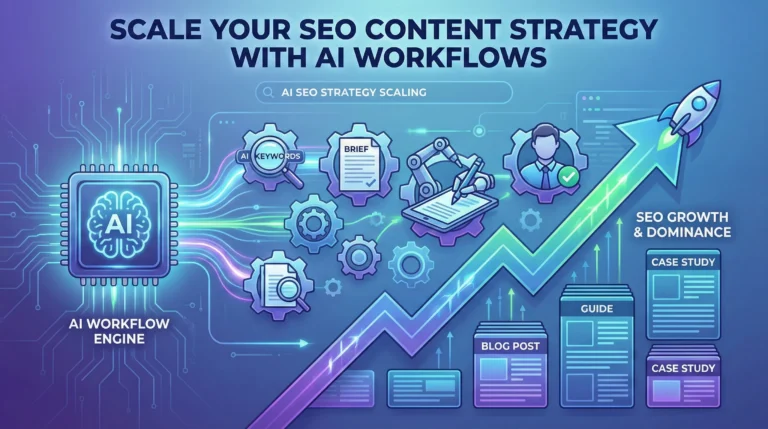
    To win at search today, you cannot just “use AI to write.” You need to build an AI SEO strategy that turns manual bottlenecks into automated workflows.

    Scaling isn’t about asking ChatGPT to write 50 articles in one giant prompt—that’s a recipe for generic, low-ranking “slop.” True scale comes from deconstructing the SEO process and using AI to handle the repetitive heavy lifting, leaving the high-value strategic thinking to humans.

    Here is how to graduate from basic prompting to building an enterprise-grade programmatic SEO engine.

    Phase 1: Intelligent Keyword Clustering at Scale

    The biggest mistake SEOs make with AI is starting with the writing phase. Scale starts with structure. You cannot dominate a niche by picking keywords one by one.

    Instead of manually grouping keywords in spreadsheets, dump thousands of raw keyword ideas from tools like Ahrefs or Semrush into a CSV. Then, use ChatGPT’s Advanced Data Analysis feature to perform semantic clustering.

    The Goal: Ask ChatGPT to group keywords not just by similar words, but by identical search intent. This turns a messy list of 5,000 keywords into a clean map of 300 distinct article topics, ensuring you don’t cannibalize your own rankings.

    Phase 2: The Automated Content Brief Factory

    Before you generate a single paragraph of draft copy, you must generate the instructions. The quality of your ChatGPT for SEO content output is directly tied to the quality of the input brief.

    Don’t ask ChatGPT to “write an article about X.” Instead, create a workflow (perhaps using a tool like Make.com or Zapier chained to OpenAI’s API) that takes a target keyword and generates a comprehensive brief based on live SERP data.

    Your automated brief should include:

    • The primary search intent (informational vs. commercial).
    • A suggested H2/H3 structure based on top-ranking competitors.
    • A list of semantic entities and NLP terms that must be included.
    • The specific questions the article needs to answer to win Featured Snippets.

    Phase 3: The “Chain-of-Thought” Drafting Engine

    Once you have a rock-solid brief, you can begin drafting. But don’t try to generate a 2,000-word guide in one shot. AI loses the thread on long outputs.

    Build a workflow that chains prompts together. Step one generates the introduction based on the brief’s hook. Step two takes the introduction and the brief’s first H2 to write the next section, and so on. By breaking the task into modular chunks, you maintain context and improve factual accuracy.

    Phase 4: The Human-in-the-Loop (E-E-A-T Layer)

    This is where the elite SEOs separate themselves from the spammers. You cannot auto-publish raw AI output and expect long-term gains.

    Your workflow must end in a human review queue. The AI is the architect and the bricklayer, but you are the site inspector. The human job is no longer drafting; it’s injecting Experience, Expertise, Authoritativeness, and Trustworthiness (E-E-A-T). Add unique data, personal anecdotes, expert quotes, and ensure the tone matches your brand.

    By automating the research, briefing, and drafting phases, your team spends 80% of their time improving content quality, rather than staring at a blank page.

  • ·

    Make Money with Amazon KDP in 2026

    How to Make Money with Amazon KDP in 2026 (Beginner’s Guide)

    Many beginners jump into Amazon KDP expecting instant passive income — and quit within months when results don’t appear. The issue isn’t the platform. It’s the strategy.

    Kindle Direct Publishing (KDP) remains one of the most accessible digital product businesses in 2026. But it rewards research, positioning, and consistency — not random uploads.

    Let’s break down how to approach KDP realistically and profitably.


    📌 What Makes KDP Still Relevant in 2026?

    Amazon is still the largest book marketplace globally. Unlike social platforms, where visibility fades quickly, books on Amazon continue generating traffic long-term through search.

    You’re not “posting content.”
    You’re building digital assets.

    KDP works especially well for:

    • Low-content books (planners, journals, trackers)
    • Workbooks and guided notebooks
    • Niche hobby guides
    • Professional templates converted into printable books
    • AI-assisted research-based guides

    The key is niche precision.


    🚀 Step 1: Choose a Niche That Has Demand — Not Just Trend

    Instead of chasing generic ideas like “fitness journal,” think micro-niches.

    For example:

    • ADHD planners for remote workers
    • Budget planners for single parents
    • Homeschool science experiment logbooks
    • Anxiety tracking journals for teens

    These aren’t random. They solve specific problems.

    💡 A quick validation method:
    Search your idea on Amazon.
    If:

    • There are books with reviews (demand exists)
    • But competition is not saturated with thousands of similar covers
    • And search suggestions appear in the dropdown

    You’re on the right track.


    ⚡ Step 2: Create With Structure, Not Guesswork

    You don’t need to be a designer. Tools like Canva, AI layout assistants, and research tools can speed up the process.

    For low-content books:

    • Maintain clean margins
    • Use consistent page layout
    • Avoid over-designed interiors
    • Focus on usability

    For informational books:

    • Add clear chapter structure
    • Include real examples
    • Provide actionable frameworks
    • Keep formatting professional

    AI tools can assist with outlines and idea expansion — but avoid publishing generic AI-generated manuscripts. Add real-world thinking and clarity.


    📊 Step 3: Optimize for Amazon SEO

    Publishing is not enough. Visibility matters.

    Key optimization areas:

    ✅ Title & Subtitle

    Include searchable keywords naturally.
    Example:
    “ADHD Daily Planner for Remote Professionals (6-Month Productivity System)”

    ✅ Backend Keywords

    Use all 7 backend keyword fields wisely. Avoid repeating title words.

    ✅ Categories

    Choose less competitive subcategories. Ranking #3 in a niche category is better than #2000 in a broad one.


    💰 How Much Can You Earn?

    KDP income varies widely.

    Royalty structure:

    • 60% for paperbacks (minus printing costs)
    • 70% for eBooks (in selected price ranges)

    Most beginners make:

    • $50–$300/month initially
    • With 5–10 well-optimized books

    Serious publishers treat it like a portfolio business.

    Instead of 1 viral book, aim for:
    📌 15–20 targeted assets over time.


    ⚖️ Benefits and Limitations

    Benefits

    • Low startup cost
    • No inventory
    • Global distribution
    • Long-term discoverability

    Limitations

    • Competitive niches
    • Requires research patience
    • Initial learning curve
    • Marketing may still be required

    KDP is not a shortcut. It’s a system.


    🛠 Action Plan for Beginners

    If you’re starting today:

    1. Pick one micro-niche.
    2. Research 10 competing books.
    3. Identify gaps (cover quality, layout flaws, missing features).
    4. Create one improved version.
    5. Optimize listing.
    6. Track performance for 30 days.
    7. Repeat strategically.

    Consistency beats creativity here.


    👥 Who Should (and Shouldn’t) Try KDP?

    Ideal for:

    • Solopreneurs building digital assets
    • Side hustlers wanting scalable income
    • Designers with layout skills
    • Researchers who enjoy niche markets

    Not ideal for:

    • People expecting overnight income
    • Those unwilling to do keyword research
    • Creators avoiding iteration

    Final Thoughts

    Amazon KDP in 2026 isn’t about flooding the marketplace. It’s about understanding search intent and solving specific problems in structured formats.

    If you treat each book like a small business asset — not a random upload — KDP can become a steady digital income stream.

    The opportunity still exists. The approach just needs to be smarter.